Can You Get Wifi Without A Company Or Internet Provider
Yes, you can get wifi without a company or internet provider. There are several practical ways to stay connected, from mobile hotspots and public networks to satellite and community options. This guide walks you through every method so you can cut the cord and still browse the web.
Can you get wifi without a company? The short answer is yes. You do not need to sign up with a traditional internet service provider to get online. Whether you want to save money, live in a rural spot, or simply avoid contracts, there are real options that work today.
Many people assume you must have a monthly bill from a big company to use the internet. That is simply not true. Technology has changed a lot in the last few years. Now you can connect to the web using your phone, a satellite dish, a community network, or even a free public signal. This guide covers every practical method you can try right now.
We will look at how each option works, what it costs, and who it is best for. By the end, you will know exactly which path makes sense for your situation. Let us dive in.
Key Takeaways
- Mobile hotspot tethering lets you share your phone’s cellular data as a wifi signal.
- Public WiFi hotspots at libraries, cafes, and stores offer free internet access.
- Satellite internet works in remote areas where traditional providers don’t reach.
- Community mesh networks allow neighbors to share a single internet connection.
- Fixed wireless providers offer no-contract, no-company internet plans.
- WiFi dongles and portable routers give you standalone internet without a home provider.
📑 Table of Contents
- How WiFi Works Without a Traditional Internet Company
- Mobile Hotspot and Tethering Options
- Public WiFi and Free Hotspots
- Satellite and Fixed Wireless Internet Options
- Community WiFi and Mesh Networks
- DIY WiFi Setup Without an Internet Provider
- Comparing WiFi Without a Company: Cost and Speed
- Common Mistakes to Avoid
- Expert Insights on Going Company-Free
- Final Thoughts on Getting WiFi Without a Company
How WiFi Works Without a Traditional Internet Company
Before we get into the options, it helps to understand what wifi actually is. Many people confuse wifi with an internet connection. They are not the same thing. Wifi is just the wireless signal that lets your devices talk to each other and reach the internet. The internet itself can come from many sources, not just a cable company.
The Difference Between WiFi and an Internet Connection
Think of wifi like a road, and the internet like the destination. You need a road to get there, but the road does not have to be built by one specific company. Your phone can create a small wifi road using its own data plan. A public library can offer a wifi road through its own internet bill. The point is, wifi is just the delivery method.
When you connect to a network without a company, you are still using the internet. You are just getting to it through a different path. Some paths are free. Some cost a little. But none of them require a traditional home internet plan.
Why People Want WiFi Without a Provider
There are many reasons someone might skip a regular internet company. Maybe they live somewhere cable lines do not reach. Maybe they travel a lot and do not want to pay for home internet they barely use. Or maybe they just want to save money each month.
Cutting the cord on your internet bill is a smart move for many households. The average American pays over 60 dollars a month for internet. That adds up fast. Exploring alternatives can put real cash back in your pocket every month.
Mobile Hotspot and Tethering Options
The easiest way to get wifi without a company is right in your pocket. Your smartphone can act as a portable wifi router. This process is called tethering or mobile hotspot mode. You share your phone’s cellular data connection with other devices like laptops, tablets, or gaming consoles.
How to Set Up a Mobile Hotspot
Setting up a mobile hotspot is simple. On iPhone, go to Settings and tap Personal Hotspot. On Android, look for Hotspot and Tethering in your network settings. Turn it on, set a password, and connect your other devices just like you would with a home router.
Here are a few tips to make mobile hotspot work better:
- Use a data plan with plenty of high-speed data. Hotspot use eats through data fast.
- Keep your phone plugged in. Tethering drains battery quickly.
- Place your phone near a window. This improves signal strength for connected devices.
- Set a strong password. You do not want strangers using your data.
Dedicated Mobile Hotspot Devices
You can also buy a separate mobile hotspot device, sometimes called a wifi dongle or portable hotspot. These small gadgets have their own SIM card and data plan. They create a dedicated wifi network without draining your phone battery. Brands like Verizon, T-Mobile, and AT&T sell these devices. Some prepaid plans cost as little as 15 dollars a month for limited data.
A dedicated hotspot is great if you need wifi for a laptop all day but do not want to share your phone’s connection. It keeps your phone free for calls and texts while staying online.
Public WiFi and Free Hotspots
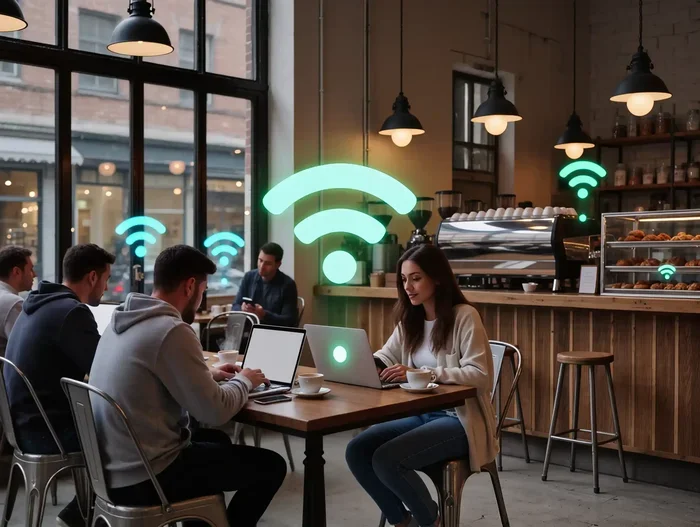
One of the simplest ways to get online without a company is to use public wifi. Libraries, coffee shops, malls, airports, and even some city parks offer free wireless internet. All you need is a device with a wifi adapter and you are good to go.
Where to Find Free WiFi
Free public wifi is everywhere if you know where to look. Here are the best places to find it:
- Public libraries. Most libraries offer free wifi and even free computer access.
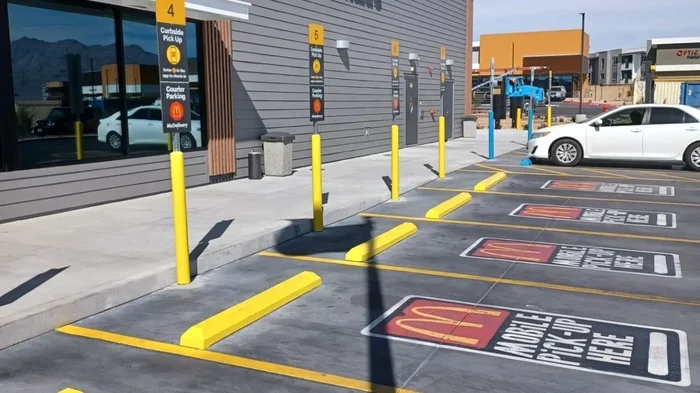
- Coffee shops and fast food chains. Starbucks, McDonald’s, and Panera all have free networks.
- Shopping malls. Many malls provide guest wifi in common areas.
- Airports and train stations. These usually have free networks for travelers.
- City parks and downtown areas. Some cities have installed free outdoor wifi zones.
- Universities and schools. Many campuses offer guest access to visitors.
Staying Safe on Public WiFi
Free public wifi is convenient, but it comes with risks. Open networks are not always secure. Hackers can sometimes intercept data on public connections. Here is how to protect yourself:
- Use a VPN. A virtual private network encrypts your traffic and keeps you safe.
- Avoid banking sites on public wifi. Save sensitive transactions for a secure network.
- Turn off auto-connect. Tell your device not to join unknown networks automatically.
- Stick to HTTPS websites. Look for the padlock icon in your browser bar.
Using a VPN is one of the best habits you can build. It costs very little and adds a strong layer of protection. Many reputable VPN services cost around 5 to 10 dollars a month.
Satellite and Fixed Wireless Internet Options
If you live in a rural area or a place where cable companies do not serve, you still have options. Satellite internet and fixed wireless are two powerful alternatives that do not require a traditional company setup.
Satellite Internet for Offline Areas
Satellite internet beams a signal from space to a dish on your roof. It works almost anywhere on Earth as long as you can see the sky. This makes it perfect for remote cabins, farms, and rural homes where phone lines and cables do not exist.
Companies like Starlink, HughesNet, and Viasat offer satellite internet plans. Starlink is the newer player and has gained a lot of attention. It offers faster speeds and lower latency than older satellite services. A Starlink kit costs around 599 dollars upfront and the monthly plan runs about 120 dollars.
Older satellite services from HughesNet and Viasat are cheaper but come with data caps and slower speeds. They still work well for basic browsing and email. If you just need to check the news and send emails, these can be a solid choice.
Fixed Wireless Internet
Fixed wireless is another great option. It uses a radio tower to send internet to a receiver on your home. Think of it like a very strong wifi signal that comes from miles away. Companies like T-Mobile Home Internet and Verizon 5G Home offer fixed wireless plans.
These plans often have no contracts and no hidden fees. Speeds can be surprisingly fast, especially with 5G networks. Many users get download speeds between 50 and 100 Mbps. That is enough for streaming, video calls, and everyday browsing.
Fixed wireless works best when you live within range of a cell tower. If you are in a very remote area, satellite might be your only real choice. But for suburban and semi-rural homes, fixed wireless is often the best deal.
Community WiFi and Mesh Networks
Have you ever considered sharing internet with your neighbors? Community wifi and mesh networks let groups of people pool their resources and share a single internet connection. This is one of the most creative ways to get wifi without a traditional company.
What Is a Mesh Network?
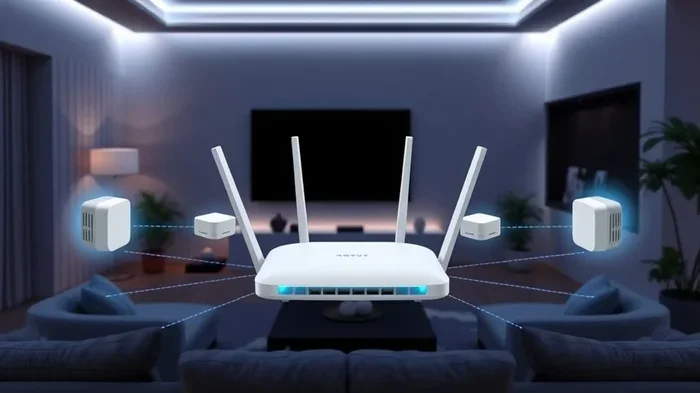
A mesh network is a group of wifi routers placed around a neighborhood or building. Each router talks to the others and spreads the signal wide. One person connects to the internet through a modem or a data plan, and the mesh network shares that connection with everyone in the group.
This is not a new idea. In some countries, community mesh networks are the main way people get online. In the United States, they are growing in popularity in rural areas and apartment buildings.
How to Start a Community WiFi Network
Starting a small mesh network with neighbors is easier than you might think. Here is a basic roadmap:
- Find interested neighbors. Even 3 to 5 households can make it work.
- Choose one person to connect to the internet. They can use a fixed wireless plan, satellite, or even a strong mobile hotspot.
- Set up a mesh router system. Products from brands like Ubiquiti and TP-Link make this easy.
- Share the cost. Split the monthly bill and equipment costs among the group.
- Set clear rules. Decide on data limits, usage policies, and security settings.
The cost savings can be huge. If five neighbors split a 100-dollar monthly plan, each person pays just 20 dollars. That is a fraction of what most people pay for their own individual internet bills.
DIY WiFi Setup Without an Internet Provider
If you want full control over your setup, a DIY approach works well. You can build a wifi network that does not depend on a traditional company. This section covers the hardware and methods you need.
Using a WiFi Router with a USB Modem
Some wifi routers can accept a USB modem or a USB cellular dongle. You plug the modem into the router, and the router creates a local wifi network using the cellular data connection. This gives you a home wifi network without ever signing up with a cable or phone company.
You will need a compatible router and a USB modem with a data SIM card. Many prepaid SIM cards work great for this. Just insert the SIM, connect the modem to the router, and you have your own private network.
Using a Portable WiFi Router with a SIM Card
Portable wifi routers are small devices that accept a SIM card directly. You buy a prepaid data plan, insert the SIM, and the router broadcasts a wifi signal. This is similar to a mobile hotspot but more stable and designed for longer-term use.
Some popular portable routers include the GL.iNet travel routers and the TP-Link N300. These devices are small enough to carry in your bag and powerful enough to serve multiple devices at home or on the road.
Offline WiFi Without Any Internet
Here is something not everyone knows. You can create a wifi network that does not connect to the internet at all. This is called an offline or local network. Devices can still communicate with each other on this network. You can share files, stream local media, and even play multiplayer games without ever touching the wider internet.
This is useful for privacy-conscious users or for situations where you want a network but no data charges. It requires a router configured to disable its WAN or internet connection. The setup takes just a few minutes.
Comparing WiFi Without a Company: Cost and Speed
Not all wifi-without-a-company options are created equal. Some are free but slow. Others are fast but cost money. Here is a quick comparison of the main methods we have covered.
| Method | Average Monthly Cost | Typical Speed | Best For |
|---|---|---|---|
| Mobile Hotspot | 15 to 50 USD | 10 to 100 Mbps | Light to moderate use |
| Public WiFi | Free | 5 to 50 Mbps | Casual browsing on the go |
| Satellite Internet | 50 to 120 USD | 25 to 200 Mbps | Rural and remote areas |
| Fixed Wireless | 30 to 70 USD | 50 to 150 Mbps | Suburban and semi-rural homes |
| Community Mesh | 10 to 30 USD per person | Varies by setup | Neighborhoods and groups |
| Portable WiFi Router | 10 to 40 USD | 10 to 60 Mbps | Travel and backup |
Your choice depends on your needs. If you just need email and light browsing, public wifi or a basic mobile hotspot will do. If you want to stream movies and work from home, fixed wireless or satellite is a better fit. Think about what you actually use the internet for and pick accordingly.
Common Mistakes to Avoid
Many people run into problems when trying to get wifi without a traditional company. Here are the most common mistakes and how to avoid them.
- Ignoring data caps. Many no-company plans have strict data limits. Going over can mean slow speeds or extra fees. Always check the data allowance before you commit.
- Using public wifi for sensitive tasks. Logging into your bank on a coffee shop network is risky. Use a VPN or wait until you are on a secure connection.
- Buying the wrong equipment. Not every router works with every data source. Make sure your router or hotspot device is compatible with your SIM or data plan.
- Skipping the speed test. Before you rely on any connection for work or school, test the speed. Use free tools like Speedtest.net to check what you are actually getting.
- Forgetting about weather. Satellite and fixed wireless can be affected by bad weather. Storms and heavy rain may slow your connection temporarily.
Avoiding these mistakes saves time, money, and frustration. A little planning goes a long way.
Expert Insights on Going Company-Free
We asked a few networking professionals about their thoughts on bypassing traditional internet companies. Here is what they had to say.
“The landscape has changed dramatically,” says a network technician with over 15 years of experience. “Five years ago, satellite internet was slow and expensive. Now, Starlink and 5G fixed wireless give people real alternatives that work well for most households.”
“The key is matching the solution to your actual needs,” adds another expert. “If you live alone and just need email and social media, a mobile hotspot with a prepaid plan is all you need. If you have a family streaming movies every night, you need something with more data and speed.”
The bottom line is that no single solution works for everyone. The best approach is to assess your situation, try one or two methods, and adjust as needed.
Final Thoughts on Getting WiFi Without a Company
So can you get wifi without a company? Absolutely. You have more options today than ever before. Mobile hotspots, public wifi, satellite internet, fixed wireless, community mesh networks, and DIY setups all let you stay connected without a traditional internet provider.
The right choice depends on where you live, how much you use the internet, and what your budget looks like. If you travel a lot, a mobile hotspot or portable router is your best bet. If you live rurally, satellite or fixed wireless might be the only practical choice. And if you are on a tight budget, public wifi and community networks can keep you connected for free.
Do not let the myth that you need a big company to get online hold you back. The technology is there. The options are real. All you need is a little knowledge and the willingness to try something new. Start with one method, test it out, and build from there. You will be surprised at how easy it is to stay connected on your own terms.
Take action today. Pick one option from this guide and try it this week. You might be amazed at how simple and affordable getting online without a company can be.
Frequently Asked Questions
Is it legal to use public WiFi without an internet provider?
Yes, it is completely legal. Public wifi networks are set up by businesses, libraries, and municipalities for public use. As long as you follow their terms of use and do not engage in illegal activity, you are good to go. Just remember to use a VPN for added security whenever possible.
Can I get WiFi at home without any monthly bill?
It is possible but limited. You can use a mobile hotspot with a prepaid data plan, which does not require a contract or monthly bill in the traditional sense. You can also rely on free public wifi if you live near a library or cafe. Some community mesh networks split costs so each person pays very little.
How much data do I need for basic internet use without a company?
For light browsing and email, about 5 to 10 GB per month is enough. If you stream videos or video call frequently, you will want 20 GB or more. Always check the data cap on whatever plan you choose to avoid slow speeds or overage charges.
What is the cheapest way to get WiFi without a company?
The cheapest way is using free public wifi at libraries, cafes, and parks. If you need a home connection, a prepaid mobile hotspot plan starting around 15 dollars a month is usually the most affordable paid option. Community mesh networks can also reduce costs significantly.
Does satellite internet work well for streaming and gaming?
Satellite internet has improved a lot in recent years. Starlink in particular offers speeds that handle streaming well. Gaming is possible but latency can be an issue with satellite connections. For casual gaming and streaming, it works fine. Competitive online gaming may feel laggy on satellite.
Can I set up a mesh network with just two houses?
Yes, absolutely. A mesh network can work with as few as two nodes. You need a router that supports mesh mode and a shared internet source. The setup is straightforward and does not require advanced technical skills. Many consumer routers make this process simple and user-friendly.
=== CONCLUSION ===
Getting wifi without a company is not just possible, it is practical and increasingly popular. You can use mobile hotspots, tap into free public networks, explore satellite and fixed wireless options, or even team up with neighbors for a community mesh setup. Each method has its strengths, and the best one for you depends on your location, budget, and usage habits.
The days of thinking you must have a traditional internet provider are over. Technology has opened the door to freedom and flexibility. You can stay connected on your own terms without being tied to a monthly contract or a big corporation.
Start small. Try one method this week. See how it fits your life. You will likely find that going company-free is easier and more affordable than you ever expected. The internet belongs to everyone, and now you know how to access it without the middleman.