Can You Access Mcdonalds Wi Fi From The Parking Lot
Yes, you can often access McDonald’s WiFi from the parking lot, but your experience depends on several factors like signal strength, location, and the specific restaurant setup. McDonald’s free WiFi is designed to work inside the restaurant, but many customers report getting a usable connection from their cars. In this guide, we break down everything you need to know about McDonald’s WiFi from parking lot access, including tips, limitations, and how to get the best connection without even stepping inside.
Have you ever pulled into a McDonald’s parking lot and wondered if you could grab some free internet without going inside? Maybe your home WiFi is down, or you’re on a road trip and need to check something urgent. The good news is that McDonald’s WiFi from parking lot access is a real thing that many people use every day. But how well does it actually work? Let’s dive in and find out.
McDonald’s is one of the largest providers of public WiFi in the world. With thousands of locations across the globe, their wireless network reaches far beyond the dining area. Whether you’re in your car, sitting on a bench, or standing outside, there’s a good chance you can pick up their signal. But the experience isn’t always the same everywhere. Let’s explore what you need to know.
Key Takeaways
- McDonald’s WiFi is accessible from the parking lot: Many customers successfully connect to the network while sitting in their vehicles.
- Signal strength varies by location: The distance from the restaurant and building materials affect how well you can pick up the network.
- You don’t always need to make a purchase: McDonald’s free WiFi is open to the public, though buying something can help maintain a good relationship with staff.
- Speed may be slower outside: Walls, windows, and distance can reduce your WiFi speed compared to being inside the restaurant.
- The McDonald’s app can help with access: Using the app sometimes provides a smoother login process and better connectivity.
- Security matters: Always use a VPN when connecting to any public WiFi, including McDonald’s.
- Not all McDonald’s locations are the same: Some have stronger outdoor signals than others based on their setup and equipment.
📑 Table of Contents
- How McDonald’s WiFi Works From Your Car
- Can You Really Get a Good Signal Outside?
- Do You Need to Buy Something to Use McDonald’s WiFi?
- Tips for Getting the Best McDonald’s WiFi in Your Car
- Is It Safe to Use McDonald’s WiFi From Your Car?
- How McDonald’s WiFi Compares to Other Free Public WiFi
- Common Problems and How to Fix Them
- Why Do People Use McDonald’s WiFi From Their Cars?
- Expert Insights on McDonald’s Parking Lot WiFi
- The Future of McDonald’s WiFi and Public Connectivity
- Final Thoughts
How McDonald’s WiFi Works From Your Car
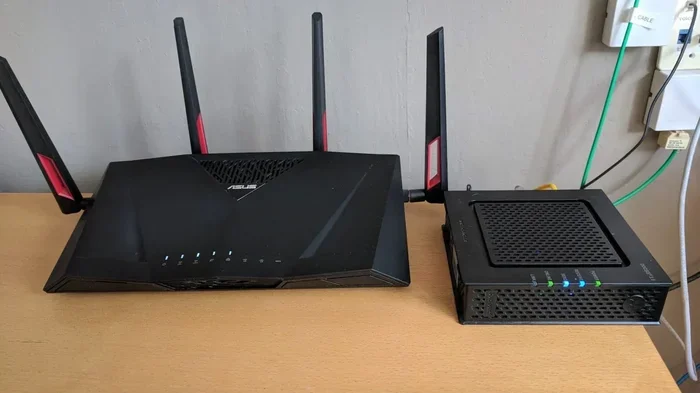
McDonald’s uses a wireless network that broadcasts both inside and outside the building. The router is typically placed somewhere inside the restaurant, and the signal radiates outward through walls, windows, and doors. This means the McDonald’s WiFi parking lot range can extend quite a distance, especially in open-air parking areas.
The network name usually follows a standard format like “McDonald’s WiFi” or “Google Starbucks” (yes, that’s a thing — more on that later). When you connect from your car, your phone or laptop picks up the same signal that someone inside would get. The difference is that you’re farther from the source, which affects everything from speed to stability.
What You Need to Connect
Getting online from the parking lot is pretty straightforward. Here’s what you’ll need:
- A smartphone, laptop, or tablet with a WiFi-capable device
- The McDonald’s WiFi network in range
- A browser or the McDonald’s app to accept the terms of service
- Patience, because the connection process can sometimes be slow
Most modern devices will automatically detect the network. Once you see it pop up, tap on it and open your browser. You’ll be redirected to a login page. From there, you just accept the terms, and you’re good to go. Some people use the McDonald’s app to connect, which can sometimes offer a smoother experience.
Can You Really Get a Good Signal Outside?
This is the question everyone wants answered. The short answer is yes, but with some caveats. The McDonald’s WiFi signal strength outside depends on several factors. Let’s break them down.
Distance From the Restaurant
The closer you are to the building, the stronger your signal will be. If you’re parked right next to the restaurant, you’ll likely get a solid connection. If you’re at the far end of the parking lot, the signal might be weak or nonexistent. WiFi signal range from a McDonald’s router typically extends 100 to 150 feet, but this varies based on the router model and any obstructions.
Building Materials and Obstacles
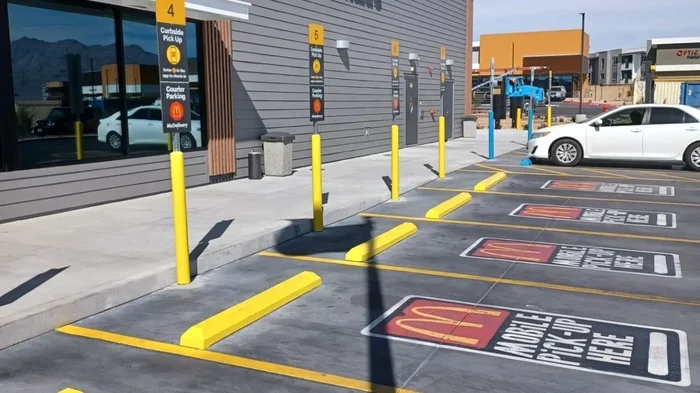
Thick walls, metal roofing, and even large glass windows can weaken the signal. Some McDonald’s buildings are made of materials that block WiFi more than others. If the restaurant has a lot of metal in its construction, the signal might not travel as far into the parking lot. On the other hand, open-air pickup areas and drive-through zones often have weaker barriers, which means a stronger outdoor signal.
Time of Day and Network Load
During busy hours, the McDonald’s WiFi speed can drop significantly. This happens because more people are connected to the same network. If you’re trying to connect from the parking lot during a lunch rush, you might experience slower speeds. Early mornings or late evenings usually offer better performance because fewer people are using the network.
Weather Conditions
Believe it or not, weather can affect your WiFi signal. Heavy rain, snow, and even thick fog can weaken wireless signals. If you’re trying to use McDonald’s internet from your car during a storm, don’t be surprised if the connection is spotty. Clear days tend to offer the best outdoor WiFi experience.
Do You Need to Buy Something to Use McDonald’s WiFi?
Here’s a question that comes up a lot. Do you actually need to make a purchase to use McDonald’s WiFi from the parking lot? The answer is technically no. McDonald’s free WiFi is open to everyone. You don’t need to be a paying customer to connect.
However, there’s a catch. If you’re sitting in the parking lot for hours and using up bandwidth, staff might notice. McDonald’s is a business, and they provide WiFi to enhance the customer experience, not to serve as a public internet café. Buying a coffee or a meal is a nice gesture that keeps things friendly. Most staff won’t say anything, but it’s good to be respectful of the space.
Some McDonald’s locations have started requiring a purchase for extended WiFi use. This isn’t universal, but it’s worth knowing. If you find that you can’t connect without buying something, that’s likely why. The McDonald’s WiFi policy can vary from one franchise to another.
Tips for Getting the Best McDonald’s WiFi in Your Car
Want to make the most of your McDonald’s parking lot WiFi experience? Here are some practical tips that actually work.
1. Park Close to the Building
This seems obvious, but it makes a huge difference. The closer you are to the restaurant, the stronger your signal. Try parking near the side of the building where the router is likely located. If you’re unsure, just park close and test the connection.
2. Use the McDonald’s App
The McDonald’s app is more than just a way to order food. It also serves as a WiFi connector. When you open the app while connected to McDonald’s WiFi, it often handles the login process automatically. This can save you time and frustration, especially if the captive portal is slow to load.
3. Turn Off Other Connections
If you have both cellular data and WiFi enabled, your phone might switch between the two unpredictably. Turn off your mobile data and let your device focus on the McDonald’s wireless network. This gives you a more stable connection and prevents annoying drops.
4. Use a WiFi Analyzer App
Apps like WiFi Analyzer or NetSpot can show you exactly how strong the signal is from different spots in the parking lot. Walk around (or drive around) and find the sweet spot where the signal is strongest. This is especially helpful if you plan to stay connected for a while.
5. Bring a Mobile Hotspot as Backup
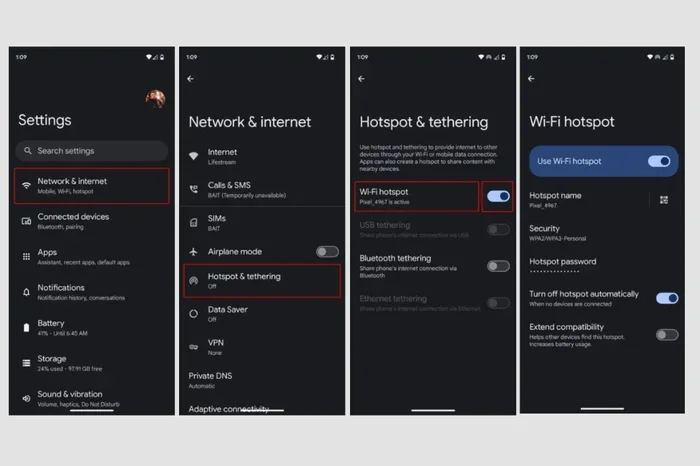
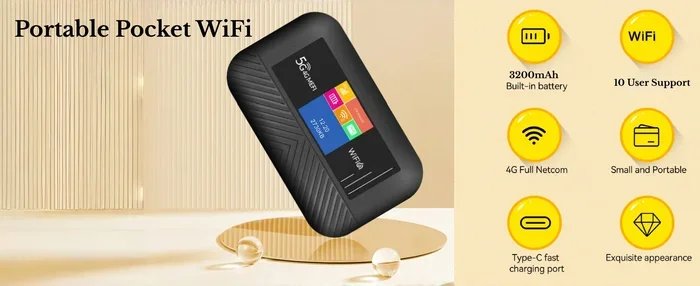
If the McDonald’s signal isn’t cutting it, having a mobile hotspot as a backup is always smart. You can tether your phone to your laptop or tablet. This way, you’re never stuck without internet, even if the McDonald’s WiFi from parking lot doesn’t cooperate.
6. Keep Your Device Updated
Older devices sometimes struggle with modern WiFi networks. Make sure your phone or laptop has the latest software updates. This ensures compatibility with the latest WiFi standards and can improve your connection quality.
Is It Safe to Use McDonald’s WiFi From Your Car?
Security is a big concern when using any public WiFi network. And yes, McDonald’s public WiFi is no exception. When you connect to any open network, your data is potentially exposed to others on the same network.
Here’s what you should do to stay safe:
- Use a VPN: A virtual private network encrypts your data and keeps your browsing private. This is the single best thing you can do when using any public WiFi.
- Avoid banking sites: Don’t access your bank account or enter sensitive information while connected to public WiFi without a VPN.
- Use HTTPS sites: Look for the padlock icon in your browser. Sites with HTTPS are encrypted and safer to use on public networks.
- Turn off file sharing: Make sure your device isn’t sharing files or folders while connected to the McDonald’s WiFi network.
- Forget the network after use: Once you’re done, tell your device to forget the network so it doesn’t auto-connect next time you’re nearby.
Using a VPN is especially important when you’re connected to McDonald’s WiFi outside because you have no control over who else is on the network. A good VPN service costs just a few dollars a month and gives you peace of mind. It’s a small price to pay for security.
How McDonald’s WiFi Compares to Other Free Public WiFi
McDonald’s isn’t the only place offering free WiFi. Let’s see how it stacks up against other popular options.
| Location | Signal Range | Speed | Login Required | Parking Lot Access |
|---|---|---|---|---|
| McDonald’s | 100-150 feet | Moderate | Yes (captive portal) | Yes, usually |
| Starbucks | 50-100 feet | Moderate to Fast | Yes (via app or browser) | Limited |
| Chick-fil-A | 75-125 feet | Moderate | Yes (via app) | Yes, usually |
| Public Libraries | 150-300 feet | Fast | Sometimes | Limited to parking area |
| Fast Food Chains (General) | 50-150 feet | Slow to Moderate | Varies | Depends on location |
As you can see, McDonald’s WiFi from parking lot access is one of the more reliable options among fast food chains. The signal tends to reach farther than many competitors, and the login process is straightforward. Starbucks is close, but their signal doesn’t always carry as far into the parking lot. Chick-fil-A is another solid option, especially if you’re near one of their newer locations with better equipment.
Common Problems and How to Fix Them
Even though connecting to McDonald’s WiFi outside is usually easy, things don’t always go smoothly. Here are common issues and how to solve them.
The Login Page Won’t Load
This is the most common problem. If the captive portal doesn’t pop up, try typing 1.1.1.1 or 1.0.0.1 into your browser. These addresses often trigger the login page. You can also try clearing your browser cache or switching to a different browser.
Connected But No Internet
If you see the WiFi icon but can’t load any pages, the network might be full. Try disconnecting and reconnecting. You can also toggle airplane mode on and off to force a fresh connection. Sometimes just waiting a few minutes helps if the network is overloaded.
Slow Speeds
Slow speeds from the McDonald’s WiFi parking lot are usually caused by distance or network congestion. Moving closer to the building can help. If that’s not an option, try visiting during off-peak hours. Early mornings and late evenings typically offer better speeds.
Network Not Showing Up
If you can’t find the McDonald’s network, it might be too far away, or the restaurant might have disabled the outdoor signal. Try moving closer. If it still doesn’t appear, the location might not broadcast the network outside. Not every McDonald’s does.
Why Do People Use McDonald’s WiFi From Their Cars?
The reasons are varied and practical. Some people don’t have internet at home and rely on McDonald’s free WiFi for work, school, or staying in touch with family. Others are traveling and need a quick internet check without committing to sitting inside a restaurant.
Parents sometimes use the parking lot WiFi while waiting to pick up kids from school nearby. Freelancers and remote workers occasionally use it as a backup workspace. Truck drivers and delivery workers have been known to park at McDonald’s during breaks and get some work done.
The McDonald’s WiFi from parking lot setup is incredibly convenient for all these situations. It’s free, it’s widely available, and it works well enough for most tasks like browsing, email, video calls, and light streaming.
Expert Insights on McDonald’s Parking Lot WiFi
Network engineers and tech experts generally agree that McDonald’s WiFi outside is one of the better public WiFi options available. The reason is simple — McDonald’s invests in solid networking equipment for their indoor operations, and some of that signal naturally extends outdoors.
However, experts also caution that the connection is not guaranteed. The signal is designed for indoor use, and outdoor performance depends heavily on the specific building, location, and equipment. If you’re counting on a strong, reliable connection from your car, it’s smart to have a backup plan like a mobile hotspot.
Tech professionals also recommend using a WiFi analyzer to check signal strength before committing to a spot. This takes the guesswork out of finding the best connection point in any parking lot. A few minutes of planning can save you a lot of frustration later.
The Future of McDonald’s WiFi and Public Connectivity
McDonald’s continues to invest in its WiFi infrastructure. Newer locations are being built with better routers and equipment that offer stronger signals both inside and outside. As WiFi technology evolves, we can expect the McDonald’s WiFi parking lot experience to improve over time.
Some locations have already started upgrading to WiFi 6 technology, which offers faster speeds and better performance in crowded areas. This is great news for anyone who relies on McDonald’s WiFi, whether inside or outside the building. The trend toward better public WiFi means that parking lot access will only get better in the years ahead.
With more people working remotely and relying on public WiFi, the demand for reliable outdoor connections will only grow. McDonald’s is well-positioned to meet this demand, given their massive footprint and existing infrastructure. It’s one of the reasons their WiFi remains one of the most popular public networks in the world.
Final Thoughts
So, can you access McDonald’s WiFi from the parking lot? Absolutely. It’s one of the easiest and most convenient ways to get free internet when you’re on the go. The signal reaches beyond the walls of the restaurant, and connecting is usually a breeze. Just remember that your experience may vary depending on your location, the time of day, and the specific restaurant setup.
Follow the tips in this guide, stay safe with a VPN, and you’ll be able to enjoy McDonald’s free WiFi from your car in no time. Whether you’re working, browsing, or just killing time, the parking lot WiFi at McDonald’s is a reliable option that millions of people use every single day.
Next time you’re in a McDonald’s parking lot and need internet access, don’t hesitate to connect. With the right setup and a little know-how, you’ll be online in minutes. Just don’t forget to grab a coffee inside — it’s the polite thing to do.
Frequently Asked Questions
Can I use McDonald’s WiFi from my car without going inside?
Yes, you can. McDonald’s WiFi signal extends outside the building, and many people connect successfully from their parked cars. Just look for the “McDonald’s WiFi” network on your device and follow the login prompts through your browser.
Do I need to buy something at McDonald’s to use their WiFi?
No, McDonald’s free WiFi is open to the public and doesn’t require a purchase. However, buying something is a nice gesture, especially if you plan to stay connected for a long time. Some franchise locations may have their own policies, so it’s good to be respectful.
How far can McDonald’s WiFi reach into the parking lot?
The signal typically reaches 100 to 150 feet from the building, but this varies based on the router, building materials, and obstructions. Parking close to the restaurant usually gives you the best chance of getting a strong connection.
Is McDonald’s WiFi safe to use from the parking lot?
Public WiFi always carries some security risks. It’s strongly recommended to use a VPN when connecting to McDonald’s WiFi, even from your car. Avoid accessing sensitive information like bank accounts without proper protection, and always use HTTPS websites.
Why is my McDonald’s WiFi signal weak in the parking lot?
Several factors can cause a weak signal, including distance from the building, thick walls, weather conditions, and network congestion during busy hours. Parking closer to the restaurant and visiting during off-peak times can help improve your signal strength.
Can I stream video or make video calls using McDonald’s WiFi from the parking lot?
It’s possible, but the experience depends on signal strength and network load. Light browsing and email work well, but video calls and streaming may be choppy during busy hours. For the best results, visit during off-peak times and park as close to the building as possible.
=== CONCLUSION ===
Accessing McDonald’s WiFi from the parking lot is not only possible — it’s something thousands of people do every day. Whether you need a quick internet fix while traveling, a backup workspace, or simply a place to get online without spending money, McDonald’s free WiFi has you covered. The signal reaches beyond the restaurant walls, and with the right approach, you can get a solid connection from your car.
Remember to park close, use the McDonald’s app for easier login, protect your data with a VPN, and be respectful of the space. With these simple steps, you’ll make the most of McDonald’s WiFi from parking lot access every time. So next time you’re in the drive, don’t hesitate to connect and get online. It’s free, it’s easy, and it works.