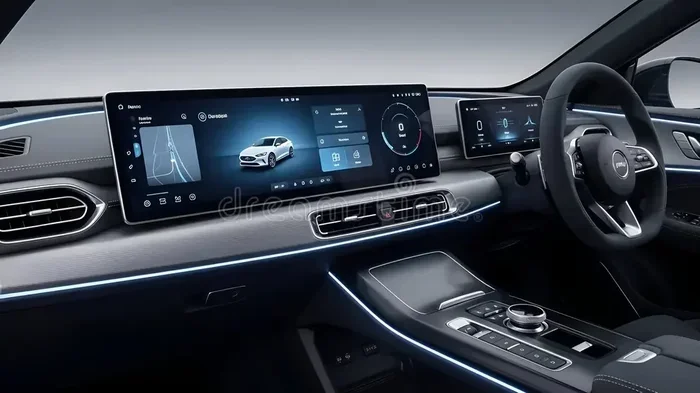
Are Touch Screens In Cars Safe Enough For Daily Driving
Touch screens in cars offer convenience and modern features, but many drivers wonder if they are truly safe for daily use. Studies show that distracted driving caused by in-car touch interfaces can increase accident risk. However, with the right safety features and smart habits, you can enjoy your car infotainment system without putting yourself or others in danger.
Are touch screens in cars safe enough for daily driving? This is a question more drivers are asking every day. Modern vehicles come packed with infotainment systems that rely on large touchscreen displays for nearly every function. From adjusting the volume to setting up navigation, the car touchscreen has become the central hub of the driving experience.
But convenience does not always mean safety. Research from the AAA Foundation for Traffic Safety shows that distracted driving caused by touchscreen use can delay driver reaction times significantly. Yet automakers continue to push these automotive touch interfaces as the future of vehicle control. So where does the truth lie? Let us break it all down.
In this article, we will look at the real risks, the latest safety tech, and what you can do to stay safe every time you drive. Whether you are buying a new car or just curious about your current vehicle infotainment setup, this guide has you covered.
Key Takeaways
- Touch screens can cause visual and cognitive distraction that takes your eyes off the road for dangerous seconds.
- Modern vehicles now include safety features like voice commands and reduced screen menus to minimize risks.
- Hands-free controls and haptic feedback help drivers interact with screens more safely while keeping eyes on the road.
- Studies confirm that complex touch interfaces are more distracting than simple physical buttons.
- Proper setup and usage habits can greatly reduce the safety risks of car touch screens.
- Legal regulations are evolving to address touchscreen-related distracted driving across many states.
- The future of car screens points toward augmented reality heads-up displays and smarter AI assistants.
📑 Table of Contents
- What Are Touch Screens In Cars And How Do They Work
- The Safety Concerns Around Car Touch Screens
- How Touch Screens Compare To Traditional Controls
- Latest Safety Features In Modern Touch Screen Systems
- Expert Tips For Using Touch Screens Safely While Driving
- The Future Of Car Touch Screens And Safety
- Are Touch Screens In Cars Safe Enough For Daily Driving
What Are Touch Screens In Cars And How Do They Work
Almost every new car on the market today features some form of touchscreen display. These screens range from small basic panels to massive 17-inch displays that control almost everything in the vehicle. But how do they actually work?
Capacitive vs Resistive Touchscreens
Most modern car touchscreen displays use capacitive technology. This is the same tech found in smartphones. It detects the electrical charge from your finger to register input. These screens feel smooth and respond quickly to light touches.
Older or budget vehicles may use resistive touchscreens. These require more pressure and respond to any object, not just fingers. They are less common today but still found in some in-car technology systems.
What Can You Control With A Car Touchscreen
The list of functions controlled by dashboard touchscreen systems keeps growing. Here are common features you can find:
- Navigation and maps with real-time traffic updates
- Audio and media controls for music and podcasts
- Climate control for heating and air conditioning
- Phone pairing for hands-free calls and texts
- Driver assistance settings like lane keeping and adaptive cruise
- Rear seat entertainment for passengers
- Vehicle settings including driving modes and suspension
That is a lot of functions packed into one screen. And every time you interact with it, your attention shifts away from the road. This is the core of the safety debate around touch screens in cars.
The Safety Concerns Around Car Touch Screens
The biggest concern with touch screens in cars is distraction. Driving requires your full attention. Any activity that pulls your focus away creates risk. Let us look at the specific types of distraction these screens cause.
Visual Distraction
Visual distraction happens when you take your eyes off the road. Touchscreen navigation is a major culprit here. Many car infotainment systems require you to look at the screen to find the right menu or enter a destination address. Studies show that even a two-second glance away from the road can double your risk of a crash.
Screen glare while driving is another visual problem. Bright sunlight or headlights from behind can make automotive touch interfaces hard to read. This forces you to squint, lean forward, or spend even more time looking at the screen.
Cognitive Distraction
Cognitive distraction means your mind is not fully on driving. Even if your eyes are on the road, thinking about a complex touch screen menu takes mental focus away from the task at hand. This type of distraction is harder to measure but just as dangerous.
For example, deciding which song to play or figuring out a navigation route requires thinking. That thinking competes for brain resources needed for safe driving. The result is slower reaction times and poor situational awareness.
Manual Distraction
Manual distraction happens when you take your hands off the wheel. Tapping, swiping, and scrolling on a car touchscreen means at least one hand is not on the steering wheel. Some vehicle touchscreen systems require multiple steps to complete a simple task, meaning your hands stay off the wheel for longer periods.
How Long Does It Really Take
Research from the AAA Foundation tested popular infotainment systems and found that completing tasks on touch screens took drivers’ eyes off the road for an average of 40 seconds. At 55 miles per hour, 40 seconds is like driving the length of four football fields blindfolded. That is a terrifying statistic.
| Task | Average Time Eyes Off Road | Distance Traveled At 55 MPH |
|---|---|---|
| Setting navigation | 30-40 seconds | 4-6 football fields |
| Adjusting audio | 10-15 seconds | 1.5-2 football fields |
| Changing climate settings | 5-10 seconds | 0.5-1 football field |
| Answering a text message | 20-30 seconds | 3-4 football fields |
These numbers show why distracted driving from touch screens is a serious concern. But it is not all bad news. Automakers are making big improvements.
How Touch Screens Compare To Traditional Controls
Before touch screens took over, drivers relied on physical buttons, knobs, and dials. How do these compare when it comes to safety?
The Case For Physical Buttons
Physical buttons allow you to operate controls by feel without looking. You can turn up the volume or adjust the AC while keeping your eyes on the road. This is why many safety advocates prefer traditional vehicle controls over touchscreen-based interfaces.
Buttons also provide haptic feedback, meaning you feel a tactile response when you press them. This confirms the action was registered without needing to look at the control. Car touchscreen displays lack this natural feedback in most cases.
The Case For Touch Screens
On the other hand, touch screens offer flexibility that physical buttons cannot match. A single screen can control dozens of functions without taking up dashboard space. They also allow for software updates that can add new features over time.
Modern touch screen systems are getting smarter too. Many now use large icons, simplified menus, and voice control to reduce the need for complex interactions. The goal is to make in-car technology safer without losing convenience.
Where The Balance Lies
The best approach combines both worlds. A dashboard touchscreen for complex tasks like navigation, paired with physical controls for frequently used functions like volume and climate, offers the ideal balance. This is why some automakers are bringing back physical knobs for essential controls while keeping touch screens for secondary features.
Latest Safety Features In Modern Touch Screen Systems
Automakers know that touch screens in cars can be distracting. That is why newer vehicles include smart safety features designed to reduce risk. Here are the most important ones to look for.
Voice Command Technology
Voice command technology is one of the biggest improvements in car infotainment systems. Instead of tapping through menus, you can speak commands to control navigation, audio, and phone calls. This keeps your eyes on the road and hands on the wheel.
Systems like Apple CarPlay and Android Auto now offer robust voice-activated controls. You can say “Navigate to the nearest gas station” or “Call Mom” without touching the screen at all. The voice assistant in car systems has improved dramatically and continues to get better each year.
Head-Up Displays
Head-up displays project important information onto the windshield so you can see it without looking down. Speed, navigation arrows, and safety alerts appear right in your line of sight. This technology greatly reduces the need to glance at a car touchscreen display while driving.
Some luxury vehicles now offer augmented reality head-up displays that overlay navigation directions directly onto the real-world view through the windshield. This is a game-changer for driver safety features.
Haptic Feedback And Audio Confirmation
To make automotive touch interfaces safer, many manufacturers now include haptic feedback. This means the screen vibrates slightly when you tap it, giving you a physical confirmation without looking. Audio confirmation adds another layer, letting you know a command was registered by sound alone.
Driver Monitoring Systems
Some advanced vehicle models now include driver monitoring cameras that detect when your attention has drifted. If the system senses you are distracted by the screen for too long, it can issue alerts or even suggest a pull-over. This technology adds an extra layer of protection for touchscreen-based driving.
Expert Tips For Using Touch Screens Safely While Driving
Even with the best safety features, you still need to be smart about how you use touch screens in cars. Here are practical tips from driving safety experts.
Set Everything Before You Drive
The golden rule is simple. Adjust your navigation, select your music, and set your climate controls before you put the car in drive. If you need to make changes while moving, pull over safely first. Treat the car touchscreen like a tool you use when parked, not while in motion.
Use Voice Commands Whenever Possible
Make voice control your default way of interacting with the infotainment system. Most modern systems are very capable and understand natural language. Use them to the fullest. The less you touch the screen, the safer you stay.
Keep Your Screen Clean
A smudged or dirty dashboard touchscreen is harder to read and harder to interact with. Wipe your screen regularly with a microfiber cloth. Avoid using harsh chemicals that can damage the anti-glare coating. A clean screen reduces the time your eyes need to spend on it.
Limit Passenger Screen Use
Passengers using the rear seat entertainment system can also create distraction. They may ask you to help find a movie or adjust settings. Set boundaries and encourage passengers to handle their own entertainment when safe to do so.
Know Your Local Laws
Driver distraction laws vary by state and country. Some places ban manual interaction with touch screens while driving entirely. Others allow it with restrictions. Knowing the rules keeps you legal and, more importantly, keeps you safe. Check your local regulations to understand what is permitted.
Choose Vehicles With Smart Screen Design
When shopping for a new car, pay attention to how the touchscreen interface is designed. Look for vehicles with simple menus, large touch targets, and limited options while driving. The best car safety technology in this area is a screen that does not demand your constant attention.
The Future Of Car Touch Screens And Safety
The automotive touch interface is evolving fast. Automakers and tech companies are working on solutions that make touch screens in cars safer and more intuitive. Here is what the future looks like.
Artificial intelligence is playing a bigger role in vehicle interfaces. Future car infotainment systems will learn your habits and preferences, presenting only the most relevant options at the right time. This reduces menu diving and keeps interactions short and simple.
Gesture control is another exciting development. Instead of touching the screen, you can wave your hand in the air to skip tracks or answer calls. This keeps your hands on the wheel and your eyes on the road even more effectively than current touch interfaces.
Augmented reality dashboards are also on the horizon. These will overlay navigation and safety information directly onto your view of the road through the windshield or a dedicated AR display. The car touchscreen of the future may look very different from what we use today.
One thing is clear. Safety will always be the top priority in vehicle touchscreen design. As technology improves, the balance between convenience and safety will continue to shift in favor of the driver.
Are Touch Screens In Cars Safe Enough For Daily Driving
The honest answer is that touch screens in cars are not perfectly safe, but they are safe enough for daily driving when used correctly. The key is understanding the risks and taking steps to minimize them.
If you treat the touchscreen as a tool for setup and use voice commands for in-motion adjustments, the safety risks drop significantly. Modern driver assistance features and smart screen design also help protect you on every trip.
No technology is completely risk-free. But with awareness, good habits, and smart vehicle choices, you can enjoy all the benefits of a car touchscreen display without compromising your safety or the safety of others on the road.
The bottom line is this. Stay informed, stay focused, and use your vehicle infotainment system wisely. That is the best way to make sure your touchscreen-based driving experience remains a safe and enjoyable one every single day.
Frequently Asked Questions
Can using a touch screen in my car cause an accident?
Yes, distracted driving from touchscreen use is a real risk. Taking your eyes off the road for even a few seconds can lead to a serious accident. The key is to minimize screen interactions while the car is in motion and use voice commands instead.
Are touch screen cars more dangerous than cars with physical buttons?
Studies suggest that touchscreen interfaces are more distracting than physical buttons because they require visual attention. Physical buttons let you operate controls by feel. However, modern car touchscreen displays with voice control and haptic feedback are closing that gap significantly.
What should I do if I need to adjust my touchscreen while driving?
The safest option is to pull over before making any changes. If you must adjust something while driving, use voice commands whenever possible. Keep interactions brief and avoid entering complex data like addresses while the vehicle is moving.
Do all car manufacturers follow the same safety standards for touch screens?
No, safety standards vary across manufacturers. Some brands design simpler, less distracting infotainment systems than others. When shopping for a car, look for vehicles that offer voice control, physical shortcuts for common functions, and clean screen layouts that reduce driver distraction.
Are there laws against using touch screens while driving?
Many states and countries have driver distraction laws that restrict manual interaction with electronic devices while driving. Some ban all handheld device use including touchscreens. Check your local laws to understand what is legal in your area and always prioritize safe driving habits.
Will future car touch screens be safer than current ones?
Absolutely. The future of automotive touch interfaces includes AI-powered assistants, gesture control, augmented reality displays, and driver monitoring systems that detect distraction. These technologies will make touch screens in cars significantly safer for daily driving in the coming years.
=== CONCLUSION ===
Touch screens in cars have transformed the way we drive and interact with our vehicles. They offer incredible convenience, powerful navigation, and seamless connectivity. But safety must always come first. The risks of distracted driving from touchscreen use are real and well-documented. The good news is that you can enjoy these features safely by using voice commands, setting everything up before you drive, and choosing vehicles with smart safety features.
The future looks bright for car touchscreen technology. With AI, head-up displays, and advanced driver assistance systems, the next generation of in-car technology will be safer and more intuitive than ever. Until then, stay smart, stay focused, and make every drive a safe one.