Do Wifi Cameras Record Everything You Need To Know
Do wifi cameras record? The answer is yes — but not always continuously. Most wireless security cameras use motion detection or scheduled recording to capture footage. Understanding how your wifi camera recording works helps you get the most from your home surveillance setup.
Do wifi cameras record? It is one of the most common questions people ask when they buy or think about buying a wireless security camera. The short answer is yes. But the full picture is a bit more nuanced. Not every wifi camera records all the time. Some only record when they detect motion. Others follow a schedule you set. And some let you view a live feed without saving anything at all.
In this guide, we will walk through everything you need to know about wifi camera recording. You will learn how these cameras work, what triggers them to record, where your footage goes, and how to make sure your home surveillance system works the way you want it to. Whether you are setting up your first camera or tweaking an existing setup, this article has you covered.
## How Do Wifi Cameras Record
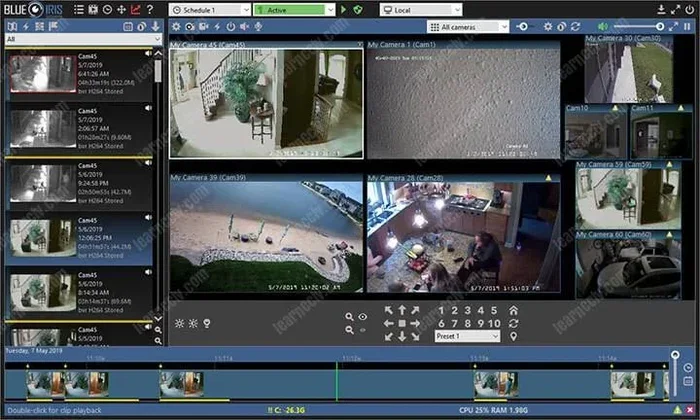
Wifi cameras are small, internet-connected devices that capture video and sometimes audio. They send that data over your wireless network to a cloud server, a local storage device, or a built-in memory card. But how does the actual recording process work?
### The Basics of Wireless Camera Recording
When you turn on a wifi camera, it connects to your home network. From that point on, it is always “on” in a sense. But being on does not always mean it is recording. Most cameras use one of three recording modes:
- Continuous recording: The camera records 24/7 without stopping.
- Motion-activated recording: The camera only records when it senses movement.
- Scheduled recording: The camera records only during certain times you set.
Continuous recording uses a lot of storage. That is why most people choose motion-activated recording. It saves space and makes it easier to find important clips.
### What Triggers a Wifi Camera to Start Recording
Most modern wireless security cameras come with smart detection features. These include:
- Motion detection: The camera notices movement in its field of view.
- Sound detection: Some cameras react to loud noises like breaking glass.
- Person detection: AI-powered cameras can tell the difference between a person and an animal.
- Zone-based detection: You can set specific areas where the camera should watch for activity.
These triggers make a big difference in how your camera behaves. A camera with good person detection will not save hours of useless clips of squirrels running around your yard.
## Do Wifi Cameras Record All the Time
A common misconception is that wifi cameras record constantly. In reality, most do not. Continuous recording is an option, but it is usually a premium feature. It requires more storage and often a paid cloud plan.
### Continuous Recording vs. Event Recording
Let us break down the difference:
| Feature | Continuous Recording | Event Recording |
|---|---|---|
| Records when | 24 hours a day, 7 days a week | Only when motion or sound is detected |
| Storage needed | High | Low to moderate |
| Cloud cost | Usually higher | Usually lower |
| Best for | High-security areas | General home monitoring |
| Battery usage | Very high | Moderate |
If you want to keep an eye on a specific room around the clock, continuous recording makes sense. For most homes, event recording works just fine.
### Doorbell Cameras and Their Recording Habits
If you have a wifi doorbell camera, you might wonder how it records. Doorbell cameras typically record when someone presses the button or when motion is detected near your door. Interestingly, not all doorbell cameras record the same way. Some save clips to the cloud, while others store footage locally. If you are curious about how doorbell cameras compare to other camera types, check out our article on are doorbell cameras always recording for a deep dive.
## Where Does the Recorded Footage Go
Once a wifi camera records something, where does that footage end up? The answer depends on your camera model and settings.
### Cloud Storage
Most popular wifi cameras use cloud storage. Your footage uploads to remote servers through your internet connection. Companies like Ring, Arlo, and Nest all offer cloud plans. The benefits are clear:
- Footage is safe even if the camera is stolen.
- You can access clips from anywhere using your phone.
- Cloud storage is easy to set up and manage.
The downside is that many cloud plans require a monthly subscription. Free tiers usually offer limited storage or short clip retention periods.
### Local Storage Options
Some cameras let you save footage directly to an SD card or a local network video recorder (NVR). This approach has its own advantages:
- No monthly fees for cloud storage.
- You keep full control of your data.
- Footage is available even without internet access.
The tradeoff is that local storage can be lost if the camera or SD card is damaged or stolen.
### Quick Tips for Managing Storage
- Set your camera to overwrite old footage when the storage is full.
- Use a microSD card with at least 64GB for longer recording sessions.
- Check your cloud storage settings every month to avoid surprise charges.
- Consider a hybrid setup that uses both cloud and local storage.
## Privacy and Legal Considerations
Recording with wifi cameras comes with responsibilities. You are not just asking “do wifi cameras record” — you also need to ask “should they record everywhere?”
### Are Hidden Cameras Legal
The laws around camera recording vary by country and state. In the United States, the legality of recording depends on where you place your camera and whether you inform others. For a detailed look at the legal landscape, read our article on are hidden cameras legal in the US. Generally speaking, you can record in your own home, but recording in areas where people expect privacy — like bathrooms or bedrooms — is usually illegal.
### Protecting Your Camera from Unauthorized Access
One of the biggest risks with wifi cameras is that someone else could access your feed. This happens when cameras have weak wifi passwords or outdated firmware. To keep your camera secure:
- Change the default password immediately after setup.
- Use a strong, unique password for your camera account.
- Enable two-factor authentication if your camera supports it.
- Keep your camera firmware updated to patch security holes.
- Use a separate network for your IoT devices if your router allows it.
Many people do not realize that their wifi password is the first line of defense for their camera system. If someone gains access to your network, they could potentially view your camera feeds. This is why strong network security matters so much. If you are curious about what people can do with a compromised wifi password, you can learn more in our article on can anyone do anything with wi fi password.
### Expert Insight: Balancing Security and Privacy
“Recording is a tool, not a right,” says cybersecurity expert Mark Reeves. “Homeowners should always be aware of local laws and respect the privacy of others, even on their own property. A good camera setup protects your home without crossing ethical lines.”
## Tips for Getting the Best Recording Quality from Your Wifi Camera
If you want your wifi camera to record clearly and reliably, a few simple steps make a big difference.
### 1. Place Your Camera Correctly
The position of your camera affects everything. Mount it at a height that covers the area you care about most. Avoid placing it where sunlight directly hits the lens during the day. And make sure nothing blocks the field of view.
### 2. Use a Strong Wifi Signal
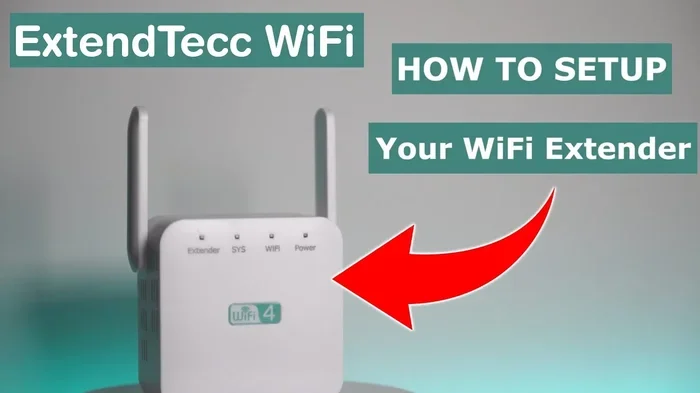
A weak connection means lower-quality video or dropped recordings. If your camera is far from your router, consider using a wifi extender or mesh network system. A strong and stable connection ensures smooth wireless surveillance.
### 3. Adjust Motion Sensitivity Settings
Every camera lets you fine-tune how sensitive its motion detection is. Set it too high and you get clips of leaves blowing in the wind. Set it too low and you might miss important events. Start with the default setting and adjust based on your environment.
### 4. Enable Night Vision Recording
Most wifi cameras have built-in night vision. Make sure this feature is turned on if you want coverage after dark. Some cameras switch to black-and-white mode at night for better clarity.
### 5. Test Your Recording Setup Regularly
Do not just set it and forget it. Once a month, check that your camera is recording properly. Review stored clips to confirm the quality is still good. Update your firmware and apps to get the latest features and security patches.
### Common Mistakes People Make with Wifi Camera Recording
Even experienced users make mistakes. Here are a few to avoid:
- Ignoring firmware updates: Outdated software can cause recording failures and security vulnerabilities.
- Using default passwords: This is the number one way hackers access home cameras.
- Placing cameras in extreme weather: Heat and moisture can damage indoor cameras placed outside.
- Not checking storage capacity: Running out of space means new footage overwrites old footage automatically.
- Relying only on wifi: If your internet goes down, cloud-dependent cameras may stop recording.
## How Wifi Cameras Compare to Other Security Camera Types
Not all security cameras use wifi. Understanding the differences helps you choose the right system.
### Wifi Cameras vs. Wired Cameras
Wifi cameras offer easy installation and flexibility. You can place them almost anywhere within range of your network. Wired cameras need physical connections but tend to be more reliable and harder to tamper with.
### Wifi Cameras vs. Cellular Cameras
Cellular cameras use a mobile data connection instead of wifi. They are great for locations where wifi is not available, like remote cabins or construction sites. However, they often come with higher monthly data costs.
### Quick Comparison Table
| Feature | Wifi Camera | Wired Camera | Cellular Camera |
|---|---|---|---|
| Installation | Easy, no wires | Requires wiring | Easy, no wifi needed |
| Reliability | Depends on signal strength | Very reliable | Depends on cellular coverage |
| Monthly Cost | Low to moderate | Low | Moderate to high |
| Portability | High | Low | High |
| Recording Quality | Good to excellent | Excellent | Good |
## Final Thoughts
So, do wifi cameras record? Yes, they absolutely do. But the way they record depends on your settings, the camera model, and the type of storage you use. Most wifi cameras rely on motion detection and event-based recording to save storage and make reviewing footage easier. With the right setup, your wireless camera system can give you peace of mind and real security for your home or business.
Take some time to understand your camera’s recording options. Adjust your motion sensitivity, check your storage, and keep your wifi network secure. A little effort goes a long way in making sure your home surveillance system works exactly when you need it.
If you are exploring other wifi-related topics, you might also enjoy our guide on can any phone do wifi calling to learn more about how wifi connects your everyday devices.
Key Takeaways
- Wifi cameras do record: They capture video and audio when triggered by motion, sound, or a set schedule.
- Continuous vs. event recording: Most wifi cameras default to motion-activated recording to save storage space.
- Storage options vary: Footage can be saved to cloud storage, SD cards, or local network devices.
- Privacy matters: You should understand local laws about camera recording and hidden camera legality.
- Security is key: Weak wifi passwords can expose your camera feed to unauthorized users.
- Smart features help: Modern cameras offer night vision, two-way audio, and AI-based detection for better recording.
Frequently Asked Questions
Do all wifi cameras record video and audio?
Most wifi cameras record both video and audio, but not all of them. Some models let you turn off the microphone through the app settings. Always check the product specifications before buying if audio recording matters to you.
Can a wifi camera record without internet?
Yes, many wifi cameras can record to a local SD card even when the internet is down. However, you will not be able to view live footage or save clips to the cloud without a connection. Once the internet returns, the camera usually syncs the saved footage.
How long can a wifi camera record continuously?
The recording time depends on your storage capacity and recording mode. With continuous recording on a 64GB SD card, most cameras last between 5 and 10 days. Motion-activated recording can extend this to several weeks because the camera only saves clips when movement is detected.
Is it legal to record with a wifi camera on your property?
In most U.S. states, recording on your own property is legal as long as you do not violate someone’s reasonable expectation of privacy. Avoid pointing cameras toward neighbors’ windows or private areas. For a deeper look at the legal side, check our article on are hidden cameras legal in the US.
Why does my wifi camera stop recording sometimes?
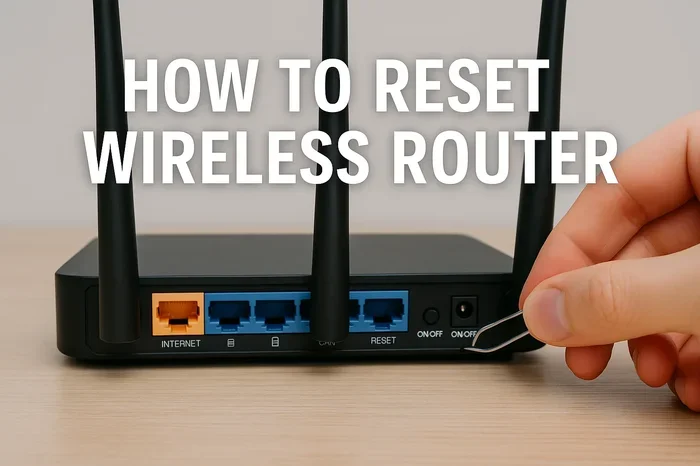
This usually happens due to a weak wifi signal, low storage, or outdated firmware. Check your internet connection first, then verify that your storage has space. If the problem continues, a firmware update or a factory reset often fixes it.
Can someone hack my wifi camera and access the recordings?
Yes, if your camera has a weak password or outdated software. Hackers can sometimes access camera feeds through unsecured networks. Using a strong password, enabling two-factor authentication, and keeping your firmware updated greatly reduces this risk.
=== CONCLUSION ===
Understanding how do wifi cameras record is the first step toward building a reliable home surveillance system. Whether you choose motion-activated recording, continuous recording, or a mix of both, the key is to set up your camera in a way that fits your needs. Keep your storage managed, your network secure, and your firmware up to date. With these habits in place, your wifi camera will give you the coverage and peace of mind you are looking for.