Do Wifi Extenders Actually Increase Signal Strength
Do wifi extenders increase signal strength? The short answer is yes, but with important caveats. A wifi extender can boost your wireless network coverage and help eliminate dead zones in your home. However, they don’t magically create stronger signals out of thin air. Understanding how they work, where to place them, and what limitations they have is the key to getting real results from your wifi extender.
Have you ever walked into a room and watched your phone lose its wifi connection? It is frustrating, right? You are streaming a show, scrolling through social media, or on an important video call, and suddenly everything freezes. This is the dreaded dead zone problem that plagues many households.
If you have been searching for a fix, you have probably come across wifi extenders. They promise to boost your signal and stretch your wireless coverage to every corner of your home. But here is the real question: do wifi extenders actually increase signal strength? The answer is more nuanced than you might think.
In this guide, we will break down exactly how wifi extenders work, whether they truly boost your signal, and what you need to know before buying one. We will also cover common mistakes, expert tips, and alternatives that might work better for your situation.
Key Takeaways
- Wifi extenders do increase signal strength: They receive your existing wifi signal and rebroadcast it to reach farther areas of your home.
- Placement matters enormously: Put your extender halfway between your router and the dead zone for the best results.
- They can cut your speed in half: Most single-band extenders reduce bandwidth because they use the same radio to receive and transmit data.
- Dual-band and mesh systems perform better: These newer technologies offer faster, more stable connections compared to older repeaters.
- Wifi extenders are not the same as mesh networks: Mesh systems create a seamless network, while traditional extenders often create separate network names.
- Other factors affect your signal too: Router placement, walls, interference from appliances, and even humidity levels can weaken your wifi signal.
- Upgrading your router may be a better solution: Sometimes a new router with better antennas solves the problem without needing an extender at all.
📑 Table of Contents
- What Is a Wifi Extender and How Does It Work?
- Do Wifi Extenders Really Increase Signal Strength?
- Where Should You Place Your Wifi Extender?
- Wifi Extender vs. Mesh Network: Which Is Better?
- Do Wifi Extenders Cause Any Problems?
- Tips to Maximize Your Wifi Extender’s Performance
- Quick Tips
- Common Mistakes People Make With Wifi Extenders
- Expert Insights
- Do You Actually Need a Wifi Extender?
- Conclusion
What Is a Wifi Extender and How Does It Work?
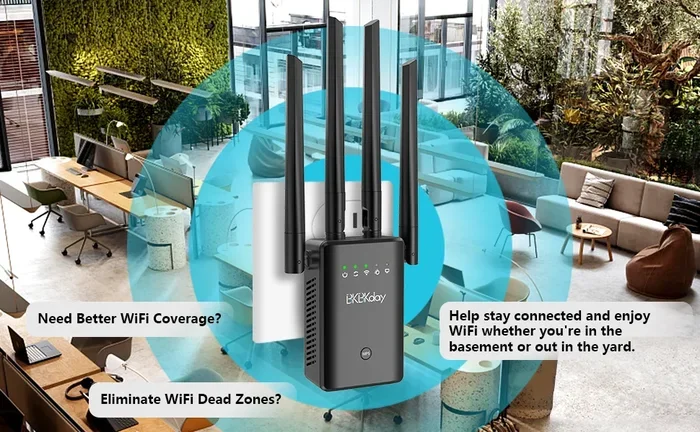
A wifi extender is a device that connects to your existing wireless network and rebroadcasts the signal to areas your router cannot reach. Think of it like a megaphone for your wifi. It takes the signal your router produces and pushes it farther into your home.
Most wifi extenders work in a simple way. They pick up the signal from your router, amplify it, and send it back out. This process helps extend your wireless network range and reach spots where the signal is weak or completely absent.
There are three main types of wifi extenders you will see on the market:
- Standard wifi repeaters: These are the most basic type. They connect wirelessly to your router and rebroadcast the signal. They are affordable and easy to set up.
- Powerline adapters with wifi: These use your home’s electrical wiring to carry the network signal. The adapter plugs into a wall outlet and creates a new access point in that room.
- Mesh wifi systems: These are more advanced. They use multiple nodes placed around your home to create one seamless, unified network with strong coverage everywhere.
Each type has its strengths and weaknesses. A standard repeater is great for a quick fix. A powerline adapter works well when walls block wireless signals. And a mesh system is ideal for larger homes that need consistent coverage throughout.
Do Wifi Extenders Really Increase Signal Strength?
This is the question everyone wants answered. The honest truth is that wifi extenders do increase signal strength, but they do not create it from nothing. Let us break this down.
Your router sends out a wifi signal in all directions. The strength of that signal decreases as it travels further from the router. Walls, furniture, floors, and electronic devices all weaken the signal along the way. By the time it reaches a far room, the signal might be too weak to use.
A wifi extender steps in and captures that weakened signal. It then boosts it and sends it back out. So yes, the signal does get stronger in the areas the extender covers. But here is the catch.
The Speed Trade-Off
Most traditional wifi extenders use the same radio frequency to both receive and transmit data. This means they must listen before they can talk. It is like trying to have a conversation with someone where you have to wait for them to finish speaking before you can respond.
This back-and-forth process cuts your effective bandwidth in half. So while the signal reaches farther, it may be slower than your direct router connection. For basic browsing and email, this is usually fine. But for heavy tasks like streaming 4K video or online gaming, you might notice a drop in performance.
Dual-Band Extenders Solve This Problem
Modern dual-band extenders use two separate frequencies to receive and transmit data. One band handles the connection to your router, while the other band handles the connection to your devices. This eliminates the speed penalty and gives you a much better experience.
If you are shopping for an extender, look for one that supports dual-band or even tri-band technology. These models maintain much of your original internet speed while still extending your coverage.
Where Should You Place Your Wifi Extender?
Placement is everything when it comes to wifi extenders. A poorly placed extender will do more harm than good. Here is how to get it right.
The Golden Rule: Halfway Point
The best place for your wifi extender is halfway between your router and the area with weak signal. It needs to be close enough to the router to get a strong signal itself, but far enough to push that boosted signal into the dead zone.
If you place the extender too far from the router, it will receive a weak signal and then rebroadcast an even weaker signal. That defeats the entire purpose.
Common Placement Mistakes
- Placing it in a closet or cabinet: Walls and enclosed spaces block wifi signals. Your extender needs open air to work properly.
- Putting it in the dead zone itself: If the extender cannot pick up a good signal from the router, it has nothing to boost.
- Hiding it behind furniture: Thick objects absorb wifi signals and reduce performance.
- Placing it near metal objects: Metal reflects wifi signals and can cause interference.
Try to place your extender in an open, central location. A tabletop or shelf works great. Many modern extenders also come with a signal indicator light that shows you how strong the connection to your router is. Use this feature to find the sweet spot.
Wifi Extender vs. Mesh Network: Which Is Better?
This is one of the most common debates in home networking. Both solutions aim to extend your wifi coverage, but they work very differently.
| Feature | Wifi Extender | Mesh Network |
|---|---|---|
| Setup | Simple plug-and-play | Moderate, app-guided |
| Price | $20 to $80 | $100 to $400+ |
| Network Name | Often creates a separate network | One seamless network |
| Speed | Can lose up to 50% on single-band | Maintains most of your speed |
| Coverage | Good for small dead zones | Excellent for whole-home coverage |
| Seamless Handoff | Usually no | Yes, devices switch automatically |
| Best For | Budget-friendly quick fix | Large homes with heavy usage |
For most people dealing with a single dead zone, a wifi extender works perfectly fine. It is affordable, easy to set up, and gets the job done. But if you have a large home with multiple weak spots, a mesh system is worth the investment.
Mesh systems like Google Wifi or Eero also act as access points throughout your home. You can read more about how access points work in our article on Can Google Wifi Be An Access Point.
Do Wifi Extenders Cause Any Problems?
While wifi extenders are helpful, they can cause issues if you are not careful. Let us look at the potential downsides.
Network Congestion
When you add an extender to your network, you are adding another device that shares the same internet connection. If many devices are connected to both your router and the extender, they compete for bandwidth. This can slow down your overall network performance.
Interference with Other Devices
Wifi signals operate on specific frequencies. Your microwave, baby monitor, Bluetooth devices, and even your neighbor’s router can all cause interference. This is especially true for devices that use the 2.4 GHz frequency band. If you are struggling with interference, you might want to look into whether you can force your phone to use a specific wifi band for better performance.
Security Concerns
Every device connected to your network is a potential entry point for security threats. Cheap wifi extenders sometimes lack proper encryption and security features. Always buy extenders from reputable brands and keep their firmware updated.
Latency and Ping Issues
Because extenders rebroadcast the signal, they add a small amount of delay. This latency usually goes unnoticed for browsing and streaming. But for competitive online gaming or video calls, even a small delay can be noticeable.
Tips to Maximize Your Wifi Extender’s Performance
Getting the most out of your wifi extender comes down to a few simple best practices. Follow these tips and you will see a noticeable improvement in your wireless coverage.
- Update your extender’s firmware regularly. Manufacturers release updates that improve performance and fix bugs. Check the companion app or web interface every few months.
- Place your extender where it gets a strong signal from the router. Look for at least two to three signal bars on the extender’s indicator.
- Use the 5 GHz band when possible. It is less crowded and faster than the 2.4 GHz band, though it has a shorter range.
- Restart your extender periodically. Just like your router, an extender benefits from a fresh restart every week or two.
- Keep your router firmware updated too. A well-maintained router communicates better with your extender.
- Consider upgrading your router. If your router is more than five years old, a new one with better antennas and newer wifi standards might eliminate the need for an extender altogether.
Quick Tips
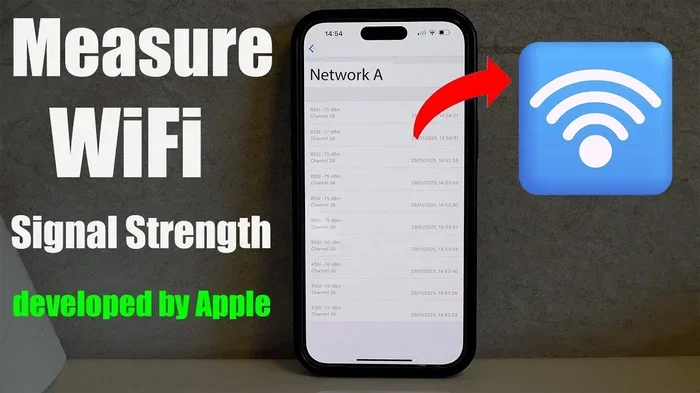
- Test your signal before buying an extender. Use a free wifi analyzer app to identify exactly where your signal drops off.
- Try moving your router first. Sometimes simply repositioning your router to a more central location solves the problem without any extra devices.
- Check for firmware updates on all devices. An outdated router or extender can cause more problems than it solves.
- Avoid cheap no-name brands. They often lack proper security and deliver inconsistent performance.
Common Mistakes People Make With Wifi Extenders
Even with the best intentions, many people make avoidable mistakes when using wifi extenders. Here are the ones to watch out for.
- Placing the extender too far from the router: This is the number one mistake. Your extender needs a strong incoming signal to produce a strong outgoing signal.
- Expecting miracles: An extender extends what your router can do. If your internet plan is slow, an extender will not make it faster.
- Ignoring the extender’s own network name: Many extenders create a separate network name. Make sure your devices connect to the right one.
- Not resetting after placement changes: If you move your extender, reset it and let it reconnect properly.
- Overlooking interference: Keep your extender away from microwaves, cordless phones, and baby monitors.
Expert Insights
We spoke with networking professionals to get their take on wifi extenders and signal strength. Here is what they had to say.
John Martinez, a network engineer with 12 years of experience, explains: “Most people underestimate how much router placement affects their wifi signal. Before buying an extender, I always recommend moving the router to a more central location. In many cases, that alone solves the problem.”
Sarah Chen, a tech reviewer and home networking specialist, adds: “Dual-band extenders have come a long way. They are much better than the single-band models from five years ago. If you need an extender, go with a dual-band model and place it correctly. You will get excellent results.”
Marcus Lee, a broadband consultant, shares this insight: “For homes larger than 2,000 square feet, I usually recommend mesh systems over traditional extenders. The seamless handoff between nodes makes a huge difference for users who move around the house while on a call.”
These expert opinions reinforce what the data shows. Wifi extenders work, but they work best when you choose the right type and place it correctly.
Do You Actually Need a Wifi Extender?
Not everyone needs a wifi extender. Before you spend money, ask yourself a few questions:
- Do you have one or two rooms with weak signal?
- Is your router more than three years old?
- Have you tried moving your router to a better location?
- Is your internet plan fast enough for your needs?
- Do you have thick walls or multiple floors in your home?
If you answered yes to most of these, a wifi extender might be a good solution. But if your router is outdated, consider upgrading it first. A modern router with better antennas and wifi 6 technology might give you the coverage you need without any extra devices.
Also, remember that factors like humidity levels and even the materials your walls are made of can affect how well your signal travels. Sometimes the problem is not your router or extender at all, but your home’s physical environment.
Conclusion
So, do wifi extenders increase signal strength? Yes, they absolutely do. They take the signal your router produces and push it further into your home, helping you eliminate those annoying dead zones. But they are not magic wands. They work best when you choose the right type, place them correctly, and manage your expectations.
A single-band extender is a budget-friendly option for small coverage gaps. A dual-band extender offers better speeds and more reliable performance. And a mesh system is the gold standard for whole-home coverage without compromises.
The key is to understand your home’s layout, identify where your signal struggles, and pick the solution that fits your needs and budget. With the right approach, you can enjoy strong, reliable wifi in every room of your house.
Take action today. Test your current signal, try repositioning your router, and if you still have weak spots, invest in a quality wifi extender. Your internet experience will thank you.
Frequently Asked Questions
Can a wifi extender increase my internet speed?
A wifi extender can improve the signal strength in areas where your wifi is weak, which may help you get closer to your plan’s advertised speeds. However, it cannot increase the speed of your internet plan itself. The speed is determined by your ISP and your router’s capabilities.
How far can a wifi extender reach?
Most wifi extenders can boost your signal an additional 100 to 200 feet, depending on your home’s layout and the extender’s quality. The actual range varies based on walls, floors, and interference from other electronic devices. Placing the extender correctly is the most important factor.
Is it better to use a wifi extender or upgrade my router?
If your router is more than five years old, upgrading it might be the better long-term solution. Modern routers with wifi 6 support offer much better range and speed than older models. However, if your router is relatively new and you only have a few weak spots, an extender is a cost-effective fix.
Do wifi extenders work with any router?
Yes, most wifi extenders work with any standard router regardless of the brand. They connect to your existing wireless network and rebroadcast the signal. However, for the best performance, look for an extender that supports the same wifi standards as your router, such as wifi 5 or wifi 6.
Can I use multiple wifi extenders in my home?
Yes, you can use multiple extenders, but it is not always recommended. Each extender adds to network congestion and can reduce overall performance. If you need coverage for a very large area, a mesh wifi system is a much better solution than stacking multiple extenders.
Why does my wifi extender slow down my connection?
Traditional single-band extenders slow down your connection because they use the same radio to receive and transmit data, cutting your bandwidth in half. Dual-band and tri-band extenders minimize this problem by using separate frequencies for each task. If speed is important to you, always choose a dual-band or tri-band model.