Does A Modem Provide Wifi Or Do You Need Another Device
A modem by itself does not provide wifi. It connects your home to the internet, but you need a separate router to create a wireless network. Many people confuse these two devices, but understanding the difference saves time, money, and frustration when setting up your home internet.
Key Takeaways
- A modem and a router are two different devices with distinct roles in your home network setup.
- A modem alone cannot create a wifi signal — it only converts your ISP’s signal into usable internet data.
- You need a router to broadcast wifi so your phones, laptops, and smart devices can connect wirelessly.
- Gateway devices combine a modem and router into one box, which is common with many ISPs.
- Buying your own modem can save money on monthly rental fees from your internet provider.
- Wifi extenders and mesh systems help boost coverage if your signal doesn’t reach every room.
📑 Table of Contents
- Does A Modem Provide Wifi Or Do You Need Another Device?
- What Exactly Is A Modem?
- What Does A Router Do?
- Does A Modem Provide Wifi? Here Is The Truth
- Gateway Devices: The Combo Box
- Do You Need A Separate Router For Wifi?
- Can You Use Your Phone As A Modem?
- Common Mistakes People Make With Modems And Routers
- Final Thoughts
Does A Modem Provide Wifi Or Do You Need Another Device?
Here is a question that confuses a lot of people: does a modem provide wifi? The short answer is no. A modem by itself does not create a wireless network. It brings internet into your home, but it cannot send that internet to your phone, tablet, or laptop without help.
Think of a modem as the door that lets the internet into your house. But a door does not spread the internet around your rooms. That job belongs to a router. Without a router, you would need to plug every single device directly into the modem with a cable. That is not practical for most people.
Many folks buy a modem thinking it will give them wifi everywhere. Then they wonder why their phone cannot find any wireless signal. This confusion happens all the time. And it leads to a lot of wasted effort and frustration. This guide breaks it all down so you never have to guess again.
By the end of this article, you will know exactly what a modem does, why you need a router, and how to set up a proper home network. We will also cover gateway devices, modem setups, and tips to boost your wireless internet coverage. Let us get into it.
What Exactly Is A Modem?
A modem is a box that connects your home to your internet service provider, or ISP. Your ISP could be companies like Comcast, AT&T, Spectrum, or CenturyLink. The modem takes the signal from your ISP and turns it into data your devices can understand.
Without a modem, your computer or phone has no way to reach the internet. The modem acts as a translator between the outside world and your home network. It receives signals and sends signals back and forth.
Types Of Modems You Might Have
Not all modems are the same. Different internet connections use different types of modems. Here are the most common ones:
- Cable modem: Uses a coaxial cable, the same kind that connects to your TV. This is very common in cities and suburbs.
- DSL modem: Uses a phone line to deliver internet. It is slower than cable but still widely used in rural areas.
- Fiber optic modem: Uses fiber cables for super fast speeds. This is the best option but not available everywhere yet.
- Dial-up modem: The old-school type that uses a phone line and is extremely slow. Most people do not use these anymore.
Each modem type works differently, but they all share one thing in common. None of them create a wireless signal on their own. That is the key point to remember.
What Does A Modem Look Like?
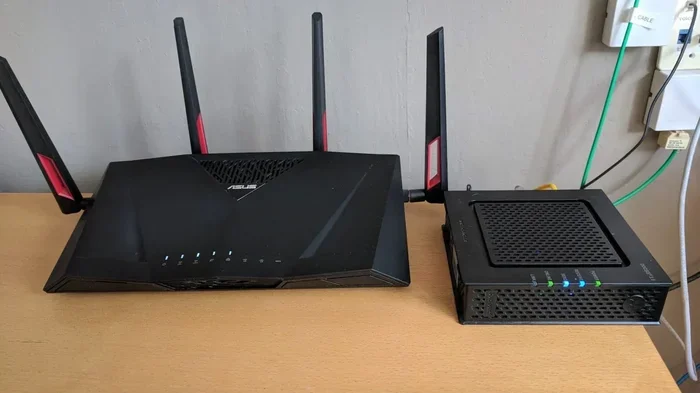
Most modems are small boxes with a few lights on the front. They have one port for the internet cable from your ISP. Some newer modems also have a few ethernet ports built in. But you will not see any antennas on a modem. That is one easy way to tell it apart from a router.
If you are wondering whether you should buy your own modem instead of renting one from your ISP, the answer is often yes. Buying a modem can save you $10 to $15 per month in rental fees. Over a few years, that adds up to real savings.
What Does A Router Do?
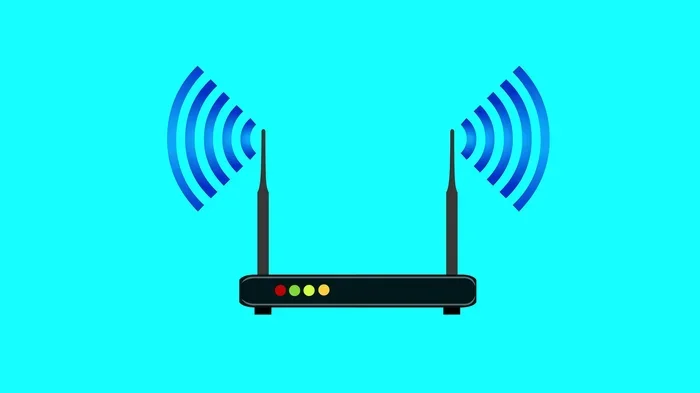
A router is the device that creates your home network and broadcasts wifi. Think of it as the traffic cop for your internet. It takes the internet from the modem and splits it among all your devices. It also sends and receives data wirelessly through radio waves.
Your router has antennas — usually two or four of them sticking up from the top. These antennas send out the wireless signal that your phone, laptop, and smart home devices pick up. Without a router, there is no wifi in your home.
Router Vs Modem: The Key Differences
People often mix up modems and routers. Here is a simple way to tell them apart:
- Modem: Brings the internet into your home from your ISP.
- Router: Spreads that internet to all your devices, both wired and wireless.
- Modem: Has no antennas and no wifi capability.
- Router: Has antennas and creates the wireless network you connect to.
The modem talks to the outside world. The router talks to your devices inside your home. They work together but do completely different jobs.
Does A Modem Provide Wifi? Here Is The Truth
Let us get straight to the point. No, a modem does not provide wifi. A modem only provides a wired internet connection. If you want wireless internet, you must have a router. Period.
Some people think that because their modem has blinking lights, it is sending out a wifi signal. Those lights just mean the modem is connected to the internet. They do not mean wifi is active. This is one of the most common misunderstandings about home networking.
Why People Get Confused
There are a few reasons this confusion happens so often:
- ISPs bundle modem and router together. Many internet providers give you a single box that does both jobs. It looks like one device, so people assume it is one thing.
- The term “modem” is used loosely. Some people call any internet box a modem, even if it is really a router or a gateway device.
- Wifi seems magical. Because wireless internet feels invisible, people do not think about what is actually making it work. They just assume the box on the wall does everything.
Understanding the real difference helps you troubleshoot problems faster. If your wifi is not working, the issue could be with the router, not the modem. And if your wired internet is down, the modem is likely the culprit.
Gateway Devices: The Combo Box
Many ISPs give customers a single device that combines a modem and a router into one box. This is called a gateway. It handles both jobs — bringing in the internet and broadcasting wifi. Gateway devices are very common in homes today.
But here is the catch. A gateway is still just a modem and router combined. It does not somehow magically create wifi from a modem alone. The wifi function comes from the router part inside the gateway. If you separate the two devices, you still need both a modem and a router to get wireless internet.
Pros And Cons Of Using A Gateway
Gateways are convenient, but they come with trade-offs. Here is a quick look at the advantages and disadvantages:
- Pros: One device, less clutter, easy setup, and one monthly bill from your ISP.
- Cons: Gateway devices often have weaker wifi than standalone routers. They are harder to upgrade. And you are stuck with whatever your ISP provides.
If you want better wifi coverage and faster speeds, using a separate modem and router is usually the better choice. You get more control and better performance.
Do You Need A Separate Router For Wifi?
If your modem does not provide wifi, do you always need a separate router? Yes, unless you are using a gateway device. A separate router gives you a dedicated wireless network that your devices can connect to.
The good news is that setting up a router is pretty simple. You plug an ethernet cable from your modem into the router. The router then creates the wifi network. Your devices find it by searching for available networks on your phone or computer.
Step By Step Setup Process
Here is how most people set up their modem and router:
- Connect the modem to your ISP’s line — this is the cable or phone line from outside.
- Plug the modem into power and wait for the lights to stabilize.
- Connect an ethernet cable from the modem to the router’s WAN or internet port.
- Plug the router into power and wait for it to start up.
- Search for wifi networks on your phone or computer.
- Find your network name and enter the password printed on the router.
That is it. Once the router is connected, your wireless internet is live. You can now browse, stream, and game without any cables.
Tips For Better Wifi Coverage
Sometimes your wifi signal does not reach every room. A few simple tips can help:
- Place your router in a central location. This helps the signal spread evenly throughout your home.
- Keep the router elevated. Putting it on a shelf or mounting it on a wall improves coverage.
- Avoid walls and metal objects. Thick walls and metal appliances block wifi signals.
- Use a wifi extender or mesh system. These devices boost your signal to far rooms.
- Switch to the 2.4 GHz band for range. If your router supports dual bands, the lower frequency travels farther than 5 GHz.
You can also get a wifi extension to help cover larger homes. These small devices plug into wall outlets and repeat your existing wifi signal to areas that need better coverage.
Can You Use Your Phone As A Modem?
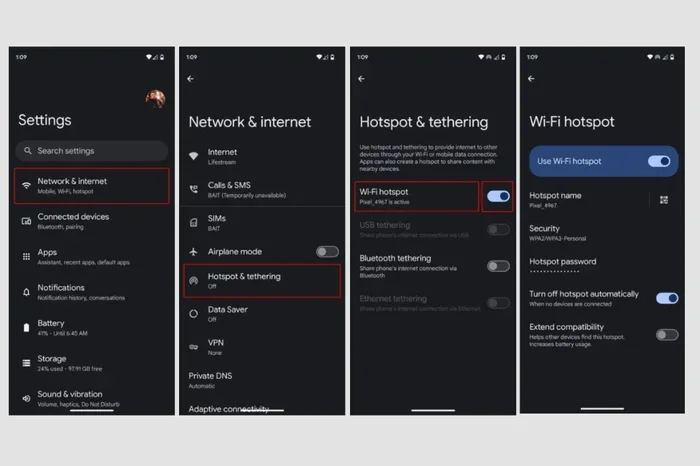
Some people wonder if they can skip the modem entirely and use their phone as a hotspot instead. While this works in a pinch, it is not a long-term solution. Your phone acts as a mobile hotspot by sharing its cellular data connection. But this drains your battery fast and uses up your data plan quickly.
A proper modem and router setup gives you stable, fast internet without draining your phone. It is the right way to build a reliable home network.
Common Mistakes People Make With Modems And Routers
Even with the best intentions, people make mistakes when setting up their home network. Here are some of the most common ones:
- Confusing a modem with a router. This is the number one mistake. Remember: modem brings internet in, router spreads it around.
- Placing the router in a closet or basement. Walls and enclosed spaces kill your wifi signal. Keep it out in the open.
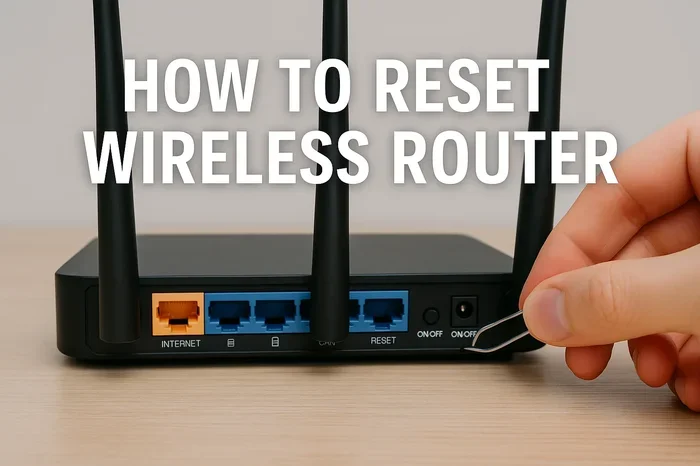
- Not restarting devices when there is a problem. A simple restart often fixes slow wifi and connection drops.
- Using old equipment. Older modems and routers cannot handle modern internet speeds. Upgrading can make a big difference.
- Ignoring the 2.4 GHz vs 5 GHz bands. Using the wrong band can cause slow speeds or poor range.
Avoiding these mistakes keeps your network running smoothly. And if you ever run into trouble, knowing the difference between your modem and router helps you figure out what to fix.
Quick Tips To Remember
- Your modem connects to the internet. Your router shares that connection wirelessly.
- No modem means no internet. No router means no wifi.
- Gateway devices do both jobs but may not perform as well as separate devices.
- Restart your modem and router regularly for the best performance.
- Check your ISP’s recommended modem list before buying your own equipment.
Final Thoughts
So to answer the question one more time: does a modem provide wifi? No, it does not. A modem brings internet into your home from your ISP. But it needs a router to create the wireless network you use every day. The two devices work together, and both are essential for a proper home internet setup.
Once you understand this simple distinction, everything about home networking makes more sense. You will troubleshoot faster, set up your network with confidence, and make smarter buying decisions. Whether you choose a gateway device or a separate modem and router setup, knowing what each device does puts you ahead of most people.
Take a look at your own equipment right now. Check if you have a modem, a router, or a combo gateway. Once you know what you have, you can optimize your setup for the best possible wireless internet experience. And if you ever need to replace or upgrade a device, you will know exactly what to look for.
Your home network is only as good as the devices that run it. Now you have the knowledge to make it work the way it should. Enjoy your wifi, and happy browsing.
Frequently Asked Questions
Can I Use A Modem Without A Router?
Yes, you can use a modem without a router, but only with a wired connection. You would need to plug your device directly into the modem using an ethernet cable. This gives you internet access, but no wifi. Most people prefer using a router for the convenience of wireless connectivity.
What Happens If I Only Have A Modem And No Router?
If you only have a modem, your internet will work but only through a wired connection. You cannot connect phones, tablets, or smart devices wirelessly. You would need to plug each device directly into the modem with a cable, which is not practical for most households.
Do I Need To Buy Both A Modem And A Router?
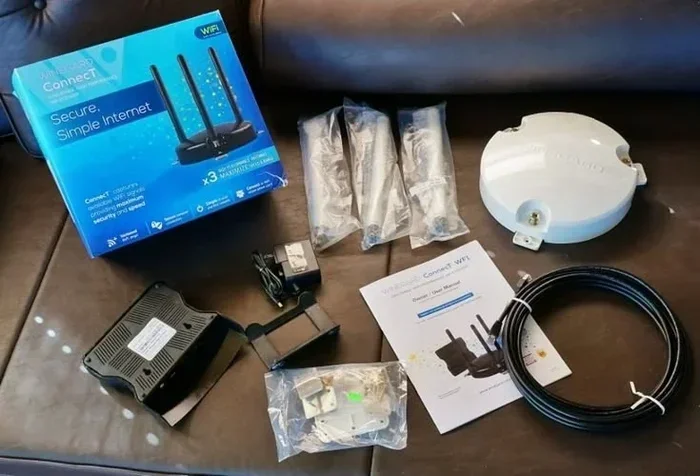
You need both a modem and a router for wireless internet at home. However, many ISPs provide a gateway device that combines both into one unit. If you want better performance and control, buying separate devices is the better choice. You can also get your own portable wifi device for travel or backup purposes.
Can A Modem Create A Wifi Network On Its Own?
No, a standard modem cannot create a wifi network. Modems do not have antennas or wireless broadcasting capability. The wifi function comes from a router. Some gateway devices from ISPs include both a modem and router in one box, which can create wifi. But the modem component alone cannot.
How Do I Know If I Have A Modem Or A Router?
Look at the device. A modem usually has no antennas and has one or two ethernet ports. A router has multiple antennas sticking out and several ethernet ports. If your device has blinking lights but no antennas, it is likely a modem. If it has antennas and a name like “Linksys,” “Netgear,” or “TP-Link,” it is likely a router.
Will My Internet Work Faster If I Upgrade My Modem?
Upgrading your modem can help if your current one cannot handle your internet plan’s speed. But the modem itself does not affect your wifi speed. The router handles wireless performance. If you want faster wifi, focus on upgrading your router or adding a mesh wifi system for better coverage throughout your home.