How Can I Get Internet Without Wi Fi and Stay Connected
Getting internet without Wi-Fi is easier than you think. You can use mobile hotspots, USB tethering, Ethernet cables, and satellite options to stay online. This guide walks you through every method so you can pick what works best for your needs.
Key Takeaways
- Mobile Hotspot: Turn your phone into a Wi-Fi source using cellular data.
- USB Tethering: Share your phone’s internet with a laptop through a cable.
- Ethernet Over Cellular: Use a cellular modem for a wired internet connection.
- Satellite Internet: Get online in remote areas where other options fail.
- Public Hotspot Alternatives: Use free or paid hotspot services without a home network.
📑 Table of Contents
- How Can I Get Internet Without Wi-Fi and Stay Connected
- Use Your Phone as a Mobile Hotspot
- Try USB Tethering for a Wired Connection
- Get Internet With a Cellular Modem or Dongle
- Explore Satellite Internet Options
- Use Ethernet or Wired Broadband
- Leverage Public and Alternative Connectivity
- Quick Tips for Staying Connected Without Wi-Fi
- Common Mistakes to Avoid
- Expert Insights on Internet Without Wi-Fi
- Conclusion
How Can I Get Internet Without Wi-Fi and Stay Connected
You need internet. But your Wi-Fi is down. Or maybe you are somewhere with no Wi-Fi at all. The good news is you have options. Getting internet without Wi-Fi is totally possible. And it is simpler than most people think.
Whether you are traveling, working remotely, or dealing with a broken router, you can still get online. This guide covers every practical method you can use today. From mobile hotspots to satellite internet, we have you covered. Let us dive in.
You might be wondering why anyone would want internet without Wi-Fi. The reasons are more common than you think. Maybe your router broke. Maybe you are at a campsite. Or maybe you just want a backup connection. Whatever the reason, this article gives you real solutions. You will learn how to stay connected without a traditional Wi-Fi network in no time.
Getting internet without Wi-Fi does not mean sacrificing speed or reliability. Modern methods offer fast, stable connections. You just need to know which option fits your situation. So let us explore every way you can get online without Wi-Fi.
Use Your Phone as a Mobile Hotspot
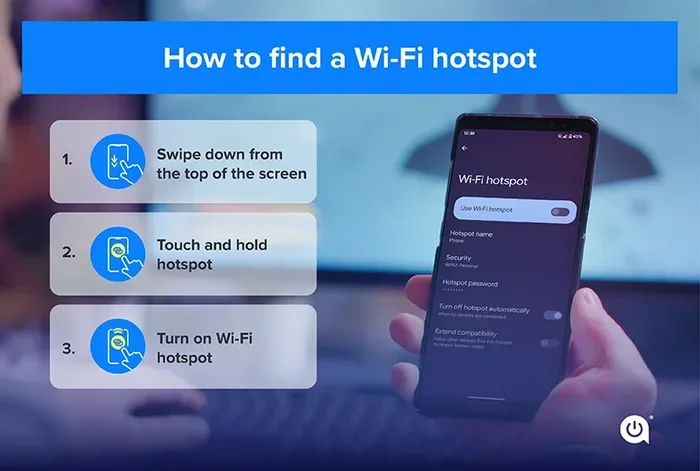
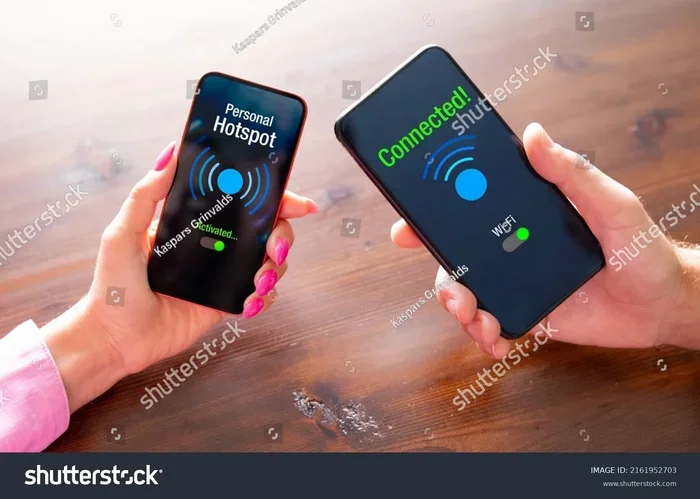
The easiest way to get internet without Wi-Fi is to use your phone. Both iPhone and Android phones can share their cellular data with other devices. This is called mobile hotspot or tethering. It turns your phone into a Wi-Fi router.
How to Set Up a Mobile Hotspot on iPhone
Go to Settings. Tap Personal Hotspot. Toggle it on. Set a password. Then connect your other device to the hotspot network. That is it. Your phone now shares its cellular data with anything nearby.
How to Set Up a Mobile Hotspot on Android
Open Settings. Go to Network and Internet. Tap Hotspot and Tethering. Turn on Wi-Fi Hotspot. Set a name and password. Now other devices can find and connect to your phone.
Mobile hotspot is great for quick access. But it uses your cellular data plan. If you have unlimited data, this works perfectly. If your data is limited, be careful. Streaming videos can eat through data fast.
Try USB Tethering for a Wired Connection
USB tethering is another solid way to get internet without Wi-Fi. Instead of sharing data wirelessly, you use a cable. This connects your phone directly to your computer. The internet flows through the cable.
USB tethering has some big advantages. It is faster than wireless hotspot. It uses less battery on your phone. And it is more secure since the connection is physical.
How to Use USB Tethering
Connect your phone to your laptop with a USB cable. On your phone, go to Settings. Find Hotspot and Tethering. Enable USB Tethering. Your computer should now recognize the connection. You will have internet right away.
This method works great when you need a stable connection. It is perfect for working from a coffee shop or a hotel room. You do not need Wi-Fi at all. Just your phone and a cable.
Get Internet With a Cellular Modem or Dongle
Not everyone wants to use their phone as a hotspot. A cellular modem or USB dongle is a great alternative. These small devices plug directly into your computer. They use a SIM card to connect to cellular networks.
A dongle looks like a small USB stick. You insert a SIM card. Plug it into your laptop. And you have internet. No Wi-Fi needed. No phone required.
Why Choose a Dongle Over a Phone Hotspot?
- Dedicated Connection: The dongle handles data on its own.
- No Battery Drain: Your phone stays charged.
- Compact Size: Dongles are tiny and easy to carry.
- Data Plans: You can get separate data-only SIM cards.
You can buy a dongle from most carriers. Some providers even offer prepaid data plans for these devices. This gives you flexibility without a long-term contract.
Explore Satellite Internet Options
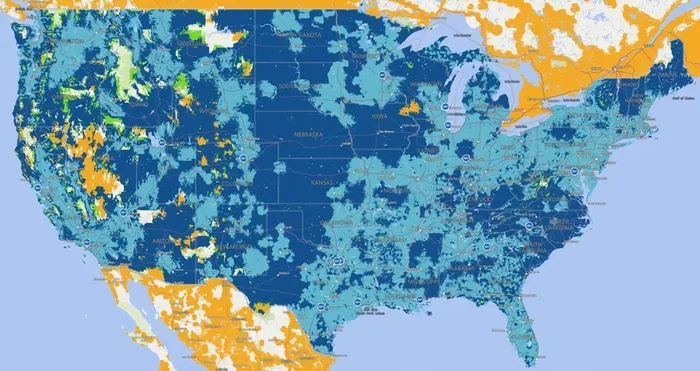
What if you live in a rural area with no cell coverage? Satellite internet might be your answer. This method sends and receives data from satellites in space. It does not need Wi-Fi, cell towers, or phone lines.
Satellite internet works almost everywhere. You just need a clear view of the sky. This makes it ideal for remote locations. Farms, cabins, and rural homes all benefit from satellite options.
Popular Satellite Internet Providers
- Starlink: Offers fast speeds and easy setup. A small dish mounts to your roof.
- HughesNet: A well-established provider with coverage across the US.
- Viasat: Another reliable option with various data plans.
Satellite internet does have some downsides. It can be expensive upfront. Latency may be higher than other types. But for getting internet without Wi-Fi in remote areas, it is hard to beat.
Use Ethernet or Wired Broadband
Did you know you can get internet without Wi-Fi using a wired connection? Ethernet is the oldest and most reliable method. A cable plugs directly from your modem to your device.
Many people forget about wired internet. They assume Wi-Fi is the only way. But a direct Ethernet connection often gives better speeds. It is also more stable and secure.
How Wired Internet Works Without Wi-Fi
You need a modem and an Ethernet cable. Plug the modem into your wall outlet. Connect the cable from the modem to your computer. That is all. You are online without any Wi-Fi involved.
You can also use a broadband modem without a router. Some people buy a modem and have internet directly. No Wi-Fi broadcast. No wireless signal. Just a clean, wired connection.
This approach is perfect for people who want to avoid wireless signals. It is also great for gaming or streaming where stability matters most.
Leverage Public and Alternative Connectivity
Sometimes you do not need to create your own connection. Public networks and alternative services can provide internet without Wi-Fi. These options are handy when you are on the go.
Free Public Internet Options
Many libraries, cafes, and community centers offer free internet access. You can also find free networks at airports and hotels. These are not Wi-Fi in the traditional sense but still get you online.
Mobile Data Plans Without Wi-Fi
You can buy a data-only SIM card for your tablet or hotspot device. This gives you internet access without tying it to a phone plan. It is a clean and simple solution for staying connected.
Some carriers also offer unlimited hotspot plans. These let you share data freely with all your devices. Just check the terms and conditions for any fair use policies.
Quick Tips for Staying Connected Without Wi-Fi
Here are some practical tips to help you get the most out of internet without Wi-Fi:
- Monitor your data usage. Cellular plans have limits. Keep track so you do not get surprised by overage charges.
- Download offline content. Maps, documents, and videos can be saved ahead of time.
- Use a power bank. Hotspots drain phone batteries fast. Carry a portable charger.
- Turn off auto-updates. These can eat your data without you noticing.
- Use data-saving modes. Most phones have a built-in option to reduce data use.
Common Mistakes to Avoid
People often make mistakes when trying to get internet without Wi-Fi. Here are some to watch out for:
- Forgetting to turn off the hotspot. This drains your battery and uses data even when you are not using it.
- Using unsecured public networks. Avoid logging into sensitive accounts on open Wi-Fi.
- Ignoring data limits. Check your plan before relying on cellular data heavily.
- Not having a backup plan. Always have a second option in case your primary method fails.
Expert Insights on Internet Without Wi-Fi
Staying connected without Wi-Fi is not just about having a phone. It is about choosing the right method for your situation. Experts recommend having at least two backup options. A mobile hotspot paired with a USB dongle covers most scenarios. For remote locations, satellite internet is the gold standard.
The technology has come a long way. Just a few years ago, getting online without Wi-Fi was difficult. Now there are more options than ever. Whether you need a quick connection or a permanent setup, there is a solution for you.
Getting internet without Wi-Fi gives you freedom and flexibility. You are not tied to a router or a specific location. You can work, stream, and communicate from almost anywhere. That is a powerful advantage in today’s connected world.
Conclusion
Getting internet without Wi-Fi is practical, affordable, and easier than ever. You have many options at your fingertips. Mobile hotspots, USB tethering, cellular modems, satellite internet, and wired connections all work without Wi-Fi. The key is finding the method that fits your lifestyle and needs.
Start with the simplest option. A mobile hotspot from your phone gets you online in minutes. If you need something more permanent, consider a dongle or satellite service. And always keep a backup plan in mind. Staying connected should never depend on one single method.
Now you know how to get internet without Wi-Fi and stay connected in any situation. Pick your preferred method and give it a try. You will be surprised how easy it is to stay online without a traditional Wi-Fi network.
Frequently Asked Questions
Can I get internet without Wi-Fi at home?
Yes. You can use a cellular modem, USB dongle, or Ethernet cable connected directly to a modem. Many people also use their phone’s hotspot as a home internet backup. These methods do not require a Wi-Fi router at all.
Is USB tethering faster than a mobile hotspot?
Yes, USB tethering is generally faster and more stable. The wired connection reduces interference and uses less battery. If you need reliable internet without Wi-Fi, tethering is a great choice.
How much data do I need for internet without Wi-Fi?
It depends on what you do. Browsing and emails use about 1 GB per month. Streaming video can use 10 GB or more. Check your data plan and monitor your usage to avoid extra charges.
Can I use a tablet as a mobile hotspot?
Some tablets with cellular data plans can share their connection. Check your tablet settings for hotspot or tethering options. Not all tablets support this feature, so verify before buying.
What is the cheapest way to get internet without Wi-Fi?
Using your phone’s hotspot is usually the cheapest option. You already pay for your data plan. USB tethering also costs nothing extra. A data-only SIM card can be affordable for light users.
Does satellite internet work without Wi-Fi?
Yes. Satellite internet connects directly to a modem. You can plug in via Ethernet and stay online without any Wi-Fi. Satellite is especially useful in areas with no cell coverage or traditional internet options.