Can Laptops Have 64 Gb Ram Everything You Need To Know
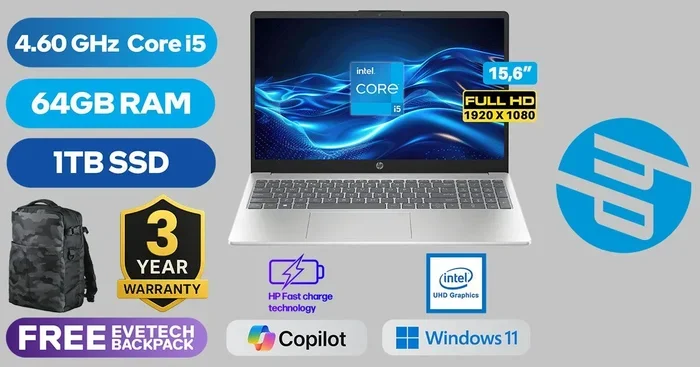
Yes, laptops can have 64 Gb RAM, and it is a game changer for heavy workloads. This much memory allows for extreme multitasking, smooth video editing, and running multiple virtual machines without breaking a sweat. We will cover everything from compatibility to who actually needs this much power.
When we ask Can Laptops Have 64 Gb Ram, we are exploring the top tier of mobile computing power. Random Access Memory, or RAM, is the short-term memory of your computer. It holds the data your machine needs right this second. This is different from your storage drive, which saves your files for the long term. Think of RAM like your physical desk space. A bigger desk lets you spread out more papers and work on them at the same time. 64 Gb of RAM is an incredibly large desk. Most standard laptops come with 8 Gb or 16 Gb of memory. That is plenty for everyday tasks. But 64 Gb? That is for serious power users. It is four times the memory of a typical high-end machine. This setup handles massive spreadsheets, huge codebases, and complex design files with absolute ease. It removes the lag that slows down your workflow. When your system has this much memory, you never have to close apps just to open a new one.
Not everyone needs this much power, but for those who do, it changes everything. Buying a machine with 64 Gb of memory is a big financial investment. You should only get it if your daily work demands it. In this article, we will explore everything you need to know. We will look at who benefits the most from this much power, how to check compatibility, and the pros and cons of upgrading. We will also guide you through the upgrade process and highlight common mistakes to avoid. By the end, you will know exactly if 64 Gb of RAM is the right choice for your needs.
Key Takeaways
- 64 Gb RAM exists in laptops: You can find them in high-end gaming and workstation models.
- Not everyone needs it: Casual users and office workers do just fine with 16 Gb or 32 Gb.
- Check compatibility first: Not all laptops support 64 Gb of memory due to motherboard limits.
- Upgrade options vary: Some laptops have soldered RAM, while others have open slots for expansion.
- DDR5 is the standard: Newer 64 Gb setups usually use faster DDR5 memory for better performance.
- It boosts heavy tasks: Video editing, 3D rendering, and coding benefit the most from 64 Gb.
📑 Table of Contents
Can Laptops Have 64 Gb Ram? Understanding System Memory
When we ask Can Laptops Have 64 Gb Ram, we are exploring the top tier of mobile computing power. Random Access Memory, or RAM, is the short-term memory of your computer. It holds the data your machine needs right this second. This is different from your storage drive, which saves your files for the long term. Think of RAM like your physical desk space. A bigger desk lets you spread out more papers and work on them at the same time. 64 Gb of RAM is an incredibly large desk. Most standard laptops come with 8 Gb or 16 Gb of memory. That is plenty for everyday tasks. But 64 Gb? That is for serious power users. It is four times the memory of a typical high-end machine. This setup handles massive spreadsheets, huge codebases, and complex design files with absolute ease. It removes the lag that slows down your workflow. When your system has this much memory, you never have to close apps just to open a new one. Everything stays open and ready to go instantly.
Understanding System Memory and Speed
Memory does not just mean size. It also means speed. Laptop RAM usually comes in DDR4 or DDR5 formats. DDR5 is the newest standard and offers much faster data transfer rates than older DDR4 chips. When you have 64 Gb of system memory, you want it to be fast. Speed is measured in megahertz, or MHz. Higher MHz means your processor gets data quicker. This matters a lot for laptop memory performance. If you are running virtual machines, each one needs its own chunk of RAM to operate smoothly. With 64 Gb, you can run several virtual machines at once without your laptop breaking a sweat. You can also run heavy workloads like 3D rendering or compiling large software projects. The computer stays responsive because it has plenty of room to breathe. You do not have to wait for the screen to catch up. The data flows instantly from the memory to the processor. Another important factor is dual-channel memory. Laptops with two memory sticks run faster than those with one stick, even if the total size is the same. This is because the data path is wider, allowing more information to flow through at once. Faster RAM speed means smoother multitasking and quicker application loading times.
Who Really Needs 64 Gb of RAM in a Laptop?
Not everyone needs this much power. Buying a machine with 64 Gb of memory is a big financial investment. You should only get it if your daily work demands it. Let us look at who benefits the most from this much computer performance in a portable form factor.
Video Editors and 3D Animators
If you edit 4K or even 8K video, you need serious memory. Video editing software like Adobe Premiere Pro or DaVinci Resolve eats up RAM very fast. When you add complex effects, color grading, and multiple audio tracks, your laptop specs get pushed to the absolute limit. With 64 Gb, you can preview your edits in real time. You do not have to wait for the screen to catch up or drop frames. 3D animators face very similar demands. Software like Blender or Maya uses RAM to render complex scenes. More memory means faster render times and smoother playback. This saves you hours of waiting time. It makes the creative process much more enjoyable and productive. You can focus on your art instead of waiting for your machine to catch up. A high-end workstation laptop with this much memory handles any task you throw at it.
Software Developers and Coders
Programmers often run many different environments at the same time. You might have a local server running, a database engine active, and your code editor all open at once. Each one uses a significant chunk of memory. Running virtual machines is also very common in development. You might test your code on Windows, Linux, and macOS all at the same time. 64 Gb of RAM makes this possible without any slowdown. Your laptop remains fast and responsive, even when juggling many different tasks. You can switch between environments instantly. This boosts your productivity and keeps your focus on the code, not on waiting for the computer to catch up. It is a game changer for developers who juggle multiple projects. They can run their IDE, browser with dozens of tabs, and local servers all at once.
Data Scientists and Machine Learning Engineers
Data science involves crunching huge datasets. Machine learning models require massive amounts of memory to train properly. When you train an AI model, your computer loads data into RAM for quick access. If you run out of memory, the training process stops or becomes painfully slow. 64 Gb of memory ensures you can work with large data frames and complex models. This is essential for anyone doing serious machine learning or deep learning work on the go. You can process more data in less time. This gives you a real edge in your research or projects. You can experiment with larger models and bigger batch sizes. It turns a slow, frustrating process into a smooth, efficient workflow.
Engineers and Architects
Professionals in engineering and architecture also benefit greatly from large memory. CAD software like AutoCAD or SolidWorks requires a lot of memory to render detailed 3D models. These models contain millions of polygons and high-resolution textures. Loading and manipulating them demands a lot of short-term memory. With 64 Gb, you can work on massive assemblies without the software freezing. You can rotate and zoom in on your designs smoothly. This precision is critical for professional work. It ensures that your designs are accurate and your workflow is uninterrupted. You can trust your machine to handle the heavy lifting. A powerful gaming laptop or mobile workstation with this much memory is perfect for these demanding tasks.
Can Any Laptop Support 64 Gb RAM?
This is a crucial question. Just because you want 64 Gb does not mean your laptop can handle it. The motherboard and processor dictate your maximum memory capacity. You cannot just plug in any memory stick and expect it to work. Always check your machine before spending money to ensure laptop compatibility.
Checking Your Laptop Specifications
Before you buy or upgrade, you must check your machine’s limits. Some laptops have memory slots that only support up to 32 Gb per stick. If you have two free slots, that gives you a maximum of 64 Gb total. But other laptops might only support 16 Gb per stick. You would then be stuck at 32 Gb total. Always check the official manufacturer specifications for your specific model. Look for the maximum RAM capacity listed in the manual or on the support website. Do not guess, or you might buy memory that does not physically fit or work properly. Use tools like Crucial System Scanner or CPU-Z to find out exactly what your machine supports. These free tools scan your system and tell you the exact type of memory you need for your laptop memory upgrade.
Soldered vs. Upgradeable Memory
Many modern ultrabooks have soldered RAM. This means the memory chips are glued directly to the motherboard. You cannot upgrade them at all. If you buy a laptop with 16 Gb of soldered RAM, you are stuck with 16 Gb forever. On the other hand, some laptops have accessible memory slots. These are usually thicker gaming machines or mobile workstations. They let you add or swap out memory sticks easily. If upgradeability is important to you, look for laptops with memory slots that are not soldered. This gives you the freedom to expand your laptop memory later as your needs grow. Always check the service manual to see if the RAM is removable. Having upgradeable RAM saves you money in the long run.
The Role of the Processor
Your CPU also plays a big role in how much memory you can use. Older processors might have strict limits on how much RAM they can address. Modern Intel and AMD chips usually support 64 Gb or even more. However, you must match the right CPU with the right motherboard chipset. A powerful processor paired with limited memory will still feel slow. Make sure both parts of your system can handle the load together. Check the processor specifications alongside the motherboard limits. A balanced system is the key to great performance. The operating system and your software requirements also play a role in how much memory is actually usable.
Pros and Cons of Having 64 Gb RAM
Like any tech upgrade, 64 Gb of RAM comes with trade-offs. Let us weigh the good and the bad so you can make an informed choice for your next machine.
The Advantages of Massive Memory
The biggest advantage is speed and seamless multitasking. You can run many apps at once without any lag or stutter. Your system never has to swap data to the slow hard drive because it has enough room in memory. This leads to a much smoother and faster experience. Another huge advantage is future-proofing. Software keeps getting heavier every year. What feels fast today might feel slow in just a few years. Having 64 Gb means your laptop will stay fast for a long time. You also get noticeably better performance in heavy workloads like rendering and compiling. The time you save waiting for your computer adds up quickly over weeks and months. You become more productive because you are not waiting. Another benefit is that you can keep dozens of browser tabs open without crashing. It makes multitasking feel effortless and natural.
The Drawbacks to Consider
The main drawback is cost. 64 Gb of RAM is expensive. Laptops with this much memory cost a premium price. They are usually bulky and heavy too. You are often looking at a desktop replacement laptop. These machines do not have great battery life. They get hot and loud when you push them hard under heavy loads. Another downside is that you might never use all that memory. If you only browse the web and write documents, 64 Gb is simply wasted money. You pay for power you do not actually need. Always be honest about your daily computing habits. Do not overspend on features you will never use. Also, these high-memory laptops often require SSD storage to balance the speed, which adds to the overall cost.
How to Upgrade Your Laptop to 64 Gb RAM
If your current laptop supports it, upgrading can be a great way to save money. Instead of buying a whole new machine, you just add memory. Here is how you do it safely and effectively.
Step-by-Step Upgrade Process
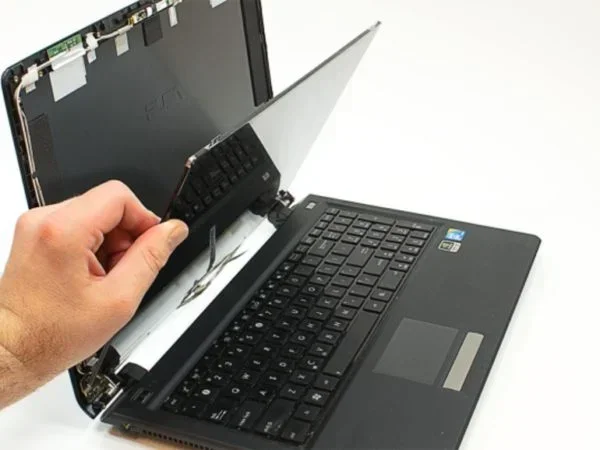
First, check if your laptop has empty memory slots. You can use a free tool like Crucial System Scanner or CPU-Z. These tools tell you what type of RAM you have and how many slots are free. Next, buy the right memory. Make sure it matches your laptop’s exact specifications. Look for the correct type, like DDR5, and the right speed rating. Then, shut down your laptop completely and unplug the power cord. Find the memory compartment on the bottom of the machine. Use a small screwdriver to open the panel. Carefully remove the old memory sticks by pushing the side clips outward. The sticks will pop up at an angle. Align the new sticks with the slots at an angle and press them down firmly until they click into place. Finally, boot up your computer and check the system settings to confirm the new 64 Gb RAM is recognized and working properly. Always run a memory test if you want to be absolutely sure everything is stable. This ensures your system memory is functioning at its best.
Quick Tips for a Smooth Upgrade
Always ground yourself before touching any internal parts. This prevents static electricity from damaging your sensitive components. Work on a clean, flat, and hard surface. Handle the memory sticks carefully by the edges. Never touch the gold connectors on the bottom of the stick. If your laptop has a warranty, check if opening it voids the coverage. Some brands require professional installation to keep the warranty active. Taking a few extra minutes to check these details saves you a lot of headaches later. You can also update your BIOS before installing new memory. This ensures the motherboard recognizes the latest RAM modules properly. Always keep your old memory sticks in a safe place. You might need them if you want to revert your changes. Finally, make sure your laptop is plugged in during the upgrade process to prevent any power loss.
Common Mistakes, Expert Insights, and Comparing Memory Options
Shopping for a high-memory laptop can be tricky. Many people make mistakes that cost them money or leave them with a slow machine. Let us look at what to watch out for, what the experts say, and how different memory sizes compare.
Common Mistakes to Avoid
The first mistake is ignoring your operating system. A 64-bit operating system can use all 64 Gb of memory. However, a 32-bit operating system cannot. It will only recognize a small fraction of your RAM, usually around 3 Gb. Always make sure you are running a 64-bit version of Windows or macOS. Another common error is focusing only on RAM and forgetting the rest. Memory is only one part of the performance puzzle. You also need a fast processor and a solid-state drive. If your CPU is slow, adding RAM will not help much. The processor and memory must work together in harmony. Also, buying the wrong type of RAM is a big no-no. Laptops use specific small formats called SO-DIMMs. You cannot put standard desktop RAM into a laptop. Mixing different speeds or brands can cause system instability. Always buy matching memory sticks for the best computer performance.
Expert Insights on High Capacity Memory
We asked a few tech experts about the future of laptop memory and high-capacity RAM. They all agree that 64 Gb is becoming much more common in consumer laptops. As software gets more complex and operating systems add more features, the demand for memory grows steadily. Cloud computing and AI tools require fast, large memory pools to run efficiently. Even if you do not need 64 Gb today, having a laptop that supports it gives you great long-term options. You can keep the machine for years without feeling outdated. The shift toward DDR5 memory also means faster speeds and lower power consumption. This is great news for battery life on the go. Experts recommend checking for upgradeable models if you want long-term value from your device. They say it is better to buy a machine that can grow with your needs. Technology changes fast, but good hardware lasts.
Comparing RAM Options: 16 Gb vs 32 Gb vs 64 Gb
To put things in perspective, let us compare the different memory sizes side by side. This table shows who each option is best for and what you can expect from each tier.
| RAM Size | Best For | Typical Use Cases | Cost Level |
|---|---|---|---|
| 16 Gb | Casual Users | Web browsing, office work, light gaming | Low |
| 32 Gb | Enthusiasts | Moderate gaming, photo editing, light video work | Medium |
| 64 Gb | Power Users | 4K video editing, 3D rendering, heavy multitasking | High |
As you can see from the table, 64 Gb sits firmly at the top. It is not for everyone, but for those who need it, nothing else will do. The jump from 32 Gb to 64 Gb is massive for specific professional tasks. If you regularly hit your memory limits, the upgrade is absolutely worth every single penny you spend. It transforms how you work and play. Having enough memory means you never have to close your favorite apps just to open a new one. It is the difference between a frustrating lag and a smooth, responsive experience.
When considering Can Laptops Have 64 Gb Ram, remember that the technology is here and ready to use. Whether you are a professional or a serious hobbyist, understanding your memory needs helps you choose the right machine. Do not let confusing tech specs scare you away from powerful options. Focus on what you actually do with your laptop every single day. If your work demands it, 64 Gb of RAM will transform your computing experience. You will wonder how you ever worked without it. The extra power gives you freedom. You can run any application without limits. It is an investment in your productivity and creativity.
Frequently Asked Questions
Is 64 Gb of RAM overkill for a laptop?
For most casual users, yes, 64 Gb is overkill. Standard web browsing, office tasks, and light gaming run perfectly fine on 16 Gb or 32 Gb. However, if you are a professional video editor, 3D animator, or data scientist, 64 Gb is essential. It depends entirely on your daily workload. If you regularly run out of memory, then it is not overkill for you.
Can I upgrade my laptop to 64 Gb RAM?
This depends on your specific laptop model. Some laptops have soldered RAM that cannot be upgraded. Others have open memory slots that allow expansion. Check your laptop’s manual or use a tool like CPU-Z to see if your machine supports 64 Gb. Look for the maximum RAM capacity listed in the specifications.
Do I need 64 Gb RAM for gaming?
Most modern games run great with 16 Gb or 32 Gb of RAM. 64 Gb is usually unnecessary for gaming alone. However, if you stream your gameplay while gaming, or if you have many background apps open, the extra memory helps. It keeps your system smooth while you play and stream simultaneously.
What is the difference between DDR4 and DDR5 RAM?
DDR5 is the newer standard and offers faster speeds than DDR4. It also uses less power, which can improve battery life. DDR5 modules are not backward compatible with DDR4 slots. You must check your laptop motherboard to see which type of memory it supports before buying new RAM.
Does more RAM make your laptop faster?
More RAM helps your laptop run faster when you have many apps open. It prevents slowdowns when your memory gets full. However, if you already have enough RAM for your tasks, adding more will not make your laptop faster. The processor and storage drive also play big roles in overall speed.
How much does a 64 Gb RAM laptop cost?
Laptops with 64 Gb of RAM are expensive. They typically cost more than 1500 to 3000 dollars, depending on the brand and other specs. You can also upgrade an older laptop to 64 Gb by buying memory sticks separately. This is often cheaper than buying a new pre-built machine with 64 Gb.