Can Hdmi 2 1 Do 4k 144hz Everything You Need To Know
Yes, HDMI 2.1 can absolutely do 4K at 144Hz. This next-generation connection standard was built to deliver ultra-high resolutions and refresh rates for serious gamers and content creators. With up to 48 Gbps of bandwidth, HDMI 2.1 makes 4K 144Hz gaming smooth and practical without needing expensive workarounds.
If you are into gaming or high-resolution content, you have probably asked yourself one big question. Can HDMI 2.1 do 4K 144Hz? The short answer is yes. But the full picture is a bit more interesting than that.
HDMI 2.1 is the latest version of the popular audio-video interface standard. It was designed to handle much higher resolutions and refresh rates than previous versions. For gamers and movie lovers alike, this opens up a whole new world of visual quality.
In this guide, we will walk through everything you need to know. We will cover bandwidth, cable requirements, device compatibility, and practical setup tips. By the end, you will know exactly whether HDMI 2.1 can deliver the 4K 144Hz experience you are looking for.
Key Takeaways
- HDMI 2.1 fully supports 4K at 144Hz: The standard provides enough bandwidth for this resolution and refresh rate combination.
- You need certified Ultra High Speed cables: Regular HDMI cables cannot handle the data transfer required for 4K 144Hz.
- VRR and ALLM features enhance gaming: Variable Refresh Rate and Auto Low Latency Mode make 4K 144Hz gaming much smoother.
- Both PCs and consoles benefit: PlayStation 5, Xbox Series X, and high-end gaming PCs all use HDMI 2.1 for 4K 144Hz output.
- Not all devices support it yet: Check your TV, monitor, and source device compatibility before investing in HDMI 2.1 gear.
- HDMI 2.1 also supports 8K and higher frame rates: The standard is future-proof for even more demanding display setups.
📑 Table of Contents
- What Is HDMI 2.1 and Why Does It Matter?
- Can HDMI 2.1 Actually Do 4K 144Hz?
- Cable Requirements for 4K 144Hz Over HDMI 2.1
- Device Compatibility: What Supports HDMI 2.1 4K 144Hz?
- Setting Up HDMI 2.1 for 4K 144Hz Gaming
- Benefits of 4K 144Hz Gaming with HDMI 2.1
- HDMI 2.1 vs DisplayPort for 4K 144Hz
- Common Myths About HDMI 2.1 and 4K 144Hz
- Final Thoughts on HDMI 2.1 and 4K 144Hz
What Is HDMI 2.1 and Why Does It Matter?
HDMI stands for High-Definition Multimedia Interface. It is the cable standard most of us use to connect devices like TVs, monitors, gaming consoles, and Blu-ray players. Each new version of HDMI brings better speed and more features.
HDMI 2.1 is the biggest upgrade in the history of the standard. It was released in 2017 by the HDMI Forum. The biggest improvement is a massive boost in bandwidth. This is the amount of data the cable can carry per second.
HDMI 2.1 Bandwidth Explained
Bandwidth is measured in gigabits per second, or Gbps. Here is how the versions compare:
- HDMI 2.0: 18 Gbps maximum bandwidth
- HDMI 2.1: 48 Gbps maximum bandwidth
That is a huge jump. More bandwidth means the cable can carry more pixels and more frames every second. This is exactly why HDMI 2.1 can support 4K at 144Hz and even 8K at higher refresh rates.
Key Features of HDMI 2.1
HDMI 2.1 is not just about raw speed. It includes several features that improve the viewing and gaming experience:
- Variable Refresh Rate (VRR): This reduces screen tearing and stuttering during gaming.
- Auto Low Latency Mode (ALLM): This automatically switches the display to low-latency mode for gaming.
- Quick Frame Transport (QFT): This reduces the time it takes for frames to travel from source to display.
- Quick Media Switching (QMS): This eliminates black screens when switching between content.
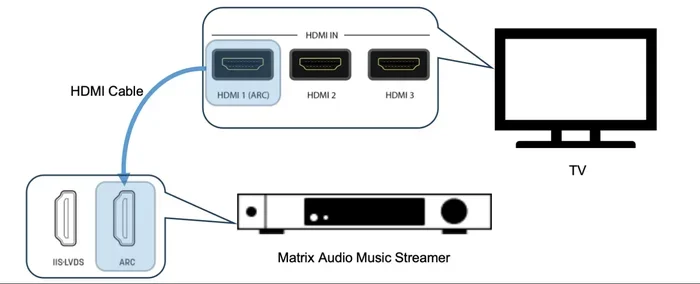
- Enhanced Audio Return Channel (eARC): This supports high-quality audio formats like Dolby Atmos.
All of these features work together to make HDMI 2.1 the best connection standard available today for high-performance displays.
Can HDMI 2.1 Actually Do 4K 144Hz?
This is the question most people want answered. And the answer is a clear yes. HDMI 2.1 was specifically engineered to handle 4K resolution at 144Hz refresh rate. Let us break down why this is possible.
Understanding 4K 144Hz
4K resolution means 3840 x 2160 pixels. That is over 8 million pixels on your screen at once. A 144Hz refresh rate means the display updates those 8 million pixels 144 times every single second.
That is a LOT of data to move. In fact, running 4K at 144Hz requires about 32.4 Gbps of bandwidth. HDMI 2.0, with its 18 Gbps limit, simply cannot do this. It can handle 4K at 60Hz or 1440p at 144Hz, but not both at once.
HDMI 2.1, with its 48 Gbps capacity, has plenty of headroom. It can comfortably run 4K at 144Hz with room to spare. This is why HDMI 2.1 has become the go-to standard for serious gaming setups.
What About 4K 120Hz or 4K 144Hz on Different Devices?
It is worth noting that 4K 120Hz is a common target for console gaming. Both the PlayStation 5 and Xbox Series X support 4K 120Hz over HDMI 2.1. But PC gamers often push for 144Hz or even higher frame rates.
HDMI 2.1 can handle both scenarios. Whether you are gaming at 4K 120Hz on a console or 4K 144Hz on a powerful PC, HDMI 2.1 has the bandwidth to deliver it.
| Resolution | Refresh Rate | HDMI 2.0 Support | HDMI 2.1 Support |
|---|---|---|---|
| 4K (3840 x 2160) | 60Hz | Yes | Yes |
| 4K (3840 x 2160) | 120Hz | No (with compression) | Yes |
| 4K (3840 x 2160) | 144Hz | No | Yes |
| 8K (7680 x 4320) | 60Hz | No (with compression) | Yes |
| 1440p (2560 x 1440) | 144Hz | Yes | Yes |
Cable Requirements for 4K 144Hz Over HDMI 2.1
Having an HDMI 2.1 port on your device is only half the battle. You also need the right cable. Not all HDMI cables are created equal, and using the wrong one will limit your setup.
Ultra High Speed HDMI Cable
For 4K 144Hz, you must use a certified Ultra High Speed HDMI cable. This is the official certification for HDMI 2.1 cables. These cables are rated for 48 Gbps bandwidth and support all HDMI 2.1 features.
Here is what to look for when buying a cable:
- Ultra High Speed certification label: This is the official HDMI 2.1 certification mark on the cable packaging.
- 18 Gbps or higher bandwidth rating: Ultra High Speed cables support 48 Gbps.
- Good build quality: Look for braided shielding and gold-plated connectors.
- Adequate length: Longer cables can sometimes lose signal quality. Keep cables under 3 meters for best results.
Avoid cables labeled “High Speed” or “Premium High Speed.” These are HDMI 2.0 cables and cannot handle the full bandwidth of HDMI 2.1 for 4K 144Hz.
Quick Tips for Choosing the Right Cable
Not sure which cable to buy? Here are some quick tips:
- Buy from reputable brands like Belkin, Cable Matters, or Club 3D.
- Check that the cable is explicitly certified for HDMI 2.1.
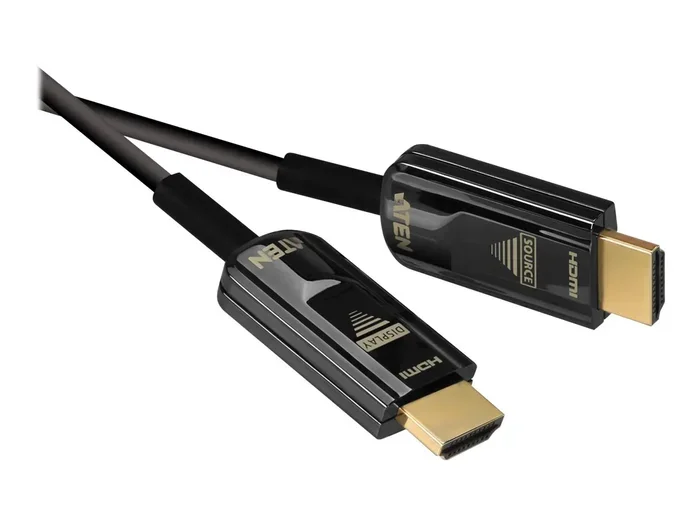
- If you are running a long cable run, consider an active fiber optic HDMI cable.
- Do not buy cheap unbranded cables. They may not support the required bandwidth.
Device Compatibility: What Supports HDMI 2.1 4K 144Hz?
Even with the right cable, your devices need to support HDMI 2.1. Let us look at what is currently compatible.
Gaming Monitors
Many gaming monitors now come with HDMI 2.1 ports. Popular options include monitors from ASUS, LG, Samsung, and Acer. These monitors are designed specifically for PC gamers who want 4K 144Hz performance.
When shopping for an HDMI 2.1 gaming monitor, look for these specs:
- Native 4K (3840 x 2160) resolution
- 144Hz or higher refresh rate
- HDMI 2.1 ports (at least one)
- Support for VRR and ALLM
- Good response times (1ms to 5ms)
Televisions
Many modern smart TVs now include HDMI 2.1 ports. High-end models from LG, Sony, Samsung, and TCL are great examples. These TVs are ideal for console gamers who want 4K 120Hz or 144Hz performance.
Keep in mind that not every HDMI port on a TV is HDMI 2.1. Some TVs have a mix of HDMI 2.0 and HDMI 2.1 ports. Check the specs carefully before buying.
Gaming Consoles and PCs
The PlayStation 5 and Xbox Series X both support HDMI 2.1 output. This means they can send a 4K 120Hz signal to a compatible TV or monitor. For PC gamers, you need a graphics card and motherboard that support HDMI 2.1 output.
Currently, some GPUs from NVIDIA and AMD support HDMI 2.1. Check your specific hardware to confirm compatibility.
Setting Up HDMI 2.1 for 4K 144Hz Gaming
Getting 4K 144Hz working over HDMI 2.1 requires a few steps. Here is a practical guide to help you set things up correctly.
Step-by-Step Setup Guide
- Check your devices: Make sure your source device (PC or console) and display (TV or monitor) both support HDMI 2.1.
- Get the right cable: Purchase a certified Ultra High Speed HDMI cable.
- Connect the cable: Plug one end into your source device and the other into your display. Use an HDMI 2.1 port on both devices.
- Enable HDMI 2.1 features: Go into your display settings and turn on VRR and ALLM if available.
- Configure your source device: On your PC or console, set the output to 4K at 144Hz in the display or graphics settings.
- Test your setup: Run a game or benchmark to confirm you are getting 4K 144Hz with no issues.
Common Setup Mistakes to Avoid
Even with the right gear, people sometimes make mistakes during setup. Here are a few to watch out for:
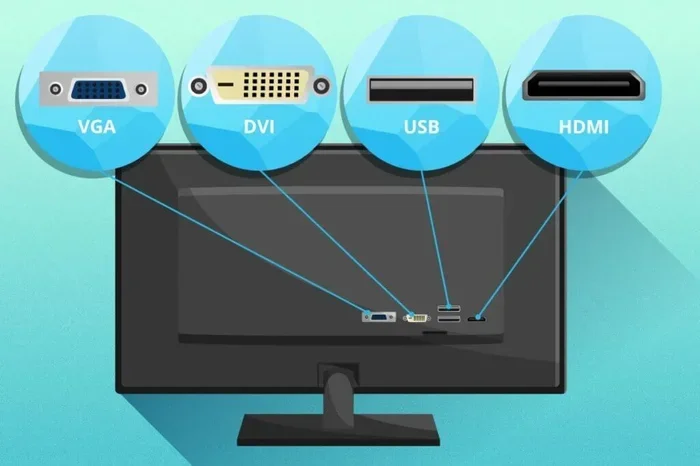
- Using an HDMI 2.0 port instead of HDMI 2.1: Many devices have multiple HDMI ports, but not all are HDMI 2.1. Check your manual.
- Not enabling VRR on both ends: Both your source device and display need VRR enabled for it to work properly.
- Using a cable that is too long: Long cables can degrade the signal. Stick to shorter runs when possible.
- Ignoring firmware updates: Sometimes a firmware update on your TV or GPU is needed to enable full HDMI 2.1 support.
Benefits of 4K 144Hz Gaming with HDMI 2.1
Why should you care about 4K 144Hz? What does it actually do for your gaming experience? Let us look at the real-world benefits.
Smoother Gameplay
A higher refresh rate means smoother motion on screen. When you move your camera in a fast-paced game, 144Hz makes everything feel fluid and responsive. This can give you a competitive edge in multiplayer games.
Better Visual Quality
4K resolution provides incredibly sharp and detailed images. When you combine that with a high refresh rate, you get the best of both worlds. Every texture, every shadow, and every movement looks amazing.
Reduced Screen Tearing
With VRR support over HDMI 2.1, screen tearing becomes a thing of the past. The display syncs its refresh rate with the output from your GPU or console. This means a tear-free gaming experience every time.
Future-Proof Investment
HDMI 2.1 is future-proof. As games and content continue to push higher resolutions and frame rates, HDMI 2.1 is ready for it. Investing in HDMI 2.1 gear now means you are set for years to come.
HDMI 2.1 vs DisplayPort for 4K 144Hz
While HDMI 2.1 is great for 4K 144Hz, it is worth mentioning DisplayPort as an alternative. DisplayPort 1.4 and DisplayPort 2.0 also support 4K at high refresh rates.
Here is a quick comparison:
- HDMI 2.1: Best for TV and console gaming. Supports eARC for home theater setups. Uses a locking connector.
- DisplayPort 1.4: Great for PC monitors. Supports daisy-chaining multiple displays. Uses a different connector type.
- DisplayPort 2.0: Offers even higher bandwidth than HDMI 2.1. Supports 8K at high refresh rates.
For most console gamers, HDMI 2.1 is the best choice. For PC gamers who prioritize monitor connectivity, DisplayPort may be the way to go. Many modern setups use both standards side by side.
Common Myths About HDMI 2.1 and 4K 144Hz
There are several myths floating around about HDMI 2.1 and 4K 144Hz. Let us clear some of them up.
Myth: All HDMI 2.1 Cables Are the Same
This is not true. There are different tiers of HDMI cables. Only Ultra High Speed cables are certified for HDMI 2.1 features and full 48 Gbps bandwidth.
Myth: HDMI 2.1 Only Works with Expensive Gear
While HDMI 2.1 devices can be pricey, prices are coming down. Many mid-range TVs and monitors now include HDMI 2.1 ports. You do not need to spend a fortune to enjoy the benefits.
Myth: You Need a 4K 144Hz TV for HDMI 2.1
HDMI 2.1 works with any display that supports it. You can use an HDMI 2.1 port for 4K 60Hz, 1440p 144Hz, or even 8K 60Hz. It is not limited to 4K 144Hz only.
Final Thoughts on HDMI 2.1 and 4K 144Hz
So, can HDMI 2.1 do 4K 144Hz? Absolutely. With 48 Gbps of bandwidth, support for VRR, ALLM, and other advanced features, HDMI 2.1 is the gold standard for high-resolution gaming today.
The key is to make sure every part of your setup supports it. You need an HDMI 2.1 source device, an HDMI 2.1 display, and a certified Ultra High Speed cable. When all three are in place, 4K 144Hz gaming is a fantastic experience.
Whether you are a competitive gamer chasing every frame or a visual enthusiast who wants the sharpest picture, HDMI 2.1 delivers. The technology is mature, the devices are available, and the benefits are real. Now is a great time to upgrade your setup and take advantage of everything HDMI 2.1 has to offer.
Start by checking your current gear. If you find gaps, plan your upgrade with the tips from this guide. You will be enjoying smooth, stunning 4K 144Hz gaming in no time.
Frequently Asked Questions
Do I need an HDMI 2.1 cable for 4K 144Hz?
Yes, you absolutely need a certified Ultra High Speed HDMI cable. Standard HDMI cables cannot handle the 48 Gbps bandwidth required for 4K at 144Hz. Using the wrong cable will result in no signal or a lower resolution output.
Can HDMI 2.0 do 4K 144Hz?
No, HDMI 2.0 cannot do 4K 144Hz. It maxes out at 18 Gbps, which is only enough for 4K at 60Hz. To get 4K 144Hz, you need the 48 Gbps bandwidth that HDMI 2.1 provides.
Does the PS5 support HDMI 2.1 4K 144Hz?
The PS5 supports HDMI 2.1 and can output 4K at 120Hz. However, most PS5 games target 4K 120Hz rather than 4K 144Hz. The console does support 144Hz at lower resolutions like 1440p.
Is HDMI 2.1 backward compatible?
Yes, HDMI 2.1 is fully backward compatible with older HDMI versions. You can use an HDMI 2.1 cable with an HDMI 2.0 device, and vice versa. The connection will simply operate at the capabilities of the older standard.
Can I get 4K 144Hz on a TV using HDMI 2.1?
Yes, many modern TVs with HDMI 2.1 ports support 4K 144Hz. However, not all TVs do. You need to check the specific TV model’s specifications. Gaming-focused TVs are more likely to support this feature.
What is the difference between HDMI 2.1 and HDMI 2.1a?
HDMI 2.1a is a minor update to HDMI 2.1 that adds some additional features for content creators. For 4K 144Hz gaming, both standards work the same way. The core bandwidth and capabilities remain identical.
=== CONCLUSION ===
HDMI 2.1 is the definitive answer to the question of whether you can get 4K 144Hz gaming. The standard was built for exactly this purpose. With its massive 48 Gbps bandwidth and support for advanced features like VRR and ALLM, HDMI 2.1 makes high-refresh-rate 4K gaming accessible and practical.
The key takeaways are simple. Use certified Ultra High Speed cables, check device compatibility, and enable the right settings. Whether you are a console gamer with a PS5 or Xbox Series X, or a PC enthusiast with a high-end graphics card, HDMI 2.1 can deliver the 4K 144Hz experience you want.
Upgrade your setup with confidence. HDMI 2.1 is here, it works, and it is ready to transform your gaming and entertainment experience.