Can I Use Ddr5 Ram On My Motherboard And How To Check
Yes, you can use DDR5 RAM on your motherboard, but only if your board and CPU support it. DDR5 is the newest memory standard, and it is not backward compatible with DDR4 slots. This guide shows you exactly how to check if your system is ready for a DDR5 upgrade, what to look for, and how to avoid costly mistakes.
You just bought shiny new DDR5 RAM sticks. You are excited to install them and feel the speed boost. Then you pause. Can I use DDR5 RAM on my motherboard? It is a great question, and the answer is not always a simple yes or no. This guide walks you through everything you need to know about DDR5 compatibility, how to check your system, and what to do if your board does not support it.
Memory upgrades can transform your PC experience. Games load faster. Video editing becomes smoother. Multitasking feels effortless. But none of that matters if you buy the wrong type of RAM. DDR5 is the latest generation of memory, and it brings real improvements. However, it also means new hardware requirements. Let us break it all down in plain language so you can make the right call.
Key Takeaways
- DDR5 is not backward compatible: You cannot plug DDR5 RAM into DDR4 slots or vice versa.
- Both the motherboard and CPU must support DDR5: Check both before buying any memory.
- The QVL list is your best friend: Always verify your RAM model is on the motherboard’s qualified vendor list.
- DDR5 offers faster speeds and better efficiency: It runs at higher frequencies and lower voltage than DDR4.
- You may also need a new CPU: Older processors simply do not work with DDR5 memory.
- BIOS updates can unlock support: A newer BIOS version may add DDR5 compatibility to older boards.
- Check the DIMM slot physical design: DDR5 and DDR4 keys are different to prevent accidental insertion.
📑 Table of Contents
- Understanding DDR5 RAM and How It Differs from DDR4
- Can I Use DDR5 RAM on My Motherboard? The Short Answer
- How to Check if Your Motherboard Supports DDR5 RAM
- What Happens if You Try to Use DDR5 RAM on a DDR4 Motherboard
- Benefits of Upgrading to DDR5 RAM
- How to Choose the Right DDR5 RAM for Your System
- Common Mistakes People Make When Upgrading to DDR5 RAM
- Expert Insights on DDR5 Memory Compatibility
- Conclusion
Understanding DDR5 RAM and How It Differs from DDR4
DDR5 stands for Double Data Rate 5. It is the fifth generation of DDR memory. Each generation brings faster speeds, better efficiency, and new features. DDR5 is a big step up from DDR4 in several ways.
First, DDR5 operates at a lower voltage. It uses just 1.1 volts compared to DDR4’s 1.2 volts. That may sound small, but it adds up over time. Lower voltage means less heat and better power efficiency.
Second, DDR5 offers much higher speed potential. DDR4 typically maxes out around 5000 MHz with overclocking. DDR5 starts at 4800 MHz and can go well beyond 8000 MHz on high-end kits. That is a massive jump in bandwidth.
Third, DDR5 has a different physical design. The notch on the module is in a different position. This means DDR5 sticks simply cannot fit into DDR4 slots. It is a hardware-level safeguard to prevent damage.
Why Does RAM Generation Matter?
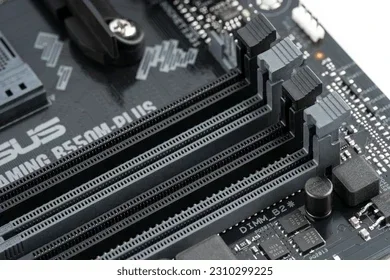
The RAM generation your system uses is tied directly to your motherboard chipset and CPU. You cannot mix generations. Think of it like trying to put a diesel nozzle into a gasoline tank. The shapes are different for a reason. Your motherboard has memory slots called DIMM slots. These slots are designed for one specific type of memory. DDR4 boards have DDR4 slots. DDR5 boards have DDR5 slots. There is no crossover.
This is the most important thing to understand. If your motherboard was built for DDR4, no amount of DDR5 RAM will work. The physical slots simply will not accept the module. Always check your motherboard specs before purchasing any memory.
Can I Use DDR5 RAM on My Motherboard? The Short Answer
The short answer depends on your hardware. If your motherboard and CPU both support DDR5, then yes, you can use DDR5 RAM. If either one does not support it, then no. It really is that simple. But let us dig deeper into what makes a system DDR5-ready.
Not all motherboards support DDR5. In fact, when DDR5 first launched, only select boards from Intel and AMD supported it. Today, most modern boards do, but older boards do not. The same goes for processors. You need a CPU with an integrated memory controller that supports DDR5.
What Makes a Motherboard DDR5 Compatible?
A motherboard supports DDR5 if it has DDR5 DIMM slots. That is the most obvious sign. But there is more to it than just the slots. The chipset on the board must also support DDR5 memory controllers. For Intel, this means boards with Z790, B760, H770, or Q670 chipsets. For AMD, boards with X670, B650, or X670E chipsets support DDR5.
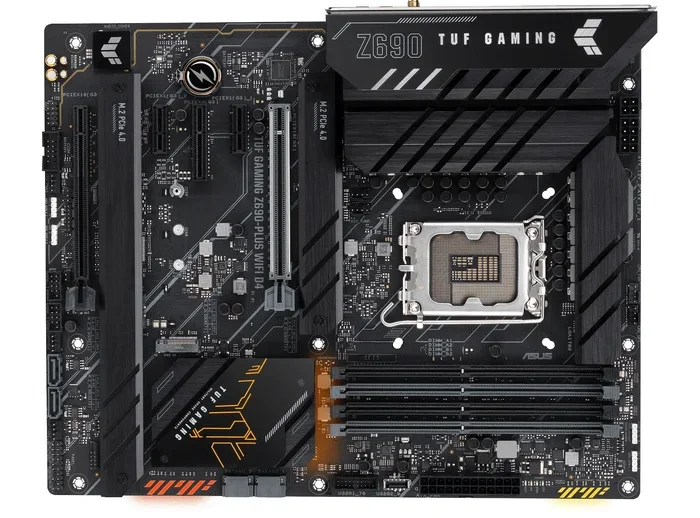
Older chipsets like Intel Z690 or AMD B550 do not support DDR5 natively. Some manufacturers released BIOS updates that added limited DDR5 support to certain Z690 boards, but this is rare and not officially guaranteed. Always check the manufacturer’s website for the full spec sheet.
How to Check if Your Motherboard Supports DDR5 RAM
Now that you know the basics, let us talk about how to actually check your system. This is the part most people skip, and it is the most important step. You do not want to buy DDR5 RAM only to find out your board does not support it.
Step 1: Check Your Motherboard Model
First, you need to know exactly what motherboard you have. Open your PC case and look at the board itself. There is a model number printed on it, usually near the CPU socket or PCIe slots. It might say something like “ROG STRIX Z790-E” or “B650 AORUS ELITE AX.” Write that down.
If you are on Windows, you can also use a free tool called CPU-Z. It shows your motherboard model, chipset, and memory type instantly. Simply download it, open it, and look at the main board tab. It tells you everything you need to know.
Step 2: Visit the Manufacturer’s Website
Once you have the model number, go to the manufacturer’s website. Look up your exact model. On the product page, find the specifications section. Look for “Memory Type” or “Supported Memory.” If it says DDR5, you are good to go. If it says DDR4, you cannot use DDR5 RAM.
This is also a great place to check the maximum supported speed and capacity. Some boards support DDR5-6400, while others can handle DDR5-8000 or higher. Knowing this helps you choose the right DDR5 kit.
Step 3: Check the CPU Compatibility
Your CPU matters just as much as your motherboard. Even if you have a DDR5 board, an older CPU might not support DDR5 memory. Intel’s 12th and 13th generation Core processors (Alder Lake and Raptor Lake) support DDR5, but only specific models. 14th generation CPUs also support DDR5. On the AMD side, Ryzen 7000 series processors support DDR5 natively. Ryzen 5000 series do not.
You can check your CPU’s memory support on the manufacturer’s product page. Intel and AMD both list supported memory types and speeds for each processor. Cross-reference this with your motherboard support list for full peace of mind.
Step 4: Check the QVL List
QVL stands for Qualified Vendor List. It is a list of memory kits that the motherboard manufacturer has tested and certified. Not all DDR5 RAM works perfectly with every DDR5 motherboard. The QVL list ensures compatibility.
Go to your motherboard manufacturer’s support page. Find your model. Look for the QVL or memory compatibility section. You will see a list of tested DDR5 kits with their part numbers, speeds, and capacities. If your chosen RAM is on this list, you are in great shape.
What Happens if You Try to Use DDR5 RAM on a DDR4 Motherboard
Let us say you already bought DDR5 RAM and your motherboard only has DDR4 slots. What happens? The short answer is nothing good. The DDR5 module simply will not fit into a DDR4 slot. The notch position is different. The keying is different. You physically cannot insert it.
Some people wonder if they can force it in or modify the slot. Please do not do this. Forcing a DDR5 stick into a DDR4 slot can damage both the RAM and the motherboard. The pins are different too. DDR5 has 288 pins while DDR4 has 262 pins. The extra pins will not line up and could bend or break.
If you already have a DDR4 system and want DDR5 speeds, your only option is a full platform upgrade. That means a new motherboard and likely a new CPU as well. It is a bigger investment, but it unlocks the full benefits of DDR5 memory.
Can You Use DDR4 RAM on a DDR5 Motherboard?
The reverse is also true. A DDR5 motherboard cannot use DDR4 RAM. The slots are physically incompatible. Some DDR5 boards come with both DDR4 and DDR5 slots, but they are on different boards or in different configurations. You cannot mix them in the same slots. Always check your board’s manual to see which slots support which type.
Benefits of Upgrading to DDR5 RAM
If your system supports DDR5, upgrading is worth it. Let us look at the real-world benefits so you can decide if it makes sense for your setup.
Faster Speeds: DDR5 starts at higher base speeds than DDR4. Even entry-level DDR5 kits run at 4800 MHz. High-end kits push past 8000 MHz. This translates to faster data transfer and better overall performance.
Lower Power Consumption: DDR5 runs at 1.1 volts compared to DDR4’s 1.2 volts. That 0.1-volt difference may seem tiny, but it reduces heat output and can improve system stability under load.
Higher Capacity: DDR5 supports much larger individual memory modules. DDR4 sticks max out at 16 GB per module commonly. DDR5 modules are available in 32 GB and even 64 GB sizes. This is great for content creators and heavy multitaskers.
Better Bandwidth: DDR5 has a wider bus and improved prefetch architecture. This means more data moves through the memory channel at once. Applications that rely heavily on memory bandwidth see noticeable gains.
On-Die ECC: DDR5 includes error correction on the memory chip itself. This is not the same as full server-grade ECC, but it helps improve data integrity and stability.
Who Should Upgrade to DDR5?
DDR5 is ideal for gamers who want the best performance. It is great for video editors and 3D renderers who work with large files. It also benefits anyone building a new PC from scratch. If you are building a new system, DDR5 is the clear choice. It is the current standard and will be supported for years to come.
However, if you have a solid DDR4 system and are on a tight budget, there is no urgent need to upgrade. DDR4 is still capable and performs well for most tasks. The real gains from DDR5 show up in memory-intensive workloads and high-refresh gaming.
How to Choose the Right DDR5 RAM for Your System
If you have confirmed your motherboard supports DDR5, the next step is choosing the right kit. Not all DDR5 RAM is created equal. Here are the key factors to consider.
Speed: DDR5 speeds are measured in MHz. Common options include DDR5-4800, DDR5-5200, DDR5-5600, DDR5-6000, and DDR5-6400. Higher numbers mean faster speeds, but they also cost more. For most users, DDR5-5600 or DDR5-6000 hits the sweet spot between performance and price.
Capacity: Most people start with 16 GB (2×8 GB) or 32 GB (2×16 GB). If you do heavy video editing or run virtual machines, 32 GB or more is a better choice.
Latency: DDR5 modules have CAS latency ratings, like CL30 or CL36. Lower latency is better, but it matters less than raw speed for most users. Do not get too hung up on this unless you are a benchmark enthusiast.
XMP Profiles: XMP (Extreme Memory Profile) lets your RAM run at its advertised speed without manual tweaking. Make sure your motherboard supports XMP for DDR5. Most modern DDR5 boards do.
Dual Channel: Always buy RAM in matched pairs for dual-channel performance. A 2×16 GB kit performs better than a single 32 GB stick. This applies to both DDR4 and DDR5.
Quick Tips for Buying DDR5 RAM
- Always buy a matched kit (2 sticks or 4 sticks) for dual-channel mode.
- Check the QVL list on your motherboard manufacturer’s website.
- Start with DDR5-5600 or DDR5-6000 for the best value.
- Make sure your CPU supports DDR5 before purchasing.
- Consider a heatsink if you plan to overclock your memory.
- Buy from reputable brands like Corsair, Kingston, G.Skill, or Crucial.
Common Mistakes People Make When Upgrading to DDR5 RAM
Even with good intentions, people make mistakes when upgrading memory. Here are the most common ones and how to avoid them.
Mistake 1: Assuming DDR5 Works in DDR4 Slots. This is the number one mistake. DDR5 and DDR4 are physically incompatible. Always double-check your motherboard type before buying.
Mistake 2: Ignoring CPU Support. A DDR5 motherboard alone is not enough. You need a CPU that supports DDR5 memory. Check both components.
Mistake 3: Skipping the BIOS Update. Some motherboards need a BIOS update to fully support newer DDR5 modules. Check for a BIOS update before installing your RAM.
Mistake 4: Mixing DDR4 and DDR5. You cannot mix memory types. Do not put DDR4 and DDR5 sticks in the same system. It will not work.
Mistake 5: Forgetting to Enable XMP. After installing DDR5 RAM, you may need to enable the XMP profile in BIOS to get the advertised speed. By default, the system may run at a lower JEDEC standard speed.
How to Enable XMP for DDR5 RAM
Enabling XMP is simple. Restart your PC and enter the BIOS by pressing the designated key during boot (usually DEL or F2). Look for the memory or overclocking section. Find the XMP or DOCP profile and select it. Save and exit. Your RAM will now run at its rated speed.
Expert Insights on DDR5 Memory Compatibility
Memory compatibility can feel confusing, especially with so many options on the market. Here are some expert tips to keep in mind.
First, always check the motherboard manual. It lists every supported memory type, speed, and capacity. It also tells you which slots to use for dual-channel mode. The manual is your best resource.
Second, do not overlook the power supply. DDR5 systems can draw more power under load, especially with overclocked memory. Make sure your PSU can handle the full system draw.
Third, keep your BIOS updated. Manufacturers regularly improve memory compatibility through BIOS updates. A simple BIOS flash can fix issues you did not even know you had.
Finally, when in doubt, contact the motherboard manufacturer’s support team. They can confirm DDR5 compatibility for your specific model and help you troubleshoot any issues.
Conclusion
So, can I use DDR5 RAM on my motherboard? The answer comes down to one simple rule: both your motherboard and CPU must support DDR5. If they do, you are in great shape. If not, you will need to upgrade your platform to enjoy the benefits of DDR5 memory.
Checking compatibility is easy. Find your motherboard model, visit the manufacturer’s website, and look at the specs. Check the QVL list. Verify your CPU supports DDR5. Take these steps, and you will avoid costly mistakes and wasted money.
DDR5 is the future of PC memory. It is faster, more efficient, and more capable than DDR4. If you are building a new system or upgrading an existing one, DDR5 is the way to go. Just make sure your hardware is ready for it first. With the right setup, you will enjoy faster speeds, smoother performance, and a system built for the years ahead.
Frequently Asked Questions
Can I mix DDR4 and DDR5 RAM in the same PC?
No, you cannot mix DDR4 and DDR5 RAM. They use different slots, different voltages, and different signaling. Your motherboard will only support one type of memory. Always use the same generation of RAM in your system.
Do I need a new motherboard to use DDR5 RAM?
Yes, you need a DDR5-compatible motherboard. DDR5 RAM will not fit into DDR4 slots, and DDR4 RAM will not work in DDR5 slots. The physical design of the slots is different to prevent mixing.
Is DDR5 RAM worth the upgrade from DDR4?
It depends on your use case. DDR5 offers faster speeds, better efficiency, and higher capacity. For gamers, content creators, and power users, the upgrade is worthwhile. For casual users, DDR4 may still be sufficient.
Can an older CPU support DDR5 RAM?
Most older CPUs do not support DDR5. Intel’s 12th and 13th generation Core processors and AMD’s Ryzen 7000 series support DDR5. Check your specific CPU’s memory support on the manufacturer’s website.
Do I need to update my BIOS before installing DDR5 RAM?
It is a good idea to update your BIOS first. Newer BIOS versions often improve memory compatibility and stability. Check your motherboard manufacturer’s website for the latest BIOS update before installing DDR5 modules.
What is the difference between DDR5-4800 and DDR5-6000?
The number represents the speed in megahertz. DDR5-6000 is faster than DDR5-4800. It moves more data per second, which benefits gaming and memory-intensive tasks. DDR5-4800 is still fast and is a great budget option.