Can I Use My Phone To Turn On My Ceiling Fan Right Now
Can I Use My Phone To Turn On My Ceiling Fan? Absolutely! With a smart ceiling fan or a simple smart switch, you can control your fan from anywhere using your phone. This guide walks you through the easiest ways to set up phone-controlled ceiling fans, including Wi-Fi switches, apps, and voice commands. No more getting up to flip the switch.
Imagine walking into your room on a hot day. The ceiling fan is already spinning, blowing cool air right at you. You didn’t lift a finger. You just tapped your phone.
Can I use my phone to turn on my ceiling fan? The answer is a clear yes. You can turn on a ceiling fan with your phone using a few simple tools. Whether you have a modern smart fan or an older model, there is a way to make it phone-controlled. This guide shows you exactly how to do it.
We will cover the different methods you can use. You will learn what hardware you need. You will see step-by-step setup instructions. I will also share tips to avoid common mistakes. By the end, you will know how to use your phone as a remote for any ceiling fan.
Key Takeaways
- Yes, you can: Use your phone to turn on a ceiling fan with a smart switch or a Wi-Fi-enabled fan.
- Smart switches are affordable: You don’t need to replace your entire fan—just add a smart switch to the existing wiring.
- Apps and voice control work together: Control fans through the manufacturer’s app, Alexa, Google Home, or IFTTT automations.
- Set it and forget it: Create schedules and scenes so your fan turns on automatically when you need it.
- Energy savings add up: Phone-controlled fans help you run them only when needed, reducing electricity bills.
- Setup is simple: Most systems take less than 15 minutes and require no technical expertise.
📑 Table of Contents
- Can I Use My Phone To Turn On My Ceiling Fan? The Short Answer
- What You Need to Get Started
- How to Set Up Phone Control in 3 Simple Steps
- Top Apps and Smart Home Platforms for Fan Control
- Why Phone-Controlled Fans Are a Game Changer
- Troubleshooting and Pro Tips
- Conclusion: Your Phone Is the Ultimate Fan Remote
Can I Use My Phone To Turn On My Ceiling Fan? The Short Answer
Yes. You can turn on your ceiling fan with your phone using a few different methods. The most common way is to replace the wall switch with a smart switch. Another way is to buy a smart ceiling fan that connects directly to your Wi-Fi. Both options let you use a phone app to turn the fan on, off, and adjust speed.
A smart switch works with almost any existing fan. You just swap out the old wall switch. A smart fan comes with Wi-Fi built in. You control it through the brand’s app. Both give you the same result: phone-controlled ceiling fans that respond to a tap on your screen.
You can also use voice commands with Alexa or Google Home. Just link your fan to the voice assistant app. Then you can say, “Turn on the living room fan.” It is that simple. Let us look at what you need to get started.
What You Need to Get Started
Before you buy anything, check your current setup. Most ceiling fans are hardwired into the home’s electrical system. That means they do not plug into a wall outlet. You have two main paths: add a smart switch or replace the whole fan.
Option 1: A Smart Switch (The Easiest Upgrade)
A smart switch replaces the standard wall switch that controls your fan. It connects to your home Wi-Fi network. Then you can control the fan from your phone. You keep your existing fan. The only change is the switch at the wall.
Popular options include the Leviton Decora Smart Switch and the Lutron Caseta Smart Bridge. These devices work with most ceiling fans. They let you turn the fan on and off. Some models also let you adjust fan speed. I will share a quick tip about wiring below.
Quick Tip: If your fan has a pull chain, you can remove it after installing the smart switch. Then the wall switch is the only control. This stops people from accidentally turning the fan back on with the chain.
Option 2: A Smart Ceiling Fan
If you need a new fan, consider a smart ceiling fan. These fans have Wi-Fi built right into the motor. You do not need a smart switch. You connect the fan directly to your home network during installation. Brands like Hunter, Minka-Aire, and Big Ass Fans offer models with app control.
A smart ceiling fan often comes with a light kit too. You can control both the fan and the light from your phone. Some models work with Alexa and Google Home right out of the box. They also support IFTTT automations. That means you can create custom rules.
Option 3: A Smart Plug (For Plug-In Fans Only)
Standard ceiling fans are hardwired, so a smart plug is not the right choice. However, if you have a box fan or a fan that plugs into a wall outlet, a smart plug works great. You plug the fan into the smart plug. Then plug the smart plug into the wall. The app can turn the fan on and off.
This method is not for traditional ceiling fans. It is only for portable fans. Keep that in mind as you read on.
Comparison: Smart Switch vs Smart Fan vs Smart Plug
| Method | Cost | Installation Difficulty | Works With Existing Fan? | Best For |
|---|---|---|---|---|
| Smart Switch | $20–$50 | Moderate (wiring required) | Yes | Upgrading an old fan without replacing it |
| Smart Ceiling Fan | $100–$300+ | Moderate (mounting the fan) | No (new fan only) | New installations or full fan replacement |
| Smart Plug | $10–$25 | Very easy (plug and play) | No (plug-in fans only) | Portable box fans or clip fans |
For most people, the smart switch is the best choice. It costs less and works with the fan you already have. A smart fan is better if you need a new unit or want advanced features like built-in lights and sensors.
How to Set Up Phone Control in 3 Simple Steps
Setting up phone control is easier than you think. You do not need an electrician, though you should be careful with wiring. Follow these three steps to get your phone-controlled ceiling fan running.
Step 1 – Pick the Right Smart Device
First, decide between a smart switch or a smart fan. If your current fan works fine, choose a smart switch. If you want a full replacement, choose a smart fan. Check the product description to see if it supports your fan type. Some smart switches are rated for fans with motors. Others are not. Always verify this before you buy.
Step 2 – Install and Wire the Device
Turn off the power at the circuit breaker. Remove the old wall switch. Connect the wires to the new smart switch according to the instructions. Most smart switches require a live wire, a neutral wire, and a ground wire. If you are not comfortable with wiring, hire a licensed electrician. Safety comes first.
For a smart ceiling fan, the installation is similar to a regular fan. Mount the bracket, attach the motor, and connect the wires. Then download the brand’s app and follow the on-screen steps to connect the fan to your Wi-Fi.
Step 3 – Download the App and Connect
Once the hardware is in place, download the app on your phone. For a smart switch, you might use the Leviton App or the Lutron App. For a smart fan, use the manufacturer’s app. Follow the prompts to add the device. The app will search for the device on your Wi-Fi network.
After the device appears, you can turn the fan on and off. You can also adjust the speed. Some apps let you set a timer. You can turn the fan off after 30 minutes, for example. This is a great way to save energy.
Common Mistake: Forgetting to connect the smart switch to the neutral wire. Without a neutral wire, the switch may blink or lose connection. Check your wiring before you start. If you do not have a neutral wire, look for a smart switch that does not require one.
Expert Insight: The best smart switch for ceiling fans is one that supports both forward and reverse modes. In summer, the fan should spin counterclockwise to push cool air down. In winter, it spins clockwise on low to circulate warm air. A good switch lets you control both directions from your phone.
Top Apps and Smart Home Platforms for Fan Control
Once your fan is connected, you can control it in many ways. The manufacturer’s app is the starting point. But you can also link the fan to larger smart home platforms. This gives you more power and flexibility.
Using the Manufacturer’s Ceiling Fan App
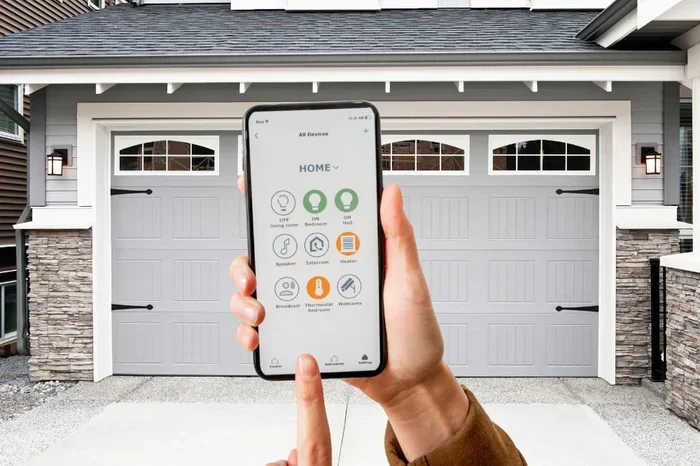
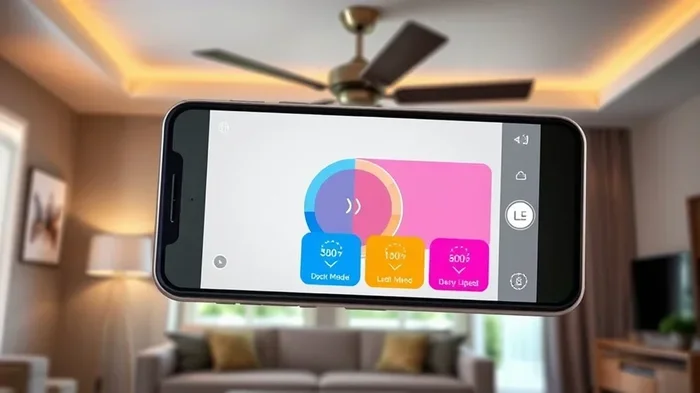
Every smart fan and smart switch comes with its own app. These apps are designed to work perfectly with the device. You can turn the fan on, set the speed, and adjust the light. The Hunter Fan app, for example, lets you create schedules. You can also check the fan’s status when you are away from home.
The ceiling fan app is the most direct way to control your fan. It gives you all the basic features. If you just want a simple on-and-off remote, the official app is all you need.
Voice Assistants – Alexa, Google Home, and Siri
Voice control makes using your fan even easier. You can link your fan to Alexa, Google Home, or Apple HomeKit. Once linked, you can say, “Hey Google, turn on the bedroom fan.” The fan responds instantly.
Voice assistants also let you adjust the speed with your voice. Say, “Alexa, set the living room fan to medium.” That is hands-free control. It is perfect when your hands are full or when you are across the room.
Quick Tip: Create a voice routine. For example, say “Goodnight” and the fan turns off automatically. This is a small luxury that makes your home feel smarter.
IFTTT and Automation Platforms
IFTTT stands for If This Then That. It is a platform that connects different smart devices. You can create applets that trigger your fan based on other events. For example, if the temperature sensor reads above 75°F, turn on the fan. If you arm your security system, turn off the fan.
You can also use SmartThings or Apple HomeKit to group your fan with other devices. Create a scene called “Movie Night” that dims the lights and turns on the fan on low. These platforms turn a simple fan into a real smart home device.
Common Mistake: Not naming your devices clearly. If you have three fans, name them “Living Room Fan,” “Bedroom Fan,” and “Office Fan.” This avoids confusion when you use voice commands or automations.
Why Phone-Controlled Fans Are a Game Changer
Phone control is not just a cool trick. It brings real benefits to your daily life. Here is why phone-controlled ceiling fans are worth the setup.
Comfort on Demand
You can turn the fan on before you even walk into the room. On a hot summer evening, start the fan from your couch. By the time you enter the bedroom, the air is moving. No more walking over to the wall switch in the dark.
Phone-controlled ceiling fans give you comfort exactly when you want it. You are in charge of the airflow at all times.
Energy Savings and Smart Scheduling
Fans cool people, not rooms. That means you should only run them when someone is there. A smart ceiling fan helps you do this automatically. You can set a schedule that turns the fan on at 6 PM and off at 11 PM. If you forget to turn it off, the app does it for you.
Over time, these small savings add up. You use less electricity. Your energy bill goes down. It is a win for your wallet and the environment.
Integration with Other Smart Devices
A phone-controlled fan becomes part of a larger system. Link it with your smart thermostat. When the AC turns off, the fan can kick in to keep the air moving. Link it with your smart lights. When the lights turn on at sunset, the fan starts on a low breeze setting.
This kind of integration makes your home feel truly smart. It creates a seamless experience that adapts to your routine. You stop thinking about the fan. It just works.
Troubleshooting and Pro Tips
Even with the best setup, you might run into small issues. Here are some common problems and how to fix them.
Common Mistakes to Avoid
- Using a dimmer switch with a fan motor. Dimmers are for lights only. They can damage a fan motor. Always use a switch rated for ceiling fans.
- Ignoring the neutral wire. Many smart switches need a neutral wire to work properly. Check your electrical box before buying. If you do not have one, choose a switch that does not require it.
- Placing the Wi-Fi hub too far away. If the hub is in the basement and the fan is on the second floor, the signal might be weak. Use a Wi-Fi extender to boost the connection.
- Not updating the app or firmware. Updates fix bugs and add new features. Check for updates regularly to keep your fan running smoothly.
Expert Tips for the Best Experience
Quick Tip: Rename your Wi-Fi network to avoid hidden characters or spaces. Some smart devices struggle with complex network names. Use a simple name like “HomeNetwork” and a strong password.
Quick Tip: Set a consistent naming convention for your devices. Call your fan “Ceiling Fan – Living Room” in the app. This makes voice commands and automations much easier to set up.
Expert Insight: The best smart switch for ceiling fans is one with a dedicated fan-speed dial or slider in the app. Some switches only offer on/off. A switch that lets you choose low, medium, and high gives you much more control over your comfort.
Expert Insight: If you have a ceiling fan with a light, make sure your smart switch or smart fan supports both. Some switches only control the fan motor. You would still need a separate switch for the light. A full-featured smart switch or a smart ceiling fan handles both in one app.
Conclusion: Your Phone Is the Ultimate Fan Remote
Can I Use My Phone To Turn On My Ceiling Fan? Now you know the answer is yes, and you have the steps to make it happen. Whether you choose a smart switch or a new smart ceiling fan, you can control your fan from anywhere with your phone.
The setup is simple. The benefits are real. You get comfort on demand, energy savings, and seamless integration with your other smart devices. You no longer need to get up just to flip a switch. Your phone becomes the most powerful fan remote you will ever own.
Start with a smart switch if your fan is still in good shape. Or invest in a phone-controlled ceiling fan if you need a replacement. Either way, you are one app download away from a smarter, cooler home. Try it today and feel the difference.
Frequently Asked Questions
Can I turn on any ceiling fan with my phone?
Not every ceiling fan works directly with a phone. You need either a smart switch or a smart ceiling fan with Wi-Fi. If your fan is a standard model, you can still add a smart switch to make it phone-controlled. This is the easiest and most affordable way to get started.
Do I need a smart home hub to control my fan with a phone?
You do not always need a hub. Many smart switches and smart fans connect directly to your Wi-Fi and work with their own apps. However, if you want to use voice assistants like Alexa or Google Home, a hub like the Lutron Caseta Smart Bridge can make the connection smoother and more reliable.
Is it hard to set up a phone-controlled ceiling fan?
No, most setups take less than 15 minutes. Replacing a wall switch with a smart switch is a simple DIY project if you are comfortable with basic wiring. If you are not, a licensed electrician can do it quickly. The app walks you through the rest step by step.
Can I control the fan speed from my phone?
Yes, most smart switches and all smart ceiling fans let you adjust the speed from the app. You can set it to low, medium, or high. Some advanced models even let you choose exact speeds or create custom speed profiles. This level of control is not possible with a traditional pull chain.
What happens if my Wi-Fi goes down?
If your Wi-Fi goes down, you can still control the fan using the wall switch or the pull chain (if you left it on). The fan will continue to work normally. You just lose the phone and voice control until the Wi-Fi returns. Some smart switches have a local backup control that works without the cloud.
Will using my phone to control the fan save me money?
Yes, it can save money over time. Fans cool people, not rooms, so running them only when someone is present makes sense. With a smart ceiling fan, you can set schedules and turn the fan off automatically. This reduces wasted electricity and lowers your monthly energy bill.