Can My Car Have Its Own Wi Fi And Stay Connected On The Road
Can My Car Have Its Own Wi Fi? Absolutely. With today’s technology, your vehicle can have its own mobile hotspot and keep everyone online. Car Wi-Fi means you get internet on the road for navigation, entertainment, and work. This guide shows you how to set up vehicle connectivity easily.
Can My Car Have Its Own Wi Fi? It’s a question that pops up more often as we spend more time in our vehicles. Whether you’re commuting to work or heading out on a family road trip, the need to stay connected is real. The good news is that modern technology makes it possible to turn your car into a rolling Wi-Fi zone.
Years ago, having internet in your car meant relying on your phone’s data and sharing it through tethering. That worked, but it was clunky and drained your battery fast. Today, you have options that are sleek, reliable, and designed specifically for the vehicle. From factory-installed systems to portable hotspot devices, the choices are plentiful.
So, can my car have its own Wi-Fi? Yes, and it’s simpler than you might think. This article will walk you through everything you need to know. You’ll learn how car Wi-Fi works, the benefits, and how to choose the right setup for your needs. Let’s dive in.
Key Takeaways
- Yes, cars can have their own Wi-Fi: Both built-in systems and aftermarket devices make it possible.
- Built-in Wi-Fi comes with many new vehicles: Check if your car has a connected car feature.
- Aftermarket mobile hotspots are affordable: Devices like Netgear or Huawei can turn any car into a Wi-Fi hotspot car.
- Data plans are essential: You’ll need a cellular data plan car to stay online.
- Tethering from your phone works in a pinch: But it drains battery and uses phone data.
- Security matters: Always use a strong password and keep your car Wi-Fi system updated.
📑 Table of Contents
What Is Car Wi-Fi and How Does It Work?
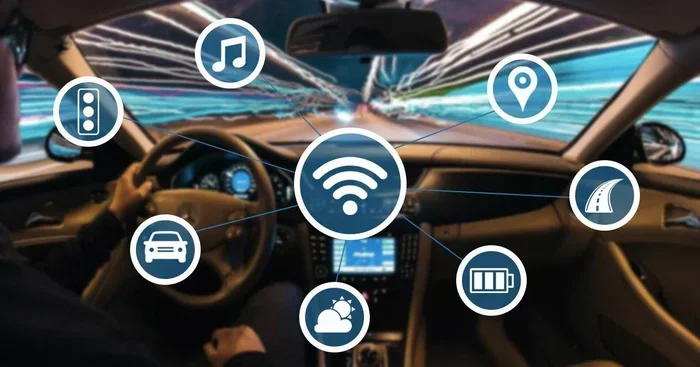
Car Wi-Fi is a system that turns your vehicle into a wireless internet hub. It works just like the Wi-Fi router in your home, but it uses a cellular network instead of a landline. A small device inside the car connects to a cell tower and then broadcasts a Wi-Fi signal. Your phones, tablets, and laptops can then connect to that signal.
This is different from just using your phone as a hotspot. A dedicated car Wi-Fi router has a better antenna and often a wider range. It also doesn’t drain your phone battery. The system uses a cellular data plan car owners subscribe to, much like a phone plan. Some plans are tied to the vehicle, while others use a SIM card you can swap between devices.
How In-Car Wi-Fi Works
The basic process is simple. A mobile hotspot device plugs into the car’s power source, usually the OBD-II port or a USB outlet. It connects to the nearest cell tower using 4G LTE or 5G. Then it creates a local Wi-Fi network inside the car. The Wi-Fi range vehicle can cover the entire cabin, so every seat gets a strong signal.
Some systems use the car’s existing infotainment unit as the hub. Others use a separate box that you mount under a seat or in the trunk. The in-car Wi-Fi signal is broadcast through a hidden antenna. This setup keeps the interior looking clean and uncluttered.
Built-in vs. Aftermarket Solutions
When you think about vehicle connectivity, you have two main paths. Built-in systems come with the car from the factory. Aftermarket solutions are devices you add yourself. Both have their pros and cons.
Built-in Wi-Fi is seamless. It’s already wired into the car’s electrical system. The automaker often includes a trial data plan. After a few years, you pay a monthly fee to keep it active. Brands like BMW, Mercedes, and Tesla offer this as a standard or optional feature.
Aftermarket Wi-Fi gives you more flexibility. You can buy a Wi-Fi car accessory that works with any vehicle. Devices like the Netgear Nighthawk or Huawei 4G hotspot are popular choices. They are easy to set up and you can take them out when you sell the car. This is a great option for older cars that don’t have built-in Wi-Fi.
Benefits of Having Wi-Fi in Your Car
Why would you want internet on the road? The benefits go far beyond streaming movies. A connected car changes how you travel, work, and stay entertained. Here are the top reasons to add car Wi-Fi to your ride.
Stay Connected on Long Road Trips
Long drives can feel isolating, especially if you’re the only one driving. With car internet, everyone in the back seat can video call family, check emails, or join a virtual meeting. Kids can watch their favorite shows without using your phone data. Parents can navigate and find rest stops in real time.
Wi-Fi in car benefits also include staying in touch with roadside assistance. If your car has a connected system, it can send diagnostics automatically. Some systems can even call for help if you crash. This adds a layer of safety that older cars simply don’t have.
Keep Passengers Entertained
A connected car turns boring hours on the highway into fun time. Passengers can stream music, play online games, or watch YouTube. Tablets and laptops work perfectly on a Wi-Fi hotspot car. You don’t have to worry about buffering or dropped connections, as long as you have a good data plan.
Families with kids know the value of in-car entertainment. A stable Wi-Fi connection means no “Are we there yet?” arguments. Everyone stays happy and occupied. This is one of the biggest Wi-Fi in car benefits for parents.
Real-Time Navigation and Updates
Even with a phone mount, using your phone for navigation drains battery and data. A dedicated car Wi-Fi system keeps your navigation app running smoothly. You get real-time traffic updates, alternate routes, and points of interest without interruption.
Some car Wi-Fi router systems also send live weather alerts. You can reroute around storms or road closures instantly. This kind of vehicle connectivity makes every trip safer and more efficient.
Expert Insight: “A dedicated car Wi-Fi system is more reliable than phone tethering because it uses a separate data connection and a stronger antenna. This means fewer dropped signals in rural areas.” — Automotive Tech Review
How to Set Up Wi-Fi in Your Car
Setting up car Wi-Fi is easier than most people think. You have three main paths: a mobile hotspot device, a built-in system, or tethering from your phone. Each method has its own setup steps.
Using a Mobile Hotspot Device
This is the most popular way to add aftermarket Wi-Fi. You buy a portable hotspot, insert a SIM card, and place it in your car. Here’s how to do it in a few simple steps:
- Choose a hotspot device that supports 4G LTE or 5G.
- Pick a data plan from a carrier like T-Mobile, AT&T, or Verizon.
- Insert the SIM card into the hotspot.
- Place the device in a central location, like the glove box or under a seat.
- Turn it on and connect your devices to the new Wi-Fi network.
Most hotspot devices have a range of up to 50 feet. This covers the entire cabin easily. You can set a custom car Wi-Fi password to keep your network secure.
Built-in Wi-Fi Plans
If your car came with built-in Wi-Fi, you just need to activate it. The process varies by manufacturer. Usually, you go to the infotainment settings and follow the prompts. You’ll need to link the system to your account and choose a data plan.
Many automakers offer a trial period of 3 to 6 months. After that, you pay a monthly fee. Some plans are unlimited, while others have data caps. Check your car’s manual or call the dealer to see what options are available.
Tethering from Your Phone
Wi-Fi tethering is the simplest method. You turn on the hotspot feature on your phone and let other devices connect. This works well for short trips, but it has downsides. Your phone battery drains quickly, and you use your phone’s data allowance.
Also, car Wi-Fi vs phone tethering shows that tethering is less stable. The signal depends on your phone’s antenna, which is smaller than a dedicated hotspot. For long drives, a dedicated device is better.
Quick Tips
- Place the hotspot near a window: This improves signal strength and Wi-Fi range vehicle performance.
- Use a high-gain antenna: If you travel in dead zones, an external antenna can boost reception.
- Set a data usage alert: Most hotspot devices let you track usage. This helps you avoid overage fees.
Can My Car Have Its Own Wi Fi? Understanding Your Options
The short answer is yes. But the best choice depends on your car, your budget, and how you use the internet. Let’s break down the factors to consider and compare the main options.
Factors to Consider
Before you buy anything, ask yourself a few questions. These will guide your decision:
- Do you need constant connectivity or just occasional use? If you only need Wi-Fi a few times a year, tethering may be enough.
- What is your monthly data usage? Streaming video uses a lot of data. A 10GB plan might not be enough for a family road trip.
- Do you prefer a permanent or portable setup? Built-in systems stay with the car. Portable hotspots can move to your RV or boat.
- What is your car’s age and model? Newer cars may have a plug-and-play connected car system. Older cars work great with a standalone hotspot.
- Do you travel in areas with weak cell coverage? You may need a device with a better antenna or a signal booster.
Comparison of Options
Here’s a quick look at the main ways to get internet on the road. This table compares the three methods based on cost, ease, and performance.
| Option | Cost | Setup | Performance | Best For |
|---|---|---|---|---|
| Built-in Wi-Fi | Free trial, then $10-$50/month | Very easy, just activate | Excellent, factory antenna | New car owners who want seamless integration |
| Aftermarket Mobile Hotspot | Device $100-$300, data $10-$60/month | Easy, plug and play | Very good, strong signal | Most car owners, especially older vehicles |
| Phone Tethering | Free (uses phone data) | Instant, just turn on hotspot | Fair, drains phone battery | Short trips or backup connection |
As you can see, each option has its place. The car Wi-Fi vs phone tethering debate often comes down to how much you travel. If you hit the road often, a dedicated hotspot or built-in system is worth the investment.
Common Mistakes and How to Avoid Them
Setting up car Wi-Fi is straightforward, but people do make mistakes. Avoiding these pitfalls will save you money and frustration.
Ignoring Data Limits
One of the biggest errors is not watching your data usage. Many cellular data plan car plans have a cap. Once you hit it, speeds drop to a crawl or you pay overage fees. To avoid this, monitor your usage in your carrier’s app. Set a warning at 80% of your limit. Choose an unlimited plan if you stream a lot.
Poor Signal Reception
Your Wi-Fi range vehicle depends on cell coverage. If you travel through mountains or rural areas, the signal can drop. Place your hotspot in a spot with the best reception, like the dashboard or near a window. Consider a Wi-Fi car accessory with an external antenna for better results.
Security Risks
An open car Wi-Fi system is a risk. Hackers can access your devices if the network is unsecured. Always set a strong car Wi-Fi password using WPA2 or WPA3 encryption. Change the default password that comes with the device. Keep the firmware updated to patch any vulnerabilities.
The Future of Car Wi-Fi
The world of vehicle connectivity is changing fast. New technology is making car Wi-Fi faster, cheaper, and more reliable. Here’s what to expect in the coming years.
5G and Beyond
5G networks are rolling out across the country. This means car Wi-Fi speed will get much faster. You’ll be able to stream 4K video, join video calls, and download large files without lag. The car Wi-Fi router of the future will be a small, powerful device built right into the car’s architecture.
Some automakers are already testing 5G-enabled vehicles. These cars will act as a hub for smart home devices, too. Imagine pulling into your driveway and your home adjusts the thermostat and starts the coffee maker. That’s the power of connected car technology.
Wi-Fi as a Standard Feature
In the past, Wi-Fi was a luxury option. Today, many new cars come with it as standard. Within five years, it will be rare to find a new vehicle without built-in Wi-Fi. The cost of the hardware is dropping, making it affordable for even budget models.
This shift means that the question “Can My Car Have Its Own Wi Fi” will soon be a thing of the past. Every car will have it, just like every car has Bluetooth now. The focus will shift to how we use that connectivity safely and effectively.
Conclusion
So, can my car have its own Wi-Fi? The answer is a clear and resounding yes. Whether you choose a built-in Wi-Fi system or an aftermarket Wi-Fi device, you can stay connected on the road. The benefits are huge: entertainment for passengers, better navigation, and a safer driving experience.
Setting up car Wi-Fi doesn’t have to be complicated. Pick the solution that fits your lifestyle and budget. Avoid the common mistakes, secure your network, and enjoy the ride. With the right car Wi-Fi setup, your vehicle becomes more than just transportation. It becomes a connected space that keeps you and your family linked wherever the road takes you.
Frequently Asked Questions
Is it legal to use a mobile hotspot in a car?
Yes, using a mobile hotspot in your car is completely legal in all 50 states. Just make sure you follow your carrier’s terms of service and don’t use it for illegal activities. The device works the same way as a home router, just powered by your car’s electrical system.
Does having Wi-Fi in my car affect my phone’s data plan?
If you use a dedicated hotspot device, it uses its own data plan and not your phone’s. If you tether your phone, then yes, it uses your phone’s data allowance. A separate cellular data plan car keeps your phone data untouched and avoids overage charges.
How much does it cost to add Wi-Fi to an older car?
Adding Wi-Fi to an older car is very affordable. A portable hotspot device costs between $100 and $300. You’ll also need a monthly data plan, which typically runs $10 to $60 depending on usage. This is much cheaper than buying a new car with built-in Wi-Fi.
Can I use my car’s Wi-Fi when the engine is off?
Most cars allow the car Wi-Fi system to stay on for a short time after the engine is off, usually 10 to 30 minutes. This lets you finish a call or download a map. Some systems have a setting to keep it on longer, but this can drain the car battery if left on for hours.
What is the difference between a car Wi-Fi system and a phone hotspot?
A dedicated car Wi-Fi router has a stronger antenna and doesn’t drain your phone battery. It also connects more devices at once and offers a wider Wi-Fi range vehicle. Phone tethering is convenient but less stable and can slow down your phone’s performance.
Will a car Wi-Fi device work in a tunnel or underground parking?
No, a mobile hotspot needs a cellular signal to work. In a tunnel or underground parking, the signal is blocked. Once you exit, the device will reconnect automatically. If you frequently travel through areas with poor coverage, consider a hotspot with a signal booster for better vehicle connectivity.