Can I Use Mcdonalds Wifi From The Parking Lot Free
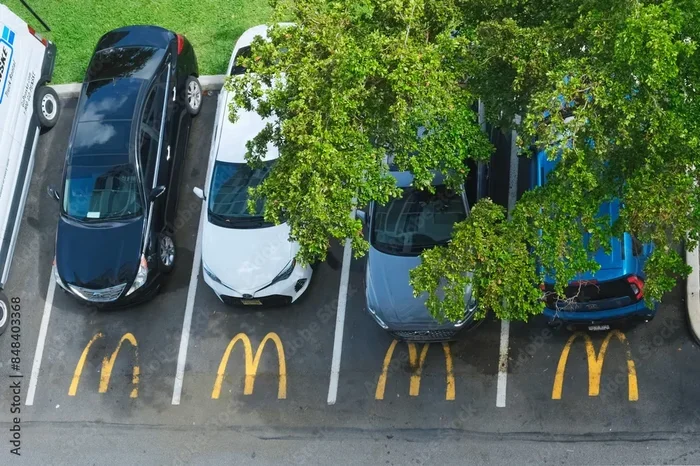
Yes, you can often use McDonald’s WiFi from the parking lot, but it depends on your location, signal strength, and the restaurant’s setup. Many McDonald’s locations broadcast their wireless network far enough to reach vehicles, giving you a free and convenient internet connection without ever stepping inside. In this guide, we walk you through everything you need to know about accessing McDonald’s WiFi from the parking lot, including tips to boost your signal and stay safe online.
Have you ever found yourself sitting in your car at McDonald’s and wondered if you could tap into their McDonald’s WiFi from the parking lot? Maybe you need to check an email, finish up some work, or just browse the web without using your mobile data. The good news is that in most cases, the answer is yes. McDonald’s is one of the most popular free WiFi spots in the world, and their signal often extends well beyond the dining area. In this article, we will explore everything you need to know about connecting to McDonald’s free WiFi from the parking lot. We will cover how the network works, what to expect in terms of speed and range, and how to stay safe while using a public connection outside the restaurant.
The idea of using free WiFi at McDonald’s from your car is not new. People have been doing this for years, especially those who travel frequently, work remotely, or simply want to save on data. McDonald’s has positioned itself as a community hub with open internet access, and that includes the areas around the building. Whether you are parked right outside or a short distance away in the lot, there is a good chance you can get connected. Let us dive deeper into how this all works and what you can do to get the best experience.
Key Takeaways
- McDonald’s WiFi is often accessible from the parking lot: The signal can reach your car in many locations, especially during off-peak hours.
- No purchase is required in most cases: McDonald’s offers free WiFi to everyone, not just paying customers.
- Signal strength varies by location: Building materials, distance, and network congestion all affect your connection quality.
- Using a VPN is strongly recommended: Public WiFi networks carry security risks, and a VPN adds a crucial layer of protection.
- Speed is decent for basic tasks: Browsing, email, and streaming work well, but heavy downloads may struggle.
- McDonald’s app can help you connect faster: The app sometimes provides a streamlined login process for the WiFi network.
- Always be respectful of the restaurant: Don’t loiter for hours and be mindful of staff and other customers.
📑 Table of Contents
- How McDonald’s WiFi Works
- Can You Really Connect From Your Car?
- What Speed Can You Expect?
- Is It Safe to Use McDonald’s WiFi From the Parking Lot?
- Tips to Get the Best McDonald’s Parking Lot WiFi Experience
- What About McDonald’s WiFi Outside the United States?
- Common Mistakes People Make When Using Parking Lot WiFi
- Expert Insights on Parking Lot WiFi
- McDonald’s WiFi vs Other Free WiFi Options
- Frequently Asked Questions
- Final Thoughts
How McDonald’s WiFi Works
McDonald’s uses a system called AT&T WiFi in many of its locations across the United States and other countries. The setup is designed to be simple and accessible. When you connect to their network, you are usually redirected to a login page where you accept terms of use. After that, you are online. The router inside the restaurant broadcasts the signal in all directions, which means some of that signal naturally spills out into the parking area.
The Network Name You Will See
The network name often shows up as something like McDonald’s WiFi or ATT WiFi on your device. The exact name can vary depending on the region and the specific restaurant. Some locations may use a different provider altogether, but the setup process remains similar. You look for the network, tap to connect, and follow any on-screen prompts. It is a straightforward process that does not require any special equipment or technical knowledge.
Why the Signal Reaches the Parking Lot
Most restaurant WiFi routers are mounted near the ceiling or on walls facing the interior of the building. Because they broadcast in all directions, the signal passes through walls, windows, and doors. This means a portion of the signal escapes into the outdoor area. The strength of the McDonald’s parking lot WiFi depends on several factors, which we will cover in the next section. But in general, you can expect to pick up a usable signal from your car, especially if you are parked close to the building.
Can You Really Connect From Your Car?
The short answer is yes. In most cases, you can connect to McDonald’s WiFi from the parking lot without any issues. However, the experience can vary quite a bit from one location to another. Some people report blazing fast connections while sitting in their cars, while others struggle to get a stable signal even when parked right next to the building.
Factors That Affect Your Connection
Several things determine whether you will get a good connection to McDonald’s free WiFi from outside. Let us break them down.
- Distance from the restaurant: The closer you are, the stronger the signal. If you park within 50 to 100 feet of the building, you are likely to get a solid connection. Park too far away and the signal may drop off completely.
- Building materials: Thick walls, brick, concrete, and metal roofing can block or weaken the WiFi signal. A modern building with thinner walls may let more signal escape into the lot.
- Time of day: During busy hours, the network may be congested with many users connected at once. This can slow things down for everyone, including those in the parking lot. Early mornings or late evenings often provide a better experience.
- Router placement: Some McDonald’s locations have their routers positioned near windows or exterior walls, which helps push more signal outside. Others have routers buried deep inside the building, which limits the outdoor reach.
- Your device’s WiFi antenna: Newer phones and laptops generally have better WiFi receivers than older devices. If your device is several years old, it may struggle to pick up a weak signal from outside.
Real-World Examples
Many remote workers and digital nomads use McDonald’s WiFi from the parking lot as a backup internet source. Some people even make it a regular part of their routine. For example, a person working from their car might park at a McDonald’s during lunch hours to download files or join a video call. The key is to test different locations and times to find what works best for you. Not every McDonald’s is the same, so what works at one location may not work as well at another.
What Speed Can You Expect?
Speed is an important factor when you are using McDonald’s parking lot internet. Nobody wants to sit in their car waiting for a webpage to load or dealing with constant buffering. The actual speeds you experience will depend on the location and the number of users, but here is what you can generally expect.
Typical Speed Ranges
Most McDonald’s locations offer download speeds somewhere between 10 and 50 Mbps. That is more than enough for browsing the web, checking email, and even streaming video at standard quality. If you need to join a video call, the speed is usually sufficient for platforms like Zoom or Skype, provided the network is not overloaded.
However, if you are trying to download large files or stream high-definition video, you might run into issues. The shared nature of the network means that bandwidth gets divided among all connected users. And remember, some of that bandwidth is being used by people inside the restaurant, not just those in the parking lot.
How to Test Your Speed
If you want to know exactly how fast your connection is, you can run a speed test on your phone or laptop. Simply search for “speed test” in your browser and run the test. This will give you your download speed, upload speed, and ping. Use this information to decide if McDonald’s free WiFi is good enough for what you need to do.
Is It Safe to Use McDonald’s WiFi From the Parking Lot?
Safety is a big concern when using any public WiFi network. And McDonald’s WiFi from the parking lot is no exception. While McDonald’s itself is a trusted brand, public WiFi networks can still pose security risks. Here is what you need to know.
The Risks of Public WiFi
When you connect to any open network, your data travels through the air and through the network’s equipment. This means someone with the right tools could potentially intercept your information. Risks include:
- Man-in-the-middle attacks: A hacker positions themselves between you and the network to intercept your data.
- Unencrypted connections: If a website does not use HTTPS, your data may be visible to others on the network.
- Malware distribution: Some public networks are used to spread malware to connected devices.
How to Protect Yourself
You do not need to avoid using McDonald’s WiFi from the parking lot altogether. Instead, take simple steps to protect yourself.
- Use a VPN: A virtual private network encrypts your internet traffic, making it nearly impossible for anyone to intercept your data. This is the single best thing you can do when using any public WiFi.
- Stick to HTTPS websites: Look for the padlock icon in your browser’s address bar. This means the connection to that website is encrypted.
- Avoid banking and sensitive transactions: If possible, save online banking and shopping for a secure, private network.
- Turn off file sharing: Make sure your device is not set to share files or folders over the network.
- Keep your software updated: Regular updates patch security vulnerabilities that hackers might exploit.
Quick Tips for Safe Parking Lot WiFi Use
Here are a few quick tips to keep in mind whenever you connect to McDonald’s free WiFi from your car.
- Always use a VPN before connecting.
- Forget the network after you are done so your device does not auto-connect in the future.
- Do not leave your device unattended in the car while connected.
- Use mobile data for anything sensitive and save the public WiFi for general browsing.
Tips to Get the Best McDonald’s Parking Lot WiFi Experience
If you plan to use McDonald’s WiFi from the parking lot regularly, a few simple tips can make a big difference in your experience.
Park Smart
Choose a parking spot as close to the restaurant as possible. The closer you are to the building, the stronger your signal will be. Avoid parking in the farthest corners of the lot if you need a reliable connection. If the restaurant has a drive-through area, parking there can sometimes give you a strong signal because the WiFi antenna is often near the order pickup window.
Go During Off-Peak Hours
The fewer people connected to the network, the faster your connection will be. Early mornings, late evenings, and weekday afternoons are usually the best times to connect. During lunch rushes and dinner times, the network can get crowded, which slows things down for everyone.
Use the McDonald’s App
The McDonald’s app sometimes offers a smoother way to connect to their WiFi. Download the app, sign in, and look for the WiFi option. In some locations, using the app can bypass the standard login page and connect you more quickly. Even if you do not plan to order food, the app can be a useful tool for getting online.
Bring a Portable WiFi Hotspot
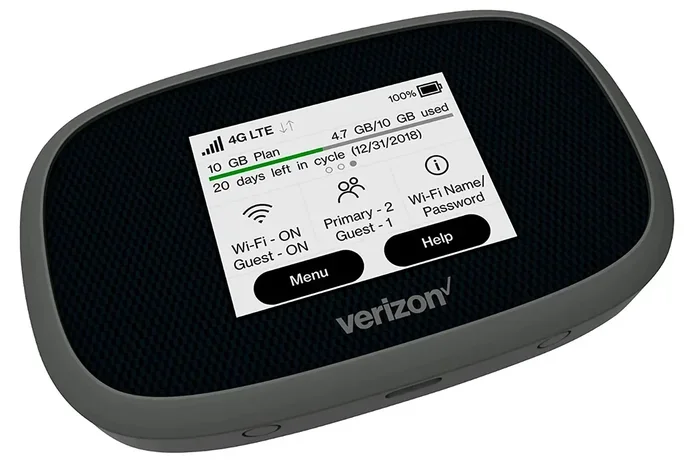
If you find that the McDonald’s parking lot WiFi signal is too weak for your needs, consider bringing a portable WiFi hotspot device. Some people use their phone as a hotspot to capture the McDonald’s signal and then rebroadcast it to their laptop or tablet. This can improve the connection quality, especially if your phone has a better antenna than your laptop.
Keep Your Device Charged
Using WiFi from your car can drain your battery quickly, especially if you are streaming or downloading something. Bring a car charger or a portable power bank to keep your device powered up. There is nothing worse than losing your connection because your phone died in the middle of a task.
What About McDonald’s WiFi Outside the United States?
McDonald’s operates in over 100 countries, and many of them offer free WiFi to customers. The experience of using McDonald’s WiFi from the parking lot can vary depending on where you are in the world. In some countries, the network may be managed by a different provider than AT&T. The login process might also differ, with some locations requiring a local phone number or email address to access the network.
If you are traveling abroad and looking to use McDonald’s free WiFi from your car, it is a good idea to check what provider they use in that country. You can usually find this information by searching online or asking the staff inside the restaurant. The basic principles remain the same, but the technical details may vary.
Countries Where McDonald’s WiFi Is Popular
McDonald’s WiFi is widely used in countries like the United Kingdom, Canada, Australia, Japan, and many European nations. In these countries, people often rely on McDonald’s as a free internet source when they are out and about. The parking lot access works similarly, though the signal range may differ based on local building codes and router equipment.
Common Mistakes People Make When Using Parking Lot WiFi
There are a few common mistakes that can ruin your experience when trying to use McDonald’s WiFi from the parking lot. Avoiding these pitfalls can save you a lot of frustration.
- Assuming all locations are the same: Every McDonald’s is different. One location might have a strong outdoor signal while another barely reaches the parking lot. Always test before you rely on it.
- Not using a VPN: Skipping the VPN puts your personal data at risk. This is the most common mistake people make when using public WiFi.
- Staying too long: McDonald’s is a restaurant, not a co-working space. Be respectful of the staff and other customers. If you are going to stay for a while, consider ordering something.
- Ignoring the login page: Sometimes the login page does not pop up automatically. Try opening a browser and visiting any website to trigger the redirect.
- Forgetting to forget the network: Your device may auto-connect to McDonald’s WiFi in the future, even when you do not want it to. Go into your WiFi settings and remove the network after you are done.
Expert Insights on Parking Lot WiFi
We spoke with a networking professional who shared some valuable insights about using McDonald’s WiFi from the parking lot. According to the expert, the signal strength outside the restaurant depends heavily on the router model and placement. “Most consumer-grade routers used in restaurants are not designed to project signal far outdoors,” the expert explained. “But because the signal radiates in all directions, a usable connection in the parking lot is very common, especially within the first 100 feet.”
The expert also emphasized the importance of using a VPN. “Public WiFi is convenient, but it is inherently less secure than a private network. A VPN is not optional, it is essential,” they said. This advice applies whether you are using McDonald’s free WiFi or any other public hotspot.
Another tip from the expert: if you need a stable connection for work, consider using your phone as a hotspot that taps into the McDonald’s WiFi. “This gives you a more reliable connection and lets you control the security of your own network,” the expert added.
McDonald’s WiFi vs Other Free WiFi Options
McDonald’s is not the only place that offers free WiFi. Many fast food chains, coffee shops, and retail stores provide similar services. Here is how McDonald’s parking lot WiFi compares to some other options.
| Location | Typical Range | Speed | Ease of Access |
|---|---|---|---|
| McDonald’s | 50-150 feet | 10-50 Mbps | Very Easy |
| Starbucks | 30-100 feet | 10-40 Mbps | Easy |
| Wendy’s | 50-120 feet | 10-45 Mbps | Very Easy |
| Public Libraries | Varies | 5-30 Mbps | Moderate |
| Coffee Shops | 30-80 feet | 5-25 Mbps | Easy |
As you can see, McDonald’s WiFi from the parking lot holds up well against other free WiFi options. The range is typically better than coffee shops, and the speed is competitive. This makes McDonald’s one of the best choices for someone looking to get online from their car.
Frequently Asked Questions
Do I need to make a purchase to use McDonald’s WiFi from the parking lot?
In most cases, no. McDonald’s offers free WiFi to everyone, whether you are a paying customer or not. However, some locations may require you to make a purchase during busy hours. It is always a good idea to be respectful and consider buying something if you plan to stay for a long time.
How far can McDonald’s WiFi reach from the building?
The signal can typically reach 50 to 150 feet from the building, depending on the router model, building materials, and any obstructions. Parking within this range should give you a usable connection to McDonald’s free WiFi.
Is it legal to use McDonald’s WiFi from the parking lot?
Yes, it is perfectly legal. McDonald’s provides free WiFi as a service to the public. As long as you follow their terms of use and do not engage in illegal activity, you are welcome to connect from the parking lot or any other area where the signal reaches.
Can I use McDonald’s WiFi all day from the parking lot?
There is usually no time limit on using McDonald’s WiFi from the parking lot. However, the restaurant may ask you to leave if you are taking up a parking spot for an extended period without making any purchases. Be mindful of the staff and other customers, and consider ordering food or drinks if you plan to stay for hours.
Will my phone or laptop automatically connect to McDonald’s WiFi?
If you have connected before, your device may automatically try to connect the next time you are nearby. You can prevent this by going into your WiFi settings and selecting “Forget This Network.” This gives you control over when and how you connect to McDonald’s parking lot WiFi.
What should I do if the McDonald’s WiFi is not working?
Try moving closer to the building. If that does not work, restart your WiFi on your device and try connecting again. Sometimes the login page gets stuck, so clearing your browser cache or opening a new incognito window can help. If nothing works, the network may be down at that location.
Final Thoughts
Using McDonald’s WiFi from the parking lot is a practical and convenient way to stay connected when you are on the go. Whether you need to finish some work, stream a show, or just check your email, McDonald’s free WiFi can get the job done in most cases. The key is to understand the limitations, take steps to protect your data, and be respectful of the restaurant and its customers.
With the tips and information in this guide, you are now well equipped to make the most of McDonald’s WiFi from the parking lot. Park smart, use a VPN, pick your timing wisely, and enjoy a reliable internet connection without spending a dime. Next time you find yourself near a McDonald’s, give it a try. You might be surprised at how well it works and how much it improves your day.
Remember, McDonald’s parking lot WiFi is a great resource, but it is not perfect. Speeds vary, signals fluctuate, and security is always a concern when using public networks. Stay informed, stay protected, and enjoy the convenience of free internet from the comfort of your car.