Can You Connect Airpods To Airplane Entertainment Systems
Yes, you can connect AirPods to airplane entertainment systems in many cases. Whether your airline offers Bluetooth or you need a simple adapter, AirPods work on most modern flights. This guide covers every method, airline, and tip so you can enjoy your favorite shows without annoying seatmate noise.
You settle into your seat, buckle up, and reach for your AirPods. The flight is long, and you want to watch a movie or listen to music. But then the question hits you. Can you connect AirPods to airplane entertainment systems? The short answer is yes, but the full story has some important details you need to know.
Flying with wireless earbuds has become the norm for many travelers. AirPods and Bluetooth headphones offer a cable-free experience that makes long flights much more enjoyable. However, not every airplane entertainment system works the same way. Some airlines support direct Bluetooth pairing, while others require a small adapter. This guide walks you through everything you need to know about using your AirPods during a flight.
Whether you fly frequently or just a few times a year, understanding how AirPods connect to in-flight entertainment saves you frustration. You will learn which airlines allow it, what gear you need, and how to troubleshoot common issues. By the end, you will feel confident using your wireless earbuds at 35,000 feet.
Key Takeaways
- AirPods work on many airlines: Most major carriers now support Bluetooth streaming to their inflight screens.
- Two main methods exist: You can use Bluetooth directly or a wired Bluetooth adapter for older systems.
- Airline policies vary: Always check your airline’s rules before boarding to avoid surprises.
- AirPods Pro and Max excel: Their noise-cancelling features make them ideal for noisy cabins.
- Common issues are fixable: Pairing problems, audio delays, and connection drops usually have simple solutions.
- Download content first: Use airline WiFi or pre-download shows to ensure smooth entertainment.
- Charge before you fly: A full battery ensures your AirPods last the entire trip.
📑 Table of Contents
- How Airplane Entertainment Systems Work
- Can You Connect AirPods To Airplane Entertainment Directly?
- The Best Ways To Use AirPods On A Plane
- Which Airlines Support Bluetooth For AirPods?
- Common Problems And How To Fix Them
- Tips For The Best AirPods Experience On Flights
- Expert Insights On AirPods And Air Travel
- Common Mistakes To Avoid
- Conclusion
How Airplane Entertainment Systems Work
Before diving into AirPods connections, it helps to understand how airplane entertainment systems actually work. Most airlines use one of two main types of systems. Older planes often use seatback screens with wired connections. Newer aircraft tend to offer wireless streaming through the plane’s WiFi network.
Traditional Seatback Screens
These are the classic screens built into the seat in front of you. They connect using either a 3.5mm headphone jack or an older audio system. Many of these systems do not support Bluetooth at all. If your airline uses this type, you will need a Bluetooth transmitter or a wired connection to use your AirPods.
Wireless Streaming Systems
Newer planes often let you stream content directly to your own device. You connect to the airline’s WiFi network, open their entertainment app, and watch or listen. In this case, you can use your AirPods normally because they connect to your phone or tablet via Bluetooth. This method has become very popular among airlines like Delta, United, and JetBlue.
How Bluetooth Works On Planes
Bluetooth technology uses short-range radio waves to connect devices. On the ground, this works seamlessly. On a plane, the Bluetooth signal connects between your device and the entertainment system or your phone. The Federal Aviation Administration (FAA) allows Bluetooth devices to be used during all phases of flight, including takeoff and landing.
However, airlines sometimes limit Bluetooth connections to specific systems. This is why you cannot always pair your AirPods directly with the seatback screen. The airline controls what connects to their system. Understanding this difference is key to having a smooth experience.
Can You Connect AirPods To Airplane Entertainment Directly?
The answer depends on your airline and aircraft type. Some airlines let you pair AirPods directly with their entertainment system. Others require you to use your own device. Here is a closer look at how direct pairing works and when it applies.
Airlines With Direct Bluetooth Support
Several major airlines now offer direct Bluetooth pairing with their seatback screens. This means you can connect your AirPods without any extra gear. You simply put your AirPods in pairing mode, go to the screen’s Bluetooth settings, and select your earbuds.
Airlines known for supporting direct AirPods connection include:
- Delta Air Lines – Many of their newer aircraft support Bluetooth streaming to seatback screens.
- United Airlines – Their inflight entertainment system allows AirPods on select planes.
- Alaska Airlines – Offers Bluetooth connectivity on most of their fleet.
- JetBlue – Allows wireless streaming to your device, so AirPods work naturally.
- American Airlines – Some aircraft support direct Bluetooth to seatback screens.
Airlines Without Direct Bluetooth
Not every airline offers direct Bluetooth pairing. Some older planes or budget carriers still rely on wired-only systems. If the airline does not support Bluetooth directly, you have two options. You can use a Bluetooth transmitter that plugs into the seatback headphone jack, or you can use the airline’s WiFi to stream to your own device.
Budget airlines and regional carriers are more likely to use older entertainment systems without Bluetooth support. Always check your airline’s website or app before your flight to see what options are available.
The Role Of Airplane Mode
One question many travelers ask is whether Airplane Mode affects AirPods. The good news is that Airplane Mode does not block Bluetooth. You can turn on Airplane Mode and then manually enable Bluetooth on your device. This is the standard way to use AirPods during a flight. The FAA requires Airplane Mode for all wireless devices, but Bluetooth is explicitly allowed.
Keep in mind that some airlines ask you to turn off all wireless connections during takeoff and landing. In these cases, you simply wait until the crew says you can turn Bluetooth back on. This usually happens a few minutes after reaching cruising altitude.
The Best Ways To Use AirPods On A Plane
There are several ways to enjoy your AirPods during a flight. The best method depends on your airline, the type of plane, and your personal preferences. Here are the most common and effective approaches.
Method One: Direct Bluetooth Pairing
This is the easiest method. If your airline supports it, you simply follow these steps:
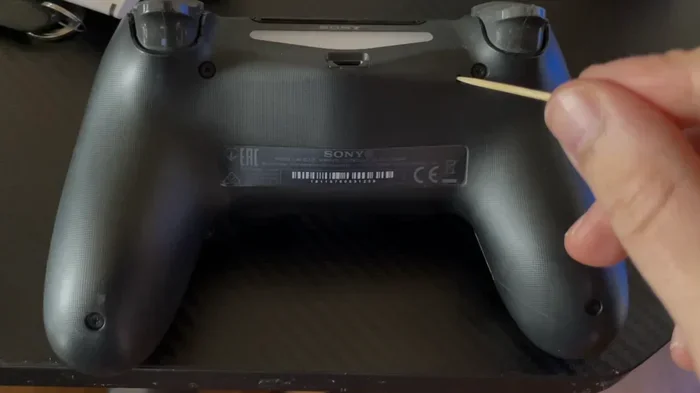
- Put your AirPods in pairing mode by holding the button on the back of the case.
- Go to the seatback screen’s Bluetooth settings or audio output menu.
- Select your AirPods from the list of available devices.
- Start playing your movie or show and enjoy wireless audio.
This method works well on airlines with modern entertainment systems. It requires no extra equipment and gives you a clean, cable-free experience.
Method Two: Bluetooth Transmitter Adapter
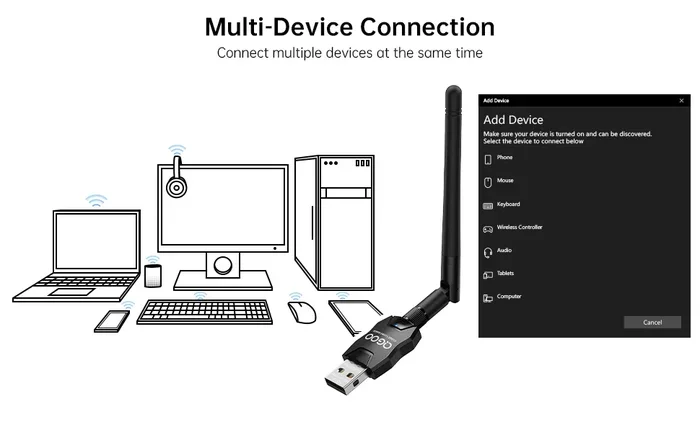
If your airline does not support direct Bluetooth, a Bluetooth transmitter is your best friend. This small device plugs into the seatback headphone jack and broadcasts audio to your AirPods via Bluetooth. These adapters are cheap, usually under $20, and they work on virtually any plane.
Popular options include the 1Mii Bluetooth transmitter and the Avantree Aero. Both are small, lightweight, and easy to use. You simply plug the adapter into the jack, pair your AirPods, and you are good to go.
Quick Tip: Buy a Bluetooth transmitter with a built-in microphone. This lets you take calls or use Siri with your AirPods during the flight.
Method Three: Stream Through Your Own Device
Many airlines now offer WiFi-based streaming. You connect to the airline’s WiFi network, open their entertainment app, and stream content to your phone or tablet. Your AirPods connect to your device normally, so you get wireless audio without any extra steps.
This method works best on airlines like JetBlue, Delta, and United that offer free WiFi or affordable streaming passes. It also lets you use your own curated content if the airline’s library does not interest you.
Method Four: Wired Connection With An Adapter
If you prefer a wired connection, you can use a 3.5mm to Lightning adapter or a USB-C to headphone jack adapter. Plug the adapter into your iPhone or iPad, connect your wired earbuds or headphones, and listen through the seatback screen’s audio output. This method works on virtually every plane but requires a cable.
Which Airlines Support Bluetooth For AirPods?
Not all airlines are created equal when it comes to Bluetooth support. Here is a closer look at how popular carriers handle AirPods and wireless earbuds.
| Airline | Direct Bluetooth | WiFi Streaming | Adapter Needed? |
|---|---|---|---|
| Delta Air Lines | Yes (select aircraft) | Yes | Sometimes |
| United Airlines | Yes (select aircraft) | Yes | Sometimes |
| American Airlines | Limited | Yes | Sometimes |
| JetBlue | Via WiFi streaming | Yes (free) | No |
| Alaska Airlines | Yes | Yes | Rarely |
| Southwest Airlines | Via WiFi streaming | Yes (free) | No |
| Spirit Airlines | No | Limited | Yes |
| Frontier Airlines | No | Limited | Yes |
The table above shows that major airlines generally offer some form of Bluetooth or WiFi streaming support. Budget airlines tend to lag behind in inflight entertainment technology. Always verify with your airline before flying to know exactly what to expect.
International Flights Vs Domestic Flights
International flights often feature newer aircraft with more advanced entertainment systems. This means AirPods are more likely to work directly on long-haul routes. Domestic flights on older planes may require an adapter or WiFi streaming instead.
If you frequently fly internationally, you will likely have a smoother AirPods experience. The planes are newer, the screens are larger, and Bluetooth support is more common. Domestic flights on regional jets can be more hit or miss.
Common Problems And How To Fix Them
Using AirPods on a plane is not always perfect. Several common issues can pop up, but most have simple fixes. Here are the problems travelers face most often and how to solve them.
AirPods Won’t Pair With The Seatback Screen
This is the most common issue. If your AirPods will not connect, first make sure the airline’s system supports Bluetooth. If it does, try these steps:
- Turn Bluetooth off and back on your device.
- Put your AirPods back in the case and wait 30 seconds.
- Take them out and hold the setup button until the light flashes white.
- Move closer to the seatback screen and try pairing again.
Sometimes the airplane entertainment system simply needs a restart. Ask the flight attendant if they can refresh the system for you.
Audio Delay Or Lag
Bluetooth audio delay can be annoying, especially when watching videos. The sound and video get out of sync. This happens because Bluetooth streaming on airplane systems is not always optimized for low latency.
To fix this, try using a wired Bluetooth transmitter instead of direct pairing. These adapters often have better audio sync than the built-in airline systems. You can also try lowering the volume, which sometimes reduces the delay.
Connection Drops During The Flight
Bluetooth connections can drop, especially during turbulence or when the plane is at certain altitudes. This is normal and usually not a problem with your AirPods. To minimize drops:
- Keep your device or Bluetooth transmitter close to your seatback screen.
- Avoid moving around too much with your AirPods connected.
- Pause the content and reconnect if the audio cuts out.
Other Passengers Can Hear Your Audio
This is more of a courtesy issue than a technical one. AirPods are designed to keep audio private, but some noise leakage can occur at high volumes. Keep your volume at a comfortable level so you do not disturb nearby passengers. Noise-cancelling AirPods like the AirPods Pro or AirPods Max are especially good at preventing this problem.
Tips For The Best AirPods Experience On Flights
Getting your AirPods to work on a plane is only half the battle. Making the experience enjoyable takes a little planning. Here are some expert-backed tips to help you get the most out of your AirPods during every flight.
Charge Your AirPods Before You Fly
A full battery is essential for long flights. A single charge on AirPods Pro gives you about 4.5 hours of listening time. With the charging case, you get over 24 hours total. Still, it is smart to charge them fully before heading to the airport. You do not want your AirPods dying mid-movie.
Bring A Bluetooth Transmitter As Backup
Even if your airline supports direct Bluetooth, having a Bluetooth transmitter in your carry-on is a smart move. It works as a backup if the airline’s system is down or if you end up on a different plane than expected. These adapters are small and lightweight, so they take up almost no space.
Use Noise-Cancelling AirPods For Comfort
Airplane cabins are loud. Engine noise, chatter, and announcements can make it hard to enjoy your content. Noise-cancelling AirPods like the AirPods Pro and AirPods Max block out much of this noise. You can listen at lower volumes, which is better for your ears and lets you focus on your entertainment.
Download Content Before Your Flight
Do not rely solely on airline WiFi for entertainment. WiFi can be slow, spotty, or unavailable on some flights. Download your favorite movies, shows, and podcasts to your device before you leave home. This way, you have offline entertainment ready to go, and your AirPods connect to your device without any issues.
Pack A Backup Cable Or Adapter
Even if you plan to go wireless, bring a 3.5mm audio cable or a Lightning adapter just in case. Some older planes only have wired audio outputs. A simple cable can save your entertainment plans when Bluetooth is not an option.
Respect Airline Rules And Crew Instructions
Always follow the airline’s guidelines for electronic device use. If the crew asks you to turn off Bluetooth during takeoff or landing, comply immediately. Being courteous with the crew and fellow passengers makes for a better experience for everyone on board.
Expert Insights On AirPods And Air Travel
Travel tech experts agree that AirPods are one of the best accessories for frequent flyers. The wireless design eliminates cable clutter, and the noise-cancelling features make a noisy cabin much more bearable. Many experts recommend the AirPods Pro for travel because of their comfort, battery life, and excellent noise cancellation.
According to travel bloggers and tech reviewers, the biggest mistake travelers make is assuming all airlines support AirPods the same way. Always check your specific airline’s inflight entertainment options before your trip. A quick check on the airline’s website or app takes two minutes and can save you from a frustrating flight.
Frequent flyers also recommend keeping your AirPods in the carrying case when not in use. This prevents accidental battery drain and protects them from damage during the chaos of travel. A small investment in a protective case goes a long way.
Quick Tips Summary
- Check your airline’s Bluetooth policy before booking or boarding.
- Charge your AirPods fully the night before your flight.
- Pack a Bluetooth transmitter as a backup for any plane.
- Use Airplane Mode but keep Bluetooth turned on.
- Download content offline so you are not dependent on WiFi.
- Keep volume low to respect fellow passengers.
- Use noise-cancelling AirPods for the best experience in a loud cabin.
Common Mistakes To Avoid
Even experienced travelers make mistakes when using AirPods on planes. Avoid these common pitfalls to ensure a smooth and enjoyable flight.
- Assuming all airlines support Bluetooth. This is the number one mistake. Always verify before you fly.
- Forgetting to charge your AirPods. A dead battery ruins the entire entertainment experience.
- Not bringing a backup adapter. If the airline’s Bluetooth system is down, you need a plan B.
- Leaving AirPods in your carry-on during turbulence. Keep them in your pocket or a secure spot to avoid damage.
- Ignoring crew instructions about wireless devices. Compliance keeps everyone safe and avoids unnecessary conflict.
- Using high volumes that leak audio. This disturbs other passengers and can draw unwanted attention.
Conclusion
Connecting AirPods to airplane entertainment systems is absolutely possible and more common than ever. Whether your airline offers direct Bluetooth pairing, WiFi streaming, or requires a simple adapter, you have options. The key is preparation. Check your airline’s policies, bring the right gear, and understand how in-flight entertainment works on your specific flight.
AirPods have transformed the flying experience for millions of travelers. They offer freedom from cables, excellent noise cancellation, and seamless wireless audio at cruising altitude. By following the tips and methods in this guide, you can enjoy your favorite movies, shows, and music without any hassle.
Next time you board a plane, do not worry about entertainment. With your AirPods and the right knowledge, you are ready for a pleasant and immersive flight. Happy travels and happy listening.
Frequently Asked Questions
Can I use AirPods during takeoff and landing?
Yes, the FAA allows Bluetooth devices like AirPods during all phases of flight. However, some airlines ask you to turn off wireless connections during takeoff and landing. Always follow the crew’s instructions and turn Bluetooth back on once they say it is safe.
Do all airlines support Bluetooth for AirPods?
No, not all airlines support Bluetooth directly. Major carriers like Delta, United, and Alaska Airlines often do, but budget airlines may not. Always check your airline’s inflight entertainment options before flying to know what to expect.
What if my AirPods won’t connect to the seatback screen?
Try restarting both your AirPods and the seatback screen. Make sure Bluetooth is enabled and your AirPods are in pairing mode. If that does not work, the airline may not support direct Bluetooth pairing. Use a Bluetooth transmitter or stream through your own device instead.
Do I need a special adapter to use AirPods on a plane?
It depends on the airline. If the airline supports direct Bluetooth, no adapter is needed. If the plane uses an older wired system, a small Bluetooth transmitter that plugs into the headphone jack will let you use AirPods wirelessly. These adapters cost under $20 and are worth carrying in your travel kit.
Can I use AirPods Max on an airplane?
Yes, AirPods Max work on airplanes just like any other AirPods. They connect via Bluetooth to seatback screens, your phone, or a Bluetooth transmitter. Their excellent noise cancellation makes them especially good for noisy flights.
Is airplane WiFi free for streaming with AirPods?
Some airlines offer free WiFi for messaging, but streaming often requires a paid pass. Airlines like JetBlue and Southwest offer free streaming to their app on many flights. Check your airline’s WiFi policy before your trip to avoid unexpected charges.
=== CONCLUSION ===
Connecting AirPods to airplane entertainment is easier than most people think. With the right approach, you can enjoy wireless audio on virtually any flight. Remember to check your airline’s Bluetooth policies, bring a backup adapter, and charge your AirPods before you travel. These simple steps make a huge difference in your flying experience.
AirPods are one of the best travel companions you can bring. They keep you entertained, block out cabin noise, and give you freedom from tangled cables. Use the tips in this guide on your next flight, and you will wonder how you ever traveled without them. Safe travels and enjoy the show.