Can You DJ With Wireless Speakers And Still Sound Amazing
Can you DJ with wireless speakers and still sound amazing? The answer is a definite yes. Modern wireless technology has made it possible to deliver professional-quality sound without the hassle of cables. You can mix tracks, control effects, and pump music to a crowd using wireless DJ equipment that rivals wired setups. Whether you are a beginner or a seasoned pro, DJing with wireless speakers opens up new possibilities for creativity and flexibility.
If you have ever wondered whether you can drop the cables and still throw down an incredible set, you are in the right place. Can you DJ with wireless speakers and keep the energy high? Absolutely. The world of wireless DJ equipment has grown by leaps and bounds in just the last few years. What used to be a niche experiment is now a fully viable option for DJs at every level.
Think about it. You want freedom of movement. You want to dance with the crowd instead of being tethered to a mixer. You want to set up fast and start playing music without fumbling with cords. Wireless DJ speakers make all of that possible. And the best part? You do not have to sacrifice sound quality to get there.
In this guide, we will walk through everything you need to know about DJing with wireless speakers. We will cover how the technology works, which gear to look for, common pitfalls to avoid, and tips to get the best sound every single time. Whether you are planning a backyard party, a club night, or a festival set, this article has you covered.
Key Takeaways
- Wireless DJing is totally doable: Modern Bluetooth and Wi-Fi technology makes it possible to DJ without cables and still deliver great sound.
- Sound quality has caught up: Today’s wireless speakers offer power output and clarity that can match or beat traditional wired setups.
- Range and latency are improving: Newer wireless protocols reduce delay and extend range, making wireless DJing more reliable than ever.
- Setup is simpler and more portable: You can set up a full wireless DJ system in minutes and take it anywhere.
- Battery life matters: Choose speakers with long battery life so your set never gets cut short.
- Wireless does not mean low quality: Many professional DJs use wireless gear for gigs, festivals, and private events.
📑 Table of Contents
What Is a Wireless DJ Setup?
A wireless DJ setup removes the need for physical audio cables between your DJ gear and your speakers. Instead of running a cable from your mixer or controller to the speaker, you use wireless technology to send the audio signal. This can happen through Bluetooth, Wi-Fi, or even specialized wireless audio transmitters.
The basic idea is simple. Your DJ controller or laptop sends the audio signal wirelessly. Your speakers receive that signal and play the music. There are no cables dragging across the stage. No tangled cords. No tripping hazards. Just clean, wireless audio streaming from your gear to your portable DJ speakers.
How Does the Signal Travel?
Most wireless DJ systems use one of two methods to send audio. The first is Bluetooth. Bluetooth is the most common and widely supported method. It works well for short-range connections, usually within 30 to 50 feet. The second method is Wi-Fi-based streaming. Wi-Fi offers a longer range and can handle higher audio quality. Some advanced systems use dedicated wireless transmitters that send a lossless signal to the speaker.
Bluetooth connectivity has improved a lot over the years. Older Bluetooth versions had noticeable lag, which is a big deal for DJs. But modern Bluetooth 5.0 and newer versions have drastically reduced latency. This means the gap between when you play a track and when it comes out of the speaker is now so small that most people cannot tell the difference.
What Gear Do You Need?
A basic wireless DJ setup includes a few key pieces. You need a DJ controller or mixer that supports wireless output. You need wireless speakers that can receive the signal. And ideally, you need a reliable wireless music system that keeps the connection stable throughout your set.
Some DJs also use a wireless transmitter box. This small device plugs into your mixer and sends the signal to the speaker. It is a great option if your controller does not have built-in wireless capability. These transmitters are compact and easy to carry, making them perfect for portable DJ gear setups.
How Do Wireless DJ Speakers Work?
Wireless DJ speakers are not just regular speakers with Bluetooth added on. They are purpose-built to handle the demands of live DJ performance. They come with features like low-latency reception, extended range, and robust battery life. Understanding how they work helps you choose the right ones for your needs.
Bluetooth Wireless Speakers
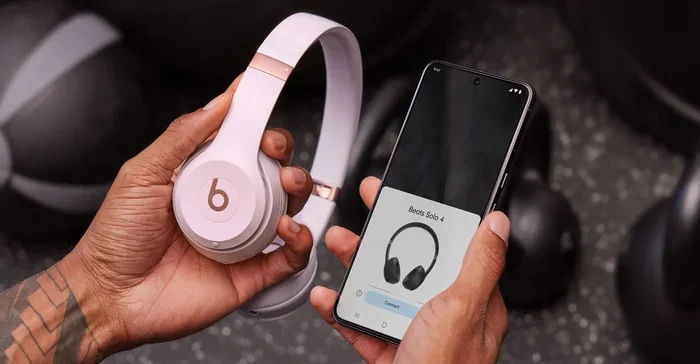
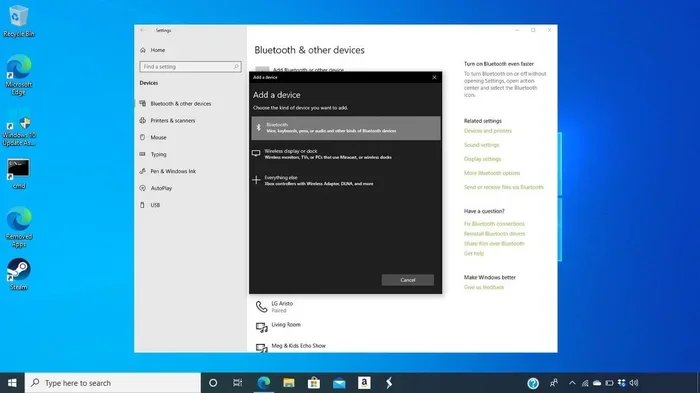
Bluetooth speakers are the most popular option for DJ sound quality on the go. They are easy to pair with any Bluetooth-enabled device. You simply turn on Bluetooth on your controller or laptop, search for the speaker, and connect. It takes seconds.
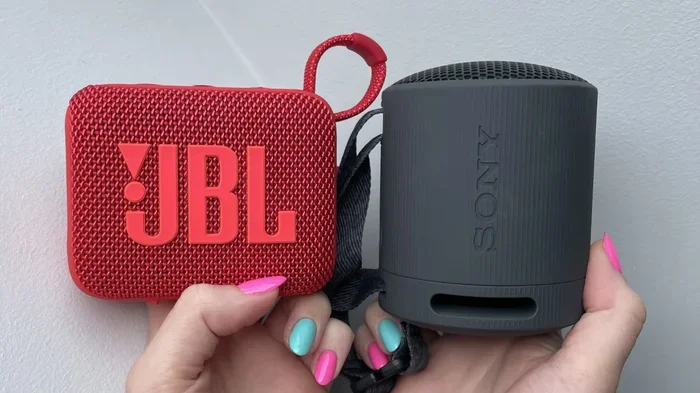
Bluetooth speakers come in all shapes and sizes. Some are small and portable, perfect for intimate gatherings. Others are large and powerful, built to fill a room or even an outdoor space. The key thing to look for is a speaker that supports Bluetooth 5.0 or higher. This ensures the lowest possible latency and the strongest connection.
Wi-Fi and Proprietary Wireless Systems
For more advanced setups, Wi-Fi-based wireless speakers offer better range and audio quality. These speakers connect to your local network and stream audio over Wi-Fi. Some brands have their own proprietary wireless systems that are designed specifically for professional use.
These systems often provide a longer wireless speaker range, sometimes up to 100 feet or more. They also tend to have lower latency than standard Bluetooth. If you are DJing at a larger venue or an outdoor festival, a Wi-Fi or proprietary system might be the better choice for your wireless DJ setup.
Battery-Powered Wireless Speakers
One of the biggest advantages of wireless DJ speakers is portability. Many of them are battery-powered, which means you can set them up anywhere. No outlet needed. No extension cord needed. Just place the speaker where you want it and start playing.
Battery life varies widely. Some speakers last 4 to 6 hours on a single charge. Others can go 12 hours or more. If you are planning a long set, look for a battery-powered DJ speaker with at least 8 hours of runtime. Always charge your speakers fully before a gig, and consider bringing a backup battery pack just in case.
Best Wireless Speakers for DJing
Not all wireless speakers are created equal. Some are built for casual listening. Others are designed to handle the demands of live DJ performance. Here are some factors to consider when choosing the best portable DJ speakers for your needs.
Power Output Matters
The DJ speaker power output determines how loud and clear your music will sound. For small indoor gigs, a speaker with 50 to 100 watts is usually enough. For larger venues or outdoor parties, you want at least 200 watts or more.
Keep in mind that wattage is not the only factor. Speaker size, driver quality, and enclosure design all play a role in how the sound projects. A well-designed 100-watt speaker can sometimes outperform a poorly designed 200-watt speaker. Always read reviews and, if possible, test the speaker before you buy.
Frequency Response and Clarity
DJ sound quality depends heavily on frequency response. Look for speakers that cover a wide range of frequencies, ideally from 40 Hz to 20 kHz. This ensures you get deep bass, clear mids, and crisp highs.
For DJ mixing, you need speakers that can handle both the low-end thump of bass-heavy tracks and the detailed highs of vocals and cymbals. A flat frequency response is ideal because it reproduces the music as it was intended, without coloring the sound.
Portability and Build Quality
If you are carrying your gear to different locations, portability is key. Look for speakers that are lightweight, have built-in handles, and fit easily in a car. Portable DJ equipment should be durable enough to handle transport and outdoor conditions.
Many wireless speakers now come with rugged, water-resistant designs. This is a huge plus for outdoor events where weather can be unpredictable. A sturdy build ensures your party speakers can handle the rigors of regular use.
Quick Tips for Choosing Wireless DJ Speakers
- Check for Bluetooth 5.0 or higher for the best connection.
- Look for speakers with at least 8 hours of battery life.
- Choose a speaker with a power output that matches your venue size.
- Prioritize speakers with a flat frequency response for accurate sound.
- Consider portability if you move between locations frequently.
- Read user reviews to learn about real-world performance.
Setting Up Your Wireless DJ System
Setting up a wireless DJ system is easier than you might think. With the right gear and a little preparation, you can be ready to play in under 15 minutes. Here is a step-by-step guide to getting your wireless DJ setup up and running.
Step 1: Choose Your Location
Before you set up any gear, think about where you will be DJing. Indoor venues with walls and obstacles can weaken wireless signals. Outdoor spaces offer more freedom but may have more interference from other devices. Choose a spot where your speakers will be close enough to your controller for a strong connection.
Step 2: Connect Your Controller
Start by powering on your DJ controller or laptop. If it has built-in Bluetooth, turn on the Bluetooth function and put it in pairing mode. If you are using a wireless transmitter, plug it into your mixer or controller and power it on.
Step 3: Pair Your Speakers
Turn on your wireless speakers and put them in pairing mode. On your controller or transmitter, search for available devices and select your speaker. Once paired, the connection should be automatic in the future.
For Wi-Fi-based systems, connect both your controller and speakers to the same network. Follow the manufacturer’s instructions for the initial setup. Most modern systems make this process very straightforward.
Step 4: Test the Connection
Before your set begins, always test the connection. Play a few tracks and walk around the venue to check for any dropouts or interference. This is especially important for outdoor DJ parties where other wireless devices may compete for the same frequency band.
Step 5: Adjust Volume and Sound Settings
Set your volume levels on both the controller and the speakers. Start low and gradually increase to avoid any sudden loud bursts. Adjust the EQ on your speakers if needed to get the best sound for your venue.
Expert Tips for a Smooth Wireless Setup
- Keep your controller and speakers within the recommended range for the best connection.
- Avoid placing speakers near microwaves or other devices that cause wireless interference.
- Use a wired backup connection if you are playing a critical gig. It is always good to have a plan B.
- Label your paired devices so you can reconnect quickly at future events.
- Update your speaker firmware regularly to get the latest performance improvements.
Common Challenges and How to Overcome Them
DJing with wireless speakers is not without its challenges. But most of these issues are easy to solve with the right knowledge and preparation. Let us look at the most common problems DJs face with wireless setups and how to fix them.
Latency and Delay
Wireless latency is the most common concern for DJs switching to wireless. Latency is the tiny delay between when a track is played and when it comes out of the speaker. In the early days of Bluetooth, this delay was noticeable and made beatmatching difficult.
Today, the story is very different. Modern Bluetooth 5.0 and Wi-Fi systems have reduced latency to near-imperceptible levels. For most DJs, the delay is now less than 20 milliseconds, which is far below the threshold where it affects performance. If you are using older Bluetooth versions, consider upgrading your speaker or using a dedicated wireless transmitter for the lowest possible latency.
Connection Dropouts
Connection dropouts happen when the wireless signal between your controller and speaker gets interrupted. This can be caused by distance, walls, interference from other devices, or a weak battery.
To prevent dropouts, keep your devices within the recommended range. Avoid setting up near crowded Wi-Fi networks. Use speakers with strong signal reception and keep your devices charged. If you are at a large event, consider using a Wi-Fi-based system instead of Bluetooth for a more stable connection.
Sound Quality Compression
Some people worry that wireless audio streaming compresses the audio and reduces quality. This was a valid concern with older Bluetooth codecs. But modern codecs like aptX, aptX HD, and LDAC deliver near-lossless audio quality over Bluetooth.
To get the best DJ sound quality wirelessly, make sure both your controller and speaker support the same high-quality codec. Check the specifications before you buy. When in doubt, a wired connection will always give you the purest signal. But for most situations, modern wireless codecs are more than good enough.
Battery Life Limitations
Battery-powered DJ speakers are incredibly convenient, but battery life can be a limiting factor. If your set runs longer than your speaker’s battery, you will have a problem.
The fix is simple. Plan your set length around your speaker’s battery life. Bring a fully charged backup speaker or a portable battery pack. Some DJs keep their speakers plugged in whenever possible to avoid battery issues altogether. For longer events, consider using a wired power source for at least one of your speakers.
Common Mistakes to Avoid with Wireless DJing
- Skipping the test run: Always test your wireless setup before a gig. Do not wait until you are on stage to discover connection issues.
- Ignoring firmware updates: Manufacturers regularly release updates that improve wireless performance. Keep your gear up to date.
- Overlooking interference: Crowded venues with many Wi-Fi networks can cause interference. Choose the right wireless band and channel.
- Using outdated Bluetooth: Older Bluetooth versions have higher latency. Upgrade your gear if you are still using Bluetooth 4.0 or older.
- Not having a backup plan: Even the best wireless setup can fail. Always have a wired backup ready for important gigs.
Wireless vs Wired DJ Speakers: Which Is Better?
This is the question that keeps coming up in DJ forums and conversations. Wireless vs wired DJ speakers which one should you choose? The honest answer is that both have their place. Let us break down the comparison so you can make the best decision for your needs.
| Feature | Wireless Speakers | Wired Speakers |
|---|---|---|
| Setup Time | Very fast, minutes | Slower, cable management needed |
| Portability | Excellent, no cables | Bulky, requires cables |
| Sound Quality | Very good with modern codecs | Slight edge for pure signal |
| Latency | Near zero with Bluetooth 5.0 | Zero |
| Range | 30 to 100+ feet | Limited by cable length |
| Reliability | Good, but can have dropouts | Very reliable, no signal loss |
| Cost | Slightly higher | Generally more affordable |
| Best For | Portable gigs, outdoor events, small venues | Large venues, studio use, critical gigs |
The table above shows that wireless DJ speakers have come a long way. For most DJs, especially those playing portable gigs, outdoor parties, or small to medium venues, wireless is the clear winner. The convenience, portability, and ease of setup are hard to beat.
That said, if you are playing a large club or a festival where absolute reliability is non-negotiable, wired speakers still hold a slight edge. The signal is always 100% stable, and there is zero risk of interference or dropouts. Many professional DJs actually use a combination of both. They go wireless for flexibility but keep a wired backup just in case.
Expert Insight: Most professional DJs recommend starting with a wireless setup and gradually adding wired options as your setup grows. This gives you the best of both worlds. You get the freedom and convenience of wireless with the rock-solid reliability of wired when you need it.
The Future of Wireless DJing
The wireless DJ ecosystem is evolving fast. New technologies are constantly emerging that make wireless DJing even better. Wi-Fi 6 offers faster speeds and more stable connections. New audio codecs are pushing wireless sound quality closer to lossless. And battery technology is improving, giving speakers longer life without adding weight.
In the near future, we can expect wireless DJ setups to become the standard rather than the exception. The gap between wireless and wired sound quality is closing rapidly. For now, DJing with wireless speakers is already more than good enough for the vast majority of gigs and events.
Key Takeaways for Wireless DJ Success
- Invest in modern Bluetooth 5.0 or Wi-Fi-based wireless speakers for the best experience.
- Always test your setup before a gig and have a wired backup plan.
- Choose speakers with good battery life and solid build quality.
- Keep your gear updated with the latest firmware for optimal performance.
- Embrace wireless technology without fear. The sound quality is there.
Can you DJ with wireless speakers and still sound amazing? Yes, you absolutely can. The technology is ready. The gear is available. And the results speak for themselves. Whether you are a hobbyist spinning tracks at home or a professional playing to thousands, wireless DJ speakers give you the freedom and sound quality you need. Embrace the wireless revolution and take your DJ performance to the next level.
The best time to start DJing with wireless speakers is now. Try it out. Test your setup. Feel the freedom of moving around the crowd without a single cable holding you back. You might be surprised at how natural and intuitive it feels. DJing with wireless speakers is not just a trend. It is the future of DJing. And it sounds amazing.
Frequently Asked Questions
Can I DJ professionally with wireless speakers?
Yes, many professional DJs use wireless speakers for gigs, festivals, and private events. Modern wireless technology offers sound quality and reliability that meets professional standards. Always test your setup beforehand and have a wired backup for critical performances.
Does wireless DJing affect sound quality?
With modern Bluetooth 5.0 and advanced codecs like aptX, the difference in sound quality between wireless and wired is minimal for most listeners. You may notice a slight difference in the most critical listening environments, but for live DJing, wireless sound quality is more than sufficient.
What is the best range for wireless DJ speakers?
Most wireless DJ speakers have a range of 30 to 100 feet. Bluetooth typically works best within 30 to 50 feet. Wi-Fi-based systems can extend that range further. Stay within the recommended range for the most stable connection.
How do I reduce latency when DJing wirelessly?
Use Bluetooth 5.0 or higher for the lowest latency. Wi-Fi-based systems also offer very low latency. Avoid using older Bluetooth versions like 4.0 or below, as they tend to have higher delay. Dedicated wireless transmitters are another great option for minimizing latency.
Are wireless speakers loud enough for a full party?
Absolutely. Many wireless speakers come with 100 to 300 watts of power, which is more than enough for a full party. Choose a speaker with power output that matches your venue size. For very large events, you can pair multiple wireless speakers together for more coverage.
What should I look for in a wireless DJ speaker?
Look for Bluetooth 5.0 or higher, good battery life (at least 8 hours), sufficient power output for your venue, a flat frequency response for accurate sound, and durable build quality. Reading reviews and testing the speaker before buying is always a smart move.
=== CONCLUSION ===
Can you DJ with wireless speakers and still sound amazing? The answer is a resounding yes. Wireless DJ technology has matured to the point where it delivers professional-grade sound quality without the hassle of cables. From Bluetooth connectivity to long-lasting batteries, today’s wireless speakers are built for real-world DJ performance.
Whether you are setting up for a small gathering or a big outdoor party, a wireless DJ setup gives you the freedom to move, the convenience of quick setup, and the sound quality to keep the crowd dancing. The key is choosing the right gear, testing your connection, and being prepared with a backup plan.
Embrace the wireless revolution. Explore the wide range of portable DJ speakers available today. Find the setup that works for you. And most importantly, have fun with it. The best DJ setup is the one that lets you focus on the music and the crowd. Wireless speakers do exactly that. So go ahead, drop the cables, and let the music flow.