Can You Fix Hdmi Port On Xbox With These Simple Fixes
Yes, you can fix an HDMI port on Xbox in many cases using simple home remedies or affordable repairs. Whether your Xbox One or Xbox Series X has a loose HDMI connection, a bent pin, or no signal at all, this guide walks you through every fix step by step. We cover cleaning techniques, cable swaps, port inspection, and when to seek professional help.
Your Xbox won’t turn on properly. The screen stays black. You plug in the HDMI cable and nothing happens. It is a frustrating moment for any gamer. But before you panic or rush to buy a whole new console, take a breath. Fixing an HDMI port on Xbox is often simpler than you might expect.
This guide covers every practical fix you can try at home. We also explain when the problem is beyond a DIY repair. Whether you own an Xbox One or an Xbox Series X, the HDMI port issues can look very similar. The good news is that most fixes are free or cost just a few dollars.
We have organized this article so you can jump straight to the fix that matches your situation. Start with the easiest solutions and work your way down. By the end, you will know exactly what is wrong and how to fix it.
Key Takeaways
- Try a different HDMI cable first — this solves the problem more often than you think.
- Clean the port gently with compressed air or a soft brush to remove dust and debris.
- Bent HDMI pins can be straightened carefully using a toothpick or tweezers.
- HDMI port replacement is possible but may require professional soldering skills.
- Avoid forcing the cable in — this is the number one cause of permanent port damage.
- Check the 5 components on the motherboard related to video output for deeper hardware issues.
📑 Table of Contents
- Why Does the Xbox HDMI Port Stop Working?
- How to Fix HDMI Port on Xbox: Step-by-Step Solutions
- Can You Replace the HDMI Port on Xbox Yourself?
- How Much Does It Cost to Fix an Xbox HDMI Port?
- Common Mistakes People Make When Fixing HDMI Issues
- When to Give Up and Buy a New Console
- Expert Tips to Prevent HDMI Port Damage in the Future
- Final Thoughts on Fixing Xbox HDMI Port Issues
Why Does the Xbox HDMI Port Stop Working?
Understanding the root cause helps you pick the right fix. HDMI ports fail for several common reasons. Let us walk through them so you can identify what might be happening with your console.
Physical Damage to the Port
The HDMI port on your Xbox is a small, delicate connector. Over time, the plastic housing can crack. The metal pins inside can bend or break. This usually happens when someone accidentally yanks the cable or drops the console while it is plugged in. Physical damage is one of the most frequent reasons gamers visit repair shops.
Dust and Debris Buildup
Dust loves to settle inside open ports. Over months or years, lint and dust particles accumulate inside the HDMI port. This prevents the cable from making proper contact. You might notice the screen flickers or loses signal randomly. Dust buildup is a very common and easily fixable issue.
Cable or Adapter Problems
Sometimes the problem is not the port at all. A worn-out HDMI cable or a faulty adapter can cause the same symptoms. Before you start opening your console, always rule out cable issues first. This saves you time and effort.
Software or Display Settings Glitches
Occasionally, the Xbox software itself causes HDMI problems. A failed update or incorrect display settings can make the console appear to have a dead port. Software glitches are easy to overlook but simple to resolve.
How to Fix HDMI Port on Xbox: Step-by-Step Solutions
Now let us get into the actual fixes. We start with the simplest methods and move toward more advanced repairs. Try each step in order before moving to the next one.
Step 1: Try a Different HDMI Cable
This is the single easiest fix and it works surprisingly often. A damaged or worn HDMI cable can mimic a broken port perfectly. Grab another known-working HDMI cable and plug it into your Xbox. If the signal comes back, your original cable was the problem.
Here are a few cable tips to keep in mind:
- Use a high-speed HDMI cable rated for 4K if you have an Xbox Series X.
- Avoid excessively long cables — they can weaken the signal.
- Check both ends of the cable for bent or pushed-in pins.
- Replace the cable if you see any visible fraying or damage.
Quick Tip: Keep a spare HDMI cable in your gaming setup. It is a small investment that saves a lot of headache later.
Step 2: Inspect and Clean the HDMI Port
If a new cable does not work, the port itself may need cleaning. Dust and debris inside the port block the connection between the cable and the motherboard. Cleaning is safe, free, and takes just a few minutes.
Here is how to do it properly:
- Unplug the Xbox from power and remove the HDMI cable.
- Use a can of compressed air to blow out loose dust from the port.
- Take a soft, dry toothbrush and gently brush the inside of the port.
- If you see a bent pin, use a wooden toothpick to carefully push it back into place.
- Let the port dry completely before plugging the cable back in.
Never use metal tools like needles or pins to clean the port. These can make the damage worse. Gentle cleaning is the key here.
Step 3: Check for Bent or Broken Pins
The HDMI connector has 19 pins inside it. If even one pin is bent or broken, the port will not work correctly. You can inspect the port using a flashlight and a magnifying glass. Look closely at the gold-colored pins inside the port opening.
If you spot a bent pin, you have two options:
- Straighten it carefully using a wooden toothpick or a plastic tool. Metal tweezers can cause short circuits.
- Leave it alone and seek professional help if the pin is severely damaged or broken off.
Be very patient during this step. Rushing can turn a minor bend into a broken pin, which is a much bigger repair job.
Step 4: Reset the Xbox Display Settings
Sometimes the problem is purely software-related. The Xbox might be outputting the wrong resolution or refresh rate, which causes the TV to show nothing. Resetting the display settings can fix this instantly.
Here is how to reset display settings on your Xbox:
- Press and hold the Xbox button on your controller for 10 seconds to turn off the console.
- Unplug the HDMI cable from the Xbox.
- Plug the HDMI cable into your TV first, then into a different port on the Xbox if available.
- Turn on the Xbox while holding the Xbox button and the Eject button together.
- The console will boot into a low-resolution display mode.
- Go to Settings > Display & Sound > Video Output and reset to default.
This method forces the Xbox to renegotiate the HDMI handshake with your TV. Many gamers have fixed mysterious no-signal issues this way.
Step 5: Test with a Different TV or Monitor
Do not assume the Xbox is the problem. Your TV or monitor might be the culprit. Plug the HDMI cable into a different display to see if the signal works there. If it does, the issue is with your TV’s HDMI port, not the Xbox.
This simple test saves a lot of unnecessary troubleshooting. Many people skip it and spend hours fixing the wrong device.
Step 6: Inspect the Motherboard Connection
If none of the above steps work, the HDMI port may have a loose or broken connection on the motherboard. The HDMI port is soldered directly onto the main board inside the console. Over time, solder joints can crack, especially if the console has been dropped or overheated.
At this point, you have two paths:
- DIY reballing or resoldering: This requires advanced soldering skills, a hot air station, and experience with micro-soldering. It is not recommended for beginners.
- Professional repair: A qualified technician can inspect the board and re-solder the port or replace it entirely.
Before taking it to a professional, you may want to learn more about the internal components of your Xbox. Understanding the key components found on the motherboard helps you communicate better with your repair technician and understand what parts might need attention.
Can You Replace the HDMI Port on Xbox Yourself?
Some tech-savvy gamers do attempt to replace the HDMI port themselves. It is possible, but it comes with significant risks. Let us be honest about what is involved.
What You Need for a Port Replacement
- A replacement HDMI port matching your Xbox model (Xbox One or Xbox Series X).
- A precision screwdriver set.
- A soldering iron with fine-tipped solder.
- Flux paste and solder wick for cleanup.
- A magnifying lamp or headset for visibility.
- Patience and steady hands.
Risks of DIY Port Replacement
The motherboard inside an Xbox is densely packed with tiny components. One slip with the soldering iron can damage nearby parts. You could end up with a console that powers on but has no video output at all. Professional repair is almost always the safer choice unless you have prior soldering experience.
If you do decide to go the DIY route, watch several video tutorials specific to your Xbox model first. Each console generation has a slightly different internal layout. Rushing into it without preparation is how people accidentally destroy working consoles.
How Much Does It Cost to Fix an Xbox HDMI Port?
Cost is a big factor when deciding how to proceed. Here is a simple breakdown of what you can expect to pay for different repair options.
| Repair Option | Estimated Cost | Difficulty Level |
|---|---|---|
| New HDMI Cable | $5 – $20 | Very Easy |
| Compressed Air Cleaning | Free (if you already own it) | Easy |
| Professional Port Cleaning | $20 – $50 | Easy |
| Pin Straightening by Technician | $30 – $60 | Medium |
| Full HDMI Port Replacement | $80 – $150 | Hard |
| Motherboard-Level Repair | $100 – $200 | Expert |
As you can see, simple fixes cost almost nothing. The more the repair involves the motherboard, the higher the price goes. Always start with the cheapest and easiest solutions before spending money on professional repairs.
Common Mistakes People Make When Fixing HDMI Issues
Avoid these common mistakes to save yourself time, money, and a potentially broken console.
- Forcing the HDMI cable in: This is the number one cause of bent pins and cracked port housings. If the cable does not fit smoothly, stop and check for debris or bent pins.
- Using metal tools inside the port: Metal can short-circuit the delicate pins. Stick to wooden toothpicks, plastic tools, or compressed air.
- Ignoring the cable: Many people assume the port is broken when the cable is actually the problem. Always test with a different cable first.
- Opening the console without disconnecting power: This can cause electric shock or damage to internal components. Always unplug the console before opening it.
- Applying too much heat during DIY soldering: Excessive heat can lift pads off the motherboard or damage nearby chips. Keep soldering time short and controlled.
- Skipping the TV test: You might fix the Xbox port only to discover the TV was the real problem all along. Always test with a second display.
When to Give Up and Buy a New Console
Sometimes the repair cost simply does not make sense. If your Xbox is several years old and the motherboard has multiple issues, it may be time to consider a replacement. Here are a few signs that a new console might be the better choice:
- The repair cost exceeds 50% of the price of a new console.
- The console has other hardware failures beyond the HDMI port.
- Your current model is no longer supported by the latest games.
- You want features that only the newest Xbox generation offers.
That said, if the console is otherwise in great shape, fixing the HDMI port is almost always worth it. A simple port replacement can breathe new life into a console that would otherwise be discarded.
Expert Tips to Prevent HDMI Port Damage in the Future
Prevention is always better than repair. Here are some habits that will keep your Xbox HDMI port healthy for years to come.
- Always grip the connector, not the cable: When unplugging, hold the plastic head of the HDMI connector. Pulling on the cable stresses the port.
- Keep the console in a dust-free area: Dust covers or closed cabinets reduce the amount of debris that enters the port.
- Use cable management clips: These prevent cables from pulling or bending at sharp angles near the port.
- Do not step on or kick cables: This is a surprisingly common cause of port damage, especially in family gaming setups.
- Inspect the port monthly: A quick visual check helps you catch dust buildup or early pin bending before it becomes a serious problem.
These small habits take almost no time but they add up to a much longer lifespan for your Xbox HDMI port. Consistent care is the best free repair tool you have.
Final Thoughts on Fixing Xbox HDMI Port Issues
Fixing an HDMI port on Xbox is absolutely doable in the majority of cases. Most problems come down to dust, a bad cable, or a slightly bent pin. These are fixes you can handle at home with basic tools and a little patience. More serious issues like cracked solder joints or broken port housings do require professional help, but even those repairs are usually affordable.
The key is to work through the fixes in order from easiest to most complex. Start with a new cable, then clean the port, then try display resets. By the time you reach the advanced options, you will already know whether the problem is simple or serious.
Do not throw away your Xbox just because the screen went black. Give these fixes a try first. You might be surprised at how quickly your gaming setup is back up and running.
Frequently Asked Questions
Can I use a USB-to-HDMI adapter to fix my Xbox HDMI port?
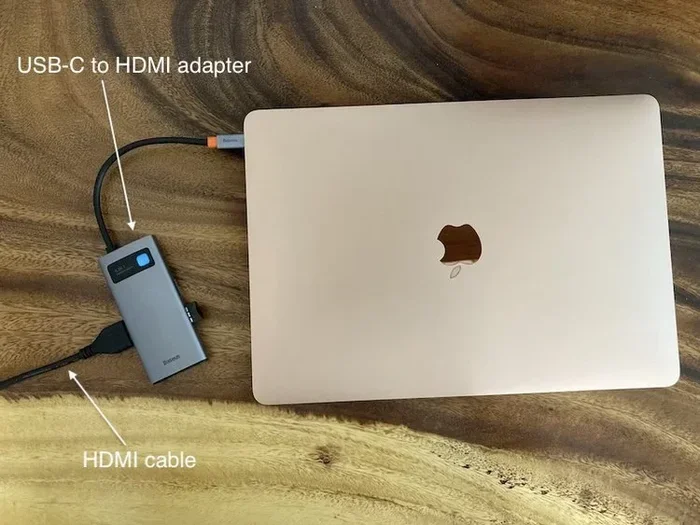
No, Xbox consoles do not support USB-to-HDMI adapters for video output. The HDMI port is the only supported video output method on Xbox One and Xbox Series X. You need to fix the original port or seek a professional HDMI port replacement instead.
How do I know if my HDMI port is physically damaged?
Look closely at the port with a flashlight. Signs of physical damage include bent or missing pins, a cracked plastic housing, or visible scorch marks. If the cable feels loose or wobbly when plugged in, the port may be worn out internally.
Can a software update fix HDMI no-signal issues?
Yes, sometimes. A failed or corrupted update can disrupt the display output on your Xbox. Performing a hard reset or booting into low-resolution mode often resolves these software-related HDMI problems without any physical repair.
Is it safe to use compressed air inside the HDMI port?
Yes, compressed air is one of the safest cleaning methods for HDMI ports. Hold the can upright and use short bursts. Avoid shaking the can, as this can release liquid propellant that may cause further damage to the port.
How long does a professional HDMI port repair take?
Most professional repairs take between one and three business days. Simple cleaning or pin straightening can be done in under an hour. Full port replacement with motherboard-level work may take a bit longer depending on the technician’s availability.
Will fixing the HDMI port void my Xbox warranty?
If you open the console yourself, the warranty will likely be voided. However, professional repair services from authorized providers typically do not void the warranty. Always check your warranty status before attempting any DIY repairs.