Can You Get Wi Fi By Itself Without Any Extra Gear
Yes, you can get Wi-Fi by itself in several ways, but you usually need at least one piece of equipment to make it work. Many people wonder if wireless internet can come completely free of extra devices, and the answer depends on your location, provider, and what kind of connection you want. This guide breaks down every option so you can choose the best path for your home or on-the-go needs.
Can you get Wi-Fi by itself without any extra gear? That is a question a lot of people ask, especially when they are tired of clutter, cables, and confusing equipment boxes. The short answer is yes, but with some important caveats. You can access wireless internet in several ways that don’t require you to buy additional devices.
But here is the thing most people don’t realize. Wi-Fi is just a signal. It is the invisible bridge that connects your phone, laptop, or tablet to the internet. The signal itself does not create the internet. You still need a source. That source could be a mobile hotspot, a public network, or a device your internet provider already gave you. Let us break down every way you can get wireless internet without adding extra gear to your home.
Whether you are a renter who wants to keep things simple, a traveler who needs connectivity on the road, or someone just trying to cut costs, this guide has you covered. We will look at every practical option, explain how each one works, and help you figure out which path makes the most sense for your situation.
Key Takeaways
- Standalone Wi-Fi is possible: You can access wireless internet without buying a full modem-router combo in some situations.
- Mobile hotspots are the easiest: Your smartphone can create a Wi-Fi signal without any extra gear at all.
- Public Wi-Fi exists everywhere: Libraries, cafes, and stores offer free wireless internet access with no equipment needed.
- ISP equipment matters: Some internet providers give you a modem that also broadcasts Wi-Fi, eliminating the need for a separate router.
- Satellite internet is an option: Services like Starlink offer wireless internet in areas with no traditional broadband coverage.
- You still need an internet plan: Even the best Wi-Fi setup won’t work without a paid internet service from an ISP.
- Understanding your options saves money: Knowing what you actually need prevents you from buying gear you don’t use.
📑 Table of Contents
What Does “Wi-Fi By Itself” Actually Mean?
Before we dive into the options, let us clear up what people mean when they ask about getting Wi-Fi by itself. Wi-Fi is a wireless networking technology. It uses radio waves to send data between a device and a central hub. When people say they want Wi-Fi by itself, they usually mean one of two things.
Do I Need a Router to Get Wi-Fi?
Most people assume they need a separate router to create a Wi-Fi network. A router takes the internet signal from your modem and broadcasts it wirelessly. But many modern devices combine the modem and router into one unit. Your internet provider might give you a single box that handles both jobs. In that case, you are already getting Wi-Fi without buying any extra gear.
So when you ask, “Can you get Wi-Fi by itself,” the real question is whether you need to buy a standalone router. The answer is usually no, as long as your modem or gateway device has wireless capability built in.
Do I Need an Internet Service Provider?
Here is something important. You cannot get Wi-Fi without an internet source. Wi-Fi is just the delivery method. The actual internet data comes from somewhere else. That somewhere is typically an Internet Service Provider, or ISP. Your ISP connects your home to the broader internet through cables, fiber, or satellite links.
So even if you have a perfect Wi-Fi signal in your living room, it means nothing without an active internet plan behind it. The Wi-Fi signal is the road. The internet plan is the cars driving on it. You need both to get anywhere.
Ways to Get Wi-Fi Without Buying Extra Equipment
Now let us get into the practical part. Here are the real ways you can access wireless internet without going out and buying additional hardware. Each method has its own strengths and limitations.
Use Your Smartphone as a Mobile Hotspot
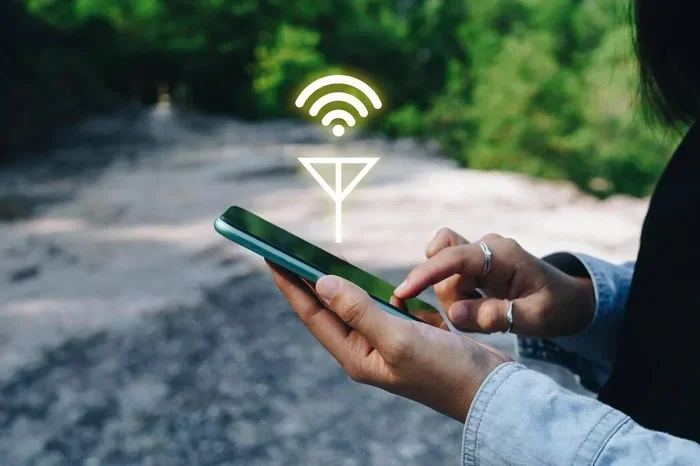
This is the simplest way to get Wi-Fi without any extra gear. Almost every modern smartphone can share its cellular data connection with other devices. You turn on the hotspot feature, set a password, and your laptop or tablet connects just like it would to a home network.
Here is how it works in practice. You have a cell phone plan with data included. You open your phone settings, find the hotspot or tethering option, and toggle it on. Other devices nearby can then see your network and connect. It is wireless internet that travels with you wherever you go.
The big advantage here is zero cost for extra equipment. Your phone does the work. The main limitation is data usage. Streaming videos or downloading large files will eat through your data plan quickly. Most carriers also slow down your speeds after you hit a certain data threshold.
Connect to Public Wi-Fi Networks
Public Wi-Fi is everywhere now. Coffee shops, bookstores, libraries, airports, and hotels all offer free wireless internet access. You walk in, connect to their network, and you are online. No extra gear required at all.
Libraries are especially great for this. Most public libraries offer free internet computers and Wi-Fi that anyone can use. You do not even need a library card in many locations. This is a fantastic option if you need to work or study but do not have home internet.
Public Wi-Fi comes with some risks though. Open networks are less secure than private ones. Hackers can potentially intercept your data on shared networks. Always use a virtual private network, or VPN, when connecting to public Wi-Fi. Avoid logging into bank accounts or entering sensitive information on open networks.
Use Your ISP’s Gateway Device
Many internet providers now send you a single device that acts as both a modem and a router. This gateway device connects to your internet source and broadcasts a Wi-Fi signal all by itself. You do not need to buy a separate router.
Companies like Xfinity, AT&T, Spectrum, and CenturyLink often include a gateway unit with your service plan. Some charge a monthly rental fee for it, while others let you buy it outright. Either way, you are getting Wi-Fi without any additional equipment.
If you are not sure whether your current device handles Wi-Fi, check the back of it. Look for a label that says “Wi-Fi” or “Wireless.” If it has antennas or a Wi-Fi logo, you are already set. You do not need anything else.
Try Satellite Internet Services
Satellite internet has changed the game for people in rural areas. Services like Starlink from SpaceX deliver high-speed internet through satellites in orbit. The user dish acts as both a receiver and a Wi-Fi broadcaster in many setups.
You do need to install the satellite dish, but Starlink includes everything in one package. The dish connects to a built-in router that creates a Wi-Fi network. There is no separate modem or router to buy. It is a self-contained wireless internet system.
Satellite internet is not perfect. Weather can affect the signal. There is also a data cap on most plans. But for people who have no other options, it provides reliable wireless internet without requiring a phone line or cable connection.
Leverage Cellular Broadband Hotspots
Beyond your phone, some carriers sell dedicated mobile hotspot devices. These are small gadgets that plug into a cellular network and broadcast a Wi-Fi signal. They are not much bigger than a deck of cards. You carry them in your pocket and create a Wi-Fi network wherever you go.
These devices are different from phone hotspots because they have their own data plans and better battery life. They also do not drain your phone battery while you use them. Companies like Verizon, T-Mobile, and AT&T offer hotspot devices with monthly data plans.
The trade-off is cost. You are paying for a separate device and a separate plan. But if you need reliable wireless internet on the road and do not want to depend on your phone, it is a solid option.
Do You Really Need Extra Gear at Home?
Most people think they need a bunch of devices to get Wi-Fi working at home. In reality, you probably need far less than you think. Let us look at what is actually necessary and what is optional.
The One Device You Must Have
At a minimum, you need one device that connects to the internet and shares that connection wirelessly. This could be a modem with built-in Wi-Fi, a gateway device from your ISP, or even a smartphone acting as a hotspot. Without one of these, you have no Wi-Fi signal at all.
Everything else is optional. Wi-Fi extenders, mesh systems, and range boosters are nice to have, but they are not essential. They simply improve the coverage of a signal that already exists.
When a Separate Router Makes Sense
There are times when buying a separate router is worth it. If your ISP gateway is old or slow, a new router can dramatically improve your wireless speeds. If you live in a large home, a dedicated router or mesh system can eliminate dead zones.
But if you live in a small apartment and your gateway device works fine, there is no reason to spend extra money. You can absolutely get Wi-Fi by itself without buying anything additional.
Common Mistakes People Make With Wi-Fi Setup
Many people buy extra gear they do not need. Here are some common mistakes to avoid.
- Buying a router when your modem already has Wi-Fi: Check your existing equipment first. You might already be covered.
- Paying for an expensive internet plan you do not need: If you only browse the web and check email, a basic plan is enough. You do not need gigabit speeds.
- Ignoring the placement of your gateway device: A router in a closet or behind a TV will have weak signal. Place it in a central, open location.
- Confusing Wi-Fi with internet: Wi-Fi is the wireless connection. Internet is the data service. You need both, but they are different things.
- Using public Wi-Fi without protection: Always use a VPN on open networks to keep your data safe.
Comparison: Wi-Fi Options Without Extra Gear
Not all wireless internet options are created equal. Here is a comparison of the main methods for getting Wi-Fi without buying additional equipment.
| Method | Cost | Speed | Portability | Best For |
|---|---|---|---|---|
| Mobile Hotspot | Uses existing phone plan | Moderate to fast | Very high | Travel and temporary use |
| Public Wi-Fi | Free | Varies | Location-dependent | Casual browsing and work |
| ISP Gateway Device | Rental fee or included | Fast | Fixed location | Home internet |
| Satellite Internet | Monthly subscription | Moderate | Fixed location | Rural areas |
| Cellular Hotspot Device | Separate device and plan | Moderate to fast | High | Frequent travelers |
As you can see, each method serves a different purpose. The best choice depends on your needs, budget, and location. There is no single perfect answer for everyone.
Expert Tips for Getting the Most From Wi-Fi Without Extra Gear
Even when you are working with minimal equipment, you can still get excellent performance. Here are some tips from networking professionals.
Keep Your Firmware Updated
Whether it is your phone hotspot or your ISP gateway, keeping the software updated ensures you get the best speeds and security. Most devices update automatically, but it is worth checking manually once in a while.
Change Your Wi-Fi Channel
In apartment buildings and dense neighborhoods, Wi-Fi channels can get crowded. Switching to a less congested channel can improve your signal strength and speed. Most gateway devices have settings you can access through a web browser.
Place Your Device Correctly
Wi-Fi signals spread outward in all directions. Placing your gateway device on a high shelf in the center of your home gives the best coverage. Avoid placing it near metal objects, microwaves, or thick walls that can block the signal.
Use the 5GHz Band When Possible
Most modern Wi-Fi devices support two frequency bands: 2.4GHz and 5GHz. The 5GHz band is faster but has a shorter range. If you are close to your device, switch to 5GHz for better speeds.
Key Takeaways
- You can get Wi-Fi by itself without extra gear: Your smartphone hotspot, public networks, or ISP gateway can all provide wireless internet without purchasing additional devices.
- Mobile hotspots are the most portable option: They turn your phone into a Wi-Fi source anywhere you have cellular coverage.
- Public Wi-Fi is free and widely available: Libraries, cafes, and stores offer internet access with zero equipment needed.
- Your ISP may already provide everything you need: Many gateway devices handle both modem and router functions in one box.
- Satellite internet works in remote areas: Services like Starlink deliver wireless internet where traditional options are unavailable.
- You still need an internet plan: Wi-Fi is just the delivery method. Without a paid internet service, you have no data to transmit.
- Avoid buying unnecessary equipment: Check what you already have before spending money on routers or extenders.
Conclusion
So, can you get Wi-Fi by itself without any extra gear? The answer is a clear yes. You have more options than most people realize. A smartphone hotspot, public Wi-Fi networks, and ISP gateway devices all deliver wireless internet without requiring you to buy anything new.
The key is understanding that Wi-Fi is not the same as internet. Wi-Fi is the wireless signal that connects your devices. Internet is the data service that comes from your provider. You need both, but they do not always come from separate devices.
Whether you are setting up a home network or looking for internet on the go, the options are simpler than they seem. Start with what you already have. Check your phone’s hotspot feature. Ask your ISP if your gateway device supports Wi-Fi. Explore public networks in your area. You might be surprised at how easily you can stay connected without spending a dime on extra equipment.
The best wireless internet setup is the one that fits your life. For some people, that means a phone hotspot and no wires at all. For others, it means using the gateway device their provider already gave them. Whatever your situation, you can get Wi-Fi by itself. You just need to know where to look.
Frequently Asked Questions
Can I get Wi-Fi without an internet service provider?
You can get a Wi-Fi signal without an ISP, but it will not connect to the internet. Public Wi-Fi networks at cafes and libraries provide internet access without you having your own ISP plan. Your phone’s mobile hotspot uses your cellular data plan, which is technically a service from your carrier. So you always need some form of paid data service to access the internet wirelessly.
Is a mobile hotspot as good as home Wi-Fi?
Mobile hotspots work well for light browsing, email, and video calls. However, they usually have data caps and can slow down with heavy use. Home Wi-Fi from an ISP typically offers faster speeds and unlimited data. For most people, a mobile hotspot is a great backup option but not a complete replacement for home internet.
Do I need a router if my modem has Wi-Fi built in?
No, you do not need a separate router if your modem or gateway device has wireless capability built in. These combined devices handle both the internet connection and the Wi-Fi broadcast. Check the back of your device for a Wi-Fi label or antenna to confirm it supports wireless networking.
Can I use public Wi-Fi safely?
Public Wi-Fi is convenient but less secure than private networks. To stay safe, avoid accessing bank accounts or entering passwords on open networks. Using a VPN encrypts your connection and protects your data. Stick to HTTPS websites and keep your device’s security software up to date when using public Wi-Fi.
What is the cheapest way to get Wi-Fi at home?
The cheapest way is to use your phone as a mobile hotspot if you already have a data plan. Another affordable option is to use public Wi-Fi when you are at home and within range of a free network. Some ISPs also offer low-cost internet plans for qualifying households. Check with providers like AT&T, Comcast, and Spectrum for budget-friendly options.
Does satellite internet require extra equipment?
Satellite internet does require a dish and receiver, but services like Starlink include everything in one package. The dish connects to a built-in router that creates a Wi-Fi network. You do not need to buy a separate modem or router. It is designed to be a complete, self-contained wireless internet solution out of the box.