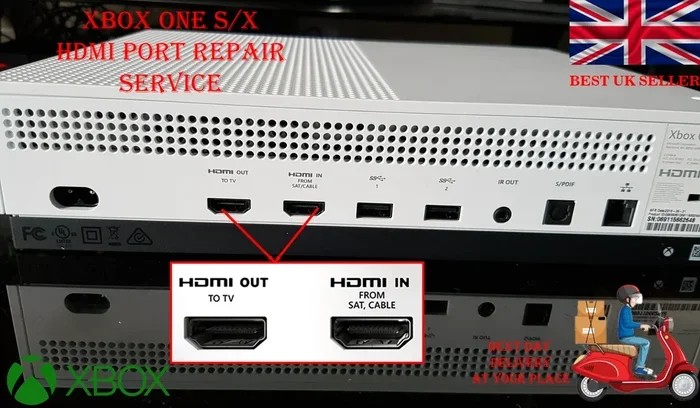
Can You Replace Hdmi Port On Xbox One With These Tips
Yes, you can replace HDMI port on Xbox One, but the process requires careful handling and basic soldering skills. Whether your HDMI port is loose, damaged, or not working at all, this guide walks you through every option from DIY fixes to professional repairs. We cover costs, tools, and step-by-step instructions to help you restore your Xbox One to full working condition.
This is a comprehensive guide about Can You Replace Hdmi Port On Xbox One.
Key Takeaways
- HDMI port replacement is possible: You can fix or replace a broken HDMI port on your Xbox One with the right tools and knowledge.
- DIY repair saves money: Replacing the port yourself costs far less than paying a technician or buying a new console.
- Soldering skills matter: You need basic soldering experience and the right equipment to handle the internal repair safely.
- Cost ranges from $10 to $100: The HDMI port replacement cost varies depending on whether you do it yourself or hire a pro.
- Try software fixes first: Sometimes the issue is not the port itself but a software or cable problem that is easy to resolve.
- Professional help is an option: If you are not comfortable with electronics repair, certified technicians can handle the job for you.
[FEATURED_IMAGE_PLACEHOLDER]
Can You Replace HDMI Port on Xbox One? A Complete Guide
Your Xbox One suddenly shows no signal, or the HDMI cable keeps wiggling loose. It is frustrating, especially when you just want to jump into your favorite game. The first question that pops into your head is probably this: can you replace HDMI port on Xbox One? The short answer is yes. You absolutely can replace the HDMI port on your Xbox One console, and you have several paths to get it done.
But the real question is whether you should do it yourself or pay someone else. The answer depends on your comfort level with electronics, your budget, and how badly the port is damaged. This guide covers everything you need to know. From simple troubleshooting to full port replacement, we break it all down in plain language. By the end, you will know exactly what to do and what it will cost.
Many people throw away a perfectly good Xbox One just because of a faulty HDMI port. That is a shame. The HDMI port on the Xbox One can fail for many reasons, and most of them are fixable. You do not need to be a tech genius either. With the right tools and a little patience, you can bring your console back to life. So let us dive in and explore every angle of this common problem.
Why Does the Xbox One HDMI Port Fail?
Understanding why your HDMI port stopped working helps you choose the right fix. Several common causes lead to HDMI port problems on the Xbox One. Let us look at them one by one.
Physical Damage
The most obvious cause is physical damage. Someone bumps the console, a cable gets yanked too hard, or the port gets bent. Over time, the plastic housing around the port can crack. The metal contacts inside can bend or break. When this happens, the connection between the cable and the console becomes unreliable or disappears completely.
Wear and Tear
Even without a single dramatic incident, HDMI ports wear out. Plugging and unplugging the cable hundreds of times loosens the internal connections. The spring mechanism that holds the cable snugly weakens. After years of regular use, the port may no longer make solid contact. This is especially common with older Xbox One models that have been in use for several years.
Moisture or Liquid Damage
Spills happen. A glass of water knocked over near the console can cause serious internal damage. Moisture corrodes the metal pins inside the HDMI port. Even small amounts of liquid can cause oxidation over time. If you have ever spilled something near your Xbox One, this could be the hidden culprit behind your HDMI problems.
Power Surges and Electrical Issues
Power surges can fry internal components, including the HDMI port circuitry. A lightning strike nearby or a faulty power strip can send voltage spikes through your console. These surges may damage the HDMI port or the motherboard traces connected to it. This type of damage is often harder to repair because it can affect other components too.
Manufacturing Defects
Sometimes the problem is simply bad luck. Some Xbox One units leave the factory with a slightly misaligned or weak HDMI port. These defects may not show up immediately. They can appear weeks or months after purchase. If your console is relatively new and the port fails, a manufacturing defect might be to blame.
How to Diagnose Your Xbox One HDMI Port Problem
Before you jump into replacing anything, you need to confirm that the HDMI port is actually the problem. Many people assume the port is broken when the real issue is something much simpler. Here is how to diagnose the problem step by step.
Check the HDMI Cable First
Start with the simplest thing. Try a different HDMI cable. A damaged or faulty cable can mimic all the symptoms of a broken port. Borrow a cable from another device and test it with your Xbox One. If the new cable works, your original cable was the problem, not the port.
Test with a Different TV or Display
Plug your Xbox One into a different TV or monitor. This eliminates the possibility that your display is the issue. If the Xbox works on another screen, the problem lies with the original display or its HDMI input, not the console.
Try the HDMI Port on the TV
Switch to a different HDMI input on your TV. Sometimes a specific HDMI port on the television fails while others work fine. This is a common and easily overlooked cause of no-signal problems.
Inspect the Xbox One HDMI Port Visually
Look closely at the HDMI port on your Xbox One. Do you see any bent pins? Is there visible damage or debris inside the port? Use a flashlight and a magnifying glass if needed. Physical damage like bent pins or cracked plastic is a clear sign that the port needs replacement.
Run Xbox One Troubleshooting
The Xbox One has built-in troubleshooting tools. Go to Settings, then General, then TV & One Guide. Select Auto Detect. This forces the console to recheck the HDMI connection. Sometimes a simple software reset fixes the issue without any hardware work at all.
Can You Replace HDMI Port on Xbox One Yourself?
Yes, you can replace the HDMI port on Xbox One yourself if you have basic electronics skills. But it is not a simple plug-and-play job. The HDMI port is soldered directly onto the motherboard. That means you need to desolder the old port and solder a new one in its place. If you have never done any soldering before, this might feel intimidating. But thousands of people have done it successfully with the right guidance.
The Xbox One motherboard contains many components that you will encounter during this process. Before you open your console, it helps to understand what you are working with inside the unit. The motherboard holds the CPU, GPU, memory, and various ports including the HDMI connector. Familiarizing yourself with the basic layout of internal components can make the repair process much smoother. You can read more about the key parts inside your console on our page about the 5 components that are found on the motherboard to build your confidence before starting.
Here is what you will need to attempt a DIY HDMI port replacement on your Xbox One.
- Replacement HDMI port: You can buy a replacement HDMI port board online. These typically cost between $10 and $30 depending on the model.
- Soldering iron: A quality soldering iron with adjustable temperature is essential. A 60-watt iron with a fine tip works well for this type of repair.
- Solder wire: Lead-free solder wire, around 0.8mm diameter, is the standard choice for electronics repair.
- Soldering flux: Flux helps the solder flow smoothly and creates a stronger joint. A flux pen or liquid flux works great.
- Desoldering pump or wick: You need these to remove old solder from the motherboard before soldering the new port.
- Screwdriver set: You need Torx and Phillips screwdrivers to open the Xbox One case.
- Anti-static wrist strap: This protects sensitive components from static electricity damage while you work.
- Magnifying glass or microscope: The HDMI port solder points are tiny. Good visibility is crucial for a clean repair.
The process involves opening the Xbox One case, removing the motherboard, desoldering the old HDMI port, cleaning the pads, positioning the new port, and soldering it in place. Each step requires care and precision. Rushing through any of these steps can cause additional damage. Take your time and work in a well-lit, clean environment.
Step-by-Step HDMI Port Replacement Process
Here is a simplified overview of the replacement process. This is not an exhaustive tutorial but gives you a clear picture of what to expect.
- Unplug everything: Disconnect all cables from the Xbox One. Remove the power cord, HDMI cable, and any accessories.
- Open the case: Use the appropriate screwdrivers to remove the screws holding the Xbox One shell together. Carefully separate the two halves of the case.
- Remove the motherboard: The motherboard is held in place by several screws and connectors. Disconnect all ribbon cables and remove the board from the case.
- Locate the HDMI port: Find the HDMI port on the motherboard. It is usually a large connector with multiple solder points on the back side of the board.
- Apply flux to solder points: Put a small amount of flux on each solder point connecting the HDMI port to the board.
- Heat and remove old solder: Use your soldering iron to heat each solder point while using the desoldering pump to suck up the molten solder. Repeat until all solder is removed.
- Lift out the old port: Once all solder is cleared, gently lift the old HDMI port off the board. Use tweezers if needed.
- Clean the pads: Use a cotton swab dipped in isopropyl alcohol to clean the solder pads. Make sure they are free of old solder and flux residue.
- Position the new port: Align the new HDMI port carefully with the pads. Make sure the orientation matches the old port exactly.
- Solder the new port: Apply a small amount of solder to each pad. Heat the pad and the pin of the port together, then feed in a tiny bit of solder. Each joint should be shiny and smooth.
- Inspect your work: Use your magnifying glass to check every solder joint. Look for cold joints, bridges, or missed connections.
- Reassemble and test: Put the motherboard back in the case, reconnect everything, and power on the Xbox One. Test the HDMI connection with your TV.
HDMI Port Replacement Cost: DIY vs Professional
Cost is a big factor when deciding how to fix your Xbox One HDMI port. Let us compare the two main options so you can make an informed decision.
| Option | Cost Range | Time Required | Skill Level Needed |
|---|---|---|---|
| DIY Replacement | $10 – $30 (parts only) | 2 – 4 hours | Intermediate soldering skills |
| Professional Repair | $50 – $150 | 1 – 3 days | None (you just send it in) |
| Microsoft Official Repair | $100 – $200 | 5 – 14 days | None |
| Buy a New Console | $250 – $500 | Immediate | None |
As you can see, DIY repair is by far the cheapest option. However, it does carry risk. If you damage the motherboard during the process, you could end up spending more in the long run. Professional repair is a safer bet if you are unsure about your soldering skills. Many local electronics repair shops offer Xbox One HDMI port replacement for around $50 to $100. Microsoft’s official repair service is the most expensive option, but it comes with a warranty on the repair work.
Before you spend any money, consider the age and value of your Xbox One. If you have an older model and the repair cost approaches half the price of a new console, it might make more sense to upgrade. But if you have a newer Xbox One Series X or a special edition model, repairing the HDMI port is almost always the better choice.
Common Mistakes to Avoid When Replacing the HDMI Port
Even experienced repair people make mistakes. Here are the most common errors you should avoid when replacing your Xbox One HDMI port.
- Skipping the flux: Flux is not optional. Without it, solder does not flow properly and you end up with weak, unreliable connections.
- Using too much solder: A little solder goes a long way. Excess solder can create bridges between pads, causing short circuits that damage other components.
- Not grounding yourself: Static electricity can destroy sensitive motherboard components. Always wear an anti-static wrist strap and work on an anti-static mat.
- Rushing the desoldering process: If you do not remove all the old solder, the new port will not sit flush against the board. Take your time with this step.
- Forcing the port into place: If the new port does not fit easily, stop and check the alignment. Forcing it can bend the pins and ruin the replacement part.
- Not testing before reassembly: Always test the new HDMI port before you put the case back together. This way, if something is wrong, you can fix it without disassembling everything again.
When to Seek Professional Help Instead
Not everyone is comfortable opening up their gaming console and working with a soldering iron. That is perfectly okay. There are clear situations where you should seek professional help instead of attempting a DIY repair.
If your Xbox One is still under warranty, do not open the case yourself. Opening the console voids the manufacturer’s warranty. Instead, contact Microsoft Support and arrange for an official repair or replacement. You might get the fix for free if the issue is covered under warranty.
If you have never soldered anything before, a professional repair is the safer choice. Learning to solder takes practice, and you do not want to risk damaging a $500 console on your first attempt. Find a reputable local repair shop or use a mail-in repair service. Many online services specialize in Xbox One repairs and offer reasonable turnaround times.
If the damage goes beyond just the HDMI port, you need a professional diagnosis. Sometimes a power surge damages multiple components on the motherboard. A trained technician can identify all the issues and give you an honest assessment of whether the repair is worth the cost.
Preventing Future HDMI Port Problems on Xbox One
Once you have fixed your HDMI port, you want to keep it working. Here are simple tips to prevent HDMI port problems in the future.
- Plug and unplug the HDMI cable gently: Do not yank the cable. Hold the connector and pull it straight out. Never pull by the cable itself.
- Keep the console in a stable position: Place your Xbox One on a flat, sturdy surface where it will not get bumped or knocked over.
- Use an HDMI cable with a good strain relief: Quality cables have a reinforced connector that reduces stress on the port. Avoid cheap, flimsy cables.
- Keep liquids away from the console: This one seems obvious, but spills are one of the leading causes of HDMI port failure. Keep drinks on a different surface entirely.
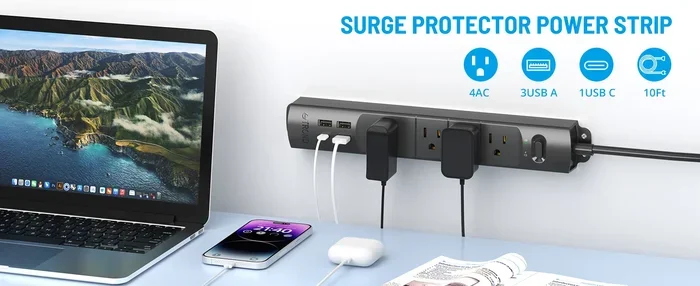
- Use a surge protector: A good surge protector guards your Xbox One against power spikes that can damage internal components including the HDMI port.
- Dust the console regularly: Dust can build up around the HDMI port and interfere with the connection. Use compressed air to clean the area gently every few months.
Final Thoughts on Replacing the HDMI Port on Xbox One
So, can you replace HDMI port on Xbox One? Absolutely yes. Whether you choose to do it yourself or hire a professional, a broken HDMI port is a fixable problem. You do not need to replace your entire console or live without gaming. The key is diagnosing the problem correctly, choosing the right repair path, and taking your time with the process.
DIY replacement saves you the most money and gives you a sense of accomplishment. But it requires some soldering skill and the right tools. Professional repair is the safer, more convenient option for most people. And remember, sometimes the problem is not the port at all. Always rule out simple causes like a bad cable or a faulty TV input before you commit to a repair.
Your Xbox One is a valuable piece of gaming equipment. With the right care and attention, a replaced HDMI port can last for many more years of enjoyable gaming. Do not let a small hardware issue force you to buy a new console. Take action today and get your Xbox One back up and running.
Frequently Asked Questions
Can I use an HDMI adapter instead of replacing the port?
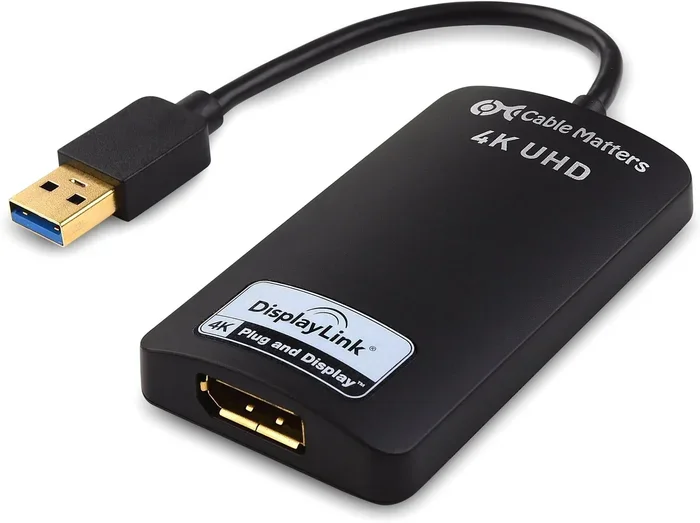
Yes, you can use an HDMI-to-DisplayPort adapter or an HDMI extension cable as a temporary workaround. However, these are not permanent solutions. They can introduce signal quality issues and do not fix the underlying problem with your Xbox One HDMI port. An adapter works best as a short-term fix while you plan a proper repair.
How long does it take to replace the HDMI port on Xbox One?
A DIY HDMI port replacement typically takes between 2 and 4 hours. This includes opening the console, desoldering the old port, soldering the new one, and testing the connection. If you are new to soldering, give yourself extra time. Professional repairs usually take 1 to 3 days including shipping time.
Is it cheaper to replace the HDMI port or buy a new Xbox One?
Replacing the HDMI port is significantly cheaper than buying a new console. A DIY parts kit costs $10 to $30. Professional repair runs $50 to $150. A new Xbox One costs $250 or more. Unless your console has multiple other problems, repairing the HDMI port is almost always the smarter financial choice.
Will replacing the HDMI port void my Xbox One warranty?
Yes, opening your Xbox One and performing internal repairs will void any remaining manufacturer warranty. If your console is still under warranty, contact Microsoft Support first. They may offer a free repair or replacement. Only attempt a DIY repair if the warranty has expired or you are willing to accept the risk.
What kind of soldering iron is best for Xbox One HDMI port replacement?
A temperature-controlled soldering iron with a fine tip is ideal. Look for an iron in the 40 to 60 watt range with adjustable temperature settings. A well-known brand like Hakko or Weller makes reliable options that work great for this type of precision electronics repair. Avoid cheap, unregulated irons that can overheat and damage the motherboard.
Can a loose HDMI port be fixed without replacement?
Sometimes a loose HDMI port can be temporarily fixed by gently bending the metal contacts inside the port back into position. You can also try using a small piece of tape to hold the cable snugly. However, these are temporary fixes. A loose port usually indicates internal damage that will worsen over time. Replacing the port is the only permanent solution.
Frequently Asked Questions
What is Can You Replace Hdmi Port On Xbox One?
Can You Replace Hdmi Port On Xbox One is an important topic with many practical applications.