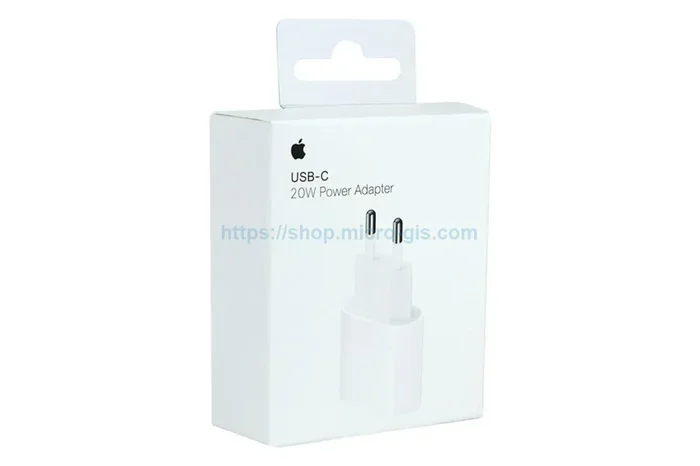
Can You Use Any Usb C Charger For Apple Devices Safely
Yes, you can use many USB C chargers with Apple devices, but not all chargers are created equal. The key to safe and efficient charging lies in understanding USB Power Delivery, wattage requirements, and safety certifications. This guide breaks down everything you need to know about using a USB C charger for Apple devices without risking damage.
You have a USB C charger sitting on your desk, and your Apple device needs a charge. The question is simple: can you just plug it in and go? The answer is not as straightforward as you might think. While USB C has become the universal charging standard, using any USB C charger for Apple devices comes with important caveats. Not every charger will charge your device safely, and some might even cause damage over time.
In this guide, we will walk through everything you need to know about USB C charger compatibility with Apple devices. Whether you own an iPhone 15, a MacBook Pro, or an iPad Air, understanding how USB C charging works will save you money, protect your devices, and keep you powered up. Let us break it down in plain language so you never have to guess again.
Key Takeaways
- USB C is universal, but not all chargers deliver the same power: Apple devices need specific wattage and voltage to charge safely and efficiently.
- USB Power Delivery (USB PD) is the standard to look for: Any USB C charger with USB PD support will work well with most Apple devices.
- Third-party chargers can be safe if certified: Look for MFi certification or safety marks like UL or CE to ensure quality.
- Using the wrong charger can cause risks: Overheating, slow charging, and long-term battery damage are real concerns with incompatible chargers.
- Apple’s own chargers are not the only option: Many high-quality third-party alternatives offer the same performance at a lower price.
- Match the wattage to your device: iPhones need around 20W, while MacBooks may require 60W to 100W depending on the model.
📑 Table of Contents
- What Is USB C and Why Does It Matter for Apple?
- Can You Use Any USB C Charger For Apple Devices?
- How USB C Charging Works With Apple Devices
- Risks of Using the Wrong USB C Charger for Apple Devices
- How To Choose a Safe USB C Charger for Apple Devices
- Benefits of Using Third-Party USB C Chargers With Apple Devices
- Quick Tips for Safe USB C Charging With Apple Devices
- Common Mistakes People Make With USB C Charging
- Expert Insights on USB C Charging and Apple Devices
- Final Thoughts
What Is USB C and Why Does It Matter for Apple?
The USB C Connector Explained
USB C is a type of connector that has become the go-to standard for charging and data transfer. It is small, reversible, and fast. Unlike the old USB A ports you might remember, USB C plugs in either way. You do not have to flip it around three times trying to get it right. That alone is a win for all of us.
USB C is not just a shape. It is also a protocol that supports different speeds and power levels. The connector can handle data transfer speeds up to 40 gigabits per second with Thunderbolt 3 or 4. It can also deliver up to 240 watts of power with the latest USB Power Delivery standards. That is a huge range, and it means one cable can do many jobs.
Apple made the switch to USB C across most of its product lineup starting with the iPhone 15 in 2023. Before that, iPhones used the proprietary Lightning connector. The change brought Apple into line with the rest of the tech world. Now, your iPhone, iPad, and MacBook can all share the same basic charging ecosystem.
Apple Devices That Use USB C
Here is a quick look at the Apple devices that now use USB C charging:
- iPhone 15 and iPhone 16 models (all variants)
- MacBook Air (M1 and later)
- MacBook Pro (14-inch and 16-inch, all models)
- iPad Air (4th generation and later)
- iPad Pro (all current models)
- iPad mini (6th generation)
- Apple Vision Pro
As you can see, Apple has fully embraced USB C. But having a USB C port does not mean every USB C charger will work perfectly. That is where things get interesting.
Can You Use Any USB C Charger For Apple Devices?
The Short Answer
The short answer is yes, but with conditions. You can physically plug a USB C charger into any Apple device that has a USB C port. The charger will deliver power. But whether it charges safely, how fast it charges, and whether it affects your battery health over time depends on the charger’s capabilities.
Think of it like a water faucet and a glass. You can pour water from any faucet into any glass. But if the faucet blasts water at full pressure, a small glass will overflow. If the faucet barely trickles, it will take forever to fill. The same logic applies to USB C charging and your Apple devices.
Understanding USB Power Delivery
USB Power Delivery, often called USB PD, is the protocol that allows devices and chargers to negotiate the right amount of power. When you plug a USB C charger into an Apple device, they talk to each other. The device says, “I need this much power,” and the charger responds accordingly. This negotiation happens in milliseconds.
Not all USB C chargers support USB PD. Some cheap chargers only offer a fixed power output, usually around 5 watts. That is the same speed as the old iPhone chargers from years ago. A 5-watt charger will technically charge your iPhone 15, but it will take many hours to do so.
For fast and safe charging, you want a charger that supports USB PD and delivers the right wattage for your specific device. This is the most important factor to consider before buying any third-party charger.
How USB C Charging Works With Apple Devices
Wattage, Voltage, and Amperage Explained
Charging power is measured in watts. Watts are the result of voltage multiplied by amperage. Here is a simple way to think about it:
- Wattage (W): The total power delivered. Higher watts mean faster charging.
- Voltage (V): The electrical pressure. Apple devices typically operate between 5V and 20V.
- Amperage (A): The electrical current. Higher amperage at the right voltage means more power.
Apple devices use USB PD to dynamically adjust these values. Your iPhone might start at 5V and 2A (10W) when the battery is very low, then ramp up to 20V at 3A (60W) if the charger supports it. The device controls the process. The charger just provides the capability.
Fast Charging With USB C
Apple supports fast charging for iPhones that use USB C. With a 20-watt or higher USB PD charger, you can charge an iPhone from 0 to 50 percent in about 30 minutes. That is a massive improvement over the standard 5-watt charging speed.
For MacBooks, the charging requirements are much higher. A 14-inch MacBook Pro needs around 67 watts for normal use. A 16-inch model can draw up to 100 watts or more under heavy load. Using a lower-wattage charger will still work, but your MacBook may charge slowly or even lose battery while you use it.
iPads fall in between. Most iPad Air and iPad Pro models support fast charging with a 20-watt USB PD charger or higher. The key takeaway is to match your charger to your device’s needs.
Recommended USB C Charger Wattage by Apple Device
| Device | Minimum Recommended Wattage | Fast Charging Support |
|---|---|---|
| iPhone 15 / 16 | 20W | Yes (0-50% in ~30 min) |
| iPhone 14 and older (USB C models) | 20W | Yes |
| iPad Air | 20W | Yes |
| iPad Pro | 20W – 30W | Yes |
| MacBook Air (M1+) | 30W – 35W | Yes |
| MacBook Pro 14-inch | 67W – 96W | Yes |
| MacBook Pro 16-inch | 96W – 140W | Yes |
Risks of Using the Wrong USB C Charger for Apple Devices
Overheating and Battery Damage
Using a low-quality or incompatible USB C charger can cause overheating. Cheap chargers often lack proper voltage regulation. This means they might send inconsistent power to your device. Over time, inconsistent power delivery can degrade your battery faster than normal.
Apple designs its devices to handle a range of charging scenarios, but there are limits. If a charger pushes too much voltage or current, the device’s internal safety circuits should kick in and stop the flow. However, poorly made chargers might bypass these protections or behave unpredictably.
Some signs that your charger might be causing problems include:
- The device gets unusually warm during charging
- Charging slows down significantly or stops altogether
- The battery drains faster than normal after a full charge
- You notice swelling or physical changes in the battery over time
Compatibility Issues to Watch For
Not all USB C cables are the same either. A cheap USB C cable might only support 5V and 3A, even if your charger can deliver 20V and 5A. The cable becomes the bottleneck. This is why pairing a good charger with a quality cable matters just as much.
Another issue is that some older USB C cables do not support USB PD at all. They might only handle basic data transfer and low-power charging. Always check the cable specifications, especially if you are buying cables separately from the charger.
It is also worth noting that some third-party chargers advertise high wattage but do not actually deliver it consistently. Independent testing has shown that many budget chargers fall short of their claimed output. This is why choosing reputable brands matters.
How To Choose a Safe USB C Charger for Apple Devices
Look for Safety Certifications
The easiest way to ensure a charger is safe is to look for recognized safety certifications. These marks tell you that the charger has been tested for electrical safety and compliance. Here are the certifications to look for:
- UL (Underwriters Laboratories): A widely recognized safety certification in the US.
- CE (Conformité Européenne): Required for products sold in the European market.
- FCC (Federal Communications Commission): Ensures the charger does not cause electromagnetic interference.
- MFi Certification: Apple’s own Made for iPhone/iPad/iPod program. While primarily for cables, some chargers also carry this badge.
Any charger that carries one or more of these certifications has gone through rigorous testing. It is a good indicator that the manufacturer cares about safety and quality.
Recommended Brands for Third-Party USB C Chargers
You do not have to buy Apple’s own chargers to get safe and reliable performance. Several third-party brands offer excellent USB C chargers that work beautifully with Apple devices. Some trusted names include Anker, Belkin, Nomad, Spigen, and Baseus. These brands invest in quality components and safety features.
When shopping, look for chargers that specifically mention USB PD support and list the exact wattage output. Avoid chargers that look suspiciously cheap or do not list clear specifications. A good USB C charger typically costs between $15 and $40, depending on the wattage and features.
Benefits of Using Third-Party USB C Chargers With Apple Devices
Cost Savings
One of the biggest advantages of using a third-party USB C charger is the price difference. Apple’s own 20-watt USB C power adapter costs around $19. A 30-watt or 65-watt USB C charger from a reputable brand can be found for $15 to $30. If you need multiple chargers for different rooms or devices, these savings add up quickly.
For MacBook owners, the savings are even more significant. Apple’s 96-watt and 140-watt USB C chargers are expensive. High-quality third-party alternatives from brands like Anker or Belkin offer the same power output at a fraction of the cost.
Availability and Convenience
USB C chargers are everywhere now. You can find them at grocery stores, airports, gas stations, and electronics shops. This universal availability means you are less likely to be stuck without a charging option when you need one. The USB C ecosystem has grown rapidly, and that benefits all of us.
Having a spare USB C charger in your bag, car, or office means you are always prepared. You do not need to carry a specific Apple-branded charger anymore. Any quality USB C charger will do the job.
Quick Tips for Safe USB C Charging With Apple Devices
- Always use a charger that supports USB Power Delivery for the best results.
- Match the charger wattage to your device’s requirements for optimal charging speed.
- Use high-quality USB C cables that are rated for the power level you need.
- Look for safety certifications like UL, CE, FCC, or MFi on any charger you buy.
- Avoid leaving your device on a charger overnight if you notice excessive heat.
- Unplug the charger once your device is fully charged to protect battery health.
- Keep your charging equipment away from water, extreme heat, and direct sunlight.
- If a charger or cable gets hot to the touch while charging, stop using it immediately.
Common Mistakes People Make With USB C Charging
Even with the best intentions, people make charging mistakes that can shorten their device’s lifespan. Here are some common ones to avoid:
- Using a charger with too low wattage: This will not damage your device, but it will charge very slowly. Your device may also drain while you use it if the charger cannot keep up.
- Ignoring cable quality: A cheap cable can limit charging speed or fail to support USB PD at all. Always invest in good cables.
- Buying the cheapest option available: Ultra-budget chargers often cut corners on safety features and component quality. They may work fine at first but can become a hazard over time.
- Assuming all USB C chargers are the same: USB C is just the connector shape. The internal electronics, power delivery capabilities, and safety features vary widely between chargers.
- Charging in extreme temperatures: Both very hot and very cold environments can affect charging performance and battery health. Charge your devices in room-temperature environments whenever possible.
Expert Insights on USB C Charging and Apple Devices
Industry experts agree that the move to USB C has been a positive change for Apple users. It simplifies the charging experience and reduces electronic waste. However, experts also emphasize that not all USB C chargers are created equal, and consumers should be mindful of quality.
According to battery specialists, modern Apple devices have sophisticated charging circuits that regulate power intake. These circuits protect the battery from overcharging, overheating, and voltage spikes. This means that using a slightly different charger will not immediately fry your device. But consistently using a low-quality charger can lead to gradual battery degradation over months and years.
The electronic communication infrastructure that supports device charging, including the protocols and networks that enable device-to-charger negotiation, continues to evolve. Understanding these systems helps consumers make informed decisions. For those interested in the broader ecosystem of electronic communication standards, exploring the advantages and disadvantages of different network approaches can provide valuable context for how devices like chargers communicate with their host devices.
In summary, the key is to choose chargers from reputable brands, verify USB PD support, and match wattage to your device. Doing so ensures safe, fast, and efficient charging every time.
Final Thoughts
So, can you use any USB C charger for Apple devices safely? The honest answer is that most quality USB C chargers will work just fine, but you need to be selective. Look for USB PD support, check the wattage, and choose certified products. Avoid ultra-cheap no-name chargers that do not list clear specifications.
Your Apple devices are an investment. Taking a few extra minutes to choose the right charger protects that investment and keeps your devices running at their best. With the right USB C charger, you get fast charging, peace of mind, and the convenience of a universal connector. It is a win-win situation for everyone.
Now that you understand how USB C charging works with Apple devices, you can shop with confidence. Grab a quality charger, grab a good cable, and never worry about running out of power again.
Frequently Asked Questions
Will any USB C charger work with my iPhone 15?
Yes, any USB C charger will physically work with your iPhone 15. However, for fast charging, you need a charger that supports USB Power Delivery with at least 20 watts of output. A basic 5-watt charger will charge your phone, but it will take much longer to reach a full battery.
Can using a non-Apple USB C charger damage my MacBook?
Using a quality third-party USB C charger with USB PD support will not damage your MacBook. However, using a very low-quality or uncertified charger can pose risks like overheating or inconsistent power delivery. Always choose chargers from reputable brands with proper safety certifications.
Do I need a special USB C cable for fast charging with Apple devices?
Yes, you need a USB C cable that supports USB Power Delivery. Not all USB C cables are created equal. Some only support basic charging at lower speeds. Look for cables rated for at least 60W or 100W if you want fast charging with higher-wattage chargers.
What happens if I use a charger with too high wattage for my Apple device?
Nothing bad will happen. Apple devices only draw the power they need. If you plug a 100-watt charger into an iPhone, the iPhone will only draw about 20 to 27 watts. The device controls the power intake, not the charger. The charger just provides the capability.
Are GaN chargers safe for Apple devices?
Yes, GaN (Gallium Nitride) chargers are safe and increasingly popular. They are more efficient, generate less heat, and are more compact than traditional chargers. Many high-quality GaN chargers from brands like Anker and Belkin support USB PD and work perfectly with Apple devices.
How can I tell if a USB C charger is compatible with my Apple iPad?
Check two things: the charger must support USB Power Delivery, and it should deliver at least 20 watts for most iPads. You can find this information on the charger’s packaging or product listing. If it supports USB PD and meets the wattage requirement, it will work with your iPad safely and efficiently.
=== INTERNAL LINK ===
For a deeper understanding of how electronic communication standards shape the devices we use daily, including the protocols that enable safe and efficient charging between devices and chargers, you can explore the advantages and disadvantages of using a value added network for electronic commerce communication. This provides valuable context on the broader communication infrastructure that supports modern device ecosystems.