Do Panera Bread Locations Have Wi Fi Here Is The Answer
Do Panera Bread Locations Have Wi Fi? Yes, virtually every Panera Bread location offers free WiFi to customers. The Panera WiFi network is available for guests to use while dining, working, or studying. You can connect easily, and the Panera Bread internet is generally reliable for browsing, streaming, and video calls.
Do Panera Bread Locations Have Wi Fi? That is the question on a lot of people’s minds, especially if you are looking for a cozy spot to get some work done or just browse the web. The good news is that Panera Bread is known for offering free WiFi at most of its locations. Whether you are grabbing a sandwich for lunch or sitting down for a full meal, you can usually count on having internet access.
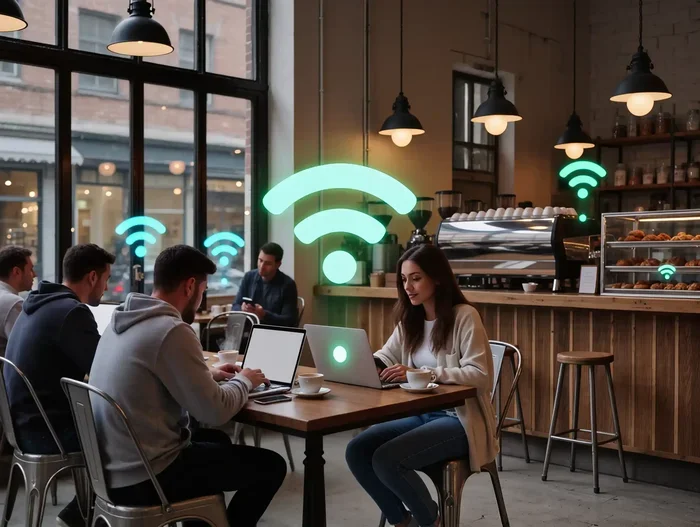
The Panera Bread WiFi network has become a staple of the Panera experience. People love the idea of sitting down with a warm bowl of soup and a strong internet connection. It makes Panera a popular choice for remote workers, students, and anyone who needs a quiet place to get online. In this article, we will walk you through everything you need to know about Panera cafe WiFi, from how to connect to what speeds you can expect.
We will also cover some common problems you might run into and share tips to make your Panera Bread internet experience better. So grab your laptop or phone, and let us dive into the world of Panera WiFi. By the end of this guide, you will know exactly what to expect when you walk into your nearest Panera.
Key Takeaways
- Free WiFi is available at nearly all Panera Bread locations: You can count on wireless internet at most Panera cafes across the country.
- Connecting is simple and straightforward: The Panera WiFi login process takes just a few minutes.
- Speeds vary by location: Urban Panera Bread locations typically offer faster connections than smaller or rural cafes.
- Troubleshooting is easy: Common connection issues have simple fixes you can try on your own.
- Panera offers WiFi for business and leisure: The free internet is part of Panera’s strategy to keep customers coming back.
- Not every location is identical: Franchise and corporate locations may have slightly different setups.
- Panera WiFi works well for remote work: Many digital nomads and remote workers use Panera as a workspace.
📑 Table of Contents
- The Short Answer: Yes, Panera Bread Has WiFi
- How to Connect to Panera Bread WiFi
- WiFi Speed and Performance at Panera
- Panera Bread WiFi: Not All Locations Are the Same
- Troubleshooting Panera WiFi Connection Issues
- Panera Bread WiFi Tips for the Best Experience
- Why Panera Offers Free WiFi
- Frequently Asked Questions
- Final Thoughts
The Short Answer: Yes, Panera Bread Has WiFi
Let us get the big question out of the way right away. Do Panera Bread Locations Have Wi Fi? Yes, they do. Almost every Panera Bread location in the United States offers free wireless internet to its customers. This has been a core part of the Panera experience for many years now.
Panera was one of the first restaurant chains to roll out free WiFi at restaurants on a large scale. Back when many fast-casual dining spots did not offer internet access, Panera saw an opportunity. They understood that people wanted a comfortable place to work, study, and stay connected. So they made Panera wireless internet available to everyone who walked through the door.
Today, Panera Bread WiFi is as standard as the bread itself. You can find it in thousands of locations nationwide. From busy city centers to quiet suburban neighborhoods, the Panera WiFi network is there for you. Whether you are a regular customer or visiting a new city, you can rely on Panera to have your back when it comes to internet access.
What Makes Panera WiFi Stand Out
Not all restaurant WiFi is created equal. Some places offer a weak signal that drops every few minutes. Others make you jump through hoops just to get online. Panera has worked hard to make its Panera internet connection reliable and user-friendly. Here is what sets it apart:
- No purchase required: You do not need to buy anything to use the WiFi. Just connect and go.
- Easy access: The login process is simple and does not require a password in most cases.
- Wide coverage: The signal reaches most seating areas, including outdoor patios at some locations.
- Guest-friendly network: Panera keeps its WiFi network open and welcoming for all customers.
- Consistent availability: The vast majority of Panera Bread locations have WiFi up and running.
Of course, there are always exceptions. Some older locations or franchise-owned spots might have slightly different setups. But overall, Panera Bread free WiFi is a given at the vast majority of locations. If you are planning a visit, you can feel confident that you will be able to get online.
How to Connect to Panera Bread WiFi
Connecting to Panera WiFi is quick and easy. You do not need to be a tech expert to get online. Here is a simple guide to help you connect in just a few minutes.
Step-by-Step Connection Guide
Follow these steps to get your Panera Bread internet up and running:
- Open your device’s WiFi settings. This works on smartphones, tablets, and laptops.
- Look for the Panera network. The network name is usually something like “PaneraWiFi” or “panera-guest.”
- Select the network and connect. Tap or click on it to join.
- Open your browser. A login page should pop up automatically.
- Accept the terms or enter your email. Some locations ask for your email address to access the network.
- Start browsing. Once you accept, you should be connected to Panera WiFi right away.
That is it! The Panera WiFi login process is designed to be as simple as possible. You should not need any special apps or software. Just a web browser and a willingness to accept the terms of use.
Panera WiFi Login Process Explained
The Panera WiFi login page typically asks for your email address. This helps Panera keep track of how many people use their network and gather feedback. Some locations may not require any login at all. You might just click “Connect” and be on your way.
If the login page does not pop up automatically, try typing any website into your browser. This should trigger the Panera Bread WiFi portal. From there, follow the prompts to get connected. If you are still having trouble, check out the troubleshooting section below.
WiFi Speed and Performance at Panera
Now that you know how to connect, let us talk about speed. After all, what good is Panera WiFi if it is too slow to load a webpage or stream a video? The good news is that most Panera Bread locations offer solid internet speeds for everyday tasks.
What to Expect from Panera Internet Speed
The Panera WiFi speed can vary depending on several factors. However, most users report that the connection is fast enough for:
- Web browsing: Loading pages is quick and smooth.
- Email and messaging: Sending and receiving messages works without any issues.
- Social media: Scrolling through feeds and posting updates is no problem.
- Video calls: Many people use Panera WiFi for Zoom calls and video chats.
- Streaming music: Listening to Spotify or Apple Music works well.
- Light video streaming: Standard definition video should play without buffering.
For heavy tasks like downloading large files or streaming 4K video, you might notice some limitations. The Panera Bread internet is designed for casual use, not enterprise-level downloads. But for most people, the speeds are more than enough.
Factors That Affect Your Connection
Several things can impact your Panera wireless network performance:
- Time of day: Busy lunch hours and weekend afternoons can slow things down. More people on the network means slower speeds for everyone.
- Location within the cafe: Seats closer to the router tend to have stronger signals. Try sitting near the front or the center of the store.
- Location size: Smaller Panera cafes may have fewer devices connected, leading to faster speeds.
- Equipment age: Older Panera locations might have outdated networking equipment that limits performance.
- Your device: The quality of your phone or laptop’s WiFi adapter also plays a role.
Overall, the Panera WiFi experience is quite good. Most people find it reliable and fast enough for their needs. If you are working from a Panera location, try visiting during off-peak hours for the best speeds.
Panera Bread WiFi: Not All Locations Are the Same
While the vast majority of Panera Bread locations offer WiFi, there are some differences you should know about. Not every cafe is built the same way, and that can affect your Panera internet connection.
Differences Between Urban and Rural Locations
Urban Panera locations tend to have better WiFi infrastructure than rural ones. This is because they serve more customers and have more resources. A Panera in a busy city center might have multiple routers and a strong backbone connection. A Panera in a small town might have a simpler setup.
That said, both types of locations offer Panera Bread free WiFi. The speeds might differ, but you should still be able to get online at either location. If you are in a rural area and the signal is weak, try moving closer to the front of the store or sitting near a window.
Franchise vs Corporate Locations
Some Panera locations are corporate-owned, while others are franchises. This can sometimes affect the Panera WiFi setup. Corporate locations often have the latest equipment and standardized setups. Franchise locations might use slightly older equipment or have different configurations.
In most cases, the difference is barely noticeable. Both types of locations provide Panera wireless internet access. If you are ever unsure about a specific location, you can call ahead and ask if they offer WiFi. It is a quick and easy way to avoid disappointment.
What About Non-Panera Locations?
Some places that are affiliated with Panera but not full Panera cafes might not have WiFi. For example, some Panera at-home or delivery-only locations do not have a dining room, and therefore no WiFi. Always check before you visit if having Panera Bread internet access is important to you.
Troubleshooting Panera WiFi Connection Issues
Even the best Panera WiFi network can have occasional hiccups. If you are having trouble connecting, do not worry. Most issues are easy to fix on your own.
Common Problems and Quick Fixes
Here are some common Panera WiFi problems and how to solve them:
- The network is not showing up: Make sure WiFi is turned on your device. Try turning it off and back on again. Sometimes a simple restart fixes the issue.
- The login page will not load: Clear your browser cache or try opening an incognito window. This often triggers the Panera WiFi login page to appear.
- Slow speeds: Move closer to the router or try connecting during a less busy time. Too many users on the network can slow things down.
- Connected but no internet: Forget the network on your device and reconnect. This forces your device to get a fresh connection.
- Password required: Some locations may require a password. Ask a staff member if you cannot find it posted anywhere in the cafe.
When WiFi Is Not Working
Sometimes the Panera Bread internet is simply down. This can happen due to technical issues, maintenance, or outages. If you are at a Panera location and the WiFi is not working, here is what you can do:
- Ask a staff member: They may know if there is a known issue or when it will be fixed.
- Use your mobile data: If you need to get online right away, switch to your phone’s hotspot.
- Check social media: Sometimes Panera posts about outages on their social media channels.
- Try again later: Most outages are temporary and get resolved quickly.
Remember that Panera WiFi is a free service. It is not a guaranteed, 24/7 enterprise-grade connection. But Panera does its best to keep the network running smoothly for all customers.
Panera Bread WiFi Tips for the Best Experience
Want to get the most out of your Panera WiFi experience? Here are some practical tips to help you stay connected and productive.
Pro Tips for Faster Browsing
- Sit near the front of the store: This is usually where the WiFi router is located, giving you a stronger signal.
- Visit during off-peak hours: Early mornings and weekday afternoons tend to be less crowded, meaning faster speeds.
- Close unused apps and tabs: This frees up bandwidth and can improve your connection speed.
- Use a laptop instead of a phone: Laptops often have better WiFi antennas and more stable connections.
- Bring a portable hotspot as backup: Just in case the Panera WiFi is not working that day.
Maximizing Your Time at Panera
Panera is not just about WiFi. It is also a great place to relax, work, and enjoy good food. Here are some ways to make the most of your visit:
- Order a drink and settle in: A coffee or tea gives you a reason to stay longer without feeling rushed.
- Bring your own charger: You will want to keep your device powered up while you work.
- Be respectful of others: Keep your volume low and do not take up too many seats if the cafe is busy.
- Join the Panera rewards program: This can get you free food and drinks while you enjoy your Panera Bread internet.
- Check for power outlets: Some Panera locations have outlets under seats or on walls for charging devices.
Why Panera Offers Free WiFi
You might wonder why Panera goes to the trouble of providing Panera Bread free WiFi at every location. The answer is simple: it is a smart business strategy.
The Business Strategy Behind Free WiFi
Free WiFi encourages people to stay longer at Panera. When you have a reliable internet connection, you are more likely to order another coffee or a pastry while you work. This means more sales for Panera, even if you are just sitting there with a single drink.
WiFi also sets Panera apart from competitors. In a crowded fast-casual dining market, having free WiFi at restaurants is a major draw. It turns Panera into more than just a place to eat. It becomes a workspace, a study spot, and a meeting place for friends.
How Panera WiFi Benefits Customers
The benefits of Panera WiFi go beyond just staying connected:
- Remote work flexibility: Many people use Panera as a second office or a change of scenery from their home workspace.
- Study sessions: Students love the quiet atmosphere and reliable Panera internet connection for studying and homework.
- Travel convenience: When you are on the road and need to get online, Panera is a reliable option in many cities.
- Social connectivity: Stay in touch with friends and family while enjoying your meal.
- Entertainment: Stream music, podcasts, or videos while you eat and relax.
Panera has built its brand around being a “third place” between home and work. Panera Bread WiFi is a key part of that identity. It makes every visit more comfortable and productive.
Frequently Asked Questions
Is Panera WiFi really free?
Yes, Panera WiFi is completely free for all customers. You do not need to make a purchase to connect, though many people do order something while they are there. The network is open and available to anyone who walks into a Panera location.
Do I need a password to connect to Panera WiFi?
In most cases, you do not need a password. The Panera Bread WiFi network is open, and you can connect by simply selecting the network and accepting the terms. However, some locations may require a password, which you can ask a staff member for.
Can I use Panera WiFi without buying anything?
Yes, you can. Panera does not require a purchase to use their WiFi. However, they do appreciate it if you are a customer. The free internet is meant to enhance your dining experience and keep you coming back.
How fast is Panera WiFi compared to home internet?
Panera WiFi speeds are generally decent for everyday tasks like browsing, emailing, and streaming music. They may not match your home internet speed, especially during busy hours. For most users, the connection is fast enough for video calls and light browsing without any issues.
What should I do if the Panera WiFi is not working?
First, try forgetting the network on your device and reconnecting. If that does not work, move to a different spot in the cafe or ask a staff member if there is a known issue. Most connectivity problems are temporary and easy to resolve.
Can I use Panera WiFi for video conferencing?
Yes, many people use Panera Bread WiFi for Zoom calls and video meetings. The connection is generally stable enough for standard definition video calls. For the best experience, sit near the router and visit during quieter times to avoid network congestion.
Final Thoughts
Do Panera Bread Locations Have Wi Fi? The answer is a clear and resounding yes. Panera WiFi is available at virtually every Panera Bread location, and it is free for all customers. Whether you are working remotely, studying, or just browsing the web, you can count on Panera Bread internet to keep you connected.
The Panera WiFi login process is simple, the speeds are good for most tasks, and the network is reliable across thousands of locations. While there are occasional hiccups, the troubleshooting steps are straightforward and easy to follow.
Panera Bread WiFi is more than just a convenience. It is a part of what makes Panera a great place to spend time. From busy city locations to quiet neighborhood cafes, the free internet is there for you. So next time you are at Panera, take full advantage of the Panera wireless network and enjoy a productive, connected experience.
Remember to be a respectful guest, keep your device charged, and maybe grab a coffee while you are at it. Panera WiFi is just one of the many reasons people love visiting Panera Bread. Now that you know all the details, you can head to your nearest location with confidence and get online in no time.