Do Wifi Antennas On Pc Work And How They Boost Signal
Do wifi antennas on pc work? Yes, they absolutely do — and understanding how they function can dramatically improve your wireless signal strength. Whether your PC has an internal antenna or you plug in an external WiFi adapter, the right antenna setup can eliminate dead zones and boost internet speed. In this guide, we break down exactly how these antennas work, why signal strength matters, and what you can do to get the most out of your desktop computer internet connection.
Let’s be honest. When your WiFi keeps dropping or your internet speed crawls, it’s frustrating. You might blame your internet provider. You might blame your router. But often, the real culprit is the WiFi antenna on your PC. So, do wifi antennas on pc work? The short answer is yes — they absolutely do. And once you understand how they work, you can take real steps to boost your signal and get faster, more reliable internet.
Whether you use a desktop computer in a home office or a laptop in a crowded apartment, your WiFi antenna plays a huge role in how well you connect to the web. Think of it like the ears of your computer — it listens for the wireless signal from your router and sends data back and forth. A weak antenna means weak reception. A strong antenna means fast speeds and fewer disconnections.
In this article, we’re going to cover everything you need to know about PC WiFi antennas. We’ll look at how they actually work, the difference between internal and external options, and how you can upgrade your setup to get better wireless signal strength. By the end, you’ll know exactly what to do to improve your network connectivity without spending a fortune.
Key Takeaways
- WiFi antennas on PCs do work: They receive and transmit wireless signals that connect your computer to the internet.
- Internal and external antennas serve different purposes: External antennas typically offer stronger signal and better range than internal ones.
- Antenna gain matters: Higher gain antennas can boost your WiFi signal over longer distances.
- Placement and positioning are critical: Even the best antenna won’t help if it’s blocked by walls or metal objects.
- Upgrading your WiFi antenna is affordable: You don’t need to buy a new PC to get better wireless performance.
- Interference can weaken your signal: Other devices and networks nearby can reduce your WiFi quality.
- USB WiFi adapters are a great upgrade option: They offer better antennas than most built-in PC cards.
📑 Table of Contents
- How Do Wifi Antennas On Pc Work
- Internal Vs External Wifi Antennas On Pc
- How Wifi Antennas Boost Your Signal
- When To Upgrade Your Pc Wifi Antenna
- Tips For Getting The Best Wifi Signal On Your Pc
- Common Mistakes People Make With Pc Wifi Antennas
- Expert Insights On PC Wifi Antennas
- Key Takeaways
- Conclusion
How Do Wifi Antennas On Pc Work
Understanding how a WiFi antenna on a PC works isn’t as complicated as it sounds. At its core, the antenna sends and receives radio waves. These waves carry data between your computer and your wireless router. Let’s break this down into simple steps so it makes total sense.
The Basics of Wireless Communication
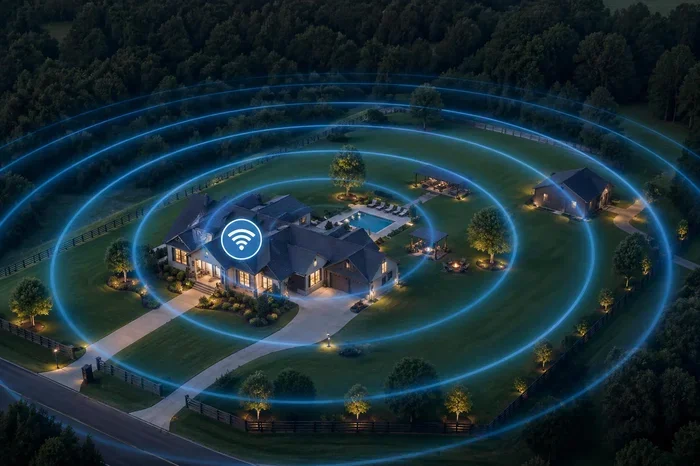
Your router sends out a wireless signal — kind of like a radio station broadcasting music. Your PC’s antenna picks up that signal, and your wireless adapter turns it into data your computer can use. When you send information back (like clicking a link or streaming a video), your antenna sends radio waves back to the router.
This all happens on specific frequencies. Most home networks use either the 2.4 GHz band or the 5 GHz band. The 2.4 GHz frequency travels farther but is slower. The 5 GHz frequency is faster but doesn’t travel as far. Your antenna has to be designed to work on these frequencies for everything to function properly.
What Is Antenna Gain?
You’ll hear the term antenna gain a lot when shopping for WiFi equipment. Don’t let the word “gain” confuse you — it doesn’t mean the antenna creates more power. Instead, it means the antenna focuses the signal in a specific direction. Think of it like a flashlight. A regular bulb lights up in all directions. A focused beam goes farther in one direction.
A higher gain antenna can reach farther and pick up weaker signals. For most home users, an antenna with a gain of 5 to 9 dBi works great. If you’re dealing with a long distance or thick walls, a higher gain option might be worth considering.
Internal Vs External Wifi Antennas On Pc
Not all PC WiFi antennas look the same. Some are hidden inside your computer case. Others stick out or plug in from the outside. Both types work, but they have different strengths and weaknesses.
Internal WiFi Antennas
Many modern desktops and laptops come with internal WiFi antennas built right into the machine. These are small, flat pieces of metal or thin wire hidden behind the case or inside the screen. They’re convenient because you don’t see them, and they protect the antenna from damage.
The downside? Internal antennas are limited by size and placement. They can’t be repositioned for better reception. If your router is on the other side of the house, an internal antenna might struggle to maintain a strong connection. This is a common reason people experience WiFi dead zones in certain rooms.
External WiFi Antennas
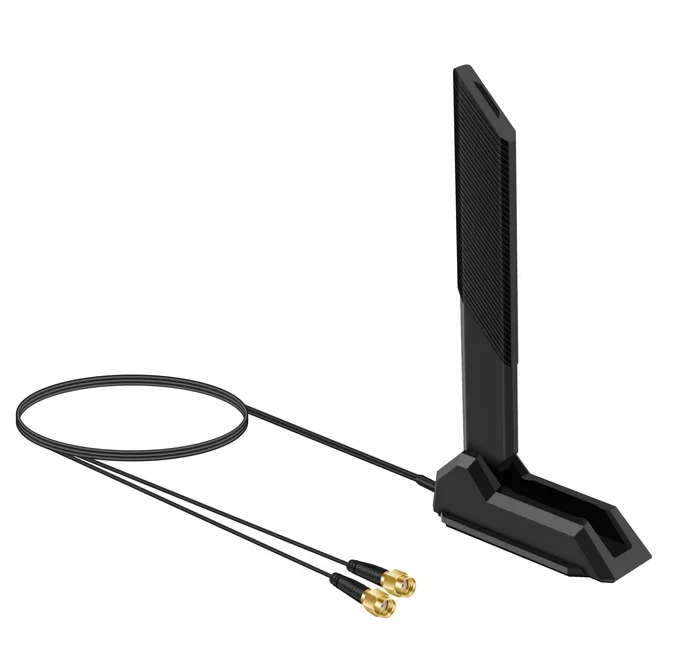
External WiFi antennas are the big win for signal strength. These come in two main forms: antennas that attach to your existing wireless card, and USB WiFi adapters with built-in antennas. You can position them higher, point them toward your router, and move them around until you find the sweet spot.
USB WiFi adapters are especially popular because they’re plug-and-play. You don’t need to open your computer case or install anything complicated. Just plug the adapter into a USB port, and you’re good to go. Many of these adapters come with antennas that have much higher gain than what’s inside your PC.
If you’re wondering whether an external setup is worth the effort, the answer is almost always yes — especially if you currently deal with slow speeds or frequent disconnections. The improvement can be night and day.
How Wifi Antennas Boost Your Signal
Now let’s get to the fun part. How exactly do WiFi antennas boost your signal? There are several factors at play, and understanding them helps you make smarter choices about your setup.
Better Reception Through Stronger Antennas
The biggest benefit of a better antenna is improved reception. A stronger antenna can “hear” your router from farther away. This means you can sit in a room that’s normally too far from the router and still get a solid connection. For people working from home, this alone can be a game changer.
Your wireless adapter works hand in hand with the antenna. Even if you have a great antenna, a cheap or outdated wireless adapter can bottleneck your speeds. So when upgrading, consider both the antenna and the adapter as a team.
Reduced Signal Interference
WiFi signals get interrupted by all sorts of things. Microwave ovens, baby monitors, Bluetooth devices, and even neighboring WiFi networks can cause signal interference. A better antenna can push through this interference and maintain a cleaner connection.
External antennas with directional focus are especially good at this. Because they concentrate the signal in one direction, they’re less likely to pick up noise from other directions. This results in a more stable and faster connection.
Improved Data Transfer Speeds
When your antenna gets a stronger, cleaner signal, your data transfer speeds go up. You’ll notice this when downloading files, streaming videos, or video calling. What used to buffer constantly might now run smoothly.
Modern WiFi standards like WiFi 5 and WiFi 6 support faster speeds, but your antenna has to be capable of handling those frequencies. An older antenna might not support the latest standards, which means you’re leaving speed on the table.
When To Upgrade Your Pc Wifi Antenna
Not everyone needs a new antenna. But if you’re experiencing certain issues, it might be time for an upgrade. Here are the signs that your current setup isn’t cutting it.
- Frequent disconnections: If your WiFi keeps dropping, your antenna might not be picking up a strong enough signal.
- Slow speeds in certain rooms: This is a classic sign of weak reception caused by poor antenna performance.
- Your router is far from your PC: Distance kills WiFi signals. If your router is on another floor or at the far end of the house, you need help from a better antenna.
- You’re using an old wireless card: Older WiFi cards often have weak internal antennas that don’t support modern speeds.
- You’ve added walls or furniture: New obstacles between your PC and router can block signals that used to get through just fine.
If any of these sound familiar, upgrading your PC WiFi antenna could solve the problem. The good news is that most upgrades are affordable and easy to install.
Internal Vs External Upgrade Paths
For desktop PCs, upgrading is straightforward. You can either replace the internal wireless card with a better one, or you can use a USB WiFi adapter with an external antenna. Laptops are a bit trickier since internal cards are harder to replace, so a USB adapter is usually the best route.
Pro tip: if you’re going the USB adapter route, look for one that supports the latest WiFi standard (WiFi 6 or WiFi 6E) and has a high antenna gain. Brands like TP-Link, ASUS, and Netgear offer reliable options at reasonable prices.
Tips For Getting The Best Wifi Signal On Your Pc
Buying a better antenna is one thing. But how you use and position it matters just as much. Here are some practical tips to squeeze every bit of performance out of your setup.
Position Your Antenna Correctly
If your antenna is adjustable, try pointing it straight up or at a slight angle. WiFi signals spread outward from the antenna like a donut shape. Pointing it straight up gives you the best horizontal coverage across a room. If you need coverage on multiple floors, try angling the antenna slightly.
Keep Your PC Away From Interference Sources
Don’t place your desktop tower or laptop near microwaves, cordless phones, or large metal objects. These things absorb and block WiFi signals. Even placing your PC behind a large monitor or inside a closed desk cabinet can weaken your signal.
Update Your Wireless Drivers
This one gets overlooked all the time. Outdated wireless drivers can cause poor performance even with a great antenna. Check your wireless adapter manufacturer’s website for the latest drivers and install them regularly.
Consider A WiFi Extender
If your antenna upgrade isn’t enough, a WiFi range extender can help bridge the gap between your router and your PC. You can also look into mesh WiFi systems for whole-home coverage. Some people find that learning about portable WiFi options or WiFi extensions opens up more possibilities for their setup.
Also, if you’re dealing with signal issues across different devices in your home, understanding how WiFi calling works on different phones or how Bluetooth speakers connect wirelessly can give you a broader picture of your home network setup.
Check Your Router Placement
Sometimes the problem isn’t your PC antenna at all — it’s your router. Place your router in a central location, elevated off the floor, and away from walls. This simple change can improve signal strength throughout your home without any extra hardware.
Common Mistakes People Make With Pc Wifi Antennas
Even with the best intentions, people make mistakes that hurt their WiFi performance. Here are the most common ones — and how to avoid them.
- Ignoring the wireless card: A great antenna won’t help much if your wireless card is outdated or underpowered. Always check both components.
- Placing the antenna near metal: Metal blocks WiFi signals. Keep your antenna away from filing cabinets, refrigerators, and other metal surfaces.
- Using the wrong WiFi band: If your router supports both 2.4 GHz and 5 GHz, make sure your antenna and adapter can handle the band you’re using.
- Not checking for driver updates: Old drivers can cause all sorts of weird connection issues that look like antenna problems.
- Assuming all antennas are the same: Antennas vary widely in quality and gain. A cheap antenna won’t perform like a quality one, no matter how promising the marketing sounds.
Avoiding these mistakes alone can make a noticeable difference in your daily internet experience. And if you’re still struggling with connectivity, sometimes the solution involves looking at your broader home network setup — including how your router functions as an access point or how you can extend your network coverage.
Expert Insights On PC Wifi Antennas
We asked networking professionals what they think about PC WiFi antennas and how people can get the most out of them. Here’s what they had to say.
“Most people don’t realize their PC’s built-in antenna is the weakest link in their connection chain,” says one network technician. “Swapping to a USB adapter with a good external antenna is the single easiest upgrade you can make for better wireless performance.”
Another expert points out that MIMO technology — which stands for Multiple Input Multiple Output — plays a big role in modern WiFi performance. MIMO lets your antenna send and receive multiple data streams at once, which dramatically improves speeds. When shopping for a new adapter or antenna, look for MIMO support to future-proof your setup.
One more thing worth noting: if you’re trying to improve your overall home network, understanding the difference between WiFi and other connectivity options matters too. For example, knowing whether you can connect a WiFi-only iPad to your iPhone for hotspot sharing, or whether certain devices need a direct Ethernet connection, helps you plan your network more effectively.
Key Takeaways
- WiFi antennas on PCs do work: They receive and transmit wireless signals that connect your computer to the internet.
- Internal and external antennas serve different purposes: External antennas typically offer stronger signal and better range than internal ones.
- Antenna gain matters: Higher gain antennas can boost your WiFi signal over longer distances.
- Placement and positioning are critical: Even the best antenna won’t help if it’s blocked by walls or metal objects.
- Upgrading your WiFi antenna is affordable: You don’t need to buy a new PC to get better wireless performance.
- Interference can weaken your signal: Other devices and networks nearby can reduce your WiFi quality.
- USB WiFi adapters are a great upgrade option: They offer better antennas than most built-in PC cards.
Conclusion
So, do wifi antennas on pc work? Absolutely. They are the unsung heroes of your wireless connection. Whether your PC has a tiny internal antenna or you plug in a powerful external one, that antenna is responsible for bringing the internet to your screen. A weak antenna means slow speeds, dropped connections, and frustration. A strong antenna means fast, reliable internet no matter where you sit in your home.
The good news is that upgrading your setup doesn’t have to be expensive or complicated. A USB WiFi adapter with a better antenna can transform your connection in minutes. And with the right placement and a few smart habits, you can get the most out of every antenna you have.
Take some time today to evaluate your current setup. Check your wireless adapter, look at where your antenna sits, and think about whether an upgrade makes sense. Your internet experience will thank you. And remember, a great connection starts with a great antenna on your PC.
Frequently Asked Questions
Can I use a wifi antenna on any desktop pc?
Most desktop PCs can use an external WiFi antenna, either by upgrading the internal wireless card or by plugging in a USB WiFi adapter. Check what type of wireless card your PC has first, but in most cases, the answer is yes. USB adapters are the easiest option because they work with virtually any desktop.
Do external wifi antennas really make a difference?
Yes, they really do. External antennas typically have higher gain and better reception than the small internal antennas built into most PCs. Many users notice faster speeds and fewer disconnections after switching to an external setup. The difference is especially noticeable if your router is far from your computer.
What is the best antenna gain for a home pc?
For most home users, an antenna with a gain between 5 and 9 dBi works well. If you need to reach farther or penetrate thick walls, consider an antenna with 10 dBi or higher. Just keep in mind that higher gain means more focused signal in one direction rather than spreading everywhere.
Can a bad wifi antenna slow down my internet speed?
Yes, a weak or outdated antenna can definitely slow things down. Even if your internet plan is fast, a poor antenna can’t receive the full signal from your router. This results in slower speeds, buffering, and lag. Upgrading your antenna can often restore the speeds you’re paying for.
Is it better to upgrade the internal wireless card or buy a usb adapter?
For most people, a USB WiFi adapter is the better choice. It’s easier to set up, doesn’t require opening your PC case, and many models come with high-quality external antennas. Internal card upgrades are better for people who want a permanent, clean setup inside their desktop tower.
What causes weak wifi signal on a pc?
Several things can cause a weak signal: distance from the router, walls and obstacles, interference from other devices, outdated wireless cards, and poor antenna quality. Sometimes simply moving your PC closer to the router helps, but upgrading your antenna or adapter is the most reliable long-term fix.