Do You Need Internet For Wireless Doorbell Cameras
You do need internet for most wireless doorbell cameras to access full features like live video, cloud storage, and notifications. However, some models offer limited offline recording and local storage. Understanding what works with and without Wi-Fi helps you choose the right wireless doorbell for your home security setup.
Wireless doorbell cameras have become one of the most popular home security devices on the market today. They let you see and speak with visitors right from your phone. But here is the big question most people ask before buying one: do you need internet for wireless doorbell cameras to work?
The short answer is yes, but with some important caveats. The internet powers most of the smart features that make these devices so useful. Without it, you lose a lot of what makes a wireless doorbell camera worth having. However, not all hope is lost if your Wi-Fi goes down. Some models still offer basic functionality and local recording options.
In this guide, we will walk you through everything you need to know about internet requirements for wireless doorbell cameras. We will cover how they work, what happens when the Wi-Fi drops, and which features depend on a strong connection. By the end, you will know exactly what to expect and how to pick the right doorbell camera for your home.
Key Takeaways
- Internet is essential for full functionality: Most wireless doorbell cameras rely on Wi-Fi for live streaming, cloud storage, and real-time alerts.
- Offline recording is possible on some models: Certain doorbells can record locally to an SD card even without internet.
- Wi-Fi signal strength matters: A weak router signal leads to lag, dropped alerts, and poor video quality.
- Smart home integration needs internet: Features like Alexa or Google Assistant support require a connected network.
- Battery-powered units handle outages better: They keep working during power outages but still need Wi-Fi for full features.
- Wi-Fi security is important: Protect your doorbell camera with a strong password to prevent unauthorized access.
📑 Table of Contents
- What Is a Wireless Doorbell Camera?
- Do You Really Need Internet for a Wireless Doorbell?
- What Happens When Your Internet Goes Down?
- Types of Wireless Doorbell Cameras and Their Internet Needs
- How to Choose the Right Wireless Doorbell Camera for Your Internet Setup
- Setting Up Your Wireless Doorbell Camera for Best Performance
- Common Mistakes People Make With Wireless Doorbell Cameras
- Final Thoughts
What Is a Wireless Doorbell Camera?
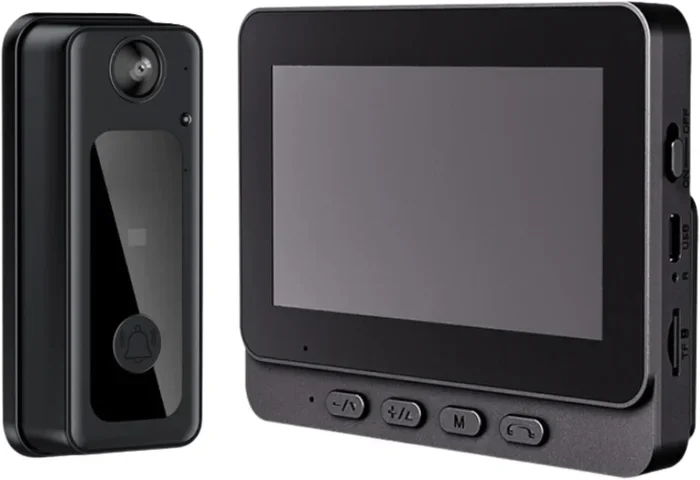
A wireless doorbell camera is a smart home security device that combines a doorbell with a built-in camera. It sends video and audio to your phone or tablet through your Wi-Fi network. Unlike traditional doorbells that only make a ringing sound, these smart devices give you a video feed of whoever is at your door.
Most wireless doorbell cameras are battery-powered or hardwired into your existing doorbell setup. They connect to your home network and send alerts to your device when motion is detected. Many also support two-way audio, so you can talk to the person at your door from anywhere.
These devices fall under the broader category of smart home technology. They often work with platforms like Alexa, Google Home, and Apple HomeKit. This integration adds even more convenience to your daily routine.
How Do They Connect to Your Network?
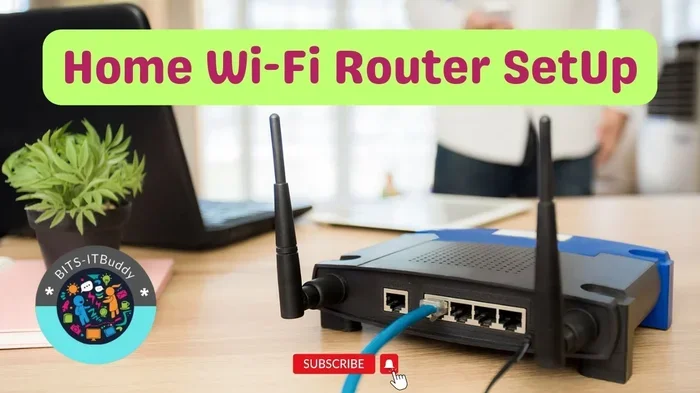
Wireless doorbell cameras connect to your home router using Wi-Fi. You download the manufacturer’s app, scan for the device, and enter your network credentials. Once paired, the camera streams video and sends notifications over your wireless network.
The quality of this connection depends on several factors. Your router’s signal strength, the distance between the router and the doorbell, and any walls or obstacles in between all play a role. A strong and stable connection ensures smooth video and fast alerts.
Do You Really Need Internet for a Wireless Doorbell?
This is the question most buyers want answered, and the answer depends on what features you care about. Let us break it down clearly.
Features That Require Internet
Most of the features that make wireless doorbell cameras valuable need an active internet connection. Here is a list of features that will not work without Wi-Fi:
- Live video streaming to your phone or tablet
- Push notifications when motion is detected
- Cloud video storage for recorded clips
- Two-way audio communication
- Remote viewing from anywhere outside your home
- Smart home integration with Alexa or Google Assistant
- Firmware updates that improve performance and security
As you can see, the internet is at the heart of what makes a wireless doorbell camera smart. Without it, you are left with a basic doorbell that rings. That is still useful, but you miss out on the security benefits.
Features That Work Without Internet
Some basic functions still work even when your internet goes down. These include:
- Physical ringing of the doorbell chime
- Local recording to an SD card (on supported models)
- Motion detection alerts on the device itself (if it has a screen)
- Basic motion detection that triggers recording locally
Not all models support offline recording. You need to check the specifications before purchasing if this feature matters to you. Some brands offer local storage options that keep your footage safe even without a cloud connection.
What Happens When Your Internet Goes Down?
Internet outages happen more often than you might think. Storms, construction, and equipment failures can all knock out your Wi-Fi. Understanding what happens to your doorbell camera during an outage helps you plan ahead.
Will Your Doorbell Still Record?
If your doorbell camera supports local storage with an SD card, it can continue recording even without internet. The motion detection sensor still triggers the camera. The footage saves to the local card instead of the cloud.
However, you will not receive any notifications on your phone. You also cannot view live footage remotely. This means you only discover what happened when you check the camera or retrieve the SD card after the internet is restored.
How to Prepare for Internet Outages
Here are some practical steps to keep your doorbell camera working even when the Wi-Fi drops:
- Choose a model with local storage support. Look for cameras that accept SD cards or have built-in storage.
- Install a Wi-Fi extender near your front door. This boosts signal strength and reduces the chance of connection drops.
- Use a cellular backup router. Some routers switch to cellular data when your main internet goes down.
- Check your camera’s battery regularly. A dead battery means the camera stops working entirely, regardless of internet status.
- Set up a secondary notification method. Some systems can send alerts via text message if Wi-Fi is down.
Taking these steps ensures your wireless doorbell stays as functional as possible, even during outages. Think of it as building a safety net for your home security system.
Types of Wireless Doorbell Cameras and Their Internet Needs
Not all wireless doorbell cameras are created equal. Different types have different internet requirements. Let us look at the main categories.
Battery-Powered Wireless Doorbells
Battery-powered doorbells are the most popular type. They are easy to install and do not require wiring. These cameras need Wi-Fi to send alerts and stream video. But since they run on batteries, they continue working during power outages as long as the Wi-Fi is still up.
Popular brands like Ring and Nest fall into this category. They offer excellent smart features but depend heavily on a stable internet connection. You can learn more about whether doorbell cameras are always recording and how that relates to internet connectivity.
Wired Wireless Doorbell Cameras
Some wireless doorbell cameras are wired to your home’s electrical system. They get power from the existing doorbell wiring but still use Wi-Fi for data transmission. These models tend to have a more reliable power source and can support features like continuous recording.
The internet need is the same as battery-powered models. You need Wi-Fi for smart features. But the consistent power supply means fewer interruptions from dead batteries.
Doorbells With Built-In Storage
A newer category of wireless doorbells comes with built-in local storage. These devices record footage to internal memory or a connected hard drive. They can store clips without needing cloud internet access.
This is a great option if you live in an area with unreliable internet. You still get motion detection and local recording even when the Wi-Fi is down. Just keep in mind that you lose remote access and smart features during outages.
How to Choose the Right Wireless Doorbell Camera for Your Internet Setup
Choosing the right doorbell camera starts with understanding your internet situation. Not everyone has the same Wi-Fi setup, and that affects which doorbell is best for you.
Check Your Wi-Fi Signal at the Front Door
Before buying any camera, check the Wi-Fi signal strength at your front door. Stand where the doorbell will be installed and check your phone’s signal. If the signal is weak, consider these options:
- Move your router closer to the front of the house.
- Add a Wi-Fi extender or mesh network node.
- Choose a doorbell with a stronger antenna.
- Use a doorbell that supports both 2.4 GHz and 5 GHz bands.
A weak signal leads to buffering video, missed alerts, and poor image quality. No matter how good the camera is, it cannot perform well without a solid connection.
Consider Your Internet Speed
Video streaming uses bandwidth. A wireless doorbell camera that sends HD or 4K video needs a decent internet speed. Most doorbell cameras work fine with speeds of 2 Mbps or higher for standard definition. For HD streaming, aim for at least 5 Mbps.
If you have multiple devices using the same network, your doorbell camera may compete for bandwidth. This is especially true if you stream other video content or work from home. A stable and fast connection makes all the difference.
Think About Privacy and Wi-Fi Security
Because wireless doorbell cameras connect to your Wi-Fi, they are part of your home network. This means they can be vulnerable if your network is not secure. Make sure you use a strong Wi-Fi password and keep your router firmware updated.
You should also check the camera manufacturer’s privacy policies. Some brands store your video footage in the cloud. Others keep everything local. Understanding where your data goes helps you make a smart and safe choice.
It is worth noting that Wi-Fi security is a real concern for any connected device in your home. Take steps to protect your network and your doorbell camera feed.
Setting Up Your Wireless Doorbell Camera for Best Performance
Once you have chosen the right doorbell camera, proper setup makes a big difference. Follow these tips to get the most out of your device.
Placement Matters
Install your doorbell camera at the right height and angle. Most manufacturers recommend mounting it between 48 and 60 inches from the ground. This height captures faces clearly and covers the right field of view.
Make sure the camera has a clear line of sight to your Wi-Fi router. Avoid placing it behind thick walls or metal objects that block the signal. The closer the camera is to the router, the better the connection.
Connect to the Right Wi-Fi Band
Most wireless doorbell cameras work on the 2.4 GHz band. This band has a longer range and better wall penetration than 5 GHz. Some newer models also support 5 GHz for faster speeds.
Check which band your doorbell supports before setting it up. If you have a dual-band router, make sure you connect the doorbell to the correct network. Mixing up the bands can cause connection issues.
Keep the Firmware Updated
Manufacturers regularly release firmware updates that fix bugs and improve performance. Check the app for updates after installation and periodically thereafter. These updates often improve your camera’s connection stability and video quality.
Updated firmware also patches security vulnerabilities. This keeps your home security system safe from potential threats. Think of it like updating your phone or computer, but for your doorbell camera.
Common Mistakes People Make With Wireless Doorbell Cameras
Avoiding common mistakes saves you frustration and helps your doorbell camera perform at its best. Here are some pitfalls to watch out for.
- Ignoring Wi-Fi signal strength at the installation spot. A weak signal causes constant buffering and missed alerts.
- Not checking cloud storage costs. Many doorbell cameras require a subscription for cloud recording. This adds to your monthly expenses.
- Skipping the two-way audio test. Make sure the microphone and speaker work well before finalizing your setup.
- Forgetting to set motion detection zones. Without proper zones, you get alerts for every passing car or animal.
- Using default login credentials. This leaves your camera vulnerable to hacking. Always change the default password.
These mistakes are easy to avoid with a little planning. Taking the time to set up your wireless doorbell correctly pays off in reliability and peace of mind.
Final Thoughts
So, do you need internet for wireless doorbell cameras? The answer is clear. For the full smart experience, yes, you need a working Wi-Fi connection. The internet powers live streaming, cloud storage, notifications, and smart home integration.
But that does not mean a wireless doorbell is useless without internet. Many models still offer local recording, motion detection, and physical doorbell chimes during an outage. The key is choosing a camera that fits your internet situation and security needs.
Take time to evaluate your Wi-Fi coverage, internet speed, and security setup before buying. A little preparation goes a long way. With the right wireless doorbell camera, you get a reliable layer of home security that works with or without a perfect connection.
Whether you are looking for a simple video doorbell or a full-featured smart home device, understanding the internet requirements helps you make the right choice. Your front door is the first line of defense for your home. Make sure your doorbell camera is up to the task.
Frequently Asked Questions
Can a wireless doorbell camera work without any internet at all?
Yes, but with very limited features. A wireless doorbell camera without internet can still ring and, on some models, record locally to an SD card. However, you will not get live streaming, push notifications, or remote viewing. The camera essentially becomes a basic doorbell with local recording capability.
How much internet speed does a wireless doorbell camera need?
Most wireless doorbell cameras work well with at least 2 Mbps for standard definition video. For HD or 4K streaming, you need at least 5 Mbps. A stable connection is more important than raw speed. Even a fast internet plan can struggle if the Wi-Fi signal at the doorbell location is weak.
What happens to my recorded videos if the internet goes down?
If your doorbell camera supports local storage with an SD card, the videos save to the card even without internet. Cloud-based cameras will stop recording to the cloud during an outage. Some models resume uploading once the connection is restored, but footage created during the outage may be lost if there is no local backup.
Do wireless doorbell cameras use a lot of Wi-Fi data?
They use a moderate amount of data. A camera recording short motion clips uses less data than one doing continuous recording. On average, a wireless doorbell camera uses about 50 to 300 GB of data per month depending on settings. If you have a data cap on your internet plan, keep an eye on usage.
Can I use a wireless doorbell camera with a cellular hotspot instead of home Wi-Fi?
Yes, you can connect a wireless doorbell camera to a cellular hotspot in a pinch. However, hotspots often have data limits and may not provide a stable enough connection for smooth video streaming. It works for basic alerts and occasional viewing but is not ideal for long-term use.
Are wireless doorbell cameras secure if they connect to my Wi-Fi?
Wireless doorbell cameras are generally secure, but your network security matters. Use a strong Wi-Fi password, enable two-factor authentication on the camera app, and keep firmware updated. Avoid using default login credentials. These simple steps go a long way in protecting your camera feed from unauthorized access.