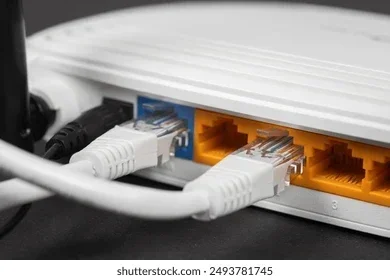
Does A Wireless Router Really Need An Ethernet Cable
Does a wireless router need an ethernet cable? The short answer is no — but it depends on your setup. A wireless router can broadcast WiFi without any cables, yet plugging in an ethernet cable unlocks faster speeds, lower latency, and a more stable connection. Whether you are streaming, gaming, or just browsing, understanding when to use a wired vs wireless setup makes a real difference.
You just unboxed a shiny new wireless router. You plug it in, power it on, and boom — your phone connects to WiFi without a single cable. So here is the big question: does a wireless router really need an ethernet cable? It sounds like a simple question, but the answer is more interesting than you might think.
The truth is, a wireless router can absolutely work without any ethernet cables at all. It can broadcast WiFi, let your devices go online, and handle everyday browsing just fine. But there is a catch. Without an ethernet cable, you miss out on speed, stability, and certain features that make a network feel truly fast and reliable. Let us dig into when you need a cable and when you can skip it.
Key Takeaways
- Wireless routers work without ethernet: A wireless router can deliver WiFi entirely on its own, as long as it has power and a modem connection.
- Ethernet cables boost performance: Plugging in a cable gives you faster speeds and more stable connections for gaming and streaming.
- Setup flexibility matters: You can use a router wirelessly for casual browsing, but wired backhaul helps with larger homes and mesh setups.
- Not all ports are equal: Some routers have gigabit ethernet ports that make a huge speed difference compared to older 10/100 ports.
- Mesh systems often need ethernet: If you are connecting a mesh router to an existing router, a wired link improves coverage significantly.
📑 Table of Contents
- What Does a Wireless Router Actually Do?
- When Can You Skip the Ethernet Cable Entirely?
- When Does a Wireless Router Need an Ethernet Cable?
- Wired vs Wireless: Which Is Better for You?
- Common Mistakes People Make with Ethernet and Wireless Routers
- Expert Tips to Maximize Your Router Performance
- The Bottom Line: Do You Really Need That Cable?
What Does a Wireless Router Actually Do?
A wireless router does two main jobs. First, it connects to your internet source, whether that is a modem or a fiber connection. Second, it takes that internet signal and shares it with your devices — phones, laptops, smart TVs, and more — over WiFi. Think of it as a traffic cop that directs data between your home devices and the wider internet.
Most modern routers handle both wired and wireless connections at the same time. They come with ethernet ports on the back, but those ports are optional depending on what you need. A wireless router is designed to be flexible. It adapts to whatever setup you have, whether that is a fully wireless home or one packed with cables.
How WiFi Works Without a Cable
When you set up a wireless router without any ethernet cables, it still needs a way to reach the internet. Usually, this means connecting the router to a modem. The modem brings the internet signal into your home, and the router spreads it through the air as radio waves. Your devices pick up those waves and connect automatically.
This is why you can set up a home network in minutes these days. You do not need to run cables through walls or crawl under desks. The wireless router handles everything through its built-in antennas and radio transmitters. It is incredibly convenient, and for most people, it works perfectly well for everyday tasks like browsing, streaming videos, and checking email.
When Can You Skip the Ethernet Cable Entirely?
There are plenty of situations where you do not need an ethernet cable at all. If your internet usage is light and straightforward, going fully wireless makes a lot of sense.
Light Internet Use
If you are mostly browsing the web, checking social media, watching YouTube videos, or sending emails, a wireless connection is more than enough. These activities do not demand super high speeds or ultra-low latency. Your wireless router can handle them without breaking a sweat.
Many families run their entire home network without a single ethernet cable. Smart TVs stream content over WiFi, phones and tablets connect wirelessly, and even laptops can do everything they need without a plug. As long as your WiFi signal is strong and your internet plan is decent, you will not notice any problems.
Renters and Apartment Dwellers
If you rent an apartment or a home, running ethernet cables through walls or floors might not be an option. Landlords often do not allow drilling holes or pulling cables through shared spaces. In these cases, a wireless router is the obvious choice. You get full connectivity without making any permanent changes to the property.
Some renters even use a WiFi extender or a mesh system to boost their signal across the apartment. These devices connect wirelessly to the main router and repeat the signal in other rooms. No cables needed, and no permission required.
Temporary or Portable Setups
Think about a home office that you move around, a college dorm room, or a temporary workspace in a garage. In these cases, a wireless setup is ideal. You can pick up your router and move it wherever you need it. An ethernet cable would tie you to one spot, which defeats the purpose of a portable setup.
Even for short-term events like a backyard party or a garage sale, you can set up a wireless router and share internet with guests. No drilling, no cabling, no hassle. Just power it on and let people connect.
When Does a Wireless Router Need an Ethernet Cable?
Now let us flip the coin. There are many situations where an ethernet cable makes a big difference. If you want the best performance from your wireless router, a wired connection can be essential.
Gaming and Low Latency
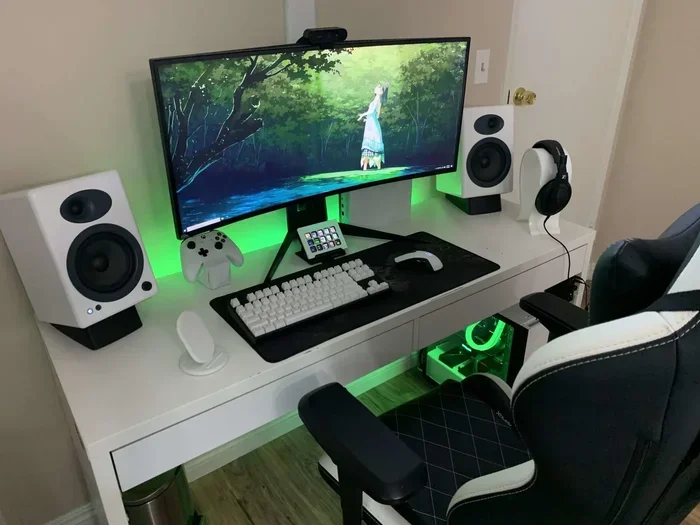
If you are a serious gamer, an ethernet cable is almost mandatory. Online gaming needs a stable, fast connection with minimal lag. WiFi is convenient, but it is not always consistent. Interference from other devices, walls, and even microwaves can cause packet loss and spikes in latency.
Plugging your gaming console or PC directly into the router with an ethernet cable eliminates these problems. You get a rock-solid connection that gives you a real edge in competitive games. The difference between WiFi and a wired connection can mean the difference between winning and losing.
Streaming 4K and Heavy Bandwidth Tasks
Streaming a 4K movie or uploading large files takes a lot of bandwidth. While modern WiFi standards like WiFi 6 can handle these tasks, a wired connection is more reliable. If you have ever noticed your video buffering during peak hours, it might be because your WiFi signal is not strong enough to handle the data load.
An ethernet cable provides a direct, uninterrupted path for data. Your internet speed test results will look much better over a wired connection compared to WiFi. If you are someone who streams a lot of high-quality content or works with large files, a cable is worth the effort.
Connecting to a Modem or ISP Equipment
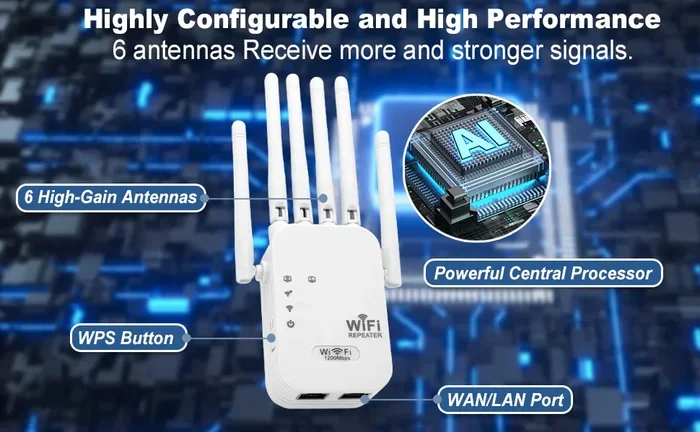
Here is something many people overlook. Even if you use your wireless router entirely on WiFi, it still needs to connect to your modem somehow. In most setups, this connection uses an ethernet cable. The cable runs from the modem to the router’s WAN port, and that is how the internet enters your router.
So in a way, most wireless routers already use an ethernet cable — just not between the router and your devices. The cable goes between the modem and the router. Without that single cable, your router would not have any internet to share in the first place.
Some ISPs provide combo modem-router units that eliminate the need for this cable, but many setups still require it. If you are wondering why your WiFi keeps dropping, check that the ethernet cable between your modem and router is securely plugged in. A loose cable causes more problems than people realize.
Mesh Networks and Multi-Router Setups
If you have a larger home and use multiple routers or a mesh system, ethernet cables become much more important. Connecting a mesh router to an existing router with a cable creates a strong backhaul. This is the link between your main router and the satellite nodes that extend your coverage.
Wireless mesh systems use WiFi to communicate between nodes, which cuts your available bandwidth in half. A wired backhaul solves this problem completely. Every node gets the full speed of your internet connection, and your whole home enjoys fast, reliable coverage. If you are setting up a mesh network, I strongly recommend using ethernet cables between nodes whenever possible.
You can also check whether your current router setup can benefit from a wired connection by learning about connecting a mesh router to an existing router for optimal performance.
Wired vs Wireless: Which Is Better for You?
The debate between wired and wireless connections comes down to your specific needs. Both options have clear strengths and weaknesses. Let us break it down so you can decide what works best for your home.
| Feature | Ethernet (Wired) | WiFi (Wireless) |
|---|---|---|
| Speed | Faster and more consistent | Fast but can vary |
| Latency | Very low | Higher, especially with interference |
| Convenience | Requires a physical cable | Connect anywhere within range |
| Reliability | Very stable | Can be affected by walls and devices |
| Setup | More involved | Quick and easy |
| Mobility | Limited by cable length | Fully mobile |
| Best For | Gaming, streaming, workstations | Casual browsing, mobile devices |
As you can see, neither option is better in every situation. The best approach for most homes is a mix of both. Use ethernet cables for devices that need maximum performance, and rely on WiFi for everything else. This hybrid setup gives you the best of both worlds.
Quick Tips for the Best of Both Worlds
- Plug your desktop PC and gaming console into the router with an ethernet cable.
- Let your phone, tablet, and smart home devices connect over WiFi.
- Use a gigabit ethernet cable for the best speed results.
- Place your router in a central location to maximize wireless coverage.
- If your router supports WiFi 6, take advantage of its faster wireless speeds for devices that cannot use a cable.
Common Mistakes People Make with Ethernet and Wireless Routers
Even experienced users make mistakes when setting up their networks. Here are a few common ones to avoid.
Using an Old or Damaged Ethernet Cable
Not all ethernet cables are created equal. An old Cat5 cable might only support speeds up to 100 Mbps, while a modern Cat6 or Cat6a cable can handle gigabit speeds or more. If you are paying for fast internet but using a cheap cable, you are leaving performance on the table.
Also, check your cables for damage. A frayed or bent cable can cause intermittent connection problems that are hard to diagnose. If your network connection keeps dropping, swap out the cable first before blaming the router.
Ignoring the WAN Port
Many people plug their ethernet cable into the wrong port on the router. The WAN (Wide Area Network) port is usually a different color from the LAN ports. If you plug your modem cable into a LAN port instead of the WAN port, your router will not know how to reach the internet.
This is a simple mistake, but it causes a lot of frustration. Always double-check that your modem cable goes into the WAN port when setting up a new router.
Assuming WiFi Is Always Slower
While wired connections are generally faster, modern WiFi standards have closed the gap significantly. WiFi 6 and WiFi 6E routers can deliver speeds that rival a wired connection for most everyday tasks. Do not assume you need a cable just because you want good performance. A quality wireless router with the latest WiFi standard might be all you need.
That said, for the absolute fastest and most stable connection, nothing beats a good old ethernet cable. It is still the gold standard for home networking.
Expert Tips to Maximize Your Router Performance
Want to get the most out of your wireless router, whether you use cables or not? Here are some expert-backed tips that really make a difference.
Update Your Router Firmware
Router manufacturers release firmware updates that fix bugs, improve security, and sometimes even boost performance. Check your router’s admin panel regularly for updates. A simple update can solve connection issues you did not even know you had.
Change Your WiFi Channel
If you live in a dense neighborhood, your neighbors’ WiFi networks might be interfering with yours. Most routers let you change the WiFi channel manually. Switching to a less crowded channel can dramatically improve your WiFi signal strength and speed.
Position Your Router Correctly
Where you place your router matters more than you might think. Keep it in a central, elevated spot away from walls and metal objects. Avoid tucking it behind a TV or inside a cabinet. The more open space your router has, the better its signal will reach throughout your home.
Consider a WiFi Extender or Mesh System
If your wireless signal does not reach every corner of your home, a WiFi extender or mesh system can help. These devices boost your coverage without requiring you to run long cables. Some mesh systems even support wired backhaul, which gives you the best of both wired and wireless performance.
You can also learn more about extending your WiFi by checking out this guide on getting a WiFi extension for better home coverage.
Secure Your Network
An open or poorly secured network is not just a risk for your data — it can also slow down your connection if neighbors are using your WiFi. Always use WPA3 or WPA2 encryption, set a strong password, and change your default admin credentials. A secure network is a fast network.
The Bottom Line: Do You Really Need That Cable?
So, does a wireless router really need an ethernet cable? The honest answer is: it depends on what you want from your network. For basic internet use — browsing, social media, casual streaming — you can absolutely go wireless and be perfectly happy. Your router will do its job without a single cable between it and your devices.
But if you want the best possible performance, especially for gaming, heavy streaming, or a multi-router setup, an ethernet cable is a game-changer. It provides speed, stability, and reliability that WiFi simply cannot match. Even just one wired connection — the cable between your modem and router — can make a noticeable difference in your overall experience.
The smartest approach is to use both. Let WiFi handle your mobile devices and casual browsing, and use ethernet cables for the devices that demand the most from your network. This hybrid strategy gives you flexibility, speed, and peace of mind all at once.
Your wireless router is a versatile tool. It works beautifully with or without cables. But when you add a cable into the mix, you unlock its full potential. So the next time someone asks you whether a wireless router needs an ethernet cable, you will know exactly what to tell them.
For more tips on getting the most out of your home network, check out how to change your router SSID for better security and performance, or learn about setting up your own modem and internet to take full control of your connection.
Frequently Asked Questions
Can a wireless router work without any cables at all?
Yes, a wireless router can work without any ethernet cables connecting it to your devices. However, it still needs a power cable and usually an ethernet cable connecting it to your modem to access the internet. The router itself does not need a cable to your phones, laptops, or other wireless devices.
Will using an ethernet cable slow down my WiFi for other devices?
No, using an ethernet cable will not slow down your WiFi for other devices. In fact, it can help. When you connect one device via cable, it frees up bandwidth on your wireless network for other devices. This can actually improve the overall WiFi experience for everyone in your home.
What kind of ethernet cable should I use with my wireless router?
A Cat6 or Cat6a ethernet cable is the best choice for most modern routers. These cables support gigabit speeds and handle heavy internet use with ease. If your router has older ports, a Cat5e cable will work fine for most needs. Avoid using very old Cat5 cables if you are paying for fast internet speeds.
Does a wireless router need an ethernet cable to set up?
Most routers need at least one ethernet cable during initial setup — the cable that connects your modem to the router’s WAN port. After setup is complete, you can use the router entirely wirelessly if you prefer. The temporary cable is only needed to establish the initial internet connection.
Can you use a wireless router as a wireless extender without ethernet?
Yes, many wireless routers can be configured to work as a wireless extender without any ethernet cables. This is called wireless bridging or repeater mode. However, keep in mind that wireless extenders typically reduce your bandwidth by about half, so a wired connection is always better if you can manage it.
Is WiFi 6 fast enough to replace ethernet cables?
WiFi 6 is very fast and can handle most everyday tasks without any noticeable difference from a wired connection. However, for competitive gaming, large file transfers, and situations where absolute stability matters, an ethernet cable still provides a more reliable and consistent experience. WiFi 6 is excellent, but it cannot fully replace the advantages of a wired connection.
=== CONCLUSION ===
A wireless router does not strictly need an ethernet cable to function, but using one can significantly improve your network experience. Whether you are a casual browser or a hardcore gamer, understanding when to use a wired versus wireless connection puts you in control of your home network. Start with what works for you, and add cables where they make the biggest impact. Your internet experience will thank you for it.