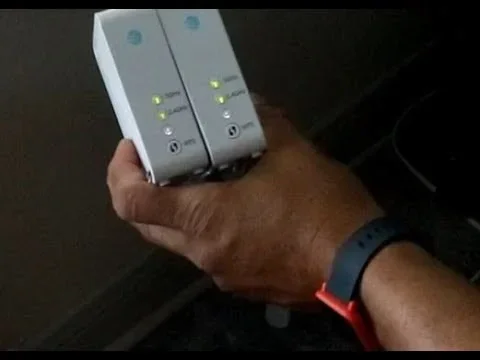
Does Att Provide Free Wifi Extenders For Your Home Today
Does AT&T provide free WiFi extenders? The answer depends on your AT&T internet plan and equipment package. Some AT&T plans include a wireless gateway that acts like an extender, while others let you add a WiFi booster at no extra cost. We break down every option so you can improve your home network coverage without paying hidden fees.
Key Takeaways
- AT&T Internet plans: Some plans include a gateway device that extends WiFi coverage throughout your home.
- AT&T Smart Home Manager: This app helps you manage your WiFi signal and troubleshoot dead zones.
- Rental vs. purchase: AT&T may offer extenders as part of your rental equipment at no added charge.
- Third-party options: You can buy your own WiFi extender if AT&T does not provide one for free.
- Mesh systems: AT&T gateways can sometimes function like a mesh network to improve signal reach.
- Check your plan: Not all AT&T plans include free extenders, so always verify before assuming.
Does AT&T Provide Free WiFi Extenders For Your Home?
If you have AT&T internet at home, you have probably wondered whether AT&T gives you a free WiFi extender. The short answer is: it depends. Some AT&T plans include equipment that extends your wireless range without extra cost. Other plans leave you on your own.
In this guide, we will walk through every detail. You will learn what AT&T includes, what you need to ask for, and how to get better WiFi coverage without spending extra money. Let us dive right in.
What Is a WiFi Extender and Why Do You Need One?
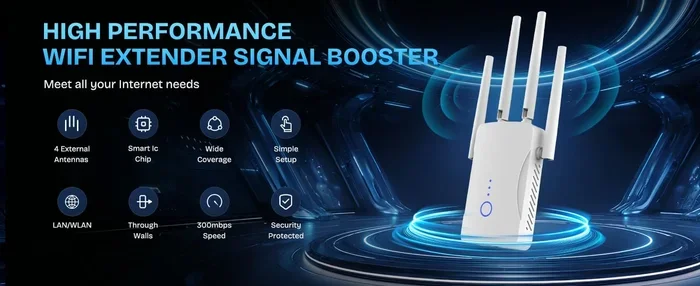
A WiFi extender picks up your existing wireless signal and sends it farther into your home. Think of it like a megaphone for your broadband signal. Without one, you may find WiFi dead zones in the back bedroom, the garage, or the basement.
Most homes today need strong network coverage. Smart TVs, phones, tablets, and smart home devices all compete for signal. A good extender makes sure every room stays connected.
What WiFi Equipment Does AT&T Provide?
AT&T gives customers a wireless gateway when you sign up for internet service. This device combines a modem and a router in one box. It broadcasts your WiFi signal throughout the house. But does it act like an extender?
Some AT&T gateways have a feature called WiFi band steering. This sends devices to the fastest frequency band available. It does not exactly extend range, but it improves how your home network performs overall.
AT&T Smart Home Manager App
AT&T offers the Smart Home Manager app. This tool lets you see your signal strength in different rooms. You can also restart your gateway, change channels, and manage connected devices. It is a great first step before buying any extra WiFi booster equipment.
Which AT&T Plans Include Free Extenders or Gateway Devices?
Not all AT&T internet plans are the same. Here is a quick look at what different tiers offer:
- AT&T Internet Basic: Includes a standard wireless gateway. No separate extender is provided for free.
- AT&T Internet 100 and above: Higher-tier plans sometimes include advanced gateway equipment with better range.
- AT&T Fiber: Fiber plans often come with more powerful gateway devices that cover larger homes.
- AT&T Smart Home Manager included: Some plans bundle the app and enhanced equipment at no extra charge.
The best way to know for sure is to call AT&T support or check your online account. Ask specifically whether your internet plan includes a free range-extending device.
Can You Add an Antenna or Booster to Your AT&T Router?
Yes, you can add an antenna to your WiFi router in some cases. If your AT&T gateway has an external antenna port, a better antenna can boost your wireless range significantly. This is a low-cost fix that works well for many homes.
However, most AT&T gateways use internal antennas. In that case, you may need a separate WiFi extender or a mesh system. Keep reading to learn about your options.
How AT&T WiFi Compares to Other Providers
Let us put things in perspective. How does AT&T’s WiFi coverage stack up against other providers?
| Provider | Free Extender Included? | Gateway Quality | App Support |
|---|---|---|---|
| AT&T | Sometimes (varies by plan) | Good to excellent | Smart Home Manager |
| Xfinity | Often included with xFi | Excellent | xFi app |
| Verizon Fios | Yes, with Quantum Gateway | Very good | Fios app |
| Spectrum | Rarely included | Standard | Limited |
As you can see, AT&T is competitive but not always the most generous with free WiFi extenders. Your experience depends heavily on which plan you choose.
What If AT&T Does Not Provide a Free Extender?
No worries. You still have options. If your AT&T internet plan does not include a free extender, you can take matters into your own hands.
First, try placing your gateway in the center of your home. Elevate it on a shelf. Keep it away from walls and metal objects. This simple change can improve signal strength a lot.
Second, consider buying your own WiFi extender. Popular brands like TP-Link, Netgear, and Linksys make affordable options. You can also look into mesh WiFi systems for whole-home coverage.
Third, you might want to connect your WiFi-only iPad to your iPhone for personal hotspot sharing in areas with weak signal. This is not a long-term fix, but it works in a pinch.
Quick Tips to Improve AT&T WiFi Without an Extender
- Restart your gateway every few weeks to clear memory and refresh connections.
- Place the router in a central, open location away from obstructions.
- Use the 2.4 GHz band for longer range and the 5 GHz band for faster speeds.
- Update your gateway firmware through the Smart Home Manager app.
- Limit the number of devices connected at the same time during heavy use.
Can You Use Google WiFi or Other Mesh Systems With AT&T?
Absolutely. Many people pair their AT&T gateway with a Google WiFi system or similar mesh setup. You can set the AT&T gateway in bridge mode and let the mesh system handle all WiFi broadcasting.
This is one of the best ways to get whole-home coverage without relying on AT&T to provide a free extender. Mesh systems are more expensive upfront, but they deliver excellent network coverage and easy management through a phone app.
Just make sure your AT&T internet plan supports third-party routers. Most plans do, but it is always good to double-check with AT&T support before making a purchase.
Common Mistakes People Make With AT&T WiFi
Here are some mistakes that hurt your WiFi range and speed:
- Hiding the router in a closet: Walls and doors block signal. Keep your gateway out in the open.
- Ignoring firmware updates: Old firmware can slow down your connection and cause drops.
- Using the wrong frequency band: The 5 GHz band is fast but has short range. The 2.4 GHz band goes farther but is slower.
- Not checking for interference: Microwaves, baby monitors, and cordless phones can disrupt your wireless signal.
- Assuming AT&T will fix everything: AT&T provides the equipment, but your placement and setup matter just as much.
Avoiding these mistakes can make a big difference in your daily internet experience.
Expert Insights: What Networking Pros Recommend
Networking experts agree that WiFi extenders are not always the best solution. A mesh system or a well-placed gateway often works better. If you live in a small to medium home, your AT&T gateway might be enough if you set it up correctly.
For larger homes, pros recommend a mesh WiFi system with multiple nodes. This creates seamless WiFi coverage from room to room without the speed loss that traditional extenders cause.
One expert tip: always run a speed test in different rooms before buying any equipment. This tells you exactly where the problem is and whether you truly need an extender.
How to Check If You Are Getting What You Pay For
Want to know if your AT&T WiFi is performing as it should? Follow these steps:
- Open the Smart Home Manager app on your phone.
- Run a speed test from your living room, bedroom, and backyard.
- Compare the results. If speeds drop significantly in certain areas, you may need better coverage.
- Contact AT&T support and ask whether your plan includes a free extender or upgrade option.
Staying proactive about your home network saves you money and frustration in the long run.
The Bottom Line: Does AT&T Provide Free WiFi Extenders?
So, does AT&T provide free WiFi extenders? The honest answer is: sometimes. It depends on your internet plan, the equipment you received, and your current coverage needs. AT&T does include gateway devices that help with range, and some plans offer enhanced equipment at no extra cost. But a dedicated free extender is not guaranteed across all plans.
If you are not getting the coverage you need, you have plenty of options. You can use the Smart Home Manager app to optimize your setup, buy your own extender, or invest in a mesh system. The key is to take action instead of settling for weak signal in parts of your home.
Remember, a strong WiFi connection makes everything better. Streaming, gaming, video calls, and smart home devices all work best with reliable coverage. Do not let a weak signal hold you back.
Before you spend a dime, call AT&T and ask what is available for your specific plan. You might be surprised by what they can offer for free. And if not, the options we covered above will help you get the WiFi coverage your home deserves.
Take control of your home network today. A little effort now saves you from frustration later.
Frequently Asked Questions
Does AT&T give you a free WiFi extender with every plan?
No, not every AT&T plan includes a free WiFi extender. Some plans come with a gateway device that has decent range, but a dedicated extender depends on your specific plan and equipment package. Always check with AT&T to confirm what your plan includes.
Can I use my own WiFi extender with AT&T internet?
Yes, you can use your own WiFi extender with AT&T internet. Just make sure it is compatible with your gateway. Many customers find that third-party extenders or mesh systems work better than the equipment AT&T provides for free.
How do I know if I need a WiFi extender with AT&T?
If you experience slow speeds or dead zones in certain parts of your home, you may need an extender. Use the AT&T Smart Home Manager app to test signal strength in different rooms. This helps you pinpoint exactly where coverage drops off.
Is AT&T Smart Home Manager free to use?
Yes, the AT&T Smart Home Manager app is free for all AT&T internet customers. It helps you manage your WiFi network, run speed tests, and troubleshoot common connectivity issues without any extra cost.
Can I connect to AT&T WiFi anywhere outside my home?
AT&T offers WiFi hotspots in many public locations, but this is different from your home WiFi coverage. You can use the AT&T WiFi app to find and connect to hotspots when you are away from home. It is a great perk for AT&T internet subscribers.
What is the difference between a WiFi extender and a mesh system?
A WiFi extender repeats your existing signal, which can reduce speed. A mesh system uses multiple nodes to create a seamless network with consistent speeds throughout your home. Mesh systems are more expensive but offer a much better experience for larger homes.