Does A Wi Fi Extender Really Boost Your Weak Signal
A Wi-Fi extender can boost a weak signal, but it is not a magic fix. It copies your existing router signal and rebroadcasts it to cover more area. However, an extender often cuts your speed in half and adds latency, so placement and setup matter a lot. Understanding how a Wi-Fi extender works helps you decide if it is the right solution for your weak signal problem.
Ever walked into the back bedroom and watched your Wi-Fi signal drop to one bar? Or maybe your streaming keeps buffering in the kitchen even though the router is just a few rooms away. A weak Wi-Fi signal can be incredibly frustrating, especially when you are trying to get work done or binge your favorite show. This is exactly why so many people turn to a Wi-Fi extender for help.
The big question is simple: does a Wi-Fi extender really boost a weak signal? The short answer is yes. But the full answer is a bit more complicated. A Wi-Fi extender can improve coverage, but it also comes with trade-offs. In this guide, we will break down exactly how extenders work, what you can expect, and whether buying one is the right move for your home.
Whether you are dealing with a dead zone in the basement or a spotty connection in the backyard, this article covers everything you need to know. We will look at how extenders work, their pros and cons, and share practical tips to get the most out of your setup. By the end, you will know exactly whether a Wi-Fi extender boost weak signal situation calls for an extender or something else entirely.
Key Takeaways
- A Wi-Fi extender does boost weak signals: It rebroadcasts your router’s signal to reach dead zones.
- Speed loss is real: Most extenders cut bandwidth by 30 to 50 percent due to the way they relay data.
- Placement is everything: Put the extender halfway between your router and the weak spot for best results.
- Extenders are not the only option: Mesh routers and Wi-Fi boosters may work better in some cases.
- Check your internet plan first: A weak signal might stem from your ISP speed, not your router range.
- Older extenders use outdated tech: Look for dual-band or tri-band models for the best performance.
📑 Table of Contents
- What Is a Wi-Fi Extender and How Does It Work?
- Does a Wi-Fi Extender Actually Boost a Weak Signal?
- Pros and Cons of Using a Wi-Fi Extender
- How to Place Your Wi-Fi Extender for Best Results
- Wi-Fi Extender vs. Other Solutions for Weak Signals
- Common Mistakes People Make With Wi-Fi Extenders
- When Should You Skip an Extender and Try Something Else?
- Final Thoughts: Does a Wi-Fi Extender Really Boost a Weak Signal?
What Is a Wi-Fi Extender and How Does It Work?
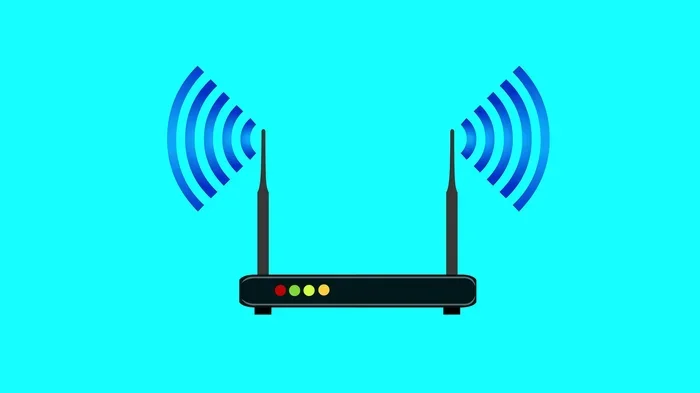
A Wi-Fi extender is a device that sits between your router and the area with a weak signal. It connects to your existing network and rebroadcasts the signal to cover more ground. Think of it like a megaphone for your router. It does not create a new internet connection. Instead, it takes what your router already sends out and pushes it further.
Most extenders work by receiving the wireless signal from your router, amplifying it, and then sending it back out. This process is called wireless repeating. The extender creates a new network name, often with “_EXT” added to the original name. Some newer models use the same network name, so your devices switch seamlessly between the router and the extender.
It is important to understand that an extender does not increase your internet speed from your provider. It only spreads the signal you already have to a wider area. If your base internet speed is slow, an extender will not fix that. It simply makes the existing signal reach further.
Types of Wi-Fi Extenders
Not all extenders are the same. Here are the most common types you will find on the market:
- Single-band extenders: These work on the 2.4 GHz frequency only. They are cheaper but slower and more prone to interference.
- Dual-band extenders: These support both 2.4 GHz and 5 GHz bands. They offer better speeds and less interference.
- Tri-band extenders: These add a second 5 GHz band. They are the most expensive but deliver the best performance for large homes.
- Powerline extenders: These use your home’s electrical wiring to carry the internet signal. They are great for thick walls that block wireless signals.
Each type has its strengths. Your choice depends on your home size, budget, and how many devices you need to connect. A Wi-Fi extension device can solve many coverage problems, but picking the right type makes all the difference.
Does a Wi-Fi Extender Actually Boost a Weak Signal?
Yes, a Wi-Fi extender does boost a weak signal. But here is the catch: it boosts the signal by copying and rebroadcasting it. This means the extended signal is never as strong as the original signal from your router. Think of it like a game of telephone. The message gets passed along, but it loses a little clarity each time.
In most cases, you can expect the extended signal to be about 50 percent as strong as the original. This means your speed will likely drop in the extended area. For basic browsing and email, this is usually fine. But for heavy tasks like video calls or online gaming, you may notice the difference.
The real benefit of an extender is coverage, not speed. If your main goal is to get a usable signal in a dead zone, an extender does the job well. If your goal is to get full-speed internet in every room, you might need a different solution.
What Causes a Weak Wi-Fi Signal in the First Place?
Before you buy an extender, it helps to understand what is causing the weak signal. Common causes include:
- Distance from the router: The further you are from the router, the weaker the signal gets.
- Thick walls and floors: Concrete, brick, and metal weaken Wi-Fi signals significantly.
- Interference from other devices: Microwaves, baby monitors, and cordless phones can disrupt Wi-Fi on the 2.4 GHz band.
- Router age and quality: Older routers simply do not have the range or power of newer models.
- Network congestion: Too many devices on one network can slow things down.
If your weak signal is caused by thick walls, a powerline extender might work better than a wireless one. If the problem is distance, a simple wireless extender placed halfway between the router and the weak spot can help a lot. Understanding the root cause helps you choose the right tool for the job.
Pros and Cons of Using a Wi-Fi Extender
Like any tech solution, Wi-Fi extenders come with both advantages and disadvantages. Let us look at the full picture so you can make an informed decision.
The Pros
- Affordable: Most extenders cost between $20 and $80, making them a budget-friendly option.
- Easy to set up: Most extenders plug right into a wall outlet and connect through a simple app or web page.
- Instant coverage: You can get a signal in dead zones within minutes of unboxing the device.
- No new internet plan needed: An extender works with your existing internet service. You do not need to call your provider or change your plan.
- Portable and flexible: You can move an extender to different rooms as your needs change.
The Cons
- Speed reduction: Because the extender rebroadcasts the signal, you lose some speed. This is the biggest trade-off.
- Added latency: The extra hop between the router, extender, and your device adds a small delay. For gaming or video calls, this can be noticeable.
- Double network names: Many extenders create a separate network name, which can confuse your devices.
- Not a cure for slow internet: If your base internet speed is slow, an extender will not make it faster.
- Interference issues: Cheap single-band extenders can pick up interference from neighboring networks and household appliances.
Weighing these pros and cons helps you decide if an extender fits your needs. For many households, the benefits outweigh the downsides. But for heavy users who need consistent high speeds, there might be better options.
How to Place Your Wi-Fi Extender for Best Results
Placement is the single most important factor in how well your extender works. A badly placed extender can actually make your connection worse. Here are some proven tips to get the most out of your setup.
Rule number one: Place the extender halfway between your router and the area with the weak signal. This gives the extender a strong enough signal to receive and rebroadcast effectively. If you place it too far from the router, it will struggle to pick up a clear signal in the first place.
Rule number two: Keep the extender in the open. Do not hide it behind a TV, inside a cabinet, or under a desk. Walls and furniture block Wi-Fi signals, and the extender needs a clear line of sight to both the router and the area you want to cover.
Rule number three: Avoid placing the extender near large metal objects, mirrors, or appliances that emit electromagnetic interference. These can disrupt the wireless signal and reduce performance.
Rule number four: Test different locations. Move the extender around and check the signal strength in the target area. Even a few feet of difference can make a big impact. Most extender apps show signal strength in real time, which makes testing easy.
If you want to extend your Wi-Fi to 200 feet away, placement becomes even more critical. In those cases, a long-range Wi-Fi extender or a mesh system might be a better fit than a basic repeater.
Quick Tips for Optimal Placement
- Place the extender where it still gets at least two bars of signal from the router.
- Keep it at least 5 feet away from the floor.
- Avoid corners and closets.
- Use the extender’s signal indicator lights to find the sweet spot.
- Restart the extender periodically to keep it running smoothly.
Wi-Fi Extender vs. Other Solutions for Weak Signals
An extender is not the only way to fix a weak Wi-Fi signal. Let us compare it with some popular alternatives so you can see which option fits your situation best.
| Solution | Pros | Cons | Best For |
|---|---|---|---|
| Wi-Fi Extender | Cheap, easy to set up, instant coverage | Speed loss, added latency, separate network | Small dead zones, budget setups |
| Mesh Wi-Fi System | Seamless coverage, no speed loss, one network name | Expensive, requires full system replacement | Large homes, heavy users |
| Powerline Adapter | Uses electrical wiring, stable connection | Depends on wiring quality, slower than wireless | Thick walls, concrete floors |
| Upgrade Router | Better range and speed, modern features | Costly, may require ISP coordination | Old routers, persistent coverage issues |
A Wi-Fi booster is essentially the same thing as an extender, but the term is sometimes used for more powerful devices. If you want a seamless experience without the speed loss of an extender, a mesh system is worth the investment. However, if you just need to cover one or two dead zones on a budget, an extender works well.
Another option worth mentioning is upgrading your router. If your router is more than five years old, a newer model with better antennas and Wi-Fi 6 support might solve your coverage issues without needing an extender at all. Before buying any add-on device, check what your current router can do.
Common Mistakes People Make With Wi-Fi Extenders
Even with the best intentions, many people make mistakes that reduce their extender’s performance. Here are the most common ones and how to avoid them.
Mistake 1: Placing the extender too far from the router. If the extender cannot get a strong signal from the router, it has nothing to rebroadcast. Always check the signal strength at the extender’s location before finalizing placement.
Mistake 2: Putting the extender in the weak zone. The extender should be placed where the signal is still decent, not where it is already dead. It needs a good connection to the router to do its job.
Mistake 3: Ignoring the 2.4 GHz vs. 5 GHz issue. Many extenders only work on the 2.4 GHz band, which is slower and more crowded. A dual-band or tri-band extender gives you much better results, especially for streaming and gaming.
Mistake 4: Forgetting to update firmware. Like any connected device, extenders need firmware updates to stay secure and perform well. Check for updates through the extender’s app or admin page every few months.
Mistake 5: Expecting miracles. An extender improves coverage. It does not turn a slow internet plan into a fast one. If your base speed is 10 Mbps, the extended area will likely get 5 to 7 Mbps at best. Manage your expectations, and you will be happy with the results.
When Should You Skip an Extender and Try Something Else?
Sometimes a Wi-Fi extender is not the right answer. Here are situations where you should consider other solutions:
- Your internet speed is already slow: An extender will not fix a slow internet plan. Call your ISP first and make sure you are getting the speeds you pay for.
- You have a very large home: If you need coverage across 3,000 square feet or more, a mesh system will outperform an extender every time.
- You need low latency for gaming: The extra hop through an extender adds delay. For competitive gaming, a wired connection or a mesh system is better.
- Your walls are extremely thick: If concrete or metal blocks the signal, a powerline adapter or mesh node wired back to the router will work better than a wireless extender.
Knowing when to skip an extender saves you money and frustration. An extender is a great tool for the right situation. But it is not a one-size-fits-all solution. Evaluate your home layout, your internet speed, and your usage needs before making a purchase.
Final Thoughts: Does a Wi-Fi Extender Really Boost a Weak Signal?
So, does a Wi-Fi extender really boost a weak signal? The answer is yes. A Wi-Fi extender boost weak signal situations effectively by rebroadcasting your router’s signal to areas that would otherwise have no coverage or very poor coverage. It is one of the simplest and most affordable ways to extend your wireless network.
However, an extender is not perfect. It comes with trade-offs, including speed loss and added latency. The key is to set realistic expectations and place the extender correctly. If you put it in the right spot and use a decent-quality model, you will notice a real improvement in coverage throughout your home.
For most people dealing with one or two dead zones, a Wi-Fi extender is the best bang for your buck. It is easy to set up, works with any router, and delivers results fast. Just remember that it solves coverage problems, not speed problems. If your base internet speed is good, an extender can make a noticeable difference in your daily use.
Before you buy, take a few minutes to figure out what is causing your weak signal. Is it distance? Walls? An old router? Once you know the cause, you can pick the right solution. Whether that is an extender, a mesh system, or a simple router upgrade, the right choice will transform your Wi-Fi experience.
A strong, reliable Wi-Fi connection makes life easier. From streaming movies to working from home, good coverage matters. Take the time to find the solution that fits your home, your budget, and your needs. You deserve a Wi-Fi signal that works as hard as you do.
Frequently Asked Questions
Can a Wi-Fi extender make your internet faster?
No, a Wi-Fi extender cannot make your internet faster than what your ISP provides. It only extends the range of your existing signal. In most cases, the extended signal will be slightly slower than the original because of the way the extender rebroadcasts data.
How many Wi-Fi extenders can I use in my home?
You can use up to two or three extenders in most home setups. However, adding too many extenders can cause interference and reduce overall performance. If you need coverage in more than two or three dead zones, a mesh Wi-Fi system is usually a better choice.
Do Wi-Fi extenders work with any router?
Yes, most Wi-Fi extenders work with any standard router regardless of brand. They connect to your existing wireless network and rebroadcast the signal. Just make sure the extender supports the same Wi-Fi standards as your router for the best compatibility.
Is a Wi-Fi extender the same as a Wi-Fi booster?
In most cases, yes. The terms “extender,” “booster,” and “repeater” are often used interchangeably. They all describe devices that take an existing Wi-Fi signal and rebroadcast it to extend coverage. The differences are usually in marketing language rather than actual function.
Can I use a Wi-Fi extender and a mesh system together?
It is possible but not recommended. Mesh systems are designed to work as a complete package, and adding an extender can create conflicts and reduce performance. If you already have a mesh system, you likely do not need an extender.
What is the best placement for a Wi-Fi extender?
The best placement is halfway between your router and the area with the weak signal. The extender needs to receive a strong signal from the router while still being close enough to the weak zone to provide useful coverage. Avoid placing it behind walls, in closets, or near large metal objects.