Does Cathay Pacific Have Inflight Wi Fi Available
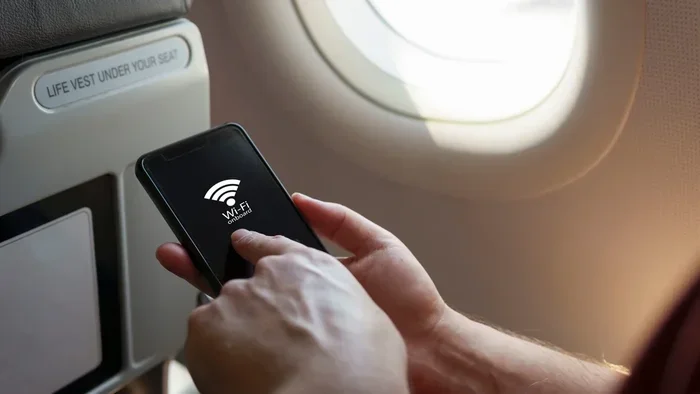
Cathay Pacific does offer inflight Wi-Fi on most of its long-haul and short-haul routes, allowing passengers to browse, stream, and stay connected while in the air. The airline provides multiple Wi-Fi plans, including free options for certain cabin classes, so you can choose what fits your needs and budget. In this guide, we break down everything you need to know about Cathay Pacific inflight Wi-Fi, from how it works to tips for getting the best connection.
Have you ever boarded a Cathay Pacific flight and immediately wondered if you could stay online? In today’s world, being offline for hours can feel like being cut off from the world. Whether you need to finish work, stream a movie, or just check in with family, inflight Wi-Fi has become a must-have for many travelers. The good news is that Cathay Pacific has invested in inflight Wi-Fi connectivity to keep passengers connected at 30,000 feet.
But does Cathay Pacific actually have inflight Wi-Fi? And if so, how well does it work? This guide answers all those questions and more. We will walk you through how the Cathay Pacific WiFi system works, what plans are available, and how to get the most out of your connection while flying. Let us dive right in.
Key Takeaways
- Cathay Pacific offers inflight Wi-Fi on most aircraft in its fleet, covering both long-haul and short-haul routes.
- Wi-Fi plans vary by cabin class, with some passengers eligible for free access depending on their ticket type.
- Inflight Wi-Fi speeds are sufficient for browsing, messaging, and light streaming, though heavy data use may be limited.
- Connecting is straightforward — simply select the Cathay Pacific Wi-Fi network and follow the login prompts.
- Performance can vary based on altitude, route, weather, and the number of users on the network.
- Consider a Wi-Fi booster for better signal strength if you frequently travel and struggle with inflight connectivity.
- Humidity and altitude can affect signal quality, so expect some variability in connection speed during your flight.
📑 Table of Contents
- Does Cathay Pacific Offer Inflight Wi-Fi?
- How Does Cathay Pacific Inflight Wi-Fi Work?
- Wi-Fi Plans and Pricing on Cathay Pacific
- Inflight Wi-Fi Coverage and Performance
- Tips for Getting the Best Wi-Fi on Cathay Pacific Flights
- Comparing Cathay Pacific Wi-Fi With Other Airlines
- Frequently Asked Questions About Cathay Pacific Inflight Wi-Fi
- Final Thoughts on Cathay Pacific Inflight Wi-Fi
Does Cathay Pacific Offer Inflight Wi-Fi?
Yes, Cathay Pacific provides inflight Wi-Fi on the majority of its aircraft. The airline has equipped many of its planes with satellite-based Wi-Fi technology that allows passengers to access the internet during flights. This service covers both long-haul international routes and select short-haul regional flights.
The availability of Wi-Fi depends on the aircraft type and route. Cathay Pacific operates a mixed fleet, and newer aircraft are more likely to have Wi-Fi installed. Older planes may not have the necessary equipment yet. Before booking, you can check the specific aircraft for your route on the Cathay Pacific website to confirm Wi-Fi availability.
Which Routes Have Wi-Fi Coverage?
Cathay Pacific’s inflight Wi-Fi coverage is strongest on its long-haul routes. Flights from Hong Kong to Europe, North America, and Australia typically offer Wi-Fi. Short-haul routes within Asia may also have coverage, but this depends on the specific aircraft assigned to the route.
If you are flying codeshare or partner airline flights, Wi-Fi availability may differ. Always check the details for your specific flight before departure. The airline updates its fleet Wi-Fi information regularly, so what was unavailable last year may now be offered.
What Aircraft Types Support Wi-Fi?
Cathay Pacific’s Wi-Fi-enabled aircraft include many of its Boeing 777s and Airbus A350s. These planes are equipped with satellite antennas that communicate with ground stations and orbiting satellites to deliver internet access. The A350, in particular, offers a modern and reliable inflight connectivity experience.
Some of the older Boeing 747s and A340s in the fleet may not have Wi-Fi. Cathay Pacific has been steadily upgrading its fleet, so the number of Wi-Fi-equipped planes continues to grow with each new delivery and retrofit.
How Does Cathay Pacific Inflight Wi-Fi Work?
Understanding how inflight Wi-Fi works can help you set realistic expectations. Unlike home Wi-Fi, which uses nearby routers, airplane Wi-Fi relies on a completely different technology. Cathay Pacific uses satellite-based connectivity to beam internet signals to and from the aircraft while it is in flight.
Here is a simple breakdown of the process:
- The aircraft has a small satellite antenna on its roof.
- This antenna connects to satellites orbiting the Earth.
- The satellites relay data between the plane and ground-based internet providers.
- Inside the cabin, a local Wi-Fi router distributes the signal to your devices.
When you connect to the Cathay Pacific Wi-Fi network, your device communicates with this onboard router. The router then sends and receives data through the satellite link. This entire process happens in seconds, though the speed depends on several factors.
The Role of Satellite Technology
Satellite-based inflight Wi-Fi is the most common technology used by airlines worldwide. It works well over oceans and remote areas where ground-based cell towers are not available. Cathay Pacific uses this system because its routes often cross vast stretches of water and remote regions.
The satellite system has improved significantly in recent years. Earlier versions were slow and expensive, but modern systems offer much better speeds. Cathay Pacific has invested in newer satellite technology to improve the experience for its passengers.
Can Wi-Fi Frequency Affect Your Inflight Connection?
Just like your home network, the Wi-Fi frequency used on an aircraft can affect your connection quality. Cathay Pacific’s onboard system operates on specific frequency bands. In some cases, you may notice that your device connects to a 5GHz band or a 2.4GHz band, depending on the setup.
If you are curious about how frequency bands work and how they differ, you might find it helpful to learn more about can I change my Wi-Fi from 5GHz to 2.4 GHz. Understanding these differences can help you troubleshoot slow connections, not just on planes but on any Wi-Fi network.
Wi-Fi Plans and Pricing on Cathay Pacific
One of the most common questions travelers ask is about the cost of Cathay Pacific WiFi. The airline offers several options, and the pricing structure has evolved over time. Here is what you need to know about the current plans.
Free Wi-Fi Options
Cathay Pacific has offered free Wi-Fi to certain cabin classes at various times. Business and first-class passengers often receive complimentary access as part of their ticket benefits. However, the specific free offerings can change, so always check the latest policy before your flight.
In some cases, the airline has provided a limited amount of free data for all passengers. This is usually enough for messaging and light browsing but not for streaming or large downloads. Keep an eye on the Cathay Pacific website for the most up-to-date free Wi-Fi information.
Paid Wi-Fi Plans
For economy class passengers or those who need more data, Cathay Pacific offers paid Wi-Fi plans. These plans typically come in different tiers based on data allowance and speed. Common options include:
- Light Use Plan: Enough for messaging and email. Usually the most affordable option.
- Standard Plan: Sufficient for browsing and social media with some video streaming.
- Heavy Use Plan: Best for video calls, streaming movies, and large downloads.
Prices can vary depending on the flight duration and route. Short-haul flights may cost less, while long-haul routes may have higher prices. The airline often offers bundle deals, so purchasing Wi-Fi early or as part of a package can save you money.
How to Purchase Wi-Fi Access
Buying Wi-Fi on Cathay Pacific is simple. Once the plane reaches cruising altitude, you can connect to the Cathay Pacific Wi-Fi network on your device. A portal will appear where you can select your plan and make the payment using a credit card or other payment method.
Some passengers prefer to purchase Wi-Fi in advance through the Cathay Pacific website or app. This can save time and sometimes comes with a small discount. Check the airline’s inflight services page for the latest purchasing options.
Inflight Wi-Fi Coverage and Performance
How well does Cathay Pacific inflight Wi-Fi actually work? The honest answer is that it depends. Many passengers report a good experience with browsing and messaging, but the performance can vary significantly from flight to flight.
Factors That Affect Wi-Fi Performance
Several factors can influence your inflight Wi-Fi experience. Understanding these can help you set realistic expectations and plan accordingly.
- Altitude and Route: Wi-Fi satellites have specific coverage zones. Flying over certain regions may provide stronger signals than others.
- Number of Users: If many passengers are connected at once, speeds can slow down. This is common on popular routes.
- Weather Conditions: Rain, clouds, and atmospheric moisture can interfere with satellite signals. Can humidity affect a Wi-Fi signal? Yes, it can, and this applies at cruising altitude as well as on the ground.
- Aircraft Type: Newer planes with updated antenna systems tend to perform better than older models.
- Data Plan: Your chosen plan may throttle speeds after a certain data threshold is reached.
Typical Speeds You Can Expect
Most passengers report inflight Wi-Fi speeds that are adequate for browsing, checking email, and using messaging apps. Streaming video in standard definition is usually possible, but HD streaming may be unreliable or not supported. Video calls can work but may experience lag during peak usage times.
The inflight internet speed is generally slower than what you get at home or in a café. However, for most travelers, the convenience of staying connected during a long flight outweighs the speed limitations. If you need to work, plan tasks that do not require heavy bandwidth.
Common Connectivity Issues
Even with a good plan, you may encounter issues during your flight. Some common problems include:
- Slow speeds during peak usage hours
- Intermittent disconnections over certain regions
- Difficulty connecting to the network immediately after takeoff
- Limited bandwidth for video streaming
These issues are not unique to Cathay Pacific. They are common across the airline industry. The airline’s technical team works continuously to improve the reliability of its inflight Wi-Fi connectivity.
Tips for Getting the Best Wi-Fi on Cathay Pacific Flights
Want to make the most of your Cathay Pacific WiFi experience? Here are some practical tips that can help you stay connected and get the best performance possible.
1. Connect Early
As soon as the cabin crew announces that Wi-Fi is available, connect your device. The earlier you connect, the more likely you are to get a stable connection before the network becomes crowded. This is especially important on popular routes with many passengers.
2. Choose the Right Device Settings
Your device settings can affect your inflight Wi-Fi performance. Turn off automatic app updates and background syncing before you connect. This saves your data allowance and reduces strain on the network. You can also try switching between 5GHz and 2.4GHz bands if your device allows it. If you want to understand more about how these bands work and whether changing them can help, check out this guide on can I change my Wi-Fi from 5GHz to 2.4 GHz for a deeper dive.
3. Manage Your Data Usage
Inflight data plans often have limits. To avoid running out of data too quickly, use Wi-Fi efficiently. Text-based messaging apps use very little data, while video streaming uses a lot. Download any content you want to watch or listen to before your flight so you can enjoy it offline.
4. Consider a Wi-Fi Booster
If you frequently travel and struggle with weak Wi-Fi signals, a portable Wi-Fi signal booster might be worth considering. While a booster cannot improve the satellite signal from the plane, it can strengthen the local connection between your device and the onboard router. If you are curious about whether buying a booster is a good idea, you can read about whether can I buy a Wi-Fi booster for more insights.
5. Download Offline Content
The smartest approach to inflight connectivity is to not rely on it entirely. Download movies, podcasts, and work files before you board. This way, you have entertainment and resources regardless of whether the Wi-Fi is available or performing well.
6. Use the Cathay Pacific App
The Cathay Pacific app provides useful information about your flight, including Wi-Fi availability and pricing. It also allows you to manage your booking and access in-flight services. Download the app before your trip so you can access all features without needing to rely on inflight Wi-Fi.
Comparing Cathay Pacific Wi-Fi With Other Airlines
How does Cathay Pacific’s inflight Wi-Fi stack up against the competition? The airline industry has seen significant improvements in airline Wi-Fi options over the past few years, and Cathay Pacific holds its own among major carriers.
Cathay Pacific vs. Other Major Carriers
Many airlines now offer inflight Wi-Fi, but the quality and pricing vary widely. Some carriers offer free Wi-Fi to all passengers, while others charge premium rates. Cathay Pacific’s approach falls somewhere in the middle, with free options for premium cabin passengers and affordable paid plans for economy class.
In terms of speed and reliability, Cathay Pacific’s satellite-based system performs comparably to other major Asian and international carriers. The airline has received positive feedback from passengers who appreciate the effort to provide connectivity on long-haul routes.
Is Cathay Pacific Wi-Fi Worth It?
Whether the Wi-Fi is worth the cost depends on your needs and the length of your flight. For a short two-hour regional flight, you may not need Wi-Fi at all. For a 12-hour long-haul journey, having internet access can make a huge difference in comfort and productivity.
If you travel frequently and find that inflight Wi-Fi is essential, consider investing in a portable Wi-Fi range extender for better connectivity at home and while traveling. You can learn more about extending Wi-Fi coverage in this article on can I extend my Wi-Fi to 200 feet away, which offers practical advice on boosting your home network that also applies to understanding signal reach in general.
Frequently Asked Questions About Cathay Pacific Inflight Wi-Fi
Is Cathay Pacific Wi-Fi free for all passengers?
Cathay Pacific does not offer free Wi-Fi to all passengers. However, business and first-class passengers often receive complimentary access. The airline has also occasionally offered limited free data to economy passengers, but this varies by route and promotion. Always check the latest policy before your flight.
Can I stream videos on Cathay Pacific inflight Wi-Fi?
Yes, you can stream videos on Cathay Pacific’s inflight Wi-Fi, but the experience depends on your data plan and network congestion. Standard definition streaming usually works well, while HD streaming may be slower or unreliable during busy flights. We recommend downloading content before your flight for the best viewing experience.
How do I connect to Cathay Pacific Wi-Fi?
Once the plane reaches cruising altitude, open your device’s Wi-Fi settings and select the Cathay Pacific network. A login portal will appear where you can choose your plan and make a payment. The process is straightforward and takes just a few minutes to complete.
Does Cathay Pacific Wi-Fi work on all flights?
No, Wi-Fi is not available on every Cathay Pacific flight. Availability depends on the aircraft type and route. Newer aircraft are more likely to be equipped with Wi-Fi, while older planes in the fleet may not have the technology. You can check the specific aircraft for your route on the Cathay Pacific website.
Can I use my phone on airplane mode and still connect to Wi-Fi?
Yes, you can use airplane mode and still connect to inflight Wi-Fi. Airplane mode disables cellular and Bluetooth connections, but you can manually turn on Wi-Fi while in airplane mode. This is the recommended way to connect to inflight networks on any airline.
What should I do if the inflight Wi-Fi is not working?
If the Wi-Fi is not working, first try toggling your device’s Wi-Fi off and on. Check that you are connected to the correct network and that your plan is active. If the issue persists, contact a cabin crew member for assistance. Sometimes the network may be experiencing temporary technical issues that the crew can help resolve.
Final Thoughts on Cathay Pacific Inflight Wi-Fi
Cathay Pacific does offer inflight Wi-Fi, and it continues to improve its connectivity services with each fleet update. Whether you are a business traveler who needs to stay productive or a leisure traveler who wants to stream content during a long flight, the airline provides options to keep you connected.
The key is to set realistic expectations. Inflight Wi-Fi is convenient and useful, but it is not the same as a home broadband connection. Speeds can vary, and coverage depends on your route and aircraft. By following the tips in this guide, you can maximize your chances of a good experience.
Before your next Cathay Pacific flight, check the Wi-Fi availability for your specific aircraft, purchase a plan if needed, and download offline content as a backup. With a little preparation, you can stay connected and make your flight time more productive and enjoyable. Inflight Wi-Fi is no longer a luxury — it is a necessity for many travelers, and Cathay Pacific is meeting that demand with a solid connectivity offering.