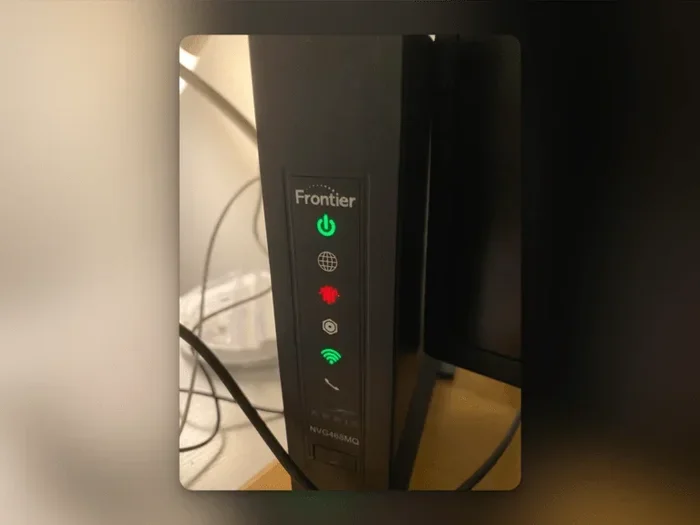
Does Frontier Charge For A New Modem Or Is It Free
Frontier does charge for a new modem in most cases, but the cost depends on your plan, rental fees, and whether you choose to buy your own equipment. Understanding Frontier’s modem policies can help you avoid surprise fees and save money each month. This guide breaks down everything you need to know about Frontier modem costs, rental vs. purchase options, and how to get the best deal on your internet equipment.
This is a comprehensive guide about Does Frontier Charge For A New Modem.
Key Takeaways
- Frontier charges monthly modem rental fees that typically range from $10 to $15 per month depending on your plan.
- Buying your own modem can save you $120 to $180 per year compared to renting from Frontier.
- Frontier may charge an installation fee for new modem setup, but this can sometimes be waived with promotions.
- Not all modems work with Frontier, so you need to check compatibility before purchasing your own equipment.
- Frontier’s equipment policy allows you to return rented modems, but early termination may come with penalties.
- Replacing a damaged Frontier modem may incur additional charges depending on the cause of damage.
- You can check your Frontier account online to see exactly what modem fees you are currently paying.
[FEATURED_IMAGE_PLACEHOLDER]
Does Frontier Charge For A New Modem?
The short answer is yes. Frontier does charge for a new modem, but how much you pay depends on several factors. If you are signing up for a new Frontier internet plan, you will likely encounter modem-related fees one way or another. These fees can show up as monthly rental charges, one-time equipment costs, or installation fees.
Understanding these charges upfront helps you make smart decisions. Many people do not realize they have options when it comes to modem equipment. You do not have to accept Frontier’s default modem rental plan without exploring alternatives. This article walks you through every angle of Frontier modem pricing so you can choose the best option for your budget and needs.
Whether you are a new Frontier customer or have been with them for years, knowing the details of modem costs matters. Modem fees can add up quickly over time, and many users overpay simply because they do not know what other options exist. Let us break it all down.
How Frontier Modem Pricing Works
Frontier uses a modem rental model for most of its internet plans. This means you pay a monthly fee to use the modem provided by Frontier. The fee is separate from your internet service charge and appears on your monthly bill.
The rental fee varies by location and plan type. Most Frontier customers pay between $10 and $15 per month for modem rental. Over a year, that adds up to $120 to $180 in rental costs. Some higher-tier plans may use more advanced modems that come with a slightly higher rental fee.
Frontier also offers modem purchase options in some cases. When you buy a modem outright, you pay once and own the equipment. This eliminates monthly rental fees and gives you more control over your hardware. However, not every modem works with Frontier’s network, so compatibility is key.
When you first sign up for Frontier internet, the company may offer a promotional period with no modem rental fee. These promotions can last for three to twelve months. After the promotion ends, the rental fee kicks in automatically. Always read the fine print before signing up.
Rental vs. Purchase: Which Is Better?
Deciding between renting and buying a modem is one of the most important choices Frontier customers face. Each option has clear advantages and drawbacks. Let us look at both so you can decide what works best for you.
Renting from Frontier is the easiest path. You do not need to research compatible models or set up the equipment yourself. Frontier sends a technician if needed, and they handle troubleshooting if something goes wrong. The downside is the ongoing monthly cost, which never stops as long as you rent.
Buying your own modem requires more upfront effort. You need to find a compatible model, set it up, and make sure it works with Frontier’s network. But the long-term savings can be significant. Once you pay for the modem, there are no more monthly rental charges. You also get to keep the equipment if you switch internet providers later.
If you plan to stay with Frontier for at least two years, buying a modem usually makes financial sense. If you move frequently or are unsure about your long-term plans, renting may be the safer choice. You can also check whether your current setup works with a personal modem by looking into can I buy a modem and have internet on your own terms.
Frontier Modem Fees Breakdown
Frontier’s modem-related charges are not always obvious on your bill. The company uses different names for various fees, which can confuse customers. Here is a detailed look at every type of modem fee you might encounter.
Monthly Equipment Rental Fee
This is the most common modem charge. The monthly rental fee covers the cost of using Frontier’s modem and sometimes their router combo device. This fee appears as a separate line item on your bill, usually labeled “Equipment Rental” or “Modem Fee.”
The amount depends on the type of equipment you receive. Basic modems cost less to rent, while advanced gateway devices that combine modem and router functions cost more. Most standard plans fall in the $10 to $15 range per month.
Installation Fee
Frontier charges an installation fee when a technician comes to set up your modem for the first time. This fee typically ranges from $50 to $100. However, Frontier often runs promotions that waive this fee entirely for new customers.
You can also choose self-installation to avoid this charge altogether. Frontier provides self-install kits that include everything you need to set up your modem. This option saves you money and works well for people who are comfortable with basic tech setup.
If you already have Wi-Fi at home but need to extend coverage, you might also explore options like getting a Wi-Fi extension to improve signal strength throughout your house.
Early Termination and Return Fees
If you decide to return a rented Frontier modem before your contract ends, there may be penalties. Frontier’s equipment policy states that you must return the device in good working condition. If the modem is damaged or missing, you could be charged a replacement fee.
Replacement fees for lost or damaged Frontier modems can range from $50 to $200 depending on the model. This is another reason some customers prefer to buy their own modem outright and avoid rental obligations entirely.
Upgrade Fees
When Frontier releases new modem models, they sometimes offer upgrades to existing customers. These upgrades may come with a one-time fee or a new rental agreement. If you are happy with your current modem, there is usually no need to upgrade.
Some customers wonder if their network switch or other networking equipment might need replacement too. Hardware like switches can degrade over time, and it is worth knowing whether your existing gear is still performing well.
Can You Use Your Own Modem With Frontier?
Yes, Frontier allows customers to use their own modem in most cases. However, the modem must be compatible with Frontier’s network technology. Frontier primarily uses DOCSIS 3.0 and 3.1 for cable internet, and different standards for fiber connections.
Before buying your own modem, check Frontier’s list of approved devices on their website. Using an incompatible modem will lead to connection problems and frustration. The approval list includes specific makes and models that are guaranteed to work with Frontier service.
Popular modem brands that work with Frontier include Motorola, Netgear, and Arris. When shopping for a personal modem, look for models that support the correct speed tier for your Frontier plan. For example, if you have a 500 Mbps plan, you need a modem that supports at least that speed.
Using your own modem also means you are responsible for troubleshooting any issues. Frontier support may not help with equipment you purchased on your own. This trade-off between savings and convenience is important to consider.
Some users also pair their modem with additional networking gear. For instance, you might want to connect a mesh router to an existing router to improve coverage in larger homes. This kind of setup works well when you own your own equipment.
How to Check Modem Compatibility
Frontier provides an online tool where you can enter your account details and see which modems are approved for your service area. You can also call Frontier customer support and ask for the compatibility list directly.
Here are the steps to verify compatibility:
- Log in to your Frontier account online.
- Navigate to the equipment or devices section.
- Look for the list of approved modem models.
- Compare the list with modems you are considering purchasing.
- Contact Frontier support if you need clarification on any model.
Taking the time to verify compatibility saves you money and prevents setup headaches. A compatible modem will work seamlessly with Frontier’s network right out of the box.
How Much Does a Frontier Modem Cost To Replace?
If your Frontier modem stops working or gets damaged, you will need a replacement. The cost depends on whether you are renting or have purchased your own equipment.
For rental customers, Frontier will send a replacement modem at no extra charge if the device fails due to normal wear and tear. However, if the damage was caused by the customer, a replacement fee may apply. These fees typically range from $50 to $200.
For customers with their own modem, you simply purchase a new one from a retailer or online. This gives you full control over replacement costs and timing. You do not need to wait for Frontier to ship a replacement or schedule a technician visit.
Some Frontier plans include modem protection or insurance. This coverage can reduce or eliminate replacement costs for damaged equipment. Check your plan details or ask a Frontier representative about available protection options.
It is also worth noting that damaged laptop screens and other device issues sometimes get confused with modem problems. Before assuming your modem is broken, make sure the issue is not with your computer or router instead.
Tips to Avoid Unnecessary Frontier Modem Charges
Nobody wants to pay more than they need to for internet equipment. Here are practical tips to keep your modem costs as low as possible while still getting reliable service.
1. Ask About Promotional Offers
Frontier regularly runs promotions that waive modem rental fees for new customers. When you sign up, always ask if there is a current offer that eliminates or reduces equipment charges. These promotions can save you $100 or more in the first year.
2. Consider Buying a Compatible Modem
If you plan to stay with Frontier for more than a year or two, buying your own modem is usually the better financial choice. A good compatible modem costs $80 to $200 upfront but pays for itself within 8 to 14 months compared to rental fees.
3. Opt for Self-Installation
Choosing self-installation instead of a technician visit saves you the installation fee. Frontier’s self-install kits are straightforward and come with clear instructions. Most people can set up a modem in under 30 minutes.
4. Monitor Your Monthly Bill
Review your Frontier bill each month to ensure you are only paying for the equipment fees you agreed to. If you see unexpected charges, contact Frontier customer support right away to dispute them.
5. Return Equipment Promptly When Canceling
If you cancel Frontier service, return any rented equipment immediately. Delaying the return can result in additional rental charges and potential replacement fees. Keep your equipment in good condition to avoid any disputes.
6. Keep Your Equipment Updated
Older modems may not support the fastest speeds available on your Frontier plan. Upgrading to a newer model, whether rented or purchased, can improve your internet performance and sometimes even reduce rental fees if Frontier offers updated equipment programs.
Frontier Modem vs. Third-Party Modem: A Comparison
Let us compare the two main options side by side so you can see the differences clearly.
| Feature | Frontier Rental Modem | Own Modem (Third-Party) |
|---|---|---|
| Monthly Cost | $10 to $15 | $0 |
| Upfront Cost | $0 to $100 (installation) | $80 to $200 |
| Year 1 Total | $120 to $280 | $80 to $200 |
| Year 3 Total | $360 to $540 | $80 to $200 |
| Support | Full Frontier support | Self-support or manufacturer |
| Equipment Updates | Frontier handles updates | You handle updates |
| Flexibility | Locked to Frontier | Works with any provider |
| Replacement | Free from Frontier | Your responsibility |
As you can see, buying your own modem wins on long-term cost savings. However, the rental option offers convenience and full support from Frontier. Your choice depends on your budget, technical comfort level, and how long you plan to stay with Frontier.
Common Mistakes Frontier Customers Make With Modems
Many Frontier customers make avoidable mistakes when it comes to modem equipment. Learning from these errors can save you time and money.
Mistake 1: Not reading the contract carefully. Many people sign up for Frontier internet without noticing the modem rental clause. By the time they see the fee on their first bill, they are already committed. Always read every detail before signing.
Mistake 2: Assuming all modems work with Frontier. Not every modem on the market is compatible with Frontier’s network. Buying an incompatible modem wastes money and delays your internet setup. Always verify compatibility first.
Mistake 3: Keeping a rented modem after canceling service. Some customers forget to return rented equipment when they switch providers. This can lead to continued charges and collection efforts. Always return Frontier equipment promptly.
Mistake 4: Ignoring self-installation options. Many customers pay for professional installation when they could set up the modem themselves for free. Frontier’s self-install process is simple and well-documented.
Mistake 5: Not checking for promotions. Frontier frequently offers deals that waive modem fees. Customers who do not ask about current promotions may miss out on significant savings.
What Frontier Support Says About Modem Charges
Frontier customer support representatives confirm that modem charges are standard across most plans. They explain that the rental fee covers the cost of providing and maintaining the equipment. Frontier also notes that customers who use their own modems are responsible for all troubleshooting and maintenance.
Support teams can help you identify which fees apply to your specific account. They can also check if any current promotions can reduce or eliminate your modem rental charges. It is always worth calling Frontier support to ask about available options before accepting the default fees.
If you are experiencing connectivity issues that you suspect are modem-related, Frontier support can run remote diagnostics. They can also send a technician to your home if the issue cannot be resolved remotely. Remember that some connectivity problems may actually stem from your router or other equipment rather than the modem itself.
Final Thoughts
So does Frontier charge for a new modem? Yes, they do in most cases. The charges come in the form of monthly rental fees, installation costs, and potential replacement fees. However, you have options to reduce or eliminate these costs depending on your situation.
Buying your own compatible modem is the best way to save money over time. Just make sure the modem is approved for Frontier service before you purchase. If renting works better for your needs, watch for promotional offers that can reduce or waive rental fees.
Knowledge is power when it comes to internet equipment fees. The more you understand about Frontier’s modem policies, the better decisions you can make for your wallet and your home network. Take the time to review your current charges, explore your options, and choose the path that makes the most sense for you.
Whether you stick with Frontier’s rental modem or switch to your own equipment, the goal is the same: reliable, affordable internet that meets your needs. With the information in this guide, you are now equipped to make that choice with confidence.
Frequently Asked Questions
Does Frontier charge a fee for a new modem?
Yes, Frontier typically charges a monthly rental fee for their modems, which ranges from $10 to $15 per month. There may also be a one-time installation fee, though this can sometimes be waived with promotional offers. Buying your own compatible modem is an alternative that eliminates monthly rental charges.
Can I use my own modem with Frontier internet?
Yes, Frontier allows customers to use their own modem as long as it is compatible with Frontier’s network. You should check Frontier’s approved modem list before purchasing a personal modem. Using your own modem can save you money on monthly rental fees over time.
How much does it cost to replace a Frontier modem?
If you are renting from Frontier, a replacement is usually free if the modem fails due to normal use. However, if the damage was caused by the customer, replacement fees can range from $50 to $200. Customers with their own modem simply purchase a new one at retail cost.
Is there a way to avoid Frontier modem fees?
Yes, you can avoid monthly modem rental fees by purchasing your own compatible modem. You can also look for Frontier promotional offers that waive rental fees for a limited time. Choosing self-installation instead of professional setup can also help you avoid installation fees.
What happens if I return a rented Frontier modem late?
Returning a rented Frontier modem late may result in continued rental charges on your account. If the modem is lost or damaged, you may also face a replacement fee. It is best to return equipment promptly when canceling service or switching to your own modem.
Are Frontier modem rental fees negotiable?
Frontier modem rental fees are generally not negotiable on an individual basis. However, new customers can often find promotional offers that reduce or waive these fees for a set period. Calling Frontier support and asking about current deals is always worth a try.
=== CONCLUSION ===
Frontier does charge for a new modem, but the total cost depends entirely on the path you choose. Monthly rental fees, installation charges, and potential replacement costs all add up over time. The good news is that you have real options to manage these expenses.
Whether you decide to rent Frontier’s modem or invest in your own compatible equipment, the key is making an informed choice. Understanding the fees, comparing long-term costs, and taking advantage of promotions puts you in control of your internet expenses.
Take action today. Review your current Frontier bill, check modem compatibility, and explore whether buying your own modem could save you significant money. A small bit of research now can lead to real savings for years to come.