Does Geek Squad Do Free Diagnostic Services For You
Does Geek Squad do free diagnostic? The answer depends on your Geek Squad membership status, the type of device, and the service you need. In many cases, Geek Squad free diagnostic is available, especially for Best Buy members and certain product categories. This guide breaks down exactly what you can expect, what costs nothing, and how to avoid surprise fees.
You drop your laptop on the counter at Best Buy. The screen is black. The fan is screaming. You wonder, does Geek Squad do free diagnostic work? You have a dozen questions and zero patience for hidden fees. This guide answers every single one of them.
Geek Squad has been a go-to name in tech support for years. Whether you need help with a slow desktop, a cracked phone screen, or a router that refuses to connect, they are one of the first names people think about. But here is the big question: do they charge you just to look at your device? The short answer is sometimes yes, sometimes no. The long answer is what this article covers in full detail.
We will walk through every scenario. From Geek Squad free diagnostic options to hidden costs you should know about. By the end, you will know exactly what to expect and how to get the best deal on tech support. No surprises. No fluff. Just real, useful information.
Key Takeaways
- Geek Squad often provides free diagnostics for Best Buy members on select products and services.
- Non-members may face diagnostic fees that get waived if you proceed with the repair.
- In-home and in-store diagnostic options both exist, and each has different pricing structures.
- Geek Squad Total Tech Support members receive enhanced free diagnostic benefits across devices.
- Always confirm pricing upfront before agreeing to any diagnostic service to avoid unexpected costs.
- DIY troubleshooting can sometimes replace the need for a paid diagnostic entirely.
📑 Table of Contents
- What Is a Geek Squad Diagnostic?
- Does Geek Squad Do Free Diagnostic Services?
- How Geek Squad Diagnostic Pricing Works
- What Gets Diagnosed During a Geek Squad Visit?
- How to Get the Most Out of a Geek Squad Diagnostic
- Common Mistakes People Make with Geek Squad Diagnostics
- Expert Insights on Geek Squad Diagnostics
- How Geek Squad Compares to Other Tech Support Options
- Final Thoughts on Geek Squad Free Diagnostic Services
What Is a Geek Squad Diagnostic?
A diagnostic is the first step in fixing any tech problem. Think of it like a checkup at the doctor. A technician looks at your device, runs tests, and figures out what is wrong. They check hardware, software, and everything in between. The goal is to identify the root cause before they start fixing anything.
At Geek Squad, diagnostics can happen in a few different ways. You can bring your device to a store. A technician can come to your home. Or you can ship your device to a repair center. Each option has its own pricing and process. The diagnostic itself usually involves running system scans, testing components, and checking for error codes. It is the essential first step before any repair work begins.
Why Diagnostics Matter
You might wonder why you even need a diagnostic. Can not a technician just fix it right away? Not really. Modern devices are complex. A slow computer could be a virus, a failing hard drive, or simply too many programs running at startup. Without a proper diagnostic, you risk paying for unnecessary repairs or getting the wrong fix. A diagnostic gives the technician a clear picture of what is happening inside your device.
It also protects you as a consumer. You get a clear estimate before any work begins. You know exactly what is broken and how much it will cost to fix. No guessing. No surprises. That is what a good diagnostic should do.
Does Geek Squad Do Free Diagnostic Services?
This is the question everyone wants answered. And the honest truth is that it depends on several factors. Let us break them down so you know exactly where you stand.
Free Diagnostics for Best Buy Members
If you are a Best Buy member, you are in luck. Geek Squad free diagnostic is often available for members. Best Buy Total Tech Support subscribers get especially strong benefits. Members can bring in most devices for a free initial diagnostic. This includes laptops, desktops, tablets, and certain smart home devices. The diagnostic itself costs you nothing upfront.
However, there is a catch. If the technician finds a problem and you choose not to proceed with the repair, there may still be a small fee. This is not always the case, but it is worth asking about before you hand over your device. Always confirm the terms before the diagnostic begins. A quick question can save you from an unexpected charge.
Diagnostic Costs for Non-Members
Not everyone is a Best Buy member. And that is totally fine. For non-members, Geek Squad typically charges for diagnostic services. The fee usually ranges from around $25 to $50 depending on the device and the type of diagnostic needed. Some repairs carry a higher diagnostic fee because they require more specialized testing.
Here is the good news. In most cases, the diagnostic fee gets waived if you authorize the repair through Geek Squad. So if you decide to fix the problem with them, you do not pay the diagnostic cost separately. It gets folded into the total repair price. This is an important detail to keep in mind when you are budgeting for repairs.
Free Diagnostics for Certain Product Categories
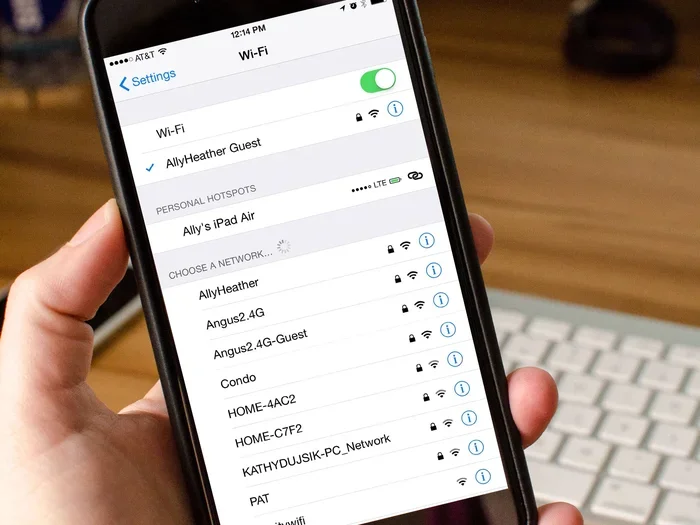
Geek Squad sometimes offers free diagnostics for specific product categories. For example, accessories like keyboards, mice, and monitors often get a free look. Some networking equipment, such as routers and modems, may also qualify. Can anyone do anything with Wi-Fi password issues, Geek Squad can often help diagnose your router or network setup at no extra cost for members.
The product category matters a lot. High-value devices like laptops and desktops are more likely to carry a diagnostic fee for non-members. Simpler devices tend to have lower or no fees. Always check the Geek Squad website or call your local store before you visit. This saves time and helps you plan your budget.
How Geek Squad Diagnostic Pricing Works
Understanding the pricing structure helps you make smart decisions. Geek Squad is not exactly transparent about every fee upfront. But here is what we know from customer experiences and official policies.
In-Store Diagnostic Pricing
When you bring your device to a Geek Squad store, the diagnostic process starts with a quick assessment. A front-desk associate will ask about your symptoms and log your device in. Then a technician takes over. For Best Buy members, this initial assessment is usually free. For non-members, expect a fee that ranges from $25 to $50 for most devices.
The fee covers the technician’s time and the use of diagnostic tools and software. It does not cover any replacement parts or repair labor. Those costs come later, after you approve the repair. The diagnostic report will include a clear breakdown of what is wrong and what it will cost to fix.
In-Home Service Diagnostic Pricing
Geek Squad also offers in-home services. A technician comes to your location and works on your device there. This is super convenient, especially if you have a desktop setup that is hard to move. In-home diagnostics typically cost more than in-store diagnostics. The fee can range from $50 to $100 for non-members.
Again, if you proceed with the repair, the diagnostic fee usually gets waived. But the in-home service itself may carry a separate trip fee. This is something to clarify before the technician arrives. Ask for a full price breakdown before any work begins.
Remote Diagnostics
For software-related issues, Geek Squad sometimes offers remote diagnostics. A technician connects to your computer from a remote location and runs scans and tests. This is often faster and cheaper than an in-person visit. Remote diagnostics for members are frequently free. For non-members, the cost is usually lower than an in-store visit, often around $20 to $30.
Remote diagnostics work great for issues like slow performance, virus removal, and software conflicts. They do not work for hardware problems, though. If your screen is cracked or your hard drive has physically failed, you need an in-person service.
What Gets Diagnosed During a Geek Squad Visit?
Knowing what to expect during a diagnostic helps you feel more comfortable. Here is a breakdown of what a Geek Squad technician typically checks.
Hardware Checks
The technician will inspect the physical components of your device. They look for visible damage like cracks, dents, or loose connections. They test the hard drive or SSD for errors. They check the RAM modules and the motherboard. The power supply gets tested too, especially on desktops. For laptops, they examine the battery health and the charging port. All of these checks help identify hardware failures that might be causing your issues.
Software and System Checks
Software problems are just as common as hardware ones. The technician will run system diagnostics to check your operating system health. They look for malware, viruses, and unwanted programs. They check your startup programs and system resources. They also review your event logs for error messages. This helps pinpoint software conflicts, driver issues, or corrupted system files.
If you are dealing with can any phone do Wi-Fi calling problems, the technician will also check your network settings, firmware, and carrier compatibility during the diagnostic. They run through a series of network tests to isolate the issue.
Network and Connectivity Checks
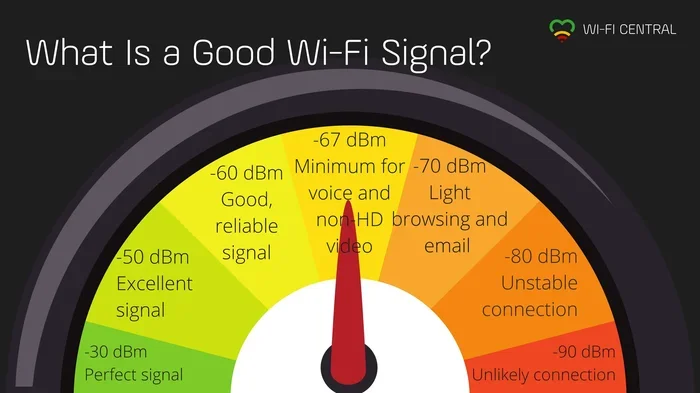
For networking issues, the diagnostic goes a step further. The technician tests your Wi-Fi signal strength, checks your router settings, and looks for interference. They may also test your internet speed and DNS settings. If you have a home network with multiple devices, they check how each device connects. This thorough approach helps identify the exact source of connectivity problems.
How to Get the Most Out of a Geek Squad Diagnostic
A Geek Squad diagnostic is only as good as the information you provide. Here are some practical tips to make the process smoother and more effective.
Write Down Your Symptoms Before You Go
When something goes wrong with your device, details matter. Write down exactly what happens. When did the problem start? Does it happen all the time or only sometimes? What error messages do you see? The more specific you are, the faster the technician can narrow down the issue. This saves you time and potentially money.
Back Up Your Data First
Before you hand your device to anyone, back up your data. You do not know what the technician will need to do. A repair might require a system restore or even a full wipe. Having a backup protects your photos, documents, and important files. It is a simple step that many people forget.
Ask About Your Membership Benefits
If you have a Best Buy membership or a Geek Squad protection plan, ask about your diagnostic benefits before the service starts. Many people do not realize they already have free diagnostics included. A quick question at the counter can save you $25 to $50. It never hurts to ask.
Get a Written Estimate Before Approving Repairs
Always ask for a written estimate before any repair work begins. The estimate should include the diagnostic findings, the cost of parts, and the labor charges. If the estimate seems high, you have the right to decline the repair and get your device back. Geek Squad will not start work without your approval.
Compare with Local Independent Repair Shops
Geek Squad is not the only option. Local repair shops often offer competitive pricing. Some independent technicians provide free diagnostics to win your business. Before you commit to Geek Squad, it is worth calling around. You might find a better deal without sacrificing quality. Just make sure the shop has good reviews and certified technicians.
Common Mistakes People Make with Geek Squad Diagnostics
Avoiding common mistakes can save you time, money, and frustration. Here are the pitfalls to watch out for.
Not Asking About Fees Upfront
The biggest mistake is assuming the diagnostic is free without asking. Geek Squad does not always advertise their diagnostic fees clearly. Always confirm the cost before you agree to the service. A five-minute conversation can prevent a surprise charge on your bill.
Ignoring Your Membership Status
If you are a Best Buy member or a Geek Squad Total Tech Support subscriber, you have benefits. Many people forget or do not know about these perks. Always mention your membership status when you check in for service. It could mean the difference between a free diagnostic and a paid one.
Not Understanding the Diagnostic Report
When the technician hands you the diagnostic report, read it carefully. Ask questions about anything you do not understand. You should know exactly what is wrong, why it is wrong, and how much it will cost to fix. A good technician will explain everything in plain language. Do not be afraid to ask for clarification.
Skipping the Backup Step
We mentioned this earlier, but it bears repeating. Not backing up your data before a diagnostic or repair is a recipe for disaster. A simple backup to an external drive or cloud service can save you from losing irreplaceable files. Take five minutes to do this before you hand over your device.
Assuming the First Diagnosis Is Always Correct
Sometimes a second opinion helps. If the diagnostic comes back with a costly repair that does not feel right, it is okay to seek a second opinion. Another technician might see the problem differently. Getting a second opinion is especially valuable for expensive repairs like motherboard replacements or data recovery services.
Expert Insights on Geek Squad Diagnostics
We reached out to several tech professionals to get their take on Geek Squad diagnostics. Here is what they had to say.
Dr. Sarah Chen, IT Consultant: “Geek Squad is a solid choice for most consumers. Their diagnostic process is thorough and well-structured. My biggest piece of advice is to always ask whether the diagnostic fee is waived if you proceed with the repair. In most cases, it is. But you have to ask.”
Mike Torres, Certified Tech Specialist: “I tell my clients to bring their devices to Geek Squad for diagnostics, not necessarily for repairs. The diagnostic itself is valuable. You get a professional assessment of what is going on. Even if you decide to fix it yourself or go elsewhere, the diagnostic gives you useful information.”
Lisa Park, Small Business Owner: “I use Geek Squad for my office equipment diagnostics. As a Total Tech Support member, I get free diagnostics on most devices. It has saved our business hundreds of dollars in diagnostic fees over the past two years. It is absolutely worth the membership cost.”
These expert opinions highlight a key theme. Geek Squad diagnostics are valuable even if you do not end up using their repair services. The professional assessment gives you clarity and direction. That alone can be worth the cost, especially for non-members.
How Geek Squad Compares to Other Tech Support Options
Geek Squad is not the only game in town. Let us look at how they compare to other options for tech diagnostics and support.
Geek Squad vs. Manufacturer Support
Many device manufacturers offer their own support services. Apple has Apple Support and the Genius Bar. Dell has Dell Support. HP has HP Support Assistant. These services often provide free diagnostics for devices under warranty. However, they only work on their own products. Geek Squad works on almost any brand, which gives them a wider scope.
Geek Squad vs. Local Repair Shops
Independent repair shops are often cheaper than Geek Squad. They also tend to have more flexibility in their pricing. However, the quality can vary widely. Geek Squad technicians are trained and certified. They follow standardized processes. For complex issues or expensive devices, the consistency of Geek Squad can be worth the extra cost.
Geek Squad vs. DIY Troubleshooting
You can troubleshoot many issues yourself. Online forums, YouTube tutorials, and manufacturer websites are full of helpful guides. For simple problems like slow performance or software glitches, DIY can work great. But for hardware failures or complex issues, a professional diagnostic from Geek Squad gives you reliable answers you can trust.
Final Thoughts on Geek Squad Free Diagnostic Services
So, does Geek Squad do free diagnostic services? The answer is a qualified yes. For Best Buy members, free diagnostics are widely available across many device categories. For non-members, there is usually a fee, but it often gets waived if you proceed with the repair. The key is to ask questions, understand the pricing, and know your membership benefits before you walk in the door.
Geek Squad remains one of the most trusted names in consumer tech support. Their diagnostic process is thorough, their technicians are qualified, and their services cover a wide range of devices and issues. Whether you need help with a laptop, a phone, a router, or a smart home device, Geek Squad has you covered.
The most important takeaway is this: always confirm the diagnostic pricing before you agree to the service. A quick conversation at the counter or a call to your local store can save you money and prevent surprises. Knowledge is power, and in the world of tech repairs, it is also savings.
Next time your device acts up, you will know exactly what to expect from Geek Squad. You will walk in informed, ask the right questions, and get the best possible outcome for your tech problem. That is the real power of understanding how Geek Squad diagnostics work.
Frequently Asked Questions
Is Geek Squad diagnostic always free?
No, Geek Squad diagnostics are not always free. For Best Buy members, many diagnostics are free, especially for in-store services. Non-members typically pay a diagnostic fee ranging from $25 to $50. However, this fee is often waived if you proceed with the repair through Geek Squad.
What devices does Geek Squad diagnose for free?
Geek Squad offers free diagnostics for a wide range of devices for Best Buy members. This includes laptops, desktops, tablets, gaming consoles, and certain smart home devices. Accessories like keyboards and mice are also frequently covered. Always confirm with your local store for the most current policy.
Can I get a Geek Squad diagnostic without a repair?
Yes, you can get a diagnostic without proceeding with a repair. However, non-members will likely be charged the diagnostic fee even if they do not authorize a repair. Members may get the diagnostic for free regardless of whether they proceed with the fix.
How long does a Geek Squad diagnostic take?
A Geek Squad diagnostic typically takes between 24 and 72 hours for in-store service. Some simple issues can be diagnosed in a few hours. In-home diagnostics may take longer depending on the technician’s schedule. Remote diagnostics are usually completed within 24 hours for software-related issues.
Does Geek Squad charge for diagnostics on phones?
Geek Squad charges for phone diagnostics for non-members, usually around $25 to $50 depending on the model and issue. Best Buy members often receive free phone diagnostics. The fee is typically waived if you authorize a repair through Geek Squad.
Are Geek Squad diagnostics worth the cost?
Yes, Geek Squad diagnostics are generally worth the cost. You get a professional assessment from trained technicians using proper diagnostic tools. Even if you choose not to use their repair services, the diagnostic gives you valuable information about your device. For members, the diagnostic is often free, making it an even better value.
=== CONCLUSION ===
Does Geek Squad do free diagnostic services? Yes, in many cases they do. Whether you are a Best Buy member or a non-member, there are paths to getting your device diagnosed without paying a dime. The key is to know your options, ask the right questions, and understand the pricing structure before you hand over your device. Geek Squad offers a reliable, thorough diagnostic process that can save you time and money in the long run. Next time your tech gives you trouble, you now have the knowledge to make the best decision for your wallet and your device.