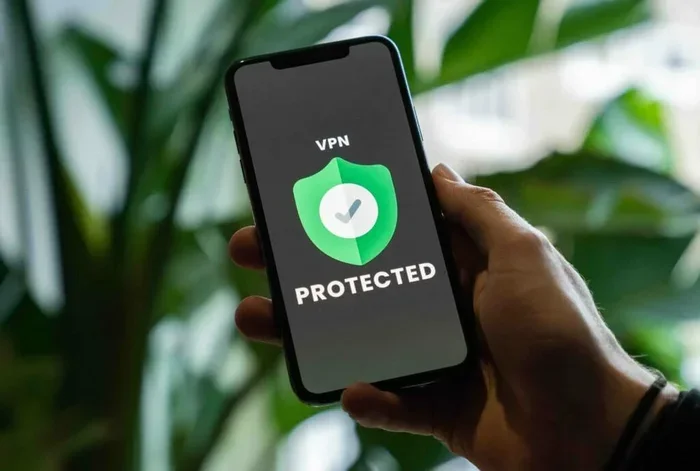
Does Vpn Give Me Internet Access and Keep Me Protected
A VPN does not give you internet on its own. You still need an active internet connection from your ISP or modem. But a VPN does give you internet access that is encrypted, private, and secure. Think of a VPN as a protective tunnel for your data, not a replacement for your internet service.
You have probably heard people talk about VPNs everywhere. Maybe your tech-savvy friend mentioned it. Maybe you saw an ad online. Or maybe you just want to know if a VPN can give you internet access and keep you safe at the same time. The short answer is yes and no. A VPN does not create an internet connection out of thin air. But it does give you a safer, more private way to use the internet you already have.
In this guide, we will walk through everything you need to know about how a VPN works, whether it gives you internet, and how it keeps you protected. We will also clear up common myths and share practical tips you can use right away. By the end, you will understand exactly what a VPN does and does not do for your online life.
Key Takeaways
- A VPN does not provide internet by itself: You still need a modem, ISP, or Wi-Fi connection to get online.
- A VPN encrypts your data: It hides your browsing activity from your internet service provider and hackers.
- A VPN changes your IP address: This helps with online anonymity and accessing geo-restricted content.
- VPNs work with any internet source: Whether you use Wi-Fi, mobile data, or a wired connection, a VPN adds a layer of security.
- Not all VPNs are equal: Free VPNs may slow your connection or sell your data. Paid options usually offer better protection.
- A VPN keeps you protected on public networks: Coffee shop and airport Wi-Fi become much safer with a VPN running.
📑 Table of Contents
- What Does a VPN Actually Do?
- Does VPN Give Me Internet Access and Protection?
- Can a VPN Give You Internet Access Anywhere?
- Does a VPN Slow Down Your Internet Speed?
- Common Myths About VPNs and Internet Access
- How to Choose the Right VPN for Your Needs
- Quick Tips for Using a VPN Effectively
- Expert Insights on VPN and Internet Security
- Final Thoughts: Does VPN Give Me Internet?
What Does a VPN Actually Do?
A VPN, or virtual private network, is a tool that creates a secure connection between your device and the internet. It routes your web traffic through an encrypted tunnel. This means nobody in the middle can easily see what you are doing online. Think of it like sending a letter in a locked box instead of a clear envelope.
How the Encrypted Connection Works
When you turn on a VPN, it connects you to a remote server. Your data gets scrambled as it leaves your device. Only the VPN server and your device can unscramble it. Your internet service provider cannot see what websites you visit. Hackers on public Wi-Fi cannot intercept your data either. This is why many people use a VPN for secure browsing and network security.
The process happens fast. You barely notice any delay in most cases. The encryption runs in the background while you browse, stream, or game without interruption. This makes encrypted connections practical for everyday use, not just for tech experts.
Does a VPN Replace Your Internet Service?
Here is the big question. Does VPN give me internet? The answer is no. A VPN does not replace your internet service provider. You still need a working internet connection to go online. Without an ISP or a modem providing that base connection, a VPN has nothing to protect or route.
Think of it this way. Your internet service is the road. A VPN is the armored car that drives on that road. You still need the road to get anywhere. But the armored car keeps your cargo safe along the way.
If you are wondering whether you can buy a modem and get internet on your own, check out our guide on Can I Buy A Modem And Have Internet. It covers everything you need to know about setting up your own connection.
Does VPN Give Me Internet Access and Protection?
Protection is one of the main reasons people use a VPN. But what exactly does it protect you from? Let us break it down.
Hiding Your IP Address
Every device connected to the internet has an IP address. This address can reveal your general location and your browsing habits. A VPN masks your real IP address. It replaces it with the IP address of the VPN server you connect to. This gives you a level of online anonymity that is hard to achieve otherwise.
For example, if you are in New York and connect to a VPN server in London, websites will see a London IP address. This can help you access content that is restricted by region. It also makes it much harder for advertisers and trackers to build a profile on you. This is a key benefit of anonymous browsing and digital privacy.
Encrypting Your Web Traffic
Encryption is the backbone of VPN protection. When your data travels from your device to the VPN server, it is encrypted. Even if someone intercepts it, they cannot read it. This is especially important when you use public Wi-Fi at cafes, airports, or hotels.
Without a VPN, your browsing data on public networks is wide open. Anyone with basic tools can potentially see what sites you visit. A VPN turns that open window into a locked vault. This is why secure browsing with a VPN is so important for everyday internet users.
Blocking Trackers and Ads
Many premium VPNs come with built-in features that block trackers and ads. These features stop websites from following you across the web. They also speed up your browsing by cutting out unnecessary content. This adds another layer of cybersecurity to your daily internet use and helps reduce your digital footprint.
Can a VPN Give You Internet Access Anywhere?
People often confuse a VPN with a source of internet. A VPN does not give you internet access by itself. But it can help you access the internet more freely in certain situations. Let us look at how this works.
Bypassing Geo-Restrictions
Some websites and streaming services limit content based on your location. A VPN can help you bypass these restrictions. By connecting to a server in another country, you can access content that would otherwise be blocked. This is popular for streaming international libraries on platforms like Netflix or Hulu.
However, some services actively block known VPN IP addresses. So a VPN does not guarantee access to every geo-restricted site. But it works most of the time and is a valuable tool for unrestricted browsing and wider internet access.
Using a VPN on Different Devices
VPNs work on many devices. You can install a VPN on your phone, tablet, laptop, or even your router. As long as the device has an internet connection, a VPN can protect it. This makes VPNs very versatile for home and travel use.
On mobile devices, a VPN is especially useful. You often connect to unfamiliar Wi-Fi networks on the go. A VPN keeps your data encrypted even on these risky connections. It gives you peace of mind wherever you are and helps maintain your online privacy across all your devices.
What About VPN Location Privacy?
A common question is whether a VPN can hide your location when you log into someone else’s account. The short answer is yes, a VPN can mask your location. But logging into another person’s account may still trigger security alerts. The account owner may notice a login from a different city or country. If you want to understand more about this, our article on Can A VPN Hide My Location When I Log Into Someone Else’s Account covers this in detail.
Does a VPN Slow Down Your Internet Speed?
One of the biggest concerns people have is speed. Does a VPN slow down your connection? The answer depends on several factors related to your bandwidth and server distance.
Why Speed Can Drop
A VPN routes your traffic through a remote server. This extra distance can slow things down. The encryption process also takes some processing power. Older or cheaper VPNs may cause noticeable lag. But modern VPNs are much faster than they used to be. The connection speed impact varies widely between providers.
How to Minimize Speed Loss
Here are some tips to keep your connection fast while using a VPN:
- Choose a server close to your location: Shorter distance means less latency and better performance.
- Use a wired connection when possible: Ethernet is more stable than Wi-Fi for VPN use.
- Pick a premium VPN provider: They invest in faster servers and better infrastructure for your connection.
- Avoid free VPNs: Free options often throttle your speed or overcrowd their servers with too many users.
- Use the right protocol: WireGuard and Lightway are known for delivering fast speeds with strong encryption.
In most cases, the speed drop from a good VPN is barely noticeable. You can stream, game, and browse without major issues. The trade-off between speed and security is usually worth it. Your web traffic is much safer even if there is a small dip in performance.
VPN Comparison: Free vs Paid Services
| Feature | Free VPN | Paid VPN |
|---|---|---|
| Speed | Often slow | Fast and stable |
| Data Limit | Limited or none | Unlimited or generous |
| Privacy | May log and sell data | Strict no-log policies |
| Server Locations | Few options | Many global servers |
| Security Features | Basic or none | Kill switch, DNS leak protection |
| Customer Support | Limited or none | 24/7 live support |
The table above shows why most experts recommend paid VPN services. The extra cost buys you better speed, stronger privacy, and more reliable protection for your internet connection.
Common Myths About VPNs and Internet Access
There are many myths floating around about VPNs. Let us clear up the most common ones so you have accurate information.
Myth 1: A VPN Gives You Free Internet
This is not true. A VPN does not provide internet access. You still need an ISP or a data plan. A VPN only secures the connection you already have. It does not remove the need for a modem, router, or data subscription. Think of it as a security layer, not a source of connectivity.
Myth 2: All VPNs Keep You Completely Anonymous
While a VPN hides your IP address, it does not make you completely anonymous. Your VPN provider may keep logs. Some free VPNs actually sell your browsing data to third parties. To stay truly private, choose a reputable no-log VPN provider. Read reviews and check their privacy policy carefully.
Myth 3: VPNs Are Only for Tech Experts
Modern VPNs are designed for everyone. Most apps have simple one-click setups. You do not need to know anything about networking or coding. If you can install an app on your phone, you can use a VPN. The user experience has improved dramatically in recent years.
Myth 4: VPNs Protect You From All Online Threats
A VPN is a powerful tool, but it is not a magic shield. It does not protect you from phishing emails or malware downloads. You still need antivirus software and smart browsing habits. Think of a VPN as one important piece of your overall cybersecurity puzzle. It handles encryption and IP masking but does not replace other security tools.
How to Choose the Right VPN for Your Needs
Not all VPNs are created equal. Here is what to look for when picking one for your internet security and browsing needs.
Speed and Performance
Look for a VPN that offers fast servers and low latency. Read reviews and test free trials before committing. Your VPN should not make your internet feel unusably slow. A good provider balances strong encryption with excellent connection speed.
Privacy Policy
Check the VPN provider’s privacy policy carefully. A strict no-logs policy means they do not track your activity. This is essential for true online privacy and data protection. Avoid providers based in countries with weak data privacy laws.
Server Locations
The more server locations a VPN offers, the more options you have. This helps with bypassing geo-blocks and finding fast connections. Look for providers with servers in the countries you care about most. More locations also mean better load balancing and fewer slowdowns.
Security Features
Top VPNs offer features like kill switches, DNS leak protection, and split tunneling. A kill switch cuts your internet if the VPN drops. This prevents your real IP address from being exposed. DNS leak protection keeps your browsing requests private. Split tunneling lets you choose which apps use the VPN and which do not. These features are essential for firewall protection and maintaining your network security.
Pricing
Free VPNs can be tempting. But they often come with serious downsides. They may limit your data, slow your speeds, or collect and sell your information. Paid VPNs usually offer much better value. They invest in better infrastructure, stronger encryption, and reliable customer support. The monthly cost is often less than a cup of coffee.
Quick Tips for Using a VPN Effectively
- Always turn on your VPN before connecting to public Wi-Fi. This is the single best habit for safe browsing and data protection.
- Choose a server location that matches your needs. Want to access US content? Connect to a US server for the best experience.
- Keep your VPN app updated. Updates fix security flaws and improve performance on your device.
- Use the kill switch feature. This ensures your real IP stays hidden even if the VPN connection drops unexpectedly.
- Do not rely on a VPN alone for security. Combine it with antivirus software, strong passwords, and safe browsing habits for complete protection.
Expert Insights on VPN and Internet Security
Cybersecurity experts agree that a VPN is one of the most useful tools for everyday internet users. It adds a critical layer of encryption that most people do not have by default. According to digital privacy advocates, using a VPN is especially important in an era where data breaches and online tracking are increasingly common.
Experts also emphasize that a VPN is not a standalone solution. It works best as part of a broader security strategy. Combine it with regular software updates, strong unique passwords, and awareness of phishing attempts. Together, these habits create a strong defense against most online threats and help you maintain control over your personal data.
The digital footprint you leave online is larger than you might think. Every website you visit, every search you make, and every purchase you complete adds to that footprint. A VPN helps minimize that footprint by hiding your real IP address and encrypting your traffic. It is one of the simplest steps you can take toward better digital privacy and online anonymity.
Many cybersecurity professionals recommend using a VPN whenever you are away from your home network. Whether you are traveling for work or pleasure, a VPN keeps your connection safe. It gives you the confidence to use any Wi-Fi network without worrying about eavesdroppers or data theft.
Final Thoughts: Does VPN Give Me Internet?
To answer the question directly, a VPN does not give you internet access on its own. You still need an internet service provider and a working connection. But a VPN does give you something just as valuable. It gives you a secure, private, and encrypted way to use the internet. It protects your data, hides your IP address, and keeps your browsing activity safe from prying eyes.
Whether you are at home on your Wi-Fi or traveling on public networks, a VPN adds a powerful layer of protection. It is one of the easiest and most effective steps you can take for your online security. The key is to choose a reliable VPN provider, use it correctly, and pair it with other good security habits.
So the next time someone asks, does VPN give me internet, you will know the full answer. A VPN does not create internet, but it does create a much safer internet experience. And in today’s digital world, that is well worth having. Take control of your online presence today and start browsing with confidence.
Frequently Asked Questions
Can a VPN give me internet if I have no Wi-Fi or data?
No. A VPN cannot create an internet connection from nothing. You need an active internet source like Wi-Fi, mobile data, or a wired connection. The VPN only secures and encrypts the connection you already have in place.
Will a VPN work if I do not have an ISP?
No. A VPN requires an internet service provider to function. Without an ISP providing a base connection, there is no internet traffic for the VPN to encrypt or route. You must have internet service first before a VPN can add its protective layer.
Does a VPN protect me from viruses and malware?
No. A VPN encrypts your traffic and hides your IP address. But it does not block viruses or malware. You still need antivirus software and should be careful about the links you click and files you download while browsing the web.
Can I use a VPN on multiple devices at the same time?
Yes. Most premium VPN providers allow multiple simultaneous connections. You can protect your phone, laptop, tablet, and even smart TV with one VPN subscription. Check the provider’s plan details for the exact number of allowed devices.
Is it legal to use a VPN?
In most countries, using a VPN is perfectly legal. However, some countries restrict or ban VPN usage. It is important to check your local laws before using a VPN. Even where legal, using a VPN for illegal activities remains against the law.
How do I know if my VPN is working properly?
You can check by visiting a website like WhatIsMyIP.com. If your IP address shows a location different from your real one, your VPN is working. You can also run a DNS leak test to make sure your browsing data is not leaking outside the encrypted VPN tunnel.
=== CONCLUSION ===
A VPN is a powerful tool for anyone who values online privacy and security. It does not give you internet by itself, but it transforms how you use the internet you have. From encrypting your data to hiding your IP address, a VPN offers benefits that are hard to ignore.
Remember to choose a trusted VPN provider, keep your software updated, and use it alongside other security tools. The internet can be a risky place, but with the right protections in place, you can browse, stream, and connect with confidence. Your online safety matters, and a VPN is one of the simplest ways to take control of it.
Take charge of your digital life today. Explore VPN options that fit your needs and start enjoying a safer, more private online experience. Your internet should work for you, not against you.