How Can I Get Wi Fi While Camping Without Losing My Mind
Getting Wi-Fi while camping is easier than you think. You can use mobile hotspots, portable routers, or even campground Wi-Fi to stay connected in the wild. This guide shows you the best methods, gear, and tips so you never have to go fully offline again.
Key Takeaways
- Mobile hotspots are the most popular and reliable way to get camping Wi-Fi.
- Portable Wi-Fi routers let you share a single data connection with multiple devices.
- Campground Wi-Fi exists but is often slow, so you need the right expectations.
- Satellite internet works in remote areas where cell service is unavailable.
- Wi-Fi extenders and boosters can dramatically improve weak campground signals.
- Planning your data plan ahead of time saves money and keeps you connected.
- Offline alternatives like downloaded maps and podcasts keep you entertained without Wi-Fi.
📑 Table of Contents
- How Can I Get Wi-Fi While Camping Without Losing My Mind
- Why Do You Need Wi-Fi While Camping?
- Option 1: Use Your Phone as a Mobile Hotspot
- Option 2: Get a Dedicated Hotspot Device
- Option 3: Use Campground Wi-Fi
- Option 4: Set Up a Portable Wi-Fi Router
- Option 5: Satellite Internet for Remote Camping
- Tips to Improve Your Camping Wi-Fi Signal
- Common Mistakes People Make When Trying to Get Camping Wi-Fi
- Which Camping Wi-Fi Method Is Right for You?
- Final Thoughts
How Can I Get Wi-Fi While Camping Without Losing My Mind
Camping is supposed to be relaxing. You want fresh air, tall trees, and maybe a campfire. But let us be real. You also want Wi-Fi. Whether you need to check work emails, post photos on social media, or just navigate to the nearest trailhead, staying connected in the great outdoors matters more than ever.
The good news is that you do not have to choose between nature and connectivity. There are plenty of ways to get Wi-Fi while camping without going crazy. Some methods are simple and cheap. Others require a bit more gear. But no matter your camping style, there is a solution that works for you.
In this guide, we walk you through every option. We compare the pros and cons. We share practical tips. And we help you figure out which method fits your camping trip best. By the end, you will know exactly how to stay online without sacrificing the peace and quiet of nature.
Let us dive in and explore your options for camping Wi-Fi. No stress. No complicated tech jargon. Just clear, honest advice you can use right away.
Why Do You Need Wi-Fi While Camping?
Some people think needing Wi-Fi while camping defeats the purpose. But the truth is more nuanced. Modern camping looks different for everyone. Some people camp for survival challenges. Others camp for comfort and convenience.
Here are some real reasons you might want internet while camping:
- Safety and emergencies. Cell service can be spotty in remote areas. Wi-Fi can give you a backup way to call for help or check weather alerts.
- Work obligations. More people are working remotely. If you are a digital nomad, you cannot just unplug for a week without a plan.
- Navigation. Offline maps are great, but real-time GPS updates and trail conditions are even better with a connection.
- Entertainment. Long nights at the campsite are perfect for streaming movies or playing games with the family.
- Social sharing. Let us face it. A beautiful sunset looks even better when you can post it instantly.
Understanding your needs helps you pick the right method. Someone who just needs to check email has very different requirements than someone who needs to stream video calls all week.
Option 1: Use Your Phone as a Mobile Hotspot
This is the easiest and most common way to get Wi-Fi while camping. You probably already know how it works. You turn on the hotspot feature on your phone, and other devices connect to it. It is like creating a mini router in your pocket.
How to Set Up a Mobile Hotspot
Setting up a hotspot is quick and simple. On most phones, you just go to Settings, then Network, then Hotspot or Personal Hotspot. Turn it on, set a password, and you are good to go.
Here are some quick tips to make it work better:
- Turn off hot spots on other devices to save battery.
- Keep your phone plugged into a portable charger.
- Place your phone in a high spot for better signal.
- Use 2.4 GHz instead of 5 GHz for longer range.
Pros and Cons of Phone Hotspots
Mobile hotspots are convenient. But they are not perfect. Here is a quick comparison:
- Pros: No extra gear needed. Works anywhere you have cell service. Free if you already have a data plan. Easy to set up in seconds.
- Cons: Drains your phone battery fast. Can overheat your phone. Limited to a few connected devices. Data caps can be a problem.
If you are going on a short camping trip, a phone hotspot is probably all you need. Just make sure your data plan can handle the extra usage. Streaming video will eat through data fast.
Option 2: Get a Dedicated Hotspot Device
A dedicated hotspot device is like a separate phone just for internet. It uses a SIM card and a data plan, but it does not make calls or send texts. It just gives you Wi-Fi on the go. This is a great option if you do not want to drain your phone battery.
Popular Hotspot Devices for Camping
There are several devices built specifically for this purpose:
- Verizon Jetpack – Reliable and widely available. Great for most camping trips in the US.
- AT&T Hotspot – Good coverage in many rural and suburban areas.
- T-Mobile Mobile Hotspot Often has the best coverage in remote areas thanks to their extensive network.
You can also check if your carrier offers unlimited hotspot plans. These plans give you more data without worrying about overage fees. Just keep in mind that some plans slow down your speeds after a certain amount of data.
Why a Dedicated Hotspot Is Better Than Your Phone
A separate hotspot device has several advantages. It does not drain your phone battery. It can connect more devices at once. It often has better antennas for stronger signals. And it keeps your phone free for calls and texts.
Many campers also use their hotspot device to extend Wi-Fi to 200 feet away or more by placing it near a window or on a high point. This gives you much better coverage around the campsite.
Option 3: Use Campground Wi-Fi
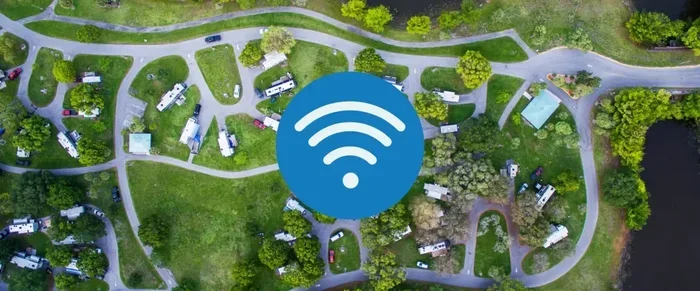
Many campgrounds and RV parks offer free or paid Wi-Fi. It sounds perfect. But the reality is often disappointing. Campground Wi-Fi is usually slow, unreliable, and shared among dozens of users.
What to Expect from Campground Wi-Fi
Here is the honest truth about campground internet:
- Speeds are often slow enough for email but not for streaming.
- The signal can be weak if your campsite is far from the router.
- Bandwidth gets shared with everyone in the campground.
- Some campgrounds charge extra for Wi-Fi access.
If you are staying at a campground with Wi-Fi, there are ways to make it better. One option is to use a Wi-Fi booster or extender. These devices pick up the weak campground signal and amplify it for your devices.
You can also try connecting to the Wi-Fi extension of the campground network. Some campgrounds have multiple access points spread around the property. Moving closer to one of these can improve your speed.
Option 4: Set Up a Portable Wi-Fi Router
A portable Wi-Fi router is a small device that creates your own private network. You connect it to a cellular data source, and it broadcasts Wi-Fi to all your devices. Think of it as a mini home router that you can take anywhere.
How Portable Routers Work for Camping
Most portable routers work with a SIM card. You insert a SIM card with a data plan, and the router creates a Wi-Fi network. Some models even accept external antennas for better signal strength.
Here is why campers love portable routers:
- Multiple device support. Connect phones, tablets, laptops, and even smart home devices.
- Better battery life. Routers are designed to run for hours without overheating.
- Stronger signal. Many portable routers have better antennas than phones.
- Private network. Keep your connection secure with a password.
If you have ever wondered can I get Wi-Fi without a router, the answer is yes, but a portable router gives you much better results. It acts as both the modem and the router in one compact package.
Option 5: Satellite Internet for Remote Camping
What if you are camping somewhere with no cell service at all? That is where satellite internet comes in. It works almost anywhere on Earth, making it the ultimate solution for off-grid connectivity.
Satellite Options for Campers
There are now several satellite internet options that work well for camping:
- Starlink – Offers fast speeds and is becoming popular with RV campers. The portable Starlink dish is designed for on-the-go use.
- HughesNet – A more affordable option with slower speeds but wide coverage.
- Amazon Project Kuiper – A newer player that is still rolling out but promises competitive speeds.
Satellite internet is not cheap. The equipment costs several hundred dollars. And data plans are often more expensive than cellular options. But if you camp in truly remote areas, it may be your only option.
One thing to keep in mind: satellite internet needs a clear view of the sky. Trees, mountains, and even heavy clouds can interfere with the signal. So choose your campsite carefully if you are relying on satellite internet.
Tips to Improve Your Camping Wi-Fi Signal
No matter which method you choose, weak signals are a common problem when camping. Here are some proven tips to boost your Wi-Fi signal in the great outdoors.
1. Find the Highest Spot
Elevation matters for Wi-Fi and cell signals. Set up your hotspot or router on a hill, a picnic table, or even the roof of your RV. The higher you go, the fewer obstacles there are between you and the nearest cell tower or campground router.
2. Stay Away from Trees and Mountains
Trees and hills block signals. If you are in a dense forest, try to find a clearing. Even a small open area can make a big difference in signal strength.
3. Use a Wi-Fi Extender or Repeater
A Wi-Fi extender takes a weak signal and rebroadcasts it. This is especially helpful in campgrounds where the router is far from your campsite. Some extenders are small enough to fit in your pocket.
4. Check the Weather
Did you know that humidity can affect a Wi-Fi signal? Rain, fog, and even high humidity can weaken your connection. Plan your online activities for dry weather when possible.
5. Limit Connected Devices
The more devices connected to your hotspot, the slower it gets. Only connect the devices you actually need. Turn off Wi-Fi on devices that are not in use.
6. Use Offline Apps When Possible
Download maps, music, and movies before you leave. This way, you only need Wi-Fi for things that really require it. You will use less data and stay connected longer.
Common Mistakes People Make When Trying to Get Camping Wi-Fi
Avoid these common mistakes to save time and frustration:
- Relying only on campground Wi-Fi. It is often too slow for anything beyond basic browsing. Always have a backup plan.
- Ignoring your data plan limits. Streaming and video calls use a lot of data. Check your plan before you go.
- Placing your device on the ground. The ground absorbs signals. Keep your hotspot or router elevated.
- Not charging your devices fully. A dead phone is useless for Wi-Fi. Bring extra battery packs.
- Forgetting to turn off auto-updates. Apps and software can use data in the background without you knowing.
These small mistakes can make a big difference in your experience. A little planning goes a long way toward staying connected while camping.
Which Camping Wi-Fi Method Is Right for You?
Choosing the right method depends on your camping style and needs. Here is a quick guide:
- Weekend camper with basic needs. Use your phone as a hotspot. It is simple and free.
- Frequent camper or RV owner. Invest in a dedicated hotspot device or portable router. It pays for itself over time.
- Remote or off-grid camper. Look into satellite internet. It is expensive but works almost anywhere.
- Family camping with multiple devices. A portable router is the best choice for sharing a connection.
No matter which option you pick, the key is to plan ahead. Check coverage maps for your carrier. Test your equipment before you leave. And always have a backup plan in case things do not go as expected.
Final Thoughts
Getting Wi-Fi while camping does not have to be stressful. You have more options than ever before. From simple phone hotspots to satellite internet, there is a solution for every type of camper. The trick is knowing what you need and preparing accordingly.
Remember that camping is still about enjoying nature. Do not let technology take over your experience. Use Wi-Fi as a tool to enhance your trip, not to replace it. Check your email. Share a photo. Then put the phone down and enjoy the sunset.
With the right gear and a solid plan, you can stay connected without losing your mind. Happy camping, and happy browsing.
Frequently Asked Questions
Can I get Wi-Fi while camping without a router?
Yes, you can. The easiest way is to use your phone as a mobile hotspot. You can also use a dedicated hotspot device or connect to campground Wi-Fi. If you want a more robust setup, a portable Wi-Fi router works great too.
How much data do I need for camping Wi-Fi?
It depends on what you plan to do. Checking email uses very little data. Streaming video uses a lot. A general rule is to plan for about 1 to 2 GB per day if you are browsing, checking email, and using maps. For streaming, you may need 5 GB or more per day.
Does campground Wi-Fi work well for streaming?
Usually not. Campground Wi-Fi is often slow and shared among many users. It may work for basic browsing and email, but streaming video will likely be frustrating. A mobile hotspot or portable router is a better option for streaming.
Can I use a Wi-Fi booster at a campground?
Yes, a Wi-Fi booster or extender can significantly improve weak campground signals. Place the booster near the campground router and connect your devices to the extended network. This works well for improving slow or distant connections.
Is satellite internet worth it for camping?
Satellite internet is worth it if you camp in areas with no cell service. It provides reliable connectivity almost anywhere. However, the equipment and data costs are higher than cellular options. It is best for frequent off-grid campers who need constant connectivity.
What is the best mobile hotspot for camping?
The best hotspot depends on your carrier and camping location. Verizon, AT&T, and T-Mobile all offer hotspot devices and plans. T-Mobile often has the best coverage in rural and remote areas. Check coverage maps for your specific camping destination before choosing a provider.