Can You Make Any Speakers Bluetooth With Simple Upgrades
Yes, you can make almost any speakers Bluetooth with the right approach. Whether you have old wired speakers or a stereo system, a bluetooth adapter or a few simple modifications can bring wireless audio to your setup. This guide walks you through every option so you can enjoy wireless music streaming without buying new speakers.
Key Takeaways
- Bluetooth adapters are the easiest fix: A simple bluetooth receiver can wireless any powered speaker in minutes.
- Older speakers can be upgraded too: Even vintage or non-Bluetooth speakers can gain wireless capability with the right adapter or modification.
- Cost savings are significant: Upgrading existing speakers costs a fraction of buying a new wireless speaker system.
- Quality depends on your setup: The bluetooth codec and speaker quality both affect the final sound output.
- Not all speakers work the same way: Passive speakers need an amplifier, while active speakers are easier to upgrade.
- DIY modifications are possible: With basic electronics knowledge, you can install a bluetooth module directly into your speaker.
- Alternative wireless options exist: Wi-Fi streaming, AirPlay, and wired Bluetooth transmitters offer different paths to wireless audio.
📑 Table of Contents
- Can You Make Any Speakers Bluetooth? The Short Answer Is Yes
- Why Upgrade Your Speakers to Bluetooth?
- Method 1: Using a Bluetooth Adapter (Easiest Option)
- Method 2: DIY Bluetooth Module Installation
- Method 3: Upgrading Passive Speakers with an Amp and Bluetooth
- Method 4: Using Smart Speakers as Bluetooth Receivers
- Common Mistakes to Avoid When Upgrading Speakers to Bluetooth
- Comparing Bluetooth Upgrade Options
- Can You Make Any Speaker Bluetooth? The Bottom Line
- Final Thoughts on Making Any Speakers Bluetooth
Can You Make Any Speakers Bluetooth? The Short Answer Is Yes
You have a pair of perfectly good speakers sitting on your shelf. They sound great. But they lack Bluetooth. So you wonder, can you make any speakers Bluetooth? The answer is almost always yes. With a few affordable tools and some basic know-how, you can transform your wired speakers into wireless audio powerhouses.
The process is simpler than most people think. Whether your speakers are old, brand new, or somewhere in between, there is a Bluetooth upgrade path for you. You do not need to be an electronics expert either. Many solutions take less than five minutes to set up. Others might require a little more effort but still stay well within the reach of a weekend project.
In this guide, we will explore every method you can use to add Bluetooth to your speakers. We will cover Bluetooth adapters, DIY modifications, and even some creative workarounds. By the end, you will know exactly which approach fits your speakers and your budget.
Why Upgrade Your Speakers to Bluetooth?
Wireless audio has become the standard. Most people stream music from their phones, tablets, and laptops every day. A wired connection feels outdated. It limits where you can place your speakers. It also means dealing with cables everywhere.
Upgrading to Bluetooth gives you freedom. You can move your speaker to any room. You can stream from any device without plugging in. The convenience factor alone makes it worth it. Plus, modern Bluetooth versions deliver surprisingly good sound quality.
Here are some key benefits of making your speakers wireless:
- Freedom of placement: Place your speaker anywhere within range. No cord restrictions.
- Multi-device support: Switch between your phone, tablet, and laptop easily.
- Cleaner setup: Say goodbye to tangled cables and clutter.
- Portability: Many Bluetooth solutions are small and portable.
- Cost-effective: Upgrading costs far less than buying a brand new wireless system.
Method 1: Using a Bluetooth Adapter (Easiest Option)
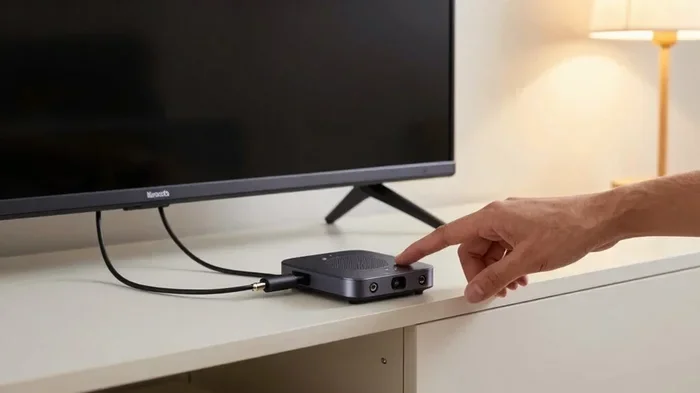
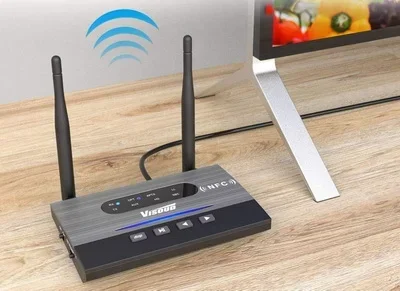
The simplest way to add Bluetooth to any speaker is with a bluetooth adapter. This small device plugs into your speaker’s audio input and creates a wireless bridge between your phone and your speaker. You can find these adapters for as little as $15 to $40 online.
How Bluetooth Adapters Work
A Bluetooth adapter receives audio signals from your phone wirelessly and sends them to your speaker through a cable. Think of it as a translator. Your phone speaks Bluetooth. Your speaker speaks wired audio. The adapter bridges the gap between the two.
Most adapters use a 3.5mm audio cable on one end and a USB charging cable on the other. Some models also support USB-C or micro-USB. You plug the adapter into your speaker’s aux input, pair it with your phone, and you are streaming music wirelessly.
Best Bluetooth Adapters for Speakers
Not all adapters are created equal. Here are some popular options that work well with most speaker types:
- Generic 3.5mm Bluetooth receivers: Affordable and widely available. Great for basic setups.
- High-quality codecs like aptX or LDAC: These deliver better sound quality for audiophiles.
- USB-powered adapters: Ideal if your speaker has a USB port or you have a power outlet nearby.
One important thing to note is that you can also use a bluetooth transmitter for speakers that only have optical or RCA inputs. These transmitters convert the wired signal to Bluetooth and send it to your phone or another device. The approach depends on your speaker’s input options.
For those with older Bose systems, check out our guide on making old Bose speakers Bluetooth for brand-specific tips.
Quick Setup Tips
Setting up a Bluetooth adapter is straightforward. Follow these steps for the best results:
- Plug the adapter into your speaker’s audio input jack.
- Charge the adapter fully before first use.
- Put your speaker in pairing mode.
- Open Bluetooth on your phone and search for devices.
- Select the adapter from the list and connect.
- Play music and adjust the volume on both your phone and speaker.
Keep the adapter within 30 feet of your phone for the best connection. Walls and obstacles can reduce the range. If you experience interference, move closer to the adapter or reduce the number of wireless devices nearby.
Method 2: DIY Bluetooth Module Installation
If you enjoy hands-on projects, installing a bluetooth module directly into your speaker is a rewarding option. This method works best for people who feel comfortable with basic soldering and wiring. It also gives you a cleaner, more permanent solution.
What You Will Need
Before you start, gather these materials:
- A Bluetooth audio module (such as a HC-05 or HM-10 board)
- A small amplifier (if your speaker is passive)
- Soldering iron and solder
- Wire strippers and thin gauge wire
- A small enclosure to house the module
- Basic tools: screwdriver, glue gun, multimeter
Step-by-Step Installation
Start by opening your speaker casing. Locate the audio input points on the circuit board. Solder wires from the Bluetooth module’s audio output to the speaker’s input terminals. Connect the module’s power supply to the speaker’s internal power source.
Once everything is connected, close the casing and test the connection. Pair your phone with the Bluetooth module and play some music. If the sound is weak, you may need to add a small amplifier between the module and the speaker driver.
This method works well for people who want a permanent, clean installation. There are no external adapters or cables to deal with. The Bluetooth module sits hidden inside the speaker housing. It is a great option for bookshelf speakers or desktop setups.
Safety Tips for DIY Installation
Working with electronics requires caution. Always disconnect power before soldering. Use a multimeter to check connections before powering on. If you are not comfortable with soldering, consider using a breadboard and jumper wires for a non-permanent setup first.
Also, be mindful of the voltage requirements. Most Bluetooth audio modules operate at 3.3V or 5V. Check your speaker’s power supply to make sure it can safely power the module without overloading the circuit.
Method 3: Upgrading Passive Speakers with an Amp and Bluetooth
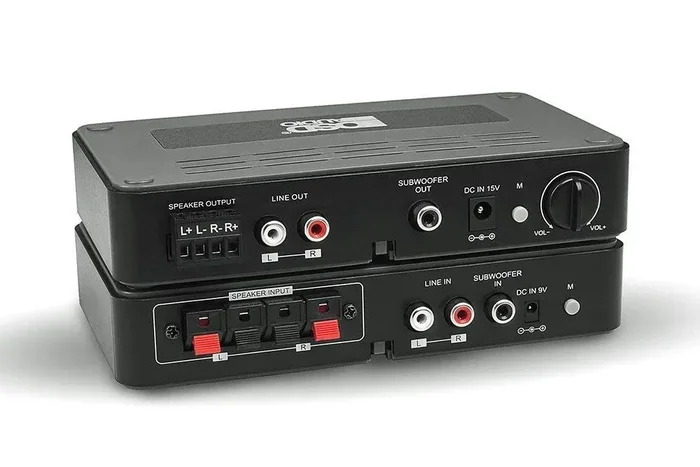
Passive speakers do not have a built-in amplifier. They need external power to work. If you have passive speakers, you cannot simply plug in a Bluetooth adapter. You need an amplifier with Bluetooth built in. This is actually a great upgrade path because it improves both wireless capability and sound quality.
Choosing the Right Amplifier
Look for an amplifier that matches your speaker’s power rating. If your speakers are rated at 50 watts each, choose an amplifier that can deliver at least 50 watts per channel. Many modern amplifiers come with Bluetooth built in, which makes the setup even simpler.
Some popular options include small stereo amplifiers from brands like Dayton Audio, Pyle, and Fosi Audio. These are affordable and deliver solid performance. They also often include multiple input options, so you can connect other devices besides your phone.
For car audio enthusiasts, you might explore options like using a bluetooth transmitter for car systems, which is a related upgrade path that brings wireless capability to vehicle speakers.
Connecting Everything Together
The setup process is simple:
- Connect your passive speakers to the amplifier using speaker wire.
- Power on the amplifier.
- Pair your phone with the amplifier’s Bluetooth connection.
- Play music and adjust the volume.
That is it. You now have a wireless speaker system that sounds better than before. The amplifier boosts the signal, and the Bluetooth connection lets you stream without wires. This is one of the most effective ways to upgrade older speaker systems.
Method 4: Using Smart Speakers as Bluetooth Receivers
Did you know you can use smart speakers like Alexa as a Bluetooth receiver? Many smart speakers have a built-in Bluetooth pairing mode. You can connect your wired speakers to a smart speaker and stream audio wirelessly. It is a creative workaround that does not require any extra hardware.
For example, you can pair your phone with an Amazon Echo device. Then, you route the Echo’s audio output to your wired speakers using a cable or connection. This method works best when your smart speaker has a 3.5mm output or when you use a Bluetooth connection between the devices.
You can also explore using Alexa as a Bluetooth speaker in standalone mode, which opens up even more possibilities for wireless audio setups around your home.
Pros and Cons of This Method
- Pros: No additional hardware needed. Smart speakers are often already in the home. Easy to set up.
- Cons: Audio quality may vary depending on the smart speaker’s output. You need the smart speaker powered on at all times. Limited range compared to dedicated Bluetooth adapters.
Common Mistakes to Avoid When Upgrading Speakers to Bluetooth
Even with the simplest setup, people make mistakes that cause frustration. Here are some common pitfalls to watch out for:
- Using the wrong adapter: Not all Bluetooth adapters work with all input types. Check your speaker’s input before buying.
- Ignoring power requirements: Some Bluetooth modules need more power than others. Using the wrong power supply can damage your equipment.
- Placing the adapter too far: Bluetooth has a limited range. Keep the adapter close to your phone for a stable connection.
- Skipping firmware updates: Some adapters benefit from firmware updates that improve connectivity and sound quality.
- Overlooking latency: Bluetooth introduces a slight delay. This is fine for music but can be noticeable for video watching.
Avoiding these mistakes will save you time and ensure a smooth wireless upgrade experience. Take a few minutes to research your specific speaker model before purchasing any adapter or module.
Comparing Bluetooth Upgrade Options
Not sure which method is right for you? Here is a quick comparison of the main approaches:
| Method | Difficulty | Cost | Sound Quality | Permanence |
|---|---|---|---|---|
| Bluetooth Adapter | Very Easy | $15-$40 | Good | Removable |
| DIY Bluetooth Module | Moderate | $10-$25 | Very Good | Permanent |
| Bluetooth Amplifier | Easy | $50-$150 | Excellent | Permanent |
| Smart Speaker Relay | Easy | Free (if you own one) | Fair to Good | Removable |
Each method has its strengths. The Bluetooth adapter is the fastest and easiest. The DIY module is the most customizable. The Bluetooth amplifier offers the best sound quality. And the smart speaker relay is the most budget-friendly option if you already own a smart speaker.
Choose the method that fits your skill level, budget, and how permanent you want the upgrade to be. There is no single best answer. The right choice depends on your specific situation.
Can You Make Any Speaker Bluetooth? The Bottom Line
The truth is that most speakers can be made Bluetooth with the right approach. Powered speakers are the easiest to upgrade. Passive speakers need an amplifier but still benefit greatly. Even very old speakers can gain wireless capability with a simple adapter.
The key is understanding your speaker’s input options and choosing the right upgrade path. A Bluetooth adapter works for most situations. A DIY module is perfect for tinkerers. A Bluetooth amplifier is ideal for passive speaker setups. And a smart speaker relay works well as a quick, no-cost solution.
Do not let a lack of Bluetooth stop you from enjoying your favorite music wirelessly. The upgrade options are affordable, accessible, and well within reach of anyone willing to try. Your old speakers have more life in them than you might think.
Remember, you can also find brand-specific guides if you need tailored advice. For example, if you have a car radio, check out how to turn your car radio into Bluetooth for vehicle-specific tips.
Final Thoughts on Making Any Speakers Bluetooth
Upgrading your speakers to Bluetooth is one of the best value-added projects you can do. It breathes new life into old equipment. It saves you money compared to buying new wireless speakers. And it gives you the freedom to stream music from any device without cables.
Start with the simplest option if you are new to this. A Bluetooth adapter costs very little and works immediately. If you want a more permanent and integrated solution, consider a DIY installation or a Bluetooth amplifier upgrade. Either way, you will enjoy wireless audio in no time.
The world of wireless audio is at your fingertips. All it takes is one small upgrade to unlock it. So go ahead, make your speakers Bluetooth, and enjoy the freedom of wireless music streaming today.
For more tips on wireless audio setups, you might also want to read about using Bluetooth adapters on TVs to extend wireless audio to your television as well.
Frequently Asked Questions
Can any speaker be made Bluetooth compatible?
Most speakers can be made Bluetooth compatible, but the method depends on the speaker type. Powered speakers work best with a simple Bluetooth adapter. Passive speakers need a Bluetooth amplifier. Even very old or vintage speakers can often be upgraded with the right approach.
How much does it cost to make speakers Bluetooth?
The cost ranges from $15 for a basic Bluetooth adapter to $150 for a quality Bluetooth amplifier. DIY Bluetooth modules are the most affordable option at around $10 to $25. Overall, upgrading existing speakers is much cheaper than buying a new wireless speaker system.
Does adding Bluetooth to speakers reduce sound quality?
The impact on sound quality depends on the method and the Bluetooth codec used. Basic adapters may introduce slight compression. High-quality adapters with aptX or LDAC codecs preserve much of the original audio quality. A Bluetooth amplifier often improves sound quality by providing better amplification alongside wireless capability.
Is it hard to install a Bluetooth module in speakers?
It requires basic soldering skills and some electronics knowledge. If you are comfortable with simple wiring projects, it is very doable. For beginners, a Bluetooth adapter is a much easier option that requires no soldering or permanent modifications.
How far can Bluetooth reach from my phone to the speaker?
Standard Bluetooth has a range of about 30 feet in open space. Walls and obstacles reduce this range. Bluetooth 5.0 and newer versions offer extended range of up to 80 feet. Keeping your phone close to the speaker ensures the most stable connection.
Can I use a Bluetooth transmitter instead of a receiver for my speakers?
Yes, a Bluetooth transmitter works when your speaker has an output like a 3.5mm or RCA jack. The transmitter sends audio from the speaker to Bluetooth headphones or another device. For receiving audio from your phone, you need a Bluetooth receiver instead. The choice depends on which direction you want the audio to flow.