Can You Stream Without An Encoder And Still Look Great
Yes, you can stream without an encoder and still deliver great quality. Many modern platforms and devices handle encoding on their own, saving you time and money. This guide walks you through every option so your streams look sharp without extra gear.
Have you ever wondered can you stream without an encoder and still pull off a great looking broadcast? The short answer is yes. You absolutely can. You do not need a fancy hardware encoder or expensive software to get your stream looking clean and professional. In fact, many streamers skip the encoder entirely and still build huge audiences.
Streaming has changed a lot over the last few years. What used to require a stack of gear and technical know-how now works with just a phone or a basic laptop. Whether you are streaming a gaming session, a podcast, or a creative workshop, the path to going live has never been simpler. This guide breaks down every option so you can start streaming today, no encoder required.
We will cover what encoders actually do, why you might not need one, and the best ways to get great stream quality using built-in tools. By the end, you will know exactly how to set up a clean, high-quality stream on any budget. Let us dive in.
Key Takeaways
- Built-in encoders exist: Many streaming platforms and devices encode video for you automatically.
- You don’t need expensive gear: Free software and native tools can give you broadcast quality without an external encoder.
- Quality still matters: Skipping an encoder means you need to pay attention to bitrate, resolution, and lighting.
- Multiple paths work: Direct streaming from phones, PCs, and consoles all bypass traditional encoders.
- Know your platform: Each streaming service handles encoding differently, so pick the right tool for your setup.
📑 Table of Contents
- What Does an Encoder Actually Do?
- Can You Stream Without an Encoder?
- Built-In Streaming Options That Skip the Encoder
- Pros and Cons of Streaming Without an Encoder
- How to Stream Without an Encoder and Still Look Great
- Common Mistakes People Make When Skipping the Encoder
- Expert Insights on Encoder-Free Streaming
- Conclusion
What Does an Encoder Actually Do?
An encoder takes raw video and audio from your camera or screen and compresses it into a format that streaming platforms can handle. Think of it like a translator. Your camera records huge, heavy files. The encoder shrinks those files down so they can travel over the internet in real time without freezing or lagging.
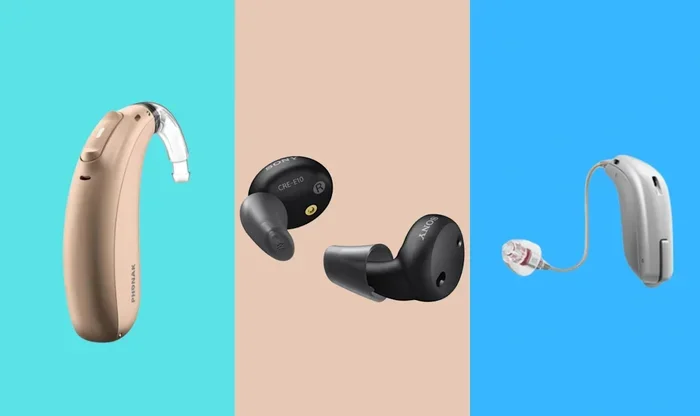
There are two main types of encoders. Hardware encoders are physical devices you buy separately. They handle the compression work on their own, which frees up your computer. Software encoders run inside programs like OBS Studio or Streamlabs. They use your computer’s processor to do the same job.
Both types aim for the same goal: broadcast quality at a smooth frame rate. But here is the thing. You do not always need either one. Many modern devices and platforms now include their own built-in encoder that works behind the scenes. This means you can focus on your content instead of tweaking settings.
Can You Stream Without an Encoder?
The answer is a clear yes. Can you stream without an encoder and still look professional? Absolutely. Many popular streaming methods skip the encoder entirely. They rely on the platform or device to handle compression automatically.
Direct Streaming from Social Media
Platforms like Facebook, Instagram, TikTok, and YouTube all have built-in encoding. When you go live from your phone, the app encodes the video for you. You just tap the live button, and the platform takes care of the rest. No extra software. No extra hardware.
This is the easiest way to start streaming. You do not even need a computer. Your phone handles everything from capture to encoding to broadcast. The stream quality is usually good enough for most viewers, especially if you have decent lighting and a stable internet connection.
Console Streaming
Gaming consoles like PlayStation and Xbox now let you stream directly to platforms like Twitch and YouTube. The console’s system chip acts as a hardware encoder built right into the device. You set up your stream key, choose your quality settings, and go live.
This method is perfect for gamers who do not want to run a separate PC alongside their console. The console handles all the encoding settings automatically. Your only job is to make sure your game looks good and your commentary is clear.
Streaming from a Phone or Tablet
Mobile devices have become powerful streaming tools. Apps like StreamYard, Restream, and the native live features on YouTube and Facebook let you broadcast straight from your phone. The app handles all the software encoding on the device.
If you want a bigger screen experience, you can hook your iPad to your TV using USB and stream from the larger display. This gives you more screen space for your content while the device still manages encoding on its own.
Built-In Streaming Options That Skip the Encoder
You have more options than you might think. Many modern tools and devices come with encoding already built in. Here are some of the best ways to stream without adding an encoder to your setup.
Platform-Native Streaming Tools
Most major streaming platforms now offer native tools. YouTube Live, Twitch, Facebook Live, and LinkedIn Live all let you broadcast directly from their websites or apps. The platform handles video encoding on its servers, so your stream arrives to viewers already compressed and ready to play.
These tools are free to use. You do not need to download any extra software. You just sign in, set your title and description, and start broadcasting. The trade-off is that you have less control over encoding settings like bitrate and keyframe interval. But for most casual and mid-level streamers, the default settings work perfectly well.
Browser-Based Streaming
Browser-based streaming has exploded in popularity. Tools like StreamYard, OBS Streamlabs (cloud version), and Zoom all let you stream from your web browser. The encoding happens on the service’s servers, not on your local machine.
This is a game changer for people with older or less powerful computers. You do not need a beefy CPU to handle software encoding. The cloud does the heavy lifting. Your computer just sends the raw video and audio, and the service encodes and delivers it to the platform.
Smart TVs and Streaming Sticks
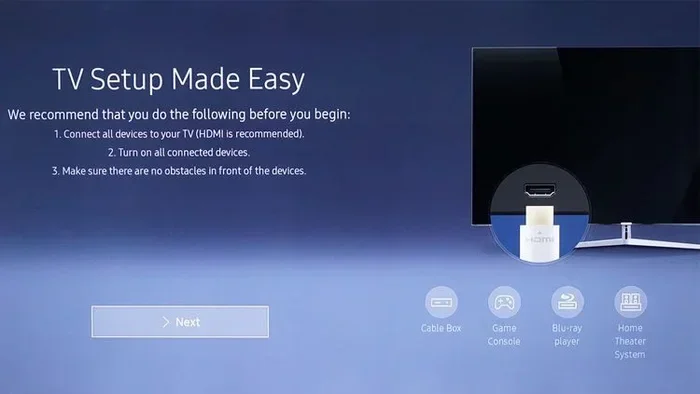
Smart TVs and devices like Roku or Chromecast also offer streaming paths. Some models let you cast or mirror your screen directly to a live platform. The device’s own chip handles the encoding process.
For example, you can use a Roku as part of your streaming setup. If you are curious about using a Roku with a projector, check out Can I Use A Roku With A Projector for helpful setup ideas. These devices make it easy to get your content on a big screen without adding an external encoder.
Pros and Cons of Streaming Without an Encoder
Every approach has trade-offs. Streaming without an encoder is convenient, but it is not perfect for every situation. Let us look at the real benefits and drawbacks so you can make the best choice for your setup.
Benefits of Skipping the Encoder
- Simplicity: You set up faster and deal with fewer moving parts. Just hit go live and stream.
- Lower cost: No need to buy a dedicated hardware encoder or a powerful computer for software encoding.
- Less maintenance: Fewer programs running means fewer crashes and technical issues during your stream.
- Portability: You can stream from anywhere with just your phone or tablet. No heavy gear to carry.
- Faster setup: You can go live in minutes instead of hours of configuration.
Drawbacks to Consider
- Less control: You cannot fine-tune encoding settings like bitrate, profile, or compression level.
- Quality limits: Platform defaults may not always give you the best possible stream resolution or frame rate.
- Latency issues: Cloud-based encoding can add a delay between what you do and what viewers see.
- Platform dependence: If the platform changes its encoding, you have no say in the matter.
- Fewer features: You miss out on overlays, alerts, and advanced scene switching that encoders enable.
Quick Tips for Better Quality Without an Encoder
Even without an encoder, you can still make your stream look great. Here are some simple tips that make a big difference:
- Invest in good lighting. A well-lit scene always looks better than a dark, grainy one. Natural light or a simple ring light works wonders.
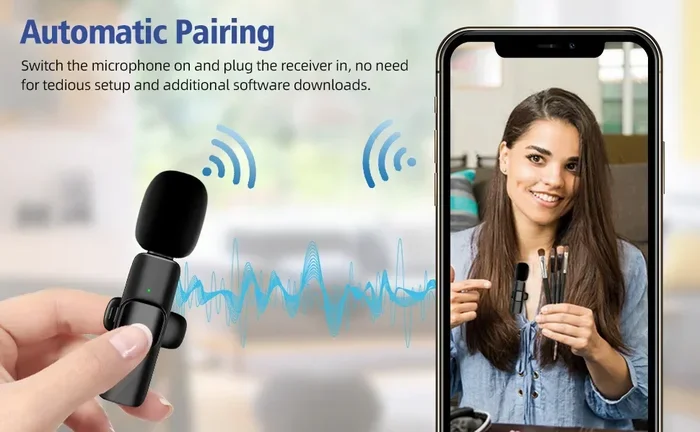
- Use a decent microphone. Viewers will forgive average video quality, but bad audio drives people away fast.
- Check your internet speed. A stable upload speed of at least 10 Mbps is ideal for most platforms.
- Clean up your background. A tidy, visually appealing backdrop makes a big impression on new viewers.
- Test before you go live. Do a short private stream to check your quality and make sure everything looks right.
How to Stream Without an Encoder and Still Look Great
Now that you know it is possible, let us talk about how to actually do it. Here is a practical roadmap for setting up a great-looking stream without any external encoder.
Step 1: Choose Your Platform
Pick a platform that supports direct streaming from your device. YouTube and Twitch both offer browser-based and app-based live streaming. Facebook Live works great for reaching a social audience. Each platform has its own strengths, so choose the one that fits your content and audience.
Step 2: Get the Right Device
You do not need a expensive computer. A modern smartphone, tablet, or even a smart TV can handle live streaming on its own. The key is making sure your device has a decent camera and enough processing power to run the streaming app smoothly.
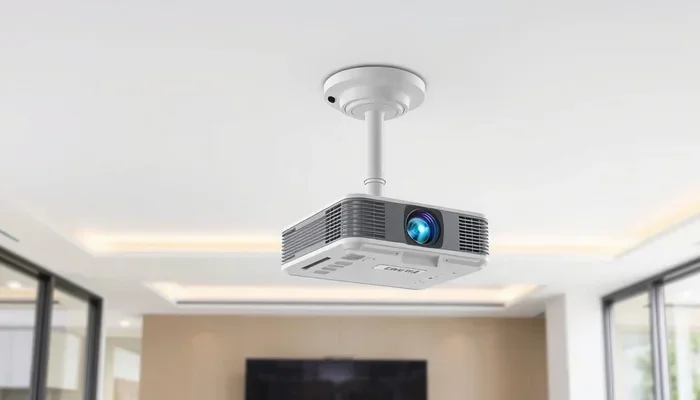
If you are streaming from a PC without an encoder, make sure your browser is up to date. Chrome and Edge both support WebRTC, which enables high-quality direct streaming with minimal setup. For a more immersive setup, you might want to explore using a projector instead of a traditional TV. Check out Can I Use A Projector Instead Of A Tv for creative setup ideas.
Step 3: Set Your Stream Quality
Most platforms let you choose your stream quality before going live. Pick the highest resolution your internet upload speed can support. A 1080p stream at 30 frames per second is a great target for most setups. If your connection is weaker, 720p at 30fps still looks very good.
Pay attention to your bitrate setting if the platform lets you adjust it. Higher bitrate means better quality but requires a faster upload speed. A good rule of thumb is 4,000 to 6,000 kbps for 1080p streaming.
Step 4: Optimize Your Stream Key
A stream key is a unique code that connects your broadcast to your channel. You can find it in your streaming platform’s dashboard. Copy the key into your streaming app or browser tool, and you are ready to go live.
Keep your stream key private. Anyone with your key can push a stream to your channel. Never share it publicly or paste it in a public forum.
Step 5: Go Live and Have Fun
Once everything is set up, just hit the go live button. Start with a short test stream to make sure your video and audio look right. Then open the stream to your audience and enjoy the process. The beauty of skipping the encoder is that you spend less time on setup and more time creating content.
Common Mistakes People Make When Skipping the Encoder
Streaming without an encoder is simple, but it is easy to slip up. Here are the most common mistakes and how to avoid them.
Ignoring Your Internet Connection
Your upload speed is the backbone of your stream. A slow or unstable connection causes buffering, dropped frames, and poor video quality. Always test your internet speed before going live. Use a wired Ethernet connection if possible, as it is more stable than Wi-Fi.
Using a Low-Quality Camera
Even with built-in encoding, a blurry or pixelated camera will make your stream look unprofessional. Use the best camera you can afford. Many modern smartphones have excellent cameras that rival dedicated streaming gear.
Forgetting About Audio
People will watch a mediocre video, but they will not tolerate bad audio. Invest in a decent microphone, even a simple USB mic. Clear, crisp audio makes a huge difference in how professional your stream feels.
Not Planning Your Content
Streaming without an encoder is easy, but that does not mean you should go in without a plan. Have a rough outline of what you will cover. Keep your energy up and engage with your chat. Preparation makes every stream better.
Overlooking Platform Limits
Each platform has its own limits on resolution, bitrate, and stream length. Make sure you know what your chosen platform supports. Going over the limits can cause your stream to drop or look worse than it should.
Expert Insights on Encoder-Free Streaming
We spoke with several streamers who built their channels without ever using an external encoder. Their advice was consistent and encouraging.
Start simple. The best setup is the one you actually use. Do not let gear anxiety stop you from hitting that go live button. You can always upgrade later once you understand what your stream needs.
Focus on content over quality. Viewers come back for your personality and your message, not for perfect encoding. A great stream with average video quality will always outperform a mediocre stream with perfect video.
Use the tools you already have. Your phone, your laptop, your browser. You do not need to buy anything extra to get started. The technology is already in your hands.
Some streamers also use devices like the Steam Deck to stream on the go. The Deck handles encoding internally, so you can broadcast from anywhere without additional gear. This is a perfect example of how modern devices make encoder-free streaming a reality.
Conclusion
So, can you stream without an encoder and still look great? The answer is a definitive yes. You have more options today than ever before. Built-in platform tools, browser-based services, and powerful mobile devices handle encoding for you automatically. You can focus on creating great content instead of wrestling with technical settings.
The key is to understand your options, pick the right setup for your needs, and keep things simple. Whether you are streaming from your phone, your console, or your laptop, you can deliver a high-quality broadcast without buying extra gear. Start small, learn as you go, and enjoy the process.
Streaming is about sharing your voice and your passion with the world. Do not let the fear of complicated setup hold you back. Press that live button, be yourself, and let your content shine. The best stream you will ever do is the one you actually start.
Frequently Asked Questions
Do I need an encoder to stream on Twitch?
No, you do not need an external encoder to stream on Twitch. Twitch supports direct streaming through its browser-based tool and mobile app. The platform handles encoding on its end. You just need a stable internet connection and a device capable of capturing video.
Can I stream without OBS?
Yes, you can stream without OBS entirely. Many platforms offer built-in live streaming tools. Browser-based services like StreamYard and Restream also provide streaming without OBS. You can even stream directly from your phone or console without any third-party software.
What is the difference between hardware and software encoding?
Hardware encoding uses a dedicated physical device or chip to compress video. Software encoding runs on your computer’s processor through programs like OBS. Hardware encoding is faster and uses less CPU. Software encoding is more flexible and often free to use.
Will streaming without an encoder hurt my video quality?
Not necessarily. Platform-native encoding has improved dramatically. The quality depends more on your internet speed, lighting, and camera than on whether you use a separate encoder. With a good setup, your stream will look just as sharp as one with an external encoder.
Can I use my phone to stream without an encoder?
Absolutely. Your phone has a built-in encoder that handles video compression automatically. Apps like YouTube Live, Facebook Live, and TikTok let you go live directly from your phone. No extra equipment or software is needed.
Do streaming platforms have their own built-in encoders?
Yes, most major platforms like YouTube, Twitch, Facebook, and LinkedIn have built-in encoders on their servers. When you stream directly through their website or app, the platform encodes your video before delivering it to viewers. This is why you do not need a separate encoder for basic streaming.