Does the Jbl Charge 5 Turn Off Automatically for Sure
The JBL Charge 5 does have an auto power-off feature that helps conserve battery when the speaker is idle. This portable Bluetooth speaker uses smart power management to shut down after a period of inactivity, but the exact timing depends on your settings and usage. Understanding how the auto shut-off works can help you get the most battery life from your JBL Charge 5.
Key Takeaways
- Auto Power-Off Feature: The JBL Charge 5 includes a built-in auto shut-off function that activates after a period of no activity.
- Battery Life Matters: Knowing how the speaker manages power helps you extend playtime and avoid unexpected battery drain.
- Bluetooth Connectivity: The speaker stays connected via Bluetooth even in standby mode, which can affect power consumption.
- Customizable Settings: Some power-related behaviors can be adjusted through the JBL app or speaker controls.
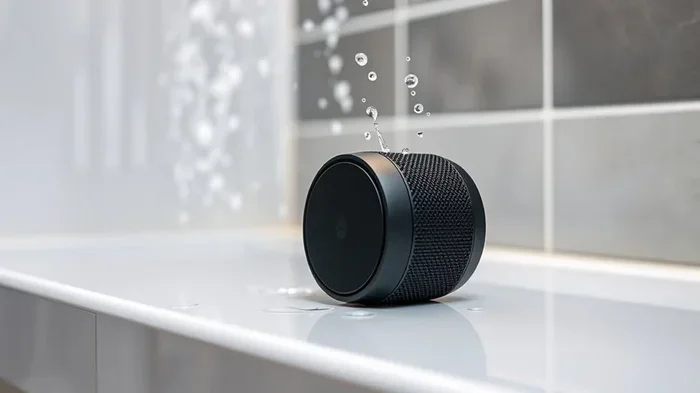
- Waterproof Design: The IP67 rating means the speaker can handle water exposure, but this does not affect its auto shut-off behavior.
- Charging Options: The USB-C charging port allows for fast and convenient recharging when the battery runs low.
- Smart Power Management: JBL built in energy-saving features that balance performance with battery longevity.
📑 Table of Contents
- Does the JBL Charge 5 Turn Off Automatically?
- How the Auto Power-Off Feature Works
- Battery Life and Power Management
- Bluetooth Connectivity and Its Role in Power Usage
- Comparing the JBL Charge 5 to Other JBL Speakers
- Common Mistakes That Drain Your JBL Charge 5 Battery
- Expert Tips for Getting the Best Performance
- Quick Tips Summary
- Final Thoughts
Does the JBL Charge 5 Turn Off Automatically?
If you own a JBL Charge 5 or are thinking about buying one, you might wonder whether this popular portable Bluetooth speaker turns off on its own. The short answer is yes. The JBL Charge 5 does have an auto power-off feature built right in. But there is more to the story than just a simple yes or no.
When you are using a portable speaker like the JBL Charge 5, battery life is everything. You do not want to come back from a beach day or a camping trip only to find a dead battery. The auto shut-off feature helps prevent that. It saves power when you forget to turn the speaker off manually. This is a smart addition from JBL, and it shows they understand what users need from a wireless speaker.
In this article, we will dive deep into how the auto power-off feature works on the JBL Charge 5. We will cover the battery life, Bluetooth standby behavior, power management settings, and practical tips to get the most out of your speaker. Whether you use your JBL Charge 5 at home, by the pool, or on the trail, this guide has you covered.
How the Auto Power-Off Feature Works
The JBL Charge 5 uses a smart power management system. When the speaker detects no audio signal or user interaction for a certain period, it begins the shutdown process. This is different from older speakers that stayed on forever until you manually pressed the power button.
The Shutdown Timer
After a period of inactivity, the JBL Charge 5 will automatically power down. The exact time can vary. Most users report the speaker shuts off after about 15 to 30 minutes of no sound output. This helps preserve battery when the speaker is left on by accident.
However, if the speaker is actively connected to a Bluetooth device and playing music, it will stay on. The auto shut-off only triggers during idle periods. This means if your phone is playing music on pause, the speaker might still draw a small amount of power while waiting for the next track.
Standby Mode vs. Full Power Off
There is a difference between standby mode and a full power-off state. In standby mode, the JBL Charge 5 keeps its Bluetooth connection alive. It can wake up quickly when your phone starts playing audio again. This is convenient, but it does use some battery.
In a full power-off state, all functions stop completely. The speaker draws no power at all. The auto shut-off feature moves the speaker from standby to full power-off after the idle timeout. This two-stage process is a clever design choice by JBL.
Battery Life and Power Management
The JBL Charge 5 comes with a built-in rechargeable battery. JBL claims it delivers up to 20 hours of playtime on a single charge. That is impressive for a portable Bluetooth speaker of this size and sound quality. But actual battery life depends on several factors.
What Affects Battery Drain?
Several things impact how fast your JBL Charge 5 loses battery. Understanding these factors can help you get more hours of use.
- Volume Level: Playing music at full volume drains the battery much faster than playing at moderate levels.
- Bluetooth Range: If your connected device is far away, the speaker works harder to maintain the connection, using more power.
- Ambient Temperature: Extreme heat or cold can reduce battery performance significantly.
- Equalizer Settings: Heavy bass boost settings use more energy than balanced or neutral EQ profiles.
- Standby Time: Even when not playing music, a connected Bluetooth speaker uses some power to stay ready.
How to Maximize Battery Life
You can take simple steps to make your JBL Charge 5 battery last longer. Here are some practical tips:
- Keep the volume at a reasonable level, around 50 to 70 percent.
- Turn off the speaker when you are not actively using it, even if the auto shut-off is on.
- Keep the speaker at room temperature when possible.
- Use the JBL app to adjust EQ settings for better battery efficiency.
- Charge the speaker fully before long trips or outdoor events.
Bluetooth Connectivity and Its Role in Power Usage
The JBL Charge 5 connects to your devices using Bluetooth 5.1 technology. This is a modern Bluetooth standard that offers better range and lower power consumption than older versions. But Bluetooth still uses energy, even when the speaker is idle.
Does Bluetooth Keep the Speaker Alive?
Yes, to some extent. When the JBL Charge 5 is paired with a device, it maintains a low-power Bluetooth connection. This allows the speaker to wake up instantly when you start playing audio. If you have ever picked up your phone to play music and the speaker came right back to life, that is this feature at work.
This is similar to how Bluetooth works on other devices. For example, does Bluetooth work on Apple Watch without iPhone in a standby state, the watch maintains a connection while conserving power. The JBL Charge 5 follows a similar principle.
Pairing Multiple Devices
The JBL Charge 5 supports Bluetooth pairing with multiple devices. You can switch between phones or tablets without disconnecting. However, staying connected to multiple devices can increase standby power usage slightly. If you want to save battery, disconnect devices you are not currently using.
Comparing the JBL Charge 5 to Other JBL Speakers
JBL makes many portable speakers. Each model has different power management features. Let us compare the JBL Charge 5 with a few other popular models to see how auto shut-off and battery life stack up.
| Speaker Model | Battery Life | Auto Power-Off | Waterproof Rating | Bluetooth Version |
|---|---|---|---|---|
| JBL Charge 5 | Up to 20 hours | Yes | IP67 | 5.1 |
| JBL Flip 6 | Up to 12 hours | Yes | IP67 | 5.3 |
| JBL Xtreme 3 | Up to 15 hours | Yes | IP67 | 5.3 |
| JBL Go 4 | Up to 7 hours | Yes | IP67 | 5.3 |
As you can see, all modern JBL portable speakers include an auto power-off feature. The JBL Charge 5 stands out with its longer battery life and powerful sound output. If you want to learn more about using your JBL speaker in different environments, check out can I put JBL in shower for helpful tips on speaker placement and care.
Common Mistakes That Drain Your JBL Charge 5 Battery
Many users unknowingly drain their speaker battery faster than they should. Here are some common mistakes and how to avoid them.
Leaving Bluetooth Connected When Not in Use
One of the biggest battery drainers is leaving the speaker connected to a device when you are not using it. The speaker stays in standby mode, waiting for a signal. This uses power even when no music is playing.
If you are done listening, manually turn off the speaker or disconnect the Bluetooth connection. This simple habit can add hours to your battery life over time.
Ignoring the Auto Shut-Off
Some users do not realize the auto shut-off feature exists. They leave the speaker on for days without using it. While the speaker will eventually power off, it drains battery during that idle time. Understanding and trusting the auto power-off feature helps you avoid this waste.
Overcharging the Battery
Leaving the JBL Charge 5 plugged in for extended periods after it is fully charged can stress the battery over time. The speaker uses a lithium-ion battery, and modern devices manage overcharging well. Still, it is best to unplug the charger once the battery is full.
For general charging tips across devices, you might find it interesting to learn how to turn a stereo into Bluetooth and understand the broader world of wireless audio connectivity.
Expert Tips for Getting the Best Performance
Beyond the auto power-off feature, there are several ways to get the best experience from your JBL Charge 5. These tips come from real-world usage and expert recommendations.
Use the JBL Portable App
The JBL Portable app lets you manage your speaker settings from your phone. You can check battery level, update firmware, and adjust sound profiles. The app also lets you connect multiple JBL speakers for a stereo or party experience.
Keep Firmware Updated
JBL regularly releases firmware updates that improve battery management and fix bugs. Keeping your speaker updated ensures you get the best power efficiency and performance.
Store Properly When Not in Use
If you are not going to use the speaker for a while, store it at about 50 percent charge. Storing a lithium-ion battery fully drained or fully charged can reduce its long-term capacity. A half-charged speaker stored in a cool, dry place will last for years.
Quick Tips Summary
- Let the auto shut-off feature do its job when you forget to turn off the speaker.
- Keep volume moderate to extend battery life significantly.
- Disconnect Bluetooth devices when not in use.
- Update firmware regularly for optimal power management.
- Store the speaker at 50 percent charge for long periods.
- Use the JBL Portable app to monitor and manage battery usage.
- Charge with the included USB-C cable for best results.
Final Thoughts
The JBL Charge 5 is an excellent portable Bluetooth speaker with smart power management features. The auto power-off function works reliably and helps conserve battery when you are not actively using the speaker. Combined with up to 20 hours of playtime, this makes the JBL Charge 5 a great choice for anyone who wants a wireless speaker that lasts.
Understanding how the auto shut-off works, what affects battery drain, and how to optimize your usage goes a long way. These small habits add up to a much better experience with your speaker. Whether you are using it for a backyard gathering, a trip to the beach, or just relaxing at home, the JBL Charge 5 delivers both great sound and smart energy management.
Take the time to explore your speaker settings, keep your firmware updated, and enjoy the freedom that comes with a reliable portable speaker. The JBL Charge 5 is built to impress, and its auto power-off feature is just one of the many reasons to love it.
Frequently Asked Questions
Does the JBL Charge 5 have a sleep timer feature?
The JBL Charge 5 does not have a dedicated sleep timer like some smart speakers. Instead, it relies on its auto power-off feature to shut down after a period of inactivity. This means if you fall asleep with music playing, the speaker will continue until it stops or the auto shut-off kicks in after the idle timeout.
How long does the JBL Charge 5 take to fully charge?
The JBL Charge 5 typically takes about 4 to 5 hours to charge from empty to full using the included USB-C cable. Using a fast charger can reduce this time slightly. Always use a quality charging cable to protect the battery and ensure safe charging.
Can I turn off the auto power-off feature on the JBL Charge 5?
No, the auto power-off feature on the JBL Charge 5 cannot be disabled. It is a built-in power management feature designed to protect battery health and prevent waste. This is a standard feature across all modern JBL portable speakers.
Does the JBL Charge 5 turn off automatically when the battery is low?
The JBL Charge 5 will emit a warning when the battery is running low. It does not automatically shut off at a specific battery percentage. Instead, the auto power-off feature activates after a period of inactivity, regardless of battery level. However, a very low battery may cause the speaker to stop playing before the idle timer triggers.
Is the JBL Charge 5 waterproof?
Yes, the JBL Charge 5 has an IP67 rating, which means it is fully waterproof and dustproof. You can use it by the pool, in the rain, or even drop it in shallow water without worry. The waterproof design does not affect the auto power-off or battery performance in any way.
Can I use the JBL Charge 5 while it is charging?
Yes, you can use the JBL Charge 5 while it is plugged in and charging. The speaker will continue to play music and connect via Bluetooth during charging. However, using it while charging may slightly increase the charging time. For best battery health, it is recommended to let the speaker charge uninterrupted when possible.