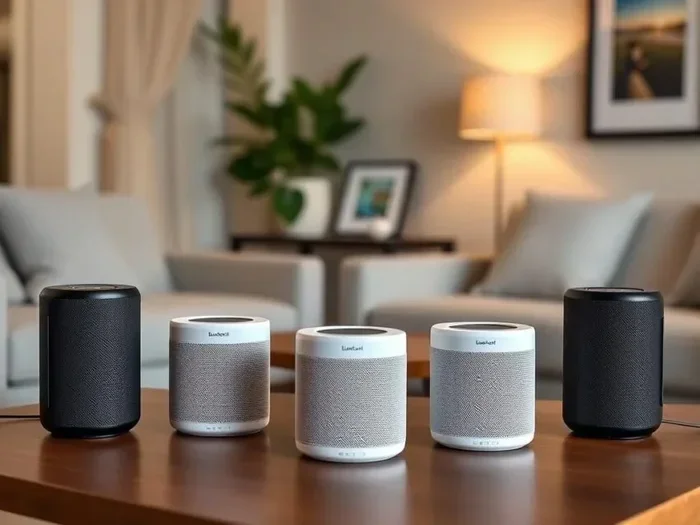
How Do I Connect 4 Bluetooth Speakers Together Step by Step
Connecting 4 Bluetooth speakers together lets you fill any room with rich, immersive sound. You can daisy chain speakers, use a Bluetooth transmitter, or group them through your phone or TV. This guide walks you through every method step by step so you can set up your multi-speaker system with confidence.
Have you ever wanted to fill a big room with rich, full sound but only had one Bluetooth speaker? Maybe you bought a second one and thought, “Why not get four?” Connecting 4 Bluetooth speakers together sounds like a great idea, and it absolutely is. But the process isn’t always as simple as pressing a button. Different speakers use different methods, and some setups work better than others.
In this guide, I’ll walk you through every way to connect 4 Bluetooth speakers together step by step. Whether you want to set up a backyard party, create a surround sound system, or just boost your music volume, you’ll find the right approach here. I’ll keep things simple and practical, so even if you’re not tech-savvy, you’ll be able to follow along.
Before we dive in, let’s talk about why this topic matters so much. Wireless speakers have become a huge part of how we enjoy music at home and on the go. But a single speaker often can’t fill a large space with enough sound. That’s where connecting multiple speakers comes in. It gives you louder volume, better coverage, and a more immersive listening experience. So let’s get started.
Key Takeaways
- Multiple methods exist: You can connect 4 Bluetooth speakers through daisy chaining, Bluetooth transmitters, or native grouping features on your device.
- Compatibility matters: Not all speakers support multi-speaker pairing, so check your model before buying or setting up.
- Bluetooth 5.0 helps: Newer Bluetooth versions offer better range and stability when connecting multiple speakers.
- Placement is key: Position your speakers evenly for the best audio sync and sound coverage.
- Avoid common mistakes: Don’t pair speakers too far apart, and always update firmware for the best performance.
📑 Table of Contents
- Understanding How Bluetooth Speaker Pairing Works
- Method 1: Daisy Chain Your Speakers
- Method 2: Use a Bluetooth Transmitter
- Method 3: Use a Smartphone App or Smart Home System
- Method 4: Use a Bluetooth Adapter or Dongle
- Optimizing Your Setup for the Best Sound
- Troubleshooting Common Connection Issues
- Frequently Asked Questions
- Conclusion
Understanding How Bluetooth Speaker Pairing Works
Before you try to connect 4 Bluetooth speakers together, it helps to understand the basics of how Bluetooth speaker pairing works. Bluetooth is a short-range wireless technology that sends audio from a source device to a speaker. When you pair two devices, they create a dedicated connection using a specific Bluetooth protocol.
Most Bluetooth speakers can only maintain one active connection at a time. This means you can’t just pair four speakers to your phone directly. Instead, you need to use special methods like daisy chaining, stereo pairing, or a Bluetooth transmitter that splits the signal. Understanding this is the first step to a successful multi-speaker setup.
What Is Daisy Chaining?
Daisy chaining means linking speakers in a chain. The first speaker connects to your phone, and then it passes the signal to the next speaker, and so on. Not all speakers support this feature. Brands like JBL, Sony, and Bose often include daisy chaining in their higher-end models. If your speaker has a “Pair” or “Link” button, there’s a good chance it supports this method.
What Is Stereo Pairing?
Stereo pairing connects two speakers to create a left and right audio channel. This is great for filling a room with balanced sound. Some speakers let you pair two units wirelessly, and then you can add more speakers through a transmitter or app. Stereo pairing is one of the most popular ways to set up a wireless audio system at home.
What Is Speaker Grouping?
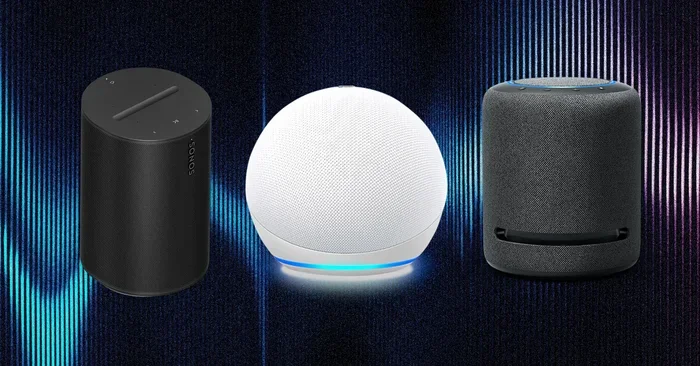
Speaker grouping uses an app or a smart home system to control multiple speakers at once. For example, if you use Alexa or Google Home, you can group speakers together and play the same audio on all of them. This is a very user-friendly way to connect multiple wireless speakers without buying extra equipment.
Method 1: Daisy Chain Your Speakers
Daisy chaining is one of the most straightforward ways to connect 4 Bluetooth speakers together. Here’s how to do it step by step.
- Step 1: Turn on all four speakers and make sure they are fully charged.
- Step 2: Put the first speaker in pairing mode. This is usually done by pressing and holding the Bluetooth or Pair button.
- Step 3: On your phone or music source, go to Bluetooth settings and connect to the first speaker.
- Step 4: Now, put the second speaker in pairing mode. It should detect the first speaker and link automatically if both support daisy chaining.
- Step 5: Repeat the process with the third and fourth speakers.
Once all four speakers are linked, play some music and check if the audio is in sync. If there’s a delay, move the speakers closer together. Bluetooth range can affect how well daisy chaining works. Most speakers work best within 30 feet of each other.
Quick Tips for Daisy Chaining
- Always start with the speaker closest to your phone and work outward.
- Keep all speakers on the same surface level for better signal strength.
- If one speaker drops out, restart it and re-pair from the previous speaker in the chain.
- Check your speaker’s manual for specific daisy chain instructions, as every brand does it slightly differently.
Common Mistakes to Avoid
- Don’t try to pair all four speakers at the same time. Pair them one at a time for the best results.
- Avoid placing speakers too far apart, as this can cause audio lag or dropouts.
- Don’t ignore firmware updates. Manufacturers often release updates that improve speaker connectivity and stability.
Method 2: Use a Bluetooth Transmitter
A Bluetooth transmitter is a small device that sends audio to multiple speakers at once. This method works well when your speakers don’t support daisy chaining natively. You plug the transmitter into an audio output, and it broadcasts the signal to all connected speakers.
Here’s how to set it up:
- Step 1: Purchase a Bluetooth transmitter that supports multi-point connection. Some transmitters can connect to two or more speakers simultaneously.
- Step 2: Plug the transmitter into your audio source. This could be a TV, computer, or music player with a 3.5mm or RCA output.
- Step 3: Put each speaker in pairing mode one at a time.
- Step 4: Connect each speaker to the transmitter through Bluetooth settings.
- Step 5: Play music and adjust the volume on each speaker to match the others.
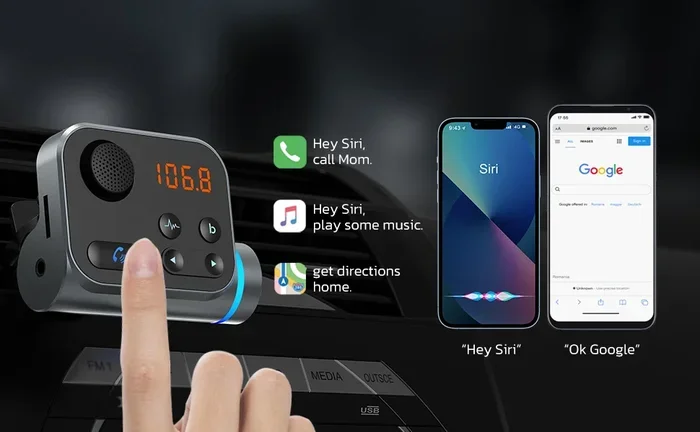
This method is especially useful if you want to connect 4 Bluetooth speakers together for a party or outdoor event. You can place the speakers around your yard or living room and enjoy consistent sound everywhere. If you’re using a TV as your source, you might also want to check out how to use a Bluetooth transmitter for your car for a similar wireless audio experience on the go.
Best Bluetooth Transmitters for Multi-Speaker Setups
Not all transmitters are created equal. Look for ones that support aptX or aptX Low Latency codecs. These reduce audio delay and improve sound quality. Some popular options include the Avantree Oasis, the 1Mii B06, and the TaoTronics TT-BA07. All of these can handle multiple speaker connections and offer good range.
Pros and Cons of Using a Transmitter
- Pros: Works with almost any speaker, no app required, affordable, and easy to set up.
- Cons: May introduce slight audio delay, limited range compared to wired connections, and some transmitters only support two speakers at a time.
Method 3: Use a Smartphone App or Smart Home System
If you have a smart home setup, you can use apps to connect 4 Bluetooth speakers together with ease. Many speaker brands now offer their own apps that let you group speakers and play the same audio on all of them. For example, the JBL Connect app lets you link multiple JBL speakers wirelessly.
Here’s how this method typically works:
- Step 1: Download the official app for your speaker brand.
- Step 2: Connect each speaker to the app individually through Bluetooth.
- Step 3: Use the app’s grouping feature to link all four speakers together.
- Step 4: Play music from your phone, and the audio will stream to all four speakers simultaneously.
This method is very convenient because you can control the volume and EQ settings for each speaker from one place. If you already use Alexa or Google Home, you can also group speakers through those platforms. Speaker grouping through a smart home system is one of the easiest ways to manage multiple wireless speakers without extra hardware.
If you’re interested in using Alexa for this purpose, you might want to read about how you can use Alexa as a Bluetooth speaker to understand the full range of what Alexa can do with your audio setup.
Which Smart Home Systems Support Multi-Speaker Grouping?
- Amazon Alexa: Supports grouping Echo devices and some third-party Bluetooth speakers.
- Google Home: Lets you create speaker groups and cast audio to all of them at once.
- Apple HomeKit: Works with HomePod and select AirPlay-compatible speakers.
- Samsung SmartThings: Supports grouping of Samsung wireless speakers and some other brands.
Method 4: Use a Bluetooth Adapter or Dongle
A Bluetooth adapter or dongle is another great option for connecting multiple speakers. You plug the adapter into an audio output port, and it acts as a Bluetooth bridge between your source device and your speakers. Some adapters support connecting to more than one speaker at a time, which makes them perfect for a multi-speaker setup.
To use a Bluetooth adapter:
- Step 1: Plug the adapter into the audio output of your source device.
- Step 2: Put each speaker in pairing mode.
- Step 3: Connect each speaker to the adapter one by one.
- Step 4: Test the audio to make sure all speakers are playing in sync.
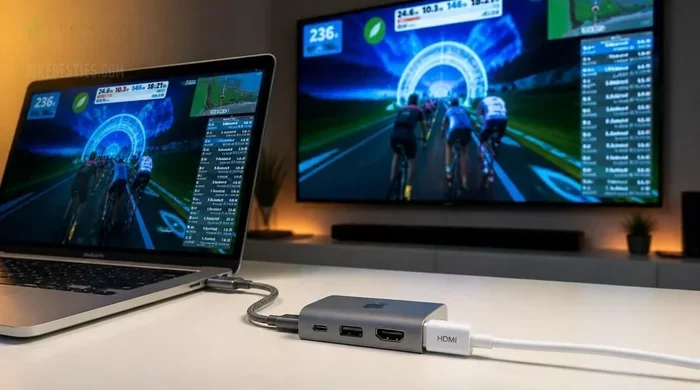
This method works well if you want a simple plug-and-play solution. It’s also great for setups where you don’t want to rely on your phone as the primary source. If you’re looking for more ways to expand your Bluetooth connectivity, check out how you can use a USB Bluetooth dongle on your TV for additional wireless audio options.
Bluetooth Adapter vs. Bluetooth Transmitter
People often confuse adapters with transmitters. A transmitter sends audio out to speakers, while an adapter receives Bluetooth signals from your phone and converts them to an audio output. For connecting multiple speakers, a transmitter is usually the better choice because it can broadcast to more than one speaker at a time.
Optimizing Your Setup for the Best Sound
Once you’ve successfully connected 4 Bluetooth speakers together, you’ll want to make sure they sound as good as possible. Placement and settings make a big difference in the final result.
Speaker Placement Tips
- Place speakers at equal distances from each other for balanced sound.
- Position speakers at ear level when possible for the best audio experience.
- Avoid placing speakers in corners, as this can cause bass to sound muddy.
- Keep speakers away from walls and large objects that can block the Bluetooth signal.
Syncing Audio Across Speakers
Audio sync is one of the biggest challenges when connecting multiple Bluetooth speakers. If one speaker is slightly delayed, it can sound like the music is echoing. To fix this, try the following:
- Move all speakers closer together to reduce the signal travel distance.
- Use speakers from the same brand and model for the best compatibility.
- Check if your speaker brand offers an audio sync feature in its app.
- Use a Bluetooth 5.0 transmitter or adapter, as it has better latency handling than older versions.
Volume Balancing
When you have four speakers playing the same audio, you want the volume to be even across all of them. Most speaker apps let you adjust the volume of each speaker individually. Start by setting all speakers to the same volume level, then fine-tune based on their position in the room. Speakers farther from the listening area may need a slight volume boost.
Expert tip: If you’re using your speakers outdoors, place two speakers on each side of the listening area for a natural stereo effect. This creates a more immersive sound without needing a complex surround sound setup.
Troubleshooting Common Connection Issues
Even with the best setup, you might run into problems when trying to connect 4 Bluetooth speakers together. Here are some common issues and how to fix them.
Speakers Keep Disconnecting
If your speakers keep dropping the connection, the first thing to check is the distance between them. Bluetooth has a limited range, and walls or other obstacles can weaken the signal. Try moving the speakers closer together and removing any physical barriers between them.
Audio Is Out of Sync
Audio delay or lag is common with Bluetooth connections, especially when connecting multiple speakers. Using a transmitter or adapter with aptX Low Latency support can significantly reduce this issue. Also, make sure all your speakers are running the latest firmware version.
One Speaker Won’t Pair
If one speaker refuses to connect, reset it and try again. Sometimes speakers get stuck in a pairing loop. Turn the speaker off, wait 10 seconds, turn it back on, and put it in pairing mode again. This usually fixes the problem.
For more troubleshooting tips on Bluetooth connectivity, you might find it helpful to learn about downloading a Bluetooth driver for Windows 10 if you’re using a computer as your audio source.
Frequently Asked Questions
Can I connect 4 different brand Bluetooth speakers together?
It depends on the method you use. Daisy chaining usually only works with speakers from the same brand. However, using a Bluetooth transmitter or a smart home app can let you connect speakers from different brands. The transmitter method is the most flexible for mixing brands.
Will connecting 4 Bluetooth speakers reduce audio quality?
Not necessarily. If you use a good quality transmitter or native grouping features, the audio quality should remain high. However, Bluetooth does compress audio slightly, and adding more speakers in a chain can introduce minor latency. Using aptX or aptX HD codecs helps maintain better sound quality.
What is the maximum range when connecting 4 Bluetooth speakers?
Most Bluetooth speakers have a range of about 30 feet. When daisy chaining, the signal passes from speaker to speaker, so the effective range depends on the distance between each speaker in the chain. Using a Bluetooth 5.0 transmitter can extend this range significantly.
Do I need special equipment to connect 4 Bluetooth speakers?
You may need a Bluetooth transmitter or adapter if your speakers don’t support native daisy chaining or grouping. Many people already have everything they need if they use a smart home app or a compatible speaker ecosystem like JBL or Sony.
Can I use a Bluetooth transmitter with my TV to connect 4 speakers?
Yes, you can. Plug the Bluetooth transmitter into your TV’s audio output, and pair each speaker to the transmitter. This works great for creating a wireless surround sound setup. Just make sure the transmitter supports multi-point connection for the best results.
How do I keep all 4 speakers in sync while playing music?
The best way to keep speakers in sync is to use speakers from the same brand and model, keep them within close range of each other, and use a Bluetooth 5.0 transmitter with low latency support. Many speaker apps also offer a sync or delay adjustment feature to fine-tune timing.
Conclusion
Connecting 4 Bluetooth speakers together is easier than most people think. Whether you choose to daisy chain, use a transmitter, group them through an app, or connect with an adapter, there’s a method that fits every setup and budget. The key is to understand your speakers’ capabilities and pick the right method for your needs.
Start by checking if your speakers support native multi-speaker pairing. If they do, you’re already halfway there. If not, a Bluetooth transmitter or smart home app can get the job done with minimal effort. Always place your speakers thoughtfully, keep them updated, and troubleshoot issues as they come up.
With the right setup, you can turn any room into a personal concert hall. So grab your four speakers, follow the steps in this guide, and enjoy the rich, immersive sound that comes from a properly connected multi-speaker system. Happy listening!