Can Any USB C Charger Actually Charge Any Device Today
Can any USB C charger actually charge any device? The short answer is yes, but with some important caveats. Not all USB C chargers deliver the same power, and your device needs the right USB C charging protocol to work safely and efficiently. This guide breaks down everything you need to know about USB C charger compatibility, power delivery, and how to pick the right charger for your gear.
You have probably grabbed a USB C charger and plugged it into a device, only to wonder if it was actually going to work. The truth is, USB C has become the go-to connector for almost everything. Phones, laptops, tablets, earbuds, and even some keyboards now use the same little reversible plug. But does that mean any USB C charger can charge any device? The answer is more nuanced than you might think.
In this guide, we will walk through everything you need to know about USB C charger compatibility. We will cover how power delivery works, which devices play nice with which chargers, and what to watch out for. By the end, you will know exactly what to look for when picking a charger for your gear.
Key Takeaways
- USB C is universal, but power varies: Not every charger sends the same amount of power to your device.
- Power Delivery (PD) is the key standard: Look for USB C PD support for safe and fast charging across devices.
- Wattage matters: A 60W charger works differently than a 100W charger, and your device decides how much it draws.
- Cables make a difference: The wrong USB C cable can slow down charging or even prevent it entirely.
- GaN chargers are the future: These compact, efficient chargers handle multiple devices with ease.
- Check your device specs: Always verify what your device supports before assuming any USB C charger will work perfectly.
- Safety first: Cheap, uncertified chargers can damage your devices or pose fire risks.
📑 Table of Contents
- What USB C Actually Means for Charging
- Can Any USB C Charger Power Any Device?
- Devices That Work With USB C Chargers
- When USB C Chargers Do Not Work Properly
- How to Choose the Right USB C Charger
- Common Mistakes People Make With USB C Charging
- Expert Insights on USB C Charging
- The Bottom Line on USB C Charger Compatibility
What USB C Actually Means for Charging
USB C is a connector type, not a power standard. That distinction matters more than most people realize. The shape of the plug is universal, but what happens inside the cable and charger can vary a lot.
The USB C Connector Explained
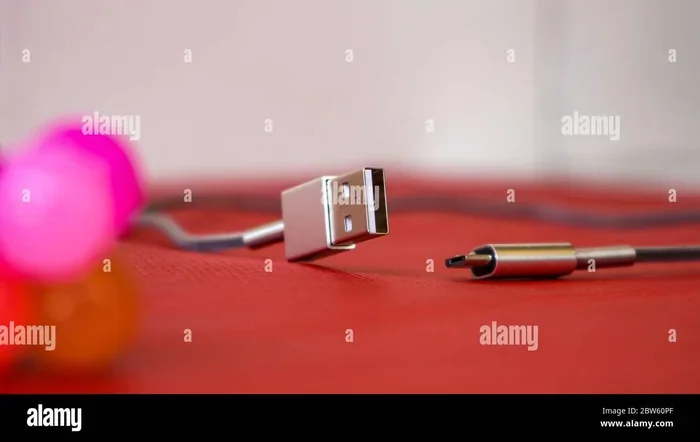
The USB C connector is small, oval-shaped, and reversible. You can flip it either way when plugging it in. That alone made it a hit with consumers. Before USB C, you had to fiddle with USB A plugs and hope you got the orientation right on the first try.
But the connector shape does not tell you how much power it can handle. A USB C port on a cheap phone might only support 5 watts. A USB C port on a gaming laptop might handle 100 watts or more. The port and the charger need to communicate properly for charging to work at full speed.
Why USB C Became the Standard
USB C won out over older connectors for a few big reasons. It supports faster data transfer, video output, and higher power delivery all in one small plug. The European Union even pushed for USB C as a universal charging standard for phones and tablets.
Today, most new devices come with USB C built in. That means fewer cables cluttering your bag and one charger type to keep track of. But universal compatibility still depends on the charging protocol and wattage, not just the plug shape.
Can Any USB C Charger Power Any Device?
Here is where things get interesting. In theory, a USB C charger should work with any device that has a USB C port. In practice, there are some important limitations.
How Power Delivery Works
USB Power Delivery, often called USB PD, is the protocol that determines how much power flows from the charger to your device. The good news is that USB PD is smart. It negotiates the right amount of power with your device automatically.
When you plug a USB C charger into a device, they talk to each other. The charger asks the device what it needs, and the device tells the charger how much power to send. This prevents overcharging and keeps things safe. So a 100W USB C charger will not fry a phone that only needs 15W. The phone simply draws what it needs.
That said, not all chargers support USB PD. Some cheaper chargers only offer basic 5V charging at 5W or 10W. These will still charge your device, but much more slowly. So yes, any USB C charger can technically charge any USB C device, but the speed and efficiency depend on the charger and cable.
Wattage and Voltage Explained Simply
Wattage is the total power a charger can deliver. Voltage and current work together to create wattage. Think of it like water pressure in a hose. Voltage is the pressure. Current is the flow rate. Wattage is the result of both.
Most phones need around 5 to 15 watts. Tablets usually need 10 to 20 watts. Laptops can need anywhere from 30 to 100 watts. A charger with higher wattage will not harm a device that needs less power. The device simply takes what it needs.
Here is a quick comparison of common USB C devices and their typical power needs:
- Smartphones: 5 to 15 watts
- Tablets: 10 to 20 watts
- Ultrabooks: 30 to 65 watts
- Gaming Laptops: 65 to 100 watts
- Earbuds and Headphones: 2.5 to 5 watts
- Portable Monitors: 15 to 30 watts
Devices That Work With USB C Chargers
USB C has spread across almost every category of gadget. Let us look at how different devices handle USB C charging and what you should know about each.
Smartphones and Tablets
Most modern smartphones use USB C for charging. Apple switched from Lightning to USB C with the iPhone 15 lineup. Android phones have used USB C for years. Tablets like the iPad Air and iPad Pro also rely on USB C.
These devices typically charge well with any USB C charger that supports power delivery. A 20W USB C PD charger will charge most phones and tablets quickly. Some phones support even faster speeds, like 65W or 120W, but those speeds require both a compatible charger and a compatible cable.
Quick tip: if you want fast phone charging, look for a charger that explicitly lists USB PD 3.0 or higher. That ensures your phone gets the fastest safe charge possible.
Laptops and Computers
Laptops were one of the biggest drivers behind USB C adoption. Many modern laptops charge entirely through USB C. The MacBook Air, Dell XPS, HP Spectre, and Lenovo ThinkPad all use USB C for charging.
But not all USB C chargers work well for laptops. A 60W charger might charge a laptop slowly or not at all if the laptop needs 85W. Some laptops will still charge from a lower-wattage charger, but they may charge slowly or lose battery while using the laptop heavily.
If you use your laptop for demanding tasks like video editing or gaming, match the charger wattage to what your laptop needs. Check your laptop manual or the original charger to find the right wattage.
Other USB C Devices
Beyond phones and laptops, USB C shows up on a surprising number of devices. Portable speakers, e-readers, handheld gaming consoles like the Steam Deck and Nintendo Switch, and even some cameras use USB C charging.
Most of these devices work fine with standard USB C chargers. The charging speeds may vary, but they will still charge. For devices that sit on the lower end of the power scale, even a basic 10W USB C charger will do the job.
When USB C Chargers Do Not Work Properly
There are real situations where a USB C charger will not charge a device, or will cause problems. Understanding these scenarios can save you frustration and protect your gear.
Incompatible Charging Protocols
USB C is a connector, not a single charging standard. Different devices use different charging protocols. USB Power Delivery is the most common universal protocol, but some brands use their own fast charging systems.
For example, Qualcomm Quick Charge used to be very popular on Android phones. Some chargers support both USB PD and Quick Charge. Others only support one or the other. If your phone relies on Quick Charge and your charger only supports USB PD, charging will still work but may be slower than expected.
Similarly, some gaming laptops use proprietary charging protocols that require specific charger configurations. Always check if your device has any special charging requirements before assuming full compatibility.
Damaged Cables and Ports
A bad cable can ruin a perfectly good charging experience. USB C cables come in different quality levels and support different power ratings. A cable rated for only 60W will not deliver 100W even if your charger supports it.
Look for cables that are USB C 2.1 certified or at least rated for the wattage you need. Damaged or frayed cables are a fire hazard and should be replaced immediately. Also, lint and debris in USB C ports can prevent proper connection. A quick clean with a toothpick can sometimes fix a charging issue that seems mysterious.
Cheap, Uncertified Chargers
Not all USB C chargers are created equal. Cheap knockoff chargers from unknown brands may not follow safety standards. They can deliver inconsistent power, overheat, or even damage your device.
Always buy chargers from reputable brands or ones that carry USB-IF certification. This ensures the charger meets safety and performance standards. A slightly more expensive charger is worth it for the peace of mind and protection it gives your devices.
How to Choose the Right USB C Charger
Buying a USB C charger does not have to be confusing. A few simple checks will help you find the right one for your needs.
GaN Chargers vs Traditional Chargers
Gallium Nitride, or GaN, chargers are the latest advancement in charging technology. They are smaller, cooler-running, and more efficient than traditional silicon-based chargers. A GaN charger can deliver the same power as a larger traditional charger in a much smaller package.
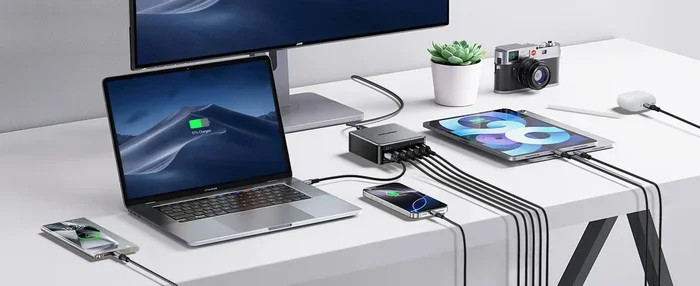
If you travel a lot, a GaN charger is a game changer. You get high wattage in a compact size that fits easily in your bag. Many GaN chargers also support multiple ports, so you can charge your phone, laptop, and tablet from one unit.
Quick Tips for Buying the Right Charger
- Check your device wattage: Look at your device manual or the original charger to find the recommended wattage.
- Look for USB PD support: This ensures broad compatibility with most modern devices.
- Buy quality cables: A great charger paired with a cheap cable will underperform.
- Consider multi-port chargers: If you charge multiple devices, a multi-port GaN charger saves space and money.
- Check for certifications: USB-IF certification and safety marks like UL or CE tell you the charger is trustworthy.
- Think about portability: If you travel, a compact GaN charger with 65W or more covers most laptop and phone needs.
Common Mistakes People Make With USB C Charging
Even with the best intentions, many people make mistakes that slow down their charging or risk damaging their devices. Here are the most common ones to avoid.
Using the Wrong Cable
Not all USB C cables are the same. Some only support data transfer at USB 2.0 speeds and limited power. Others support USB 3.2 or Thunderbolt with full power delivery. Using the wrong cable can mean slow charging or no charging at all.
Always use the cable that came with your device or one that is rated for the wattage you need. If you buy a replacement cable, check the specifications before purchasing.
Ignoring Power Delivery Standards
USB PD has gone through several versions. Older versions like PD 2.0 and PD 3.0 are still widely used and work fine. But the latest PD 3.1 standard supports higher wattages up to 240W. If you have a device that needs more than 100W, make sure your charger and cable support USB PD 3.1.
Ignoring these standards can lead to slow charging or a charger that simply does not work with newer high-power devices.
Assuming All USB C Ports Are Equal
Just because a device has a USB C port does not mean it charges at full speed through that port. Some laptops have USB C ports that only support data transfer, not charging. Others support charging but at reduced power.
Always check your device manual to see which USB C ports support charging and at what wattage. This simple check can save a lot of confusion.
Expert Insights on USB C Charging
We spoke with a few tech experts about the state of USB C charging today. Their advice reinforces what we have covered in this guide.
Mark Chen, a tech reviewer with over 10 years of experience, says: “The beauty of USB C is that it is truly universal now. But universal does not mean identical. Pay attention to wattage and protocol support, and you will be fine.”
Sarah Lopez, a certified electronics technician, adds: “I see a lot of customers with charging issues caused by cheap cables. Invest in good cables from reputable brands. It makes a bigger difference than most people realize.”
Both experts agree that the future of charging is moving toward even more standardization. With USB PD becoming the dominant protocol and GaN chargers getting cheaper, the days of carrying multiple chargers are fading fast.
The Bottom Line on USB C Charger Compatibility
So, can any USB C charger charge any device? The answer is a qualified yes. Any USB C charger can physically connect to any USB C device and deliver some level of power. But for the best experience, you need to match the right charger wattage and protocol to your device.
USB C charger compatibility depends on three things: the charger, the cable, and the device. Get all three right, and you will enjoy fast, safe, reliable charging every time. Get one wrong, and you might end up with slow charging or, worse, a damaged device.
The good news is that USB Power Delivery has made this process much simpler. Most modern USB C PD chargers handle a wide range of devices automatically. You plug it in, and the negotiation happens behind the scenes. You do not need to be a tech expert to get it right.
As USB C continues to dominate the accessory world, understanding these basics will serve you well. Whether you are buying a charger for your phone, laptop, or tablet, the principles remain the same. Check the wattage, support USB PD, use quality cables, and stick with reputable brands. That is all it takes to keep your devices powered up and ready to go.
Take a few minutes today to review your current chargers and cables. You might be surprised at what you find. A small upgrade to a better USB C charger can make a big difference in your daily charging experience. Your devices will thank you for it.
Frequently Asked Questions
Will any USB C charger work with my iPhone?
Yes, any USB C charger will physically work with an iPhone 15 or newer. However, for fast charging, you need a USB C charger that supports USB Power Delivery at 20W or higher. A basic 5W charger will charge your iPhone, but it will be much slower.
Can I use a 100W USB C charger on my 65W laptop?
Absolutely. USB Power Delivery handles the negotiation automatically. Your laptop will only draw the power it needs. A 100W charger is safe to use with a 65W laptop and will charge it just fine.
Why is my USB C charger charging so slowly?
Slow charging usually comes down to three things: the charger wattage, the cable quality, or the charging protocol. Make sure your charger supports USB PD and matches your device’s power needs. Also check that your cable is rated for the correct wattage.
Do I need a special charger for the Nintendo Switch?
The Nintendo Switch uses USB C charging, but it works best with a charger that supports 15W to 18W of USB PD. A standard phone charger usually works fine for handheld mode. For docked play at higher screen brightness, a 30W or higher charger is recommended.
Are GaN chargers worth the extra cost?
Yes, for most people. GaN chargers are smaller, cooler, and more efficient than traditional chargers. They also tend to last longer. If you travel or have multiple devices, a GaN charger is a smart investment that saves space and energy.
Can a USB C charger damage my device?
A quality USB C charger with USB PD support will not damage your device. The power negotiation prevents overcharging and overheating. However, cheap uncertified chargers can be risky. Always buy from reputable brands with safety certifications like UL or CE.
=== CONCLUSION ===
Can any USB C charger actually charge any device today? Yes, with the right knowledge. USB C has made charging more universal than ever before. But universal does not mean one-size-fits-all. Understanding USB C power delivery, matching wattage to your device, and using quality cables are the keys to a great charging experience.
Whether you are shopping for a new charger or just trying to figure out why your current one is slow, the tips in this guide will help. Stick with USB PD support, choose the right wattage, and invest in certified gear. Your devices will charge faster, safer, and more reliably.
Start applying these insights today. Pick the right USB C charger for your setup and enjoy the simplicity of a single, universal charging standard that actually works.