Are All USB A Chargers The Same You Really Need To Know
No, not all USB-A chargers are the same. They differ in power output, amperage, and charging speed. Using the wrong charger can mean slower charging or even device damage. This guide covers everything you need to know about USB-A chargers and how to choose the right one.
Have you ever grabbed a charger from a drawer, plugged it into your device, and waited forever for it to charge? You are not alone. Many people assume that all USB-A chargers work the same way. But here is the truth: they really do not. The charger you use can make a huge difference in how fast your device charges and how safe it stays.
In this article, we will break down everything you need to know about USB-A chargers. We will look at how they work, why they differ, and what you should watch out for. By the end, you will feel confident picking the right charger every time. Let us dive in.
Key Takeaways
- USB-A chargers vary in power output: Not all deliver the same wattage or amperage.
- Charging speed depends on multiple factors: Including the charger, cable quality, and your device’s battery.
- Using mismatched chargers can be risky: Low-quality chargers may damage your device or battery over time.
- USB-A is not the same as USB-C: They are different connectors with different capabilities.
- Check your device’s charging requirements: Match the charger’s output to what your device needs for best results.
- Cable quality matters just as much as the charger: A cheap cable can limit charging speed regardless of the charger.
📑 Table of Contents
- What Is a USB-A Charger and How Does It Work
- Are All USB-A Chargers The Same
- Key Differences Between USB-A Chargers
- How to Choose the Right USB-A Charger
- Common Mistakes People Make with USB-A Chargers
- Expert Insights on USB-A Charging
- USB-A vs USB-C: What You Should Know
- How to Tell If Your USB-A Charger Is Working Properly
- The Future of USB Charging
- Conclusion
What Is a USB-A Charger and How Does It Work
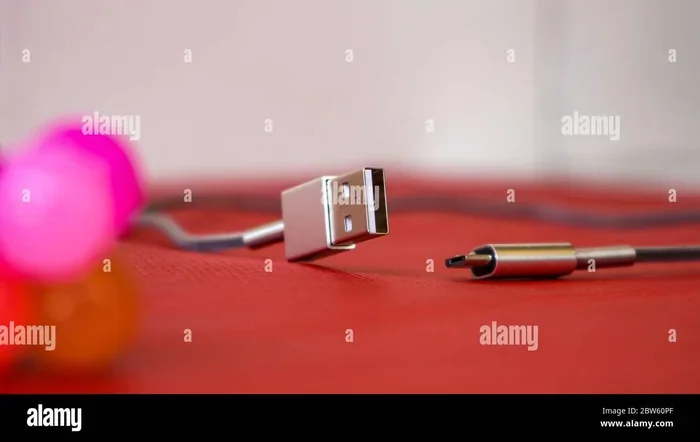
The USB-A charger is one of the most common charging tools in the world. You have probably seen it a hundred times. It is the flat, rectangular plug that fits into your phone, tablet, or other gadgets. But how does it actually work?
When you plug a USB-A charger into a wall outlet, it converts the high-voltage power from your wall into a lower, safer voltage. This power then flows through the USB cable into your device. The charger controls the amount of current, or amperage, that reaches your device. This is what determines how fast your device charges.
Inside the USB-A connector, there are four pins. Two of them carry power, and two carry data. This means a USB-A cable can do more than just charge. It can also transfer files between devices. That is an important detail we will come back to later.
The USB standard has been around since the mid-1990s. Over the years, it has evolved. But the basic USB-A shape has stayed the same. That is why you can still use older chargers with newer devices, though the speed may vary.
Are All USB-A Chargers The Same
This is the big question, and the short answer is no. Not all USB-A chargers are the same. They come in different shapes, sizes, and power levels. Let us look at the key differences that matter.
Power Output and Wattage
Every charger has a power rating. This is measured in watts. A basic USB-A charger might deliver only 5 watts. A higher-quality one can push out 12 watts or more. The higher the wattage, the faster your device can charge.
Here is a simple way to think about it. Imagine a water hose. A 5-watt charger is like a thin garden hose. A 12-watt charger is like a wider hose that fills your bucket faster. Your device is the bucket. The bigger the hose, the quicker it fills up.
Amperage Matters Too
Amperage, or amps, is another key factor. It works hand in hand with voltage to determine power output. Most standard USB-A chargers provide 1 amp or 2.1 amps. Some fast-charging USB-A chargers can deliver up to 3 amps.
Your device tells the charger how much current it wants. A good charger will supply that amount safely. A cheap or damaged charger might not. This is where problems can start.
Charging Speed Differences
You might own two USB-A chargers and notice one charges your phone faster than the other. This happens for several reasons:
- Charger wattage: Higher wattage means faster charging.
- Cable quality: Thick, well-made cables carry power better than thin ones.
- Device battery size: Larger batteries take longer to charge no matter what.
- Charging protocol: Some chargers use smart technology to speed up charging.
- Temperature: Hot or cold environments can slow down charging.
So when someone asks, “Are all USB-A chargers the same?” the answer is clearly no. The differences are real and they affect your daily experience.
Key Differences Between USB-A Chargers
Not all USB-A chargers are created equal. Let us break down the main differences you will find on the market. Understanding these will help you make smarter choices.
Standard USB-A Chargers
Standard USB-A chargers are the ones that usually come with your device in the box. They are reliable and safe. But they are not fast. A standard charger typically delivers 5 watts of power. That is fine for overnight charging. But if you are in a rush, it will not help much.
These chargers follow the basic USB specification. They provide a steady 5 volts at 1 amp. This is safe for all USB-A devices. But it is also slow compared to modern options.
Fast-Charging USB-A Chargers
Fast-charging USB-A chargers are designed to deliver more power. They use special protocols to communicate with your device. The charger and device “talk” to each other to decide the best charging speed.
Some popular fast-charging standards for USB-A include:
- Qualcomm Quick Charge: Found in many Android devices.
- USB Battery Charging (BC) 1.2: A universal standard for faster USB charging.
- proprietary protocols: Some brands have their own fast-charging tech.
These chargers can deliver up to 12 or even 18 watts through a USB-A port. That is a big jump from the standard 5 watts.
Multi-Port USB-A Chargers
Multi-port chargers let you charge several devices at once. They usually have two or more USB-A ports. These are great for families or travel. But there is a catch.
When you use multiple ports, the total power is shared. If a charger delivers 20 watts total and you use two ports, each port might only get 10 watts. This can slow down charging. So always check the power sharing specs before buying.
| Charger Type | Typical Power | Charging Speed | Best For |
|---|---|---|---|
| Standard USB-A | 5W | Slow | Overnight charging |
| Fast-Charging USB-A | 12W – 18W | Moderate to Fast | Quick daytime charges |
| Multi-Port USB-A | 10W – 20W total | Varies by port | Charging multiple devices |
| Premium USB-A | 18W – 24W | Fast | Power-hungry devices |
How to Choose the Right USB-A Charger
With so many options out there, picking the right charger can feel overwhelming. But it does not have to be. Here are some simple steps to guide you.
Check Your Device’s Charging Requirements
The first step is easy. Look at your device manual or the original charger. Find the voltage and amperage listed. Most phones need 5 volts at 1 or 2 amps. Tablets may need more. Once you know what your device needs, look for a charger that matches or slightly exceeds that output.
Using a charger with higher output than your device needs is usually safe. Your device will only draw the power it can handle. But using a charger with lower output means slower charging. That is the trade-off.
Look for Quality Brands
Not all charger brands are equal. Cheap, no-name chargers might save you a few dollars. But they can also be dangerous. Poorly made chargers may not regulate power properly. This can lead to overheating, battery damage, or even fire.
Stick with reputable brands or chargers that have safety certifications. Look for UL, CE, or FCC marks on the product. These symbols mean the charger has been tested and meets safety standards.
Consider the Cable Too
People often forget that the cable matters just as much as the charger. A cheap or damaged USB cable can limit charging speed. It might not carry the full current the charger is capable of delivering.
Here are some quick tips for choosing the right cable:
- Go for thicker cables: They handle more current better.
- Check for USB-IF certification: This means the cable meets quality standards.
- Avoid very long cables for fast charging: Longer cables create more resistance.
- Inspect your cables regularly: Frayed or bent cables are a safety risk.
Think About Where You Will Use It
Will you use the charger at home, at work, or while traveling? Each situation has different needs. A compact charger is great for travel. A multi-port charger works well at a desk where you charge several devices.
Also think about the USB-A port on your devices. Many laptops and desktop computers have USB-A ports on the motherboard that can supply power. But the power from a computer USB port is usually limited to 2.5 watts. That is much slower than a wall charger.
Common Mistakes People Make with USB-A Chargers
Even careful users make mistakes with their chargers. Here are the most common ones and how to avoid them.
Using Any Charger You Find
It is tempting to grab any USB-A charger lying around. But not all chargers are safe for every device. A charger designed for a low-power gadget might not work well with a tablet. Always check compatibility before plugging in.
Ignoring Cable Quality
As mentioned earlier, the cable is just as important as the charger. Using a thin, unbranded cable can cut your charging speed in half. It can also cause your device to heat up. Invest in good-quality cables.
Charging in Extreme Temperatures
Extreme heat or cold can hurt your battery and slow down charging. Try to charge your device in a cool, dry place. Avoid leaving it on a car dashboard in the sun while it charges.
Leaving Devices Plugged In Overnight
Modern devices have built-in protections that stop charging once the battery is full. But older or cheaper chargers may not have this feature. Over time, keeping a device plugged in all the time can reduce battery health.
Expert Insights on USB-A Charging
We asked tech experts about the biggest myths surrounding USB-A charging. Here is what they had to say.
Myth 1: All USB ports deliver the same power. This is false. USB ports on computers, wall chargers, and power banks all deliver different amounts of power. Always check the specs.
Myth 2: A faster charger will damage your device. This is mostly a myth. Modern devices have built-in chips that regulate the power they receive. A faster charger will simply charge your device at the maximum safe speed your device supports.
Myth 3: USB-A is outdated and useless. While USB-C is becoming more popular, USB-A is still everywhere. It is in wall chargers, car chargers, and many devices. It is far from dead.
In fact, USB technology plays a role in many fields beyond personal gadgets. For instance, computers and USB-connected devices are used in medicine for everything from patient monitoring to diagnostic equipment. The reliability of USB charging and data transfer is critical in these settings.
USB-A vs USB-C: What You Should Know
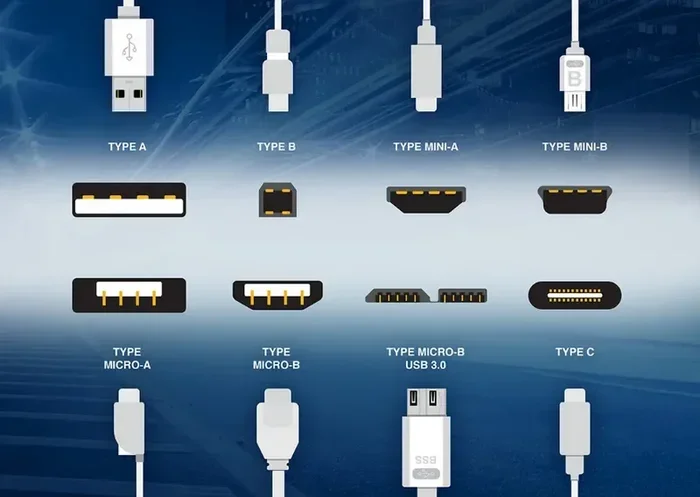
While this article focuses on USB-A, it helps to understand how it compares to USB-C. USB-C is the newer standard. It is smaller, reversible, and can handle much higher power. Many new laptops and phones use USB-C now.
But USB-A still has its place. Millions of devices still use USB-A ports. Wall chargers, car chargers, and accessories are widely available in USB-A format. The key is knowing when to use each type.
If your device only has a USB-A port, you need a USB-A charger. No USB-C charger will work directly without an adapter. And even with an adapter, the power delivery may be limited.
How to Tell If Your USB-A Charger Is Working Properly
Sometimes your charger might be failing without you noticing. Here are some signs to watch for:
- Your device charges very slowly: This could mean the charger is weakening.
- The charger gets very hot: Warm is normal. Hot is a warning sign.
- Your device disconnects and reconnects: This may point to a faulty cable or charger.
- Burning smell or visible damage: Stop using the charger immediately and replace it.
If you notice any of these signs, stop using the charger right away. A failing charger can damage your device or become a safety hazard.
The Future of USB Charging
USB technology keeps evolving. USB-C is becoming the new standard for most devices. It offers faster data transfer and higher power delivery through USB Power Delivery (USB PD) technology. But USB-A is not going away anytime soon.
For now, millions of devices still rely on USB-A chargers. The best approach is to understand your options. Know the difference between a standard charger and a fast charger. Know that cable quality matters. And always match your charger to your device’s needs.
Whether you are charging a phone, a tablet, or a portable speaker, the right USB-A charger makes all the difference. Take a few minutes to understand your options. Your devices and your battery will thank you.
Conclusion
So, are all USB-A chargers the same? The answer is a clear no. They differ in power output, charging speed, build quality, and safety features. Using the right charger for your device can save you time, protect your battery, and keep you safe.
Remember to check your device’s charging requirements. Choose quality chargers from trusted brands. Pay attention to your cables. And avoid the common mistakes we covered. With these simple steps, you will get the best performance from every USB-A charger you use.
Take charge of your charging habits today. Your devices will last longer, charge faster, and stay safer. That is a win for everyone.
Frequently Asked Questions
Can I use any USB-A charger for my phone?
You can use most USB-A chargers, but the charging speed will vary. A standard 5-watt charger will charge your phone slowly. A fast-charging USB-A charger will charge it much faster. Always check the charger’s output to match your phone’s needs.
Why is my USB-A charger charging so slowly?
Slow charging can be caused by several things. A low-wattage charger, a damaged cable, or a hot environment can all slow things down. Try using a higher-quality charger and cable to see if the speed improves.
Is it safe to leave my device charging overnight with a USB-A charger?
Most modern devices have built-in protections that stop charging when the battery is full. However, older or cheaper chargers may not have this feature. It is best to unplug your device once it is fully charged.
Can a USB-A charger damage my device?
A poor-quality or damaged charger can potentially damage your device. It may deliver too much or too little power. Always use chargers from reputable brands and check for safety certifications like UL or CE.
What is the difference between USB-A and USB-C chargers?
USB-A is the older, flat rectangular connector. USB-C is smaller, reversible, and supports higher power delivery. USB-C can charge devices much faster than a standard USB-A charger.
Do all USB-A cables charge at the same speed?
No, they do not. Cable quality, thickness, and length all affect charging speed. A thick, well-made cable will charge faster than a thin, cheap one. Always use cables that are in good condition and certified for your device.