Are USB and Bluetooth the Same or Completely Different
USB and Bluetooth are not the same at all. USB is a wired connection that transfers data fast through cables, while Bluetooth is a wireless technology that lets devices communicate without any cords. Understanding the difference helps you pick the right connection for your gadgets, peripherals, and daily tech needs.
Let us clear this up right away. USB and Bluetooth are not the same thing. They are two completely different ways your devices talk to each other. One uses a cable, and the other uses invisible radio waves. Both are super important in our daily lives, but they do very different jobs.
If you have ever plugged in a flash drive or connected a wireless mouse, you have used both of these technologies. But do you really know how they differ? This guide breaks it all down in simple terms. You will learn how each one works, where they shine, and when to use which. By the end, you will never confuse the two again.
Key Takeaways
- USB and Bluetooth serve different purposes: USB relies on cables for fast, stable data transfer, while Bluetooth uses wireless signals for convenient, cord-free connections.
- Speed matters: USB connections are significantly faster than Bluetooth, making USB ideal for large file transfers and charging.
- Range is different: Bluetooth works within a limited wireless range, typically around 30 feet, while USB requires a direct physical connection.
- Both are widely used: From motherboard components to wireless headphones, both technologies play essential roles in modern computing.
- They complement each other: Many devices use both USB and Bluetooth together for the best of wired speed and wireless convenience.
- Choosing the right one depends on your needs: Consider speed, convenience, power delivery, and device compatibility when deciding between the two.
📑 Table of Contents
What Is USB?
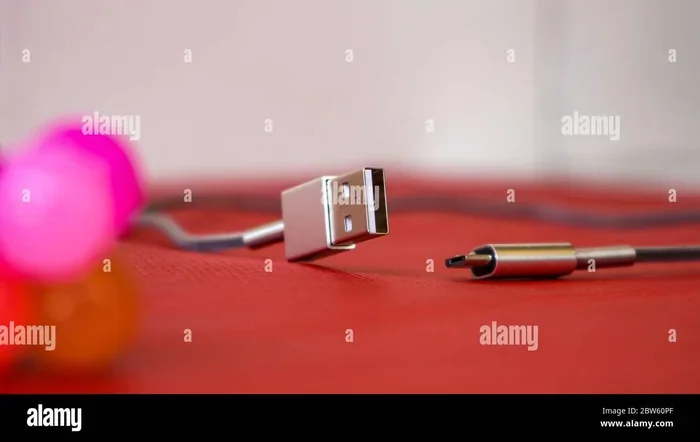
USB stands for Universal Serial Bus. It is a standard wired connection used to link devices to computers and chargers. You see USB ports on almost every laptop, desktop, and tablet today. The cable has a connector on each end. One end plugs into your device, and the other plugs into a computer or power source.
USB was first introduced in the mid-1990s. It replaced a mess of different cables with one simple standard. Today, USB comes in several shapes and sizes. The most common types are USB-A, USB-B, USB-C, and Mini-USB. Each type fits specific devices and serves particular needs.
How Does USB Transfer Data?
USB sends data through a physical cable. The data travels as electrical signals from one device to another. This means the connection is direct and very stable. There is no wireless signal to interfere with or lose. You get a solid, consistent link every time you plug in a cable.
The speed of USB depends on the version. USB 2.0 can transfer data at up to 480 Mbps. USB 3.0 jumps to 5 Gbps. The newest USB 4.0 can reach speeds of 40 Gbps. That is incredibly fast for moving large files like videos and backups.
Common USB Devices
People use USB connections for many everyday tasks. Here are some common examples:
- Flash drives and external hard drives for storing and moving files
- Keyboards and mice for desktop computing
- Printers and scanners for office work
- Phone chargers that plug in with a USB cable
- Webcams and microphones for video calls
- USB hubs that expand your port options
USB also delivers power. That is why you can charge your phone by plugging it into a computer. The cable carries both data and electricity at the same time. This dual purpose makes USB incredibly useful.
What Is Bluetooth?
Bluetooth is a wireless technology that lets devices communicate without cables. It uses short-range radio waves to send and receive data. You do not need to plug anything in. You just pair two devices, and they connect automatically.
Bluetooth was invented in the 1990s by telecom company Ericsson. The goal was simple: replace short cables with wireless connections. Today, Bluetooth is built into billions of devices. From wireless earbuds to car audio systems, it is everywhere.
How Does Bluetooth Work?
Bluetooth creates a small personal network called a piconet. One device acts as the master, and others act as slaves. They all communicate on the same radio frequency band, which is 2.4 GHz. This is the same band used by Wi-Fi, but Bluetooth uses much less power.
To connect two devices, you start a Bluetooth pairing process. One device becomes visible, and the other finds it. You may need to enter a short code to confirm the connection. Once paired, the devices remember each other and reconnect automatically next time.
Common Bluetooth Devices
Bluetooth is the go-to wireless choice for many everyday gadgets. Here are some popular examples:
- Wireless headphones and earbuds for listening to music
- Wireless keyboards and mice for a clutter-free desk
- Smartwatches and fitness trackers that sync with your phone
- Speakers for playing music without wires
- Car hands-free systems for safe driving calls
- Printers that connect wirelessly to laptops and phones
Bluetooth has improved a lot over the years. Bluetooth 5.0 offers a range of up to 800 feet in open space. Bluetooth Low Energy (BLE) uses very little power, which is perfect for small sensors and wearables. Each new version brings better speed, range, and efficiency.
USB vs Bluetooth: Key Differences
Now that you know what each technology does, let us compare them side by side. This will help you understand when to use which one.
| Feature | USB | Bluetooth |
|---|---|---|
| Connection Type | Wired (cable) | Wireless (radio waves) |
| Max Speed | Up to 40 Gbps (USB 4.0) | Up to 3 Mbps (Bluetooth 5.0) |
| Range | Cable length (usually 3-6 feet) | Up to 800 feet (open space) |
| Power Delivery | Yes, charges devices | Very low power use |
| Latency | Very low, almost instant | Slightly higher, small delay |
| Device Limit | One device per port | Multiple paired devices |
| Setup | Plug and play | Pairing process required |
| Best For | Fast transfers, charging | Convenience, mobility |
The table makes the differences clear. USB wins for speed and reliability. Bluetooth wins for freedom and convenience. Most people end up using both in their daily routines.
Speed Comparison
When it comes to raw speed, USB is the clear winner. A USB 3.0 cable can move a 1 GB file in just a few seconds. Bluetooth would take much longer for the same file. This is why people use USB for backing up large folders or transferring video files.
Bluetooth is not slow, but it is not built for big data jobs. It works great for streaming audio, sending small files, and syncing sensor data. For anything that needs speed, USB is the better choice.
Range Comparison
Bluetooth has a much wider range than a USB cable. You can walk around your room with Bluetooth headphones and still hear your music clearly. USB requires you to stay close to the connected device because of the cable length.
This is a big reason why people love Bluetooth for audio devices. You can move freely without losing your connection. But for stationary devices like printers or external hard drives, USB range is not a problem.
Where USB and Bluetooth Overlap
Even though USB and Bluetooth are different, they often work together. Many modern devices use both technologies at the same time. This gives users the best of both worlds.
Devices That Use Both
Some gadgets rely on USB for one job and Bluetooth for another. For example, many wireless keyboards use a USB receiver for the initial connection. After that, they communicate via Bluetooth. Some smartphones use USB for charging and data transfer, while Bluetooth handles wireless audio and accessories.
In the healthcare field, computers are used in many ways, and both USB and Bluetooth play roles. Medical devices often use USB for fast data collection and Bluetooth for wireless patient monitoring. This combination makes healthcare tech both fast and mobile.
USB Bluetooth Adapters
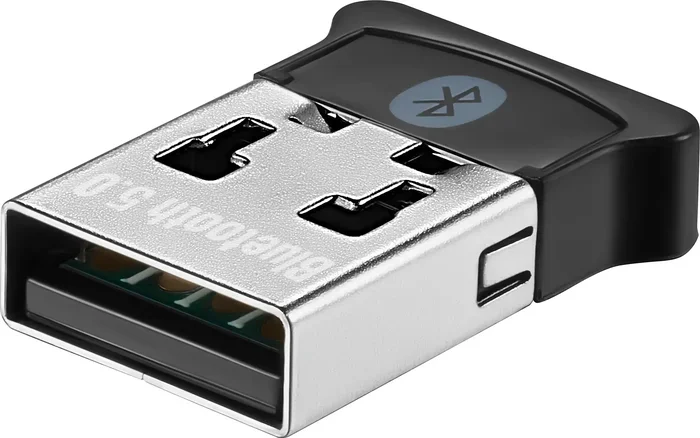
If your computer does not have built-in Bluetooth, you can add it. A USB Bluetooth adapter plugs right into a USB port. It gives your computer wireless capability instantly. These small dongles are cheap and easy to use. They are a great example of how the two technologies work together.
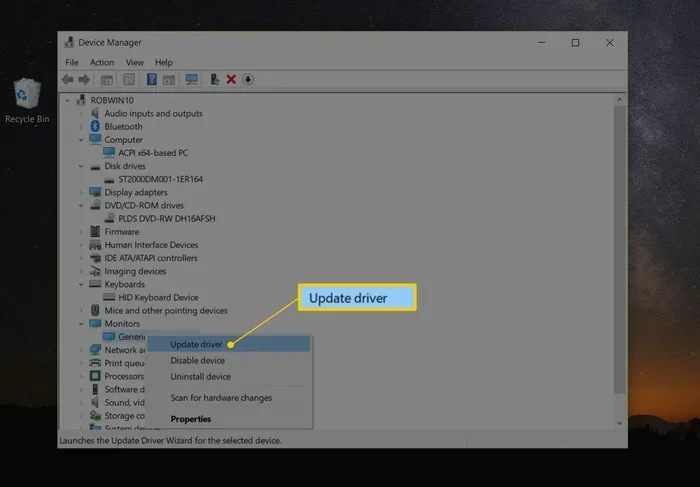
You plug the adapter in, install the drivers, and your computer can find Bluetooth devices nearby. It is a simple solution that bridges the gap between wired and wireless worlds.
When to Use USB
USB is the right choice in many situations. Here is when you should reach for a USB connection:
- You need fast data transfer. Moving large files, videos, or backups? USB is much faster.
- You need to charge a device. USB delivers power reliably through a cable.
- You need a stable, low-latency connection. For gaming or professional audio, USB has no delay.
- You are connecting stationary devices. Printers, monitors, and hard drives work great with USB.
- You want guaranteed compatibility. USB is a universal standard supported by nearly every device.
In short, use USB when you need speed, power, and a rock-solid connection. It is the backbone of wired device connectivity.
When to Use Bluetooth
Bluetooth shines in situations where cables would be annoying. Here is when Bluetooth is the better choice:
- You want freedom of movement. Wireless earbuds let you move around while listening to music.
- You have limited ports. Bluetooth saves your USB ports for other devices.
- You are connecting portable devices. Phones, tablets, and smartwatches benefit from wireless links.
- You want a clean, clutter-free workspace. No cables on your desk means a tidier setup.
- You need to connect multiple devices. Bluetooth can handle several paired devices at once.
Bluetooth is all about convenience and mobility. If you do not want to deal with cables, Bluetooth is your best friend.
Common Mistakes People Make
Many people make mistakes when choosing between USB and Bluetooth. Here are some to avoid:
- Assuming Bluetooth is as fast as USB. It is not. Bluetooth is much slower for large file transfers.
- Using Bluetooth for gaming peripherals. The slight latency can cause delays. USB is better for gaming.
- Forgetting to charge Bluetooth devices. Wireless devices need battery power. Keep them charged.
- Using a USB hub without enough power. Some hubs cannot power all connected devices at once.
- Pairing Bluetooth devices in crowded areas. Too many wireless signals can cause interference.
Avoiding these mistakes will save you frustration. You will get better performance and a smoother experience with your devices.
Expert Tips for Better Connectivity
Want to get the most out of both USB and Bluetooth? Here are some tips from tech experts:
- Keep your USB cables in good condition. Damaged cables cause slow transfers and connection drops.
- Update your Bluetooth drivers regularly. New updates improve speed and fix bugs.
- Use USB-C when possible. It is faster, reversible, and works with more devices.
- Keep Bluetooth devices close together. The closer they are, the stronger the signal.
- Turn off Bluetooth when not in use. This saves battery life on your devices.
- Use a USB extension cable for better reach. This helps when your port is hard to reach.
These small habits make a big difference. Your devices will work faster, last longer, and connect more reliably.
Conclusion
USB and Bluetooth are completely different technologies, but both are essential in today’s world. USB gives you fast, wired, reliable connections for data transfer and charging. Bluetooth gives you wireless freedom for audio, peripherals, and mobile devices. They are not competitors. They are partners that work together to make your tech life easier.
Now that you understand the differences, you can make smarter choices. Choose USB when you need speed and stability. Choose Bluetooth when you need convenience and mobility. And remember, many devices use both, giving you the best of each world.
The next time you plug in a cable or pair a wireless device, you will know exactly what is happening behind the scenes. That knowledge makes you a smarter tech user. Share this guide with friends who always ask, “Are these the same?” They will thank you for it.
Frequently Asked Questions
Can I use USB and Bluetooth at the same time?
Yes, absolutely. Many devices use both technologies simultaneously. For example, a wireless keyboard might use Bluetooth for the connection but charge through a USB cable. Your computer can handle multiple USB and Bluetooth connections without any issues.
Is Bluetooth slower than USB for file transfers?
Yes, Bluetooth is significantly slower than USB for transferring files. USB 3.0 can move data at 5 Gbps, while Bluetooth 5.0 maxes out at about 3 Mbps. For large files like videos or backups, always use a USB cable for the best speed.
Can I add Bluetooth to a computer that does not have it?
Yes, you can buy a small USB Bluetooth adapter. Just plug it into any available USB port, install the drivers, and your computer will be able to find and connect to Bluetooth devices. It is an easy and affordable upgrade.
Does Bluetooth use a lot of battery power?
Not really. Modern Bluetooth, especially Bluetooth Low Energy, uses very little power. Your wireless earbuds or fitness tracker can last days or even weeks on a single charge thanks to efficient Bluetooth technology.
Is USB better than Bluetooth for gaming?
Yes, USB is better for gaming because it has almost no latency. Bluetooth has a small delay that can affect gameplay, especially in fast-paced games. For gaming mice, keyboards, and headsets, a wired USB connection gives you the best response time.
What is the maximum range of Bluetooth?
Bluetooth 5.0 can reach up to 800 feet in open space with no obstacles. However, walls, furniture, and other wireless signals can reduce the range. In a typical home or office, you can expect a reliable range of about 30 to 50 feet.