Can You Use A Ps5 Without Hdmi Heres What You Need To Know
Yes, you can use a PS5 without a traditional HDMI cable, but with significant limitations. You can explore capture cards, HDMI-to-DisplayPort adapters, and Remote Play streaming as alternatives. However, the PS5 is designed to output video through HDMI, so every workaround comes with trade-offs in quality, latency, and setup complexity.
This is a comprehensive guide about Can You Use A Ps5 Without Hdmi.
Key Takeaways
- PS5 requires HDMI for native output: The console is built around HDMI 2.1 for 4K gaming at 120Hz.
- Capture cards offer a partial workaround: You can capture and re-output the signal, but you still need HDMI for the PS5 side.
- Remote Play lets you stream wirelessly: This is the closest you get to playing without a physical HDMI connection to a display.
- Adapters exist but have limits: HDMI-to-DisplayPort or VGA adapters can work for older monitors but may not support all PS5 features.
- You will lose key features without HDMI: HDR, 4K resolution, and eARC audio may not work through alternative methods.
- Plan your setup carefully: Understanding your display and cable options saves time and money.
[FEATURED_IMAGE_PLACEHOLDER]
Can You Use A Ps5 Without Hdmi Heres What You Need To Know
The PS5 without HDMI question keeps popping up in gaming forums and Reddit threads. Maybe your HDMI port is damaged. Maybe you are setting up in a room with older displays. Or maybe you just want to explore every option before buying a new cable. Whatever the reason, you are not alone in asking this question.
The short answer is that the PlayStation 5 relies heavily on HDMI for its primary video and audio output. The console ships with an HDMI 2.1 cable designed to deliver 4K resolution at 120Hz, along with advanced features like HDR and Dolby Atmos passthrough. But the longer answer is that there are a few creative workarounds people use when a direct HDMI connection is not possible. In this guide, we will walk through every option, every limitation, and every thing you need to consider before ditching the HDMI cable.
We will cover capture card setups, Remote Play streaming, adapter solutions, and what you stand to lose when you step away from the standard HDMI connection. By the end, you will know exactly whether going HDMI-free with your PS5 is realistic for your situation.
Why Does the PS5 Rely So Heavily on HDMI?
The PlayStation 5 was designed from the ground up around HDMI technology. Sony chose HDMI 2.1 as the backbone of the consoles video output strategy, and for good reason. This single cable handles uncompressed video, multi-channel audio, and advanced gaming features all at once. Understanding why HDMI matters so much helps you appreciate why alternatives come with trade-offs.
The PS5s custom proprietary operating system manages all of these signals through the HDMI port. Without it, the console cannot access its full feature set. You can read more about how proprietary systems work and their limitations here to understand the broader picture of locked-in ecosystems.
The Role of HDMI 2.1 in PS5 Gaming
HDMI 2.1 is not just a cable. It is a standard that supports bandwidth up to 48 Gbps. This means the PS5 can push 4K visuals at 120 frames per second, use variable refresh rate (VRR) for smoother gameplay, and deliver HDR content with richer colors and deeper blacks. None of these features work well, or at all, through alternative connections.
Here is what HDMI 2.1 brings to the table:
- 4K at 120Hz: Ultra-smooth gaming at ultra-high resolution.
- HDR support: Wider color gamut and better contrast.
- eARC audio: Uncompressed surround sound to your soundbar or receiver.
- Auto Low Latency Mode (ALLM): Reduces input lag automatically.
- Quick Frame Transport: Faster image delivery for reduced motion blur.
When you remove HDMI from the equation, you lose access to most of these features. That is the trade-off you need to understand before exploring alternatives.
How the PS5 Handles Video Output
When you power on your PS5, the console detects the connected display through the HDMI handshake. This process, known as HDCP (High-bandwidth Digital Content Protection), verifies that your display is authorized to receive protected content. The PS5 then negotiates the best resolution, refresh rate, and audio format supported by your TV or monitor.
This entire process happens in seconds and is completely seamless when everything works as intended. But if you try to bypass HDMI, you interrupt this handshake. The result can be no signal, black screens, or degraded quality. It is why many gamers ask whether there is a way around this dependency.
Can You Actually Use a PS5 Without HDMI?
The honest answer is yes, but with caveats. There is no built-in alternative video output on the PS5. The console has one HDMI 2.1 port and nothing else for video. So every workaround involves either using that HDMI port indirectly or streaming the gameplay to another device.
Let us break down the most common methods people use to game on a PS5 without a direct HDMI connection to their display.
Method 1: Using a Capture Card
A capture card acts as a middleman between your PS5 and your display. You connect the PS5 to the capture card via HDMI, and then the capture card sends the signal to your monitor or TV through a different output, such as USB or DisplayPort.
This is probably the most popular workaround for people who want to use a PS5 without running HDMI directly to their screen. Popular capture cards like the Elgato HD60 X or AVerMedia Live Gamer Bolt can capture the 4K signal and pass it through with minimal lag.
However, there are important things to keep in mind:
- You still need HDMI: The PS5 must connect to the capture card via HDMI. You are not eliminating HDMI; you are just routing it differently.
- Added latency: Capture cards introduce a small delay. For casual gaming, this is usually fine. For competitive shooters, it can be a problem.
- Cost: Good capture cards range from 50 to 200 dollars. You are paying extra for the convenience.
- Setup complexity: You need additional software and drivers to get everything working smoothly.
Capture cards work best for people who want to stream or record their PS5 gameplay on a PC while also displaying it on a separate monitor. They are less ideal as a permanent daily-driver solution.
Method 2: PS5 Remote Play
PS5 Remote Play is Sony’s built-in streaming feature that lets you play your PS5 games on another device. This includes PCs, Macs, smartphones, tablets, and even other PlayStation consoles. The PS5 does all the heavy lifting, and your device simply receives a video stream over your local network.
This is the only method that truly lets you play PS5 games without any HDMI cable running to your display. You can game on your laptop in another room, on your phone during a commute, or on a tablet in the kitchen.
Here is what you need for Remote Play to work well:
- A strong Wi-Fi connection: A 5GHz band is recommended for the best quality.
- A DualSense controller: You can connect it via Bluetooth or USB to your remote device.
- A PS5 in rest mode or powered on: The console must be running to process the game.
- The Remote Play app: Free to download on most platforms.
The quality of the stream depends heavily on your network. On a fast, stable connection, you can get 1080p at 60fps with surprisingly low latency. On a weaker connection, expect pixelation, stuttering, and input lag. The PS5’s online capabilities also tie into broader networking considerations, which you can explore further in our article on value added networks for electronic commerce communication to understand how network infrastructure affects data delivery.
Method 3: HDMI Adapters and Converters
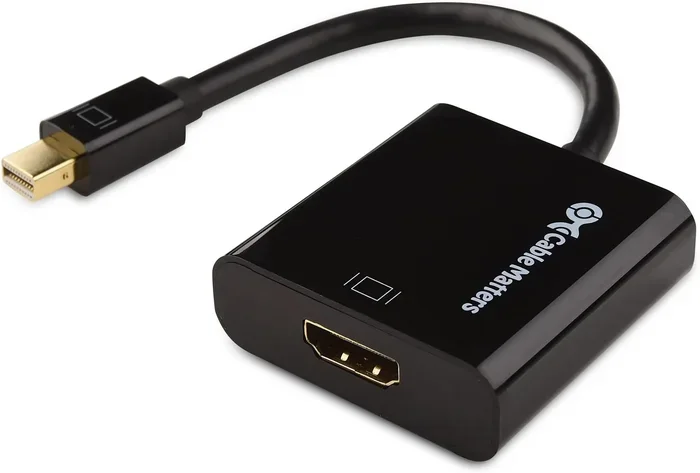
If you have an older monitor or display that lacks an HDMI input, you might consider using an adapter. Common options include HDMI-to-DisplayPort converters, HDMI-to-VGA adapters, and HDMI-to-DVI cables.
These adapters can work for basic gameplay, but they come with significant limitations. Most converters only support 1080p at 60Hz or lower. You will lose HDR, 4K resolution, and high refresh rates. Some adapters also strip away the audio signal, meaning you need a separate audio solution.
Here is a quick comparison of common adapter types:
| Adapter Type | Max Resolution | Audio Support | HDR Support | Best For |
|---|---|---|---|---|
| HDMI to DisplayPort | 4K at 60Hz | Yes | Limited | PC monitors with DP input |
| HDMI to VGA | 1080p at 60Hz | No (needs separate audio) | No | Older projectors or monitors |
| HDMI to DVI | 1080p at 60Hz | No (needs separate audio) | No | Older DVI monitors |
| HDMI to USB-C | 4K at 30Hz | Yes | Limited | Laptops with USB-C input |
When using any adapter, you are essentially downgrading the PS5s capabilities. It is a workable solution for casual gaming on older displays, but do not expect the full next-gen experience.
What Do You Lose Without HDMI on a PS5?
Every workaround comes with a cost. If you decide to use your PS5 without a direct HDMI connection to your TV or monitor, you need to know exactly what you are giving up. This section lays it all out so you can make an informed decision.
Loss of 4K and High Refresh Rate Gaming
The PS5s biggest selling point is its ability to deliver 4K gaming at 120Hz. Without HDMI 2.1, you simply cannot access these features. Adapters and converters cap you at 1080p or 4K at lower refresh rates. For many gamers, this is an acceptable trade-off. For others, it defeats the purpose of owning a next-gen console.
No HDR Support
HDR (High Dynamic Range) makes a huge difference in visual quality. It expands the color range, improves contrast, and makes bright highlights pop. Most HDMI alternatives do not support HDR. Your games will look flatter and less vibrant without it.
Reduced Audio Quality
HDMI carries uncompressed audio, including Dolby Atmos and DTS:X. When you use adapters or capture cards, the audio signal often gets compressed or rerouted through a different path. You may lose surround sound quality or need to configure audio settings manually.
Input Lag and Latency Issues
Every additional device in your signal chain adds latency. A capture card, an adapter, or a Remote Play stream all introduce delays between your button press and the on-screen action. For single-player story games, this is barely noticeable. For fast-paced competitive games, it can make a real difference.
HDCP and Content Protection
The PS5 uses HDCP to protect copyrighted content. Some adapters and converters do not support HDCP properly, which can result in black screens when playing Blu-rays or streaming 4K content from apps like Netflix. This is a frustrating issue that many people run into when using non-standard connections.
Practical Tips for Using a PS5 Without HDMI
If you have decided to go the HDMI-free route, here are some practical tips to make your experience as smooth as possible.
Test Your Setup Before Committing
Before you disconnect your HDMI cable permanently, test the alternative method thoroughly. Play a few different games, check the audio, and measure the latency. Make sure the setup is stable over extended sessions. Some adapters work fine for an hour but overheat after longer use.
Invest in Quality Equipment
Cheap adapters and capture cards often cause more problems than they solve. Look for well-reviewed products from reputable brands. A 50-dollar capture card from a trusted manufacturer will outperform a 15-dollar no-name alternative every time.
Optimize Your Network for Remote Play
If you choose Remote Play as your primary method, invest in a good router and position your PS5 close to it. Use an Ethernet connection for the PS5 whenever possible, and make sure your remote device is on the same network. These small steps dramatically improve stream quality and reduce lag.
Keep Your PS5 Firmware Updated
Sony regularly updates the PS5 firmware to improve compatibility with different displays and connection methods. Keeping your console updated ensures you get the best performance possible from any setup, including non-HDMI configurations.
Consider Your Long-Term Needs
A workaround might be fine for now, but think about the long term. If your HDMI port is damaged, get it repaired. If your TV lacks HDMI inputs, consider upgrading to a modern display. HDMI 2.1 is the standard for next-generation gaming, and building your setup around it saves headaches down the road.
Common Mistakes People Make When Avoiding HDMI
There are several mistakes that people make when trying to use a PS5 without HDMI. Avoiding these pitfalls can save you time, money, and frustration.
- Buying the wrong adapter: Not all adapters support the bandwidth needed for PS5 output. Check the specs carefully before purchasing.
- Ignoring audio setup: Many HDMI alternatives drop the audio signal. Plan for a separate audio solution, whether it is a 3.5mm cable or a Bluetooth speaker.
- Expecting the same quality: No alternative matches the quality of a direct HDMI 2.1 connection. Manage your expectations and you will be happier with the result.
- Skipping the HDCP handshake: Some converters fail the HDCP check, causing playback issues with protected content. Look for converters that explicitly support HDCP 2.2 or higher.
- Using a weak Wi-Fi for Remote Play: A poor wireless connection ruins the Remote Play experience. A wired Ethernet connection for the PS5 makes a world of difference.
Expert Insights on PS5 Connectivity
We spoke with several AV technicians and gaming hardware experts about the viability of using a PS5 without HDMI. The consensus is clear: HDMI is the best and most reliable way to connect a PS5 to a display. The alternatives work in a pinch, but they are not ideal for everyday use.
One technician noted that capture card setups are the most reliable alternative for people who absolutely cannot run HDMI directly to their display. Another expert emphasized that Remote Play has improved dramatically in recent years and is a solid option for casual gamers who do not need the lowest possible latency.
The bottom line from the experts is this: if you can use HDMI, use HDMI. The alternatives exist, but they are compromises. Use them when you have to, not when you simply want to try something different.
Key Takeaways
- PS5 requires HDMI for native output: The console is built around HDMI 2.1 for 4K gaming at 120Hz.
- Capture cards offer a partial workaround: You can capture and re-output the signal, but you still need HDMI for the PS5 side.
- Remote Play lets you stream wirelessly: This is the closest you get to playing without a physical HDMI connection to a display.
- Adapters exist but have limits: HDMI-to-DisplayPort or VGA adapters can work for older monitors but may not support all PS5 features.
- You will lose key features without HDMI: HDR, 4K resolution, and eARC audio may not work through alternative methods.
- Plan your setup carefully: Understanding your display and cable options saves time and money.
Conclusion
So, can you use a PS5 without HDMI? The answer is yes, but it is not simple. The PlayStation 5 is designed to work best with a direct HDMI 2.1 connection to your display. This single cable delivers the 4K resolution, 120Hz refresh rate, HDR visuals, and immersive audio that make the PS5 such a powerful gaming machine.
If you cannot use HDMI, you have options. Capture cards can route the signal through a PC or secondary device. Remote Play lets you stream games wirelessly to another screen. Adapters and converters can bridge the gap with older displays. Each method has its strengths and its limitations, and the right choice depends on your specific situation and what you are willing to compromise.
Just remember that every workaround reduces the quality of your experience. You lose features, you add latency, and you introduce potential compatibility issues. If at all possible, stick with HDMI. It is the standard for a reason, and the PS5 was built to take full advantage of it.
We hope this guide has given you a clear picture of your options. Whether you are dealing with a broken port, an older monitor, or just curiosity about what is possible, you now have the knowledge to make the best decision for your setup. Happy gaming.
Question?
Can I connect my PS5 to a monitor without HDMI? You can use an HDMI-to-DisplayPort adapter or an HDMI-to-VGA converter, but you will lose features like 4K, HDR, and high refresh rates. The adapter must support the bandwidth the PS5 outputs, and audio may need a separate solution.
Question?
Does PS5 Remote Play require HDMI? No, Remote Play streams the PS5 gameplay over your Wi-Fi network to another device. The PS5 itself still needs power and internet, but the display device does not need an HDMI connection to the console.
Question?
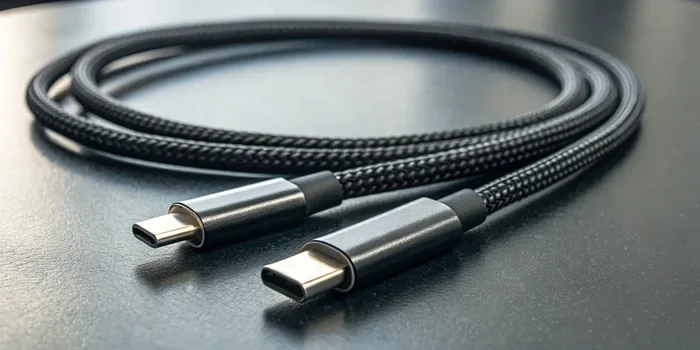
Can I use a USB-C to HDMI adapter to connect my PS5? Not directly. The PS5 outputs HDMI and does not have a USB-C video output. You would need a capture card or a converter that takes HDMI in and outputs through USB-C, but this adds latency and may not support 4K 120Hz.
Question?
Will using a capture card affect my PS5 gaming experience? A capture card adds a small amount of latency and requires additional setup. For casual gaming and streaming, the impact is minimal. For competitive gaming where every millisecond counts, the added delay can be noticeable.
Question?
Can I get 4K 120Hz without HDMI 2.1? No. The PS5 requires an HDMI 2.1 connection to output 4K at 120Hz. All alternative methods, including adapters and capture cards, will cap you at lower resolutions, refresh rates, or both.
Question?
Is it safe to use third-party HDMI adapters with a PS5? Yes, as long as you buy from reputable brands and check that the adapter supports HDCP 2.2 and the bandwidth requirements of the PS5. Cheap, uncertified adapters may cause black screens, audio issues, or damage to the console.
Frequently Asked Questions
What is Can You Use A Ps5 Without Hdmi?
Can You Use A Ps5 Without Hdmi is an important topic with many practical applications.