Do All USB C Ports Support Headphones With Your Devices
Not all USB C ports support headphones. While USB C has become the standard charging and data port on most modern devices, audio support depends on the hardware and software inside your device. Some USB C ports handle audio natively, while others are power-only and need an adapter or dongle to work with headphones.
You plug in your favorite pair of headphones to your new laptop or phone, and nothing happens. No sound. No error message. Just silence.
This is a frustrating experience that more and more people face every day. The USB C port has become the go-to connector for almost everything. It charges our phones. It transfers files. It connects to monitors and docks. But when it comes to audio, the story is not as simple as it seems.
The short answer to the question “do all USB C ports support headphones” is no. Not every USB C port handles audio. Some do. Some don’t. And the difference often comes down to how the device manufacturer designed the hardware and software. In this guide, we will walk you through everything you need to know about USB C audio, compatibility, adapters, and the best ways to get sound out of your USB C devices.
Whether you are trying to use USB C headphones on a new tablet, connecting a headset to a work laptop, or just trying to understand why your audio setup is not working, this article has you covered. We will break down the technical details in plain language so you can make smart choices without needing an engineering degree.
Key Takeaways
- USB C does not automatically mean audio support: Some ports are designed only for power and data transfer.
- USB C to 3.5mm adapters are a simple fix: They let you use traditional headphones with USB C devices.
- USB C digital audio is different from analog: Your headphones or DAC must match the port’s output type.
- Not all USB C headsets work the same way: Some need drivers, while others plug and play.
- Check your device specs before buying accessories: This saves time and money.
- Wireless USB C headphones bypass the port issue entirely: Bluetooth or USB C wireless options work on any USB C port.
- USB C audio standards are still evolving: Newer devices tend to have better native audio support.
📑 Table of Contents
How USB C Ports Handle Audio
The USB C connector is just a shape. It tells you nothing about what the port can actually do. A USB C port can carry power, data, video, and audio. But not every port carries all of these. Think of it like a wall outlet. The shape of the plug is the same, but some outlets power a fridge and others only power a lamp.
USB C Audio Standards You Should Know
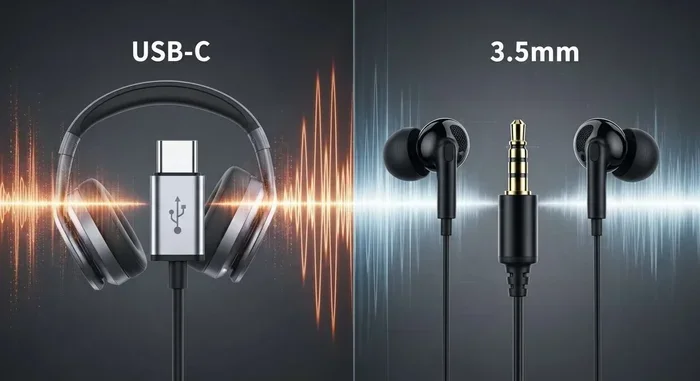
USB C audio works in two main ways. The first is digital audio. The port sends a digital signal to your headphones or a digital-to-analog converter, also known as a DAC. The second is analog audio. The port directly outputs an analog signal, similar to the old 3.5mm headphone jack.
Most modern smartphones and laptops use digital USB C audio. This means your headphones need a built-in DAC or you need an external one. The USB C audio standard is defined by something called the USB Audio Device Class, or UAC for short. This standard tells devices how to handle sound over USB connections.
Not all devices follow the same version of this standard. Older devices may use UAC 1.0. Newer devices use UAC 2.0 or even UAC 3.0. This matters because different versions support different sample rates and bit depths. If you are an audiophile who cares about sound quality, this is something to keep in mind when shopping for USB C headphones or USB C headsets.
Digital vs Analog USB C Audio
Digital USB C audio sends sound as ones and zeros. Your device or an external DAC converts this into sound waves your ears can hear. Analog USB C audio does this conversion inside the port itself.
Most phones and laptops handle the conversion internally. This is why you can plug in USB C earbuds and they just work. But some devices, especially budget tablets and certain monitors, skip the audio hardware entirely. Their USB C ports are power-only ports. They charge your device but do nothing else.
If you have ever wondered why your USB C headphones work on one device but not another, this is usually the reason. The port simply was not built to handle audio signals.
Which Devices Support USB C Headphones
Not all devices are created equal when it comes to USB C audio support. Some brands design their USB C ports with full audio capabilities. Others leave audio out to save space or cost.
Smartphones and Tablets
Most modern smartphones use USB C as their main port. Apple was one of the last holdouts with its Lightning connector, but even Apple has moved to USB C on the iPhone 15 and newer models. These phones support USB C audio natively.
Android phones from Samsung, Google, OnePlus, and others have supported USB C headphones for years. If your phone has a USB C port, there is a very good chance it supports audio over that port. However, some budget Android phones use USB C ports that are power-only. These will not work with USB C earbuds or headsets without an adapter.
Tablets follow the same pattern. iPads with USB C support audio. Many Android tablets do too. But cheaper tablets sometimes cut corners on audio hardware. Always check the product specifications before assuming your tablet supports USB C audio output.
Laptops and Computers
Laptops are where USB C audio gets interesting. Many modern laptops have replaced the traditional headphone jack with one or two USB C ports. This works great for most users. Your USB C headphones plug right in and sound great.
But here is the catch. Some laptops, especially business models and budget machines, use USB C ports that are limited to data and power. They do not carry audio. This is more common than you might think. If you have a work laptop with no headphone jack and your USB C headphones do not work, this could be the reason.
Desktops and mini PCs also vary widely. Some motherboards include USB C headers with full audio support. Others do not. If you are building or buying a desktop, check whether the USB C ports on the back of the machine support audio.
When USB C Ports Do Not Support Audio
Understanding when a USB C port will not work with headphones helps you avoid frustration. There are a few common scenarios where audio support is missing or limited.
Power-Only USB C Ports
A power-only USB C port does exactly what the name suggests. It provides electrical power to charge your device. It does not transfer data, video, or audio. These ports are common on:
- Budget tablets and e-readers
- Certain docking stations and hubs
- Older laptops with limited USB C implementations
- Some monitors and displays
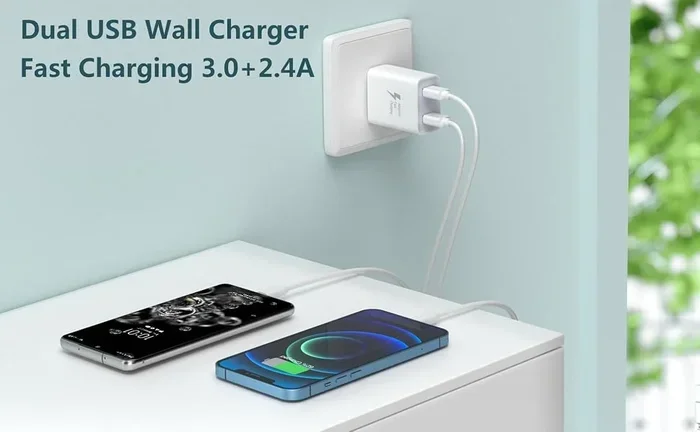
- Charging bricks and power banks
If you plug headphones into a power-only port, you will get nothing. No sound, no error, no notification. It just does not work. This is the most common reason people ask “do all USB C ports support headphones” in the first place.
Compatibility Issues With Adapters and Dongles
Even when a USB C port supports audio, compatibility issues can still cause problems. Some USB C to 3.5mm adapters work with certain devices but not others. This often comes down to how the device handles the digital-to-analog conversion.
For example, some Android phones need a specific type of adapter that includes its own DAC. Generic adapters without a built-in chip may not work. Similarly, some USB C headsets require specific drivers that are not available on all operating systems.
The USB C connectivity landscape is complex. Just like how not all WiFi antennas are the same, not all USB C ports are built the same way. Different hardware designs lead to different capabilities, even when the connector looks identical.
Driver and Software Limitations
On computers, USB C audio often depends on software drivers. Windows, macOS, and Linux all handle USB C audio differently. Some devices work right out of the box. Others need you to install drivers or firmware updates first.
On Chromebooks, USB C audio support can be hit or miss depending on the model and Chrome OS version. Always check the manufacturer’s website for audio compatibility information before buying USB C headphones for a laptop or desktop.
How to Connect Headphones to USB C Ports
If your USB C port does not support audio natively, or if you just want a reliable solution, there are several ways to connect headphones. Let us walk through the most common options.
USB C to 3.5mm Adapters
The simplest solution is a USB C to 3.5mm adapter. These small dongles plug into your USB C port and give you a standard headphone jack. They are cheap, portable, and work with most devices.
There are two types of adapters. The first type has a built-in DAC and amplifier. These tend to sound better and work with more devices. The second type is a passive adapter that just routes the signal. These are cheaper but may not work with all devices.
Quick tip: Look for adapters from reputable brands. Cheap no-name adapters often have poor sound quality and reliability issues. A good adapter costs between 10 and 25 dollars and makes a big difference.
USB C Digital-to-Analog Converters
If you care about audio quality, a dedicated USB C DAC is the way to go. A DAC converts the digital signal from your device into an analog signal your headphones can use. This gives you much better sound than your phone or laptop can produce on its own.
USB C DACs range from simple pocket-sized units to high-end desktop models. They are popular with music lovers, audiophiles, and anyone who wants the best possible sound from their USB C headphones or headsets.
Some DACs also include a headphone amplifier. This is useful if you use high-impedance headphones that need extra power to sound their best. Brands like Fiio, AudioQuest, and Apple make popular USB C DAC options.
USB C Wireless Headphones
If you want to skip adapters altogether, USB C wireless headphones are a great option. Many modern wireless headphones use USB C for charging but connect to your device via Bluetooth. This means they work with any device that has Bluetooth, regardless of the USB C port’s audio capabilities.
Some headphones even support USB C audio directly through a wired connection. This gives you flexibility. You can use them wired when you want the best sound quality and latency-free audio. Or you can go wireless when convenience matters more.
Just like with wired audio, wireless audio quality depends on the Bluetooth codec your device supports. Newer devices support codecs like LDAC and aptX HD, which deliver much better sound than standard Bluetooth.
Common Mistakes People Make With USB C Audio
There are a few mistakes that people make over and over again when trying to get audio from their USB C devices. Knowing these pitfalls can save you time and money.
Assuming All USB C Cables Are the Same
Not all USB C cables support audio. Some cables are designed only for charging and data. They do not carry audio signals at all. If you are using a USB C cable to connect headphones, make sure the cable supports audio transmission.
This is different from the USB C port itself. Even if your port supports audio, a low-quality cable can prevent the signal from getting through. Use cables that are certified and from trusted manufacturers.
Buying the Wrong Adapter
Not all USB C to 3.5mm adapters are created equal. Some work with iPhones but not Androids. Some work with Windows laptops but not MacBooks. The compatibility depends on the internal chip and how the device handles USB audio.
Before buying an adapter, check if your device needs a specific type. Apple devices, for example, often need adapters with Apple’s authentication chip. Android devices tend to be more flexible but may still need a DAC-equipped adapter for full compatibility.
Ignoring Headphone Impedance
Impedance is a measure of how much power your headphones need to produce sound. Low-impedance headphones work fine with most phones and laptops. High-impedance headphones need more power and may sound quiet or distorted when plugged directly into a USB C port.
If your headphones are high-impedance, consider using a USB C DAC with a built-in amplifier. This gives your headphones the power they need to sound their best.
Quick Tips for USB C Audio Success
Here are some fast, practical tips to help you get the most out of USB C audio:
- Check your device specs before buying USB C headphones. Look for “USB C audio” or “USB audio support” in the manual.
- Keep a USB C to 3.5mm adapter in your bag. You never know when you will need it.
- Invest in a good DAC if you care about sound quality. It makes a noticeable difference.
- Update your device software regularly. Firmware updates often improve USB C audio compatibility.
- Test your setup with different headphones if you are having issues. The problem might be the headphones, not the port.
- Consider wireless USB C headphones as a fallback option. Bluetooth works on virtually all modern devices.
- Use certified USB C cables and adapters to avoid compatibility headaches.
The world of USB C audio has come a long way, but it is still not perfect. Manufacturers are slowly standardizing audio support across all USB C ports. Until then, knowing how your specific device handles audio gives you a big advantage.
Think of it this way. Just as you would check whether a WiFi antenna is compatible with your router before buying, you should check whether a USB C port supports audio before relying on it for your headphones. A little research goes a long way.
Whether you are a casual listener who just wants to hear music on the commute or an audiophile chasing the perfect sound, understanding USB C audio helps you make better decisions. The right adapter, the right DAC, or the right pair of wireless headphones can turn a frustrating experience into a seamless one.
USB C is here to stay. It is fast, versatile, and becoming the universal standard for connectivity. As more devices adopt USB C, audio support will become more consistent. But for now, knowing the limitations and having the right accessories in your toolkit is the best approach.
Conclusion
So, do all USB C ports support headphones? The honest answer is no. USB C is a versatile connector, but audio support depends on the hardware and design of each device. Some ports handle audio beautifully. Others are power-only and will not produce sound no matter what you plug in.
The good news is that solutions exist for every situation. USB C to 3.5mm adapters are affordable and widely available. USB C DACs offer excellent sound quality for audiophiles. And wireless USB C headphones bypass the port issue entirely by using Bluetooth.
Your best move is to check your device specifications, understand your audio needs, and keep the right accessories on hand. With the right knowledge and tools, you can enjoy great sound from any USB C device. The key is knowing what your port can and cannot do, and having a plan for when it cannot do what you need.
USB C audio is not complicated once you understand the basics. Take a few minutes to learn how your device handles sound. You will save yourself a lot of frustration and maybe even discover a better way to listen to your favorite music and podcasts.
Frequently Asked Questions
Can I use any USB C headphones with any USB C device?
Not always. While many USB C headphones work across devices, some require specific drivers or DAC support. Always check compatibility before purchasing, especially if you are using headphones with a laptop, tablet, or desktop computer.
Why does my USB C headphone jack not work on my laptop?
Your laptop may have a power-only USB C port that does not support audio. Some laptops also require specific adapters or drivers for USB C audio. Try a different adapter or check your laptop’s specifications for audio support details.
Do USB C to 3.5mm adapters always work?
Most USB C to 3.5mm adapters work with a wide range of devices, but some may not be compatible with certain phones or laptops. Adapters with built-in DACs tend to have better compatibility than passive adapters. Check reviews and compatibility lists before buying.
Can I charge my device and listen to music through USB C at the same time?
Yes, in most cases. USB C supports power delivery and audio simultaneously. However, some budget devices or hubs may not support this. If you experience issues, try a different cable or adapter that supports combined power and audio delivery.
Are USB C wireless headphones better than wired USB C headphones?
It depends on your needs. USB C wireless headphones offer convenience and freedom from cables. Wired USB C headphones often provide better sound quality and lower latency. If you are a casual listener, wireless is great. If you are an audiophile, wired with a good DAC may be the better choice.
Do all USB C hubs support audio output?
No, not all USB C hubs support audio. Some hubs are designed only for data transfer and charging. If you need audio output through a hub, look for models that specifically list audio support in their specifications. Check reviews to confirm real-world audio performance.