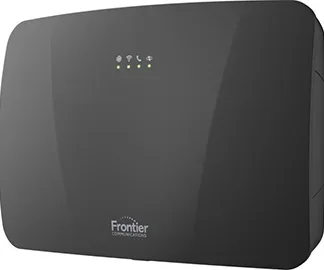
Do I Need To Return Frontier Router Or Just Keep It
Do I Need To Return Frontier Router? The answer depends on your contract, equipment type, and whether you are canceling service or just upgrading. Most Frontier routers are leased, not owned, which means you typically must return them when ending your subscription. However, there are exceptions and options that let you keep your router or buy it outright.
Do I Need To Return Frontier Router? This is one of the most common questions people ask when they are canceling their internet plan or switching providers. The short answer is: it depends on your contract and the type of equipment you have. Most Frontier routers are leased, which means they belong to Frontier and must be returned. But there are situations where you can keep your router or even buy it outright. In this guide, we will walk you through everything you need to know about returning your Frontier router, what happens if you do not return it, and how to make the best decision for your situation.
Whether you are canceling Frontier internet service, moving to a new provider, or simply upgrading your equipment, understanding the return process saves you time and money. Many people make the mistake of keeping their router without checking the return policy. This can lead to unexpected charges on your final bill. On the other hand, some users are perfectly fine keeping the router and paying a buyout fee. The key is knowing your options before you make a move.
This article covers the full picture. We will look at Frontier’s equipment policies, the difference between leasing and owning, step-by-step return instructions, and common mistakes to avoid. By the end, you will know exactly what to do with your Frontier router. Let us dive in.
Key Takeaways
- Leased Equipment: Most Frontier routers are leased, so returning them is usually required when canceling service.
- Buyout Option Exists: You can sometimes pay off the remaining balance to own your Frontier router outright.
- Return Window Matters: Returning equipment promptly avoids extra monthly charges and late fees.
- Keep Your Router: In some cases, you may be able to keep your router if it was included in a promotional deal.
- Shipping Tips: Always use a tracked shipping method and pack your router securely to avoid damage claims.
- Customer Service: Contact Frontier customer support to confirm your specific return obligations before sending anything back.
📑 Table of Contents
- Understanding Frontier Router Ownership
- Do I Need To Return Frontier Router When Canceling Service
- Can You Keep Your Frontier Router
- Return vs. Keep: A Comparison
- Common Mistakes to Avoid
- Expert Tips for Handling Your Frontier Router
- What If You Already Left the Router Behind
- Frequently Asked Questions
- Final Thoughts
Understanding Frontier Router Ownership
Before you decide whether to return your Frontier router, you need to understand who actually owns it. This is the most important piece of the puzzle. Many internet providers lease equipment to customers instead of selling it outright. Frontier is no different.
Leased vs. Owned Equipment
When you sign up for Frontier internet, the router or gateway device you receive is typically leased. This means Frontier still owns the equipment. You are simply borrowing it for as long as you use their service. The lease agreement is usually buried in the fine print of your contract, but it is there.
Owned equipment is different. If you bought your router outright from a retailer or directly from Frontier, then it is yours to keep. You do not need to return it under any circumstances. The challenge is figuring out which category your router falls into.
Here are some quick ways to tell:
- Check your bill: Look for a line item called “equipment lease fee” or “monthly rental charge.” If you see this, your router is leased.
- Review your contract: Your original Frontier agreement should state whether equipment is leased or purchased.
- Look at the device: Leased Frontier routers often have a sticker or label indicating they are property of Frontier Communications.
- Contact customer service: Call Frontier and ask directly. They can look up your account and confirm ownership.
Understanding this distinction is critical. If your router is leased and you do not return it, Frontier will keep charging you. This can add up fast and hurt your credit if the debt goes to collections.
How Frontier Equipment Leasing Works
Frontier uses a system called equipment leasing for most of its routers and modems. This applies to both Frontier FiOS and Frontier DSL connections. When you sign up, you agree to the lease terms. These terms usually state that you must return the equipment when you cancel service or when Frontier requests it.
The lease fee is typically added to your monthly bill. It ranges from around $10 to $15 per month, depending on the device. Some users find this frustrating because they feel they are paying twice for equipment they will never own. This is a valid concern, and it is one reason many people look into the buyout option.
Here is how the leasing process works in practice:
- You receive a Frontier router or gateway when you sign up for service.
- The device is registered to your account in Frontier’s system.
- You pay a monthly lease fee along with your internet bill.
- When you cancel or upgrade, Frontier expects the device back.
- If the device is not returned, you continue to be billed.
This cycle keeps repeating until the equipment is returned or the lease is bought out. It is important to be proactive about this process. Do not just assume everything will sort itself out.
Do I Need To Return Frontier Router When Canceling Service
The most common scenario where this question comes up is when people are canceling their Frontier internet service. Maybe you are moving to a new city, switching to a competitor, or simply cutting the cord. Whatever the reason, the return question becomes very real.
What Happens If You Do Not Return Your Frontier Router
If you cancel your Frontier service and do not return the router, several things can happen. None of them are good. Frontier will continue to bill you for the monthly lease fee. These charges will pile up on your account.
After a certain period, Frontier may send your account to collections. This can seriously damage your credit score. You could also face a non-return fee, which is a flat charge added to your final bill. This fee can range from $100 to $250 or more, depending on the device.
Here is a breakdown of what can happen if you keep a leased Frontier router without returning it:
- Ongoing monthly charges: The lease fee continues to appear on your bill each month.
- Late fees: Additional penalties may be added for non-compliance.
- Collections account: Your debt may be sent to a collections agency.
- Credit score damage: A collections account can lower your credit score significantly.
- Legal action: In extreme cases, Frontier may pursue legal action to recover the equipment.
The bottom line is simple. Do not keep a leased Frontier router if you are no longer using their service. The costs far outweigh any benefit you might get from keeping the device.
How to Properly Return Your Frontier Router
Returning your Frontier router is straightforward, but you need to follow the right steps to avoid any issues. Here is a step-by-step guide to make the process smooth.
Step 1: Contact Frontier Customer Support
Call Frontier’s customer service line and let them know you are canceling your service and want to return your equipment. They will provide you with a return authorization number and the shipping address. Always get this information in writing, either through email or your online account portal.
Step 2: Gather All Equipment
Make sure you have every piece of Frontier equipment. This includes the router, any power adapters, cables, and the original packaging if you still have it. Missing items can result in additional charges.
Step 3: Pack the Router Securely
Use the original box if possible. If you do not have it, wrap the router in bubble wrap and place it in a sturdy box. Include all cables and accessories. Proper packing prevents damage during shipping.
Step 4: Ship with Tracking
Always use a shipping method that provides tracking. This gives you proof of return in case there is ever a dispute. Keep your tracking number and save the receipt.
Step 5: Confirm the Return
After shipping, check your Frontier account to confirm the return was received. It may take a few weeks for the system to update. Follow up if you do not see the return reflected in your account.
Following these steps protects you from future billing surprises. It is worth taking the extra few minutes to do it right.
Can You Keep Your Frontier Router
Now for the good news. There are situations where you can keep your Frontier router. This usually depends on your specific contract, promotional offers, or the buyout option.
The Router Buyout Option
Frontier offers a router buyout option for customers who want to own their equipment. This allows you to pay off the remaining lease balance and keep the router permanently. Once you pay the buyout amount, the equipment is yours. You no longer need to return it, and you can use it with any internet provider.
The buyout cost varies depending on the device and how long you have been leasing it. Some routers cost around $100 to $200 to buy out, while others may be more expensive. You can check the buyout price by logging into your Frontier account or calling customer support.
Here is how the buyout process works:
- Log into your Frontier account or call customer service.
- Request the buyout price for your specific equipment.
- Pay the buyout amount, either online or over the phone.
- Receive confirmation that the equipment is now yours.
- You can now keep the router and use it with any provider.
The buyout option is great if you like your Frontier router and want to continue using it. It saves you from buying a new device and gives you full ownership.
Promotional Deals That Include Router Ownership
Sometimes Frontier runs promotions where the router is included as part of the deal. In these cases, the router may actually be yours from the start. This is more common with newer promotional offers or bundle deals.
If you signed up for a Frontier promotion that mentioned “free router” or “no equipment fee,” check the terms carefully. Some promotions lease the equipment anyway, while others truly transfer ownership. If you are unsure, contact Frontier to clarify the terms of your specific deal.
Quick tip: Always read the fine print before signing up. A “free” router that is actually leased can end up costing you more than a rented one over time.
When You Can Keep the Router After Canceling
In rare cases, Frontier may allow you to keep the router after canceling. This usually happens when the equipment is older or when Frontier decides the cost of retrieval is not worth it. However, this is not something you should count on.
Never assume you can keep a leased router without permission. Always get confirmation in writing from Frontier before deciding to hold onto the equipment. A verbal promise from a customer service rep is not enough. Get an email or a confirmation number.
Return vs. Keep: A Comparison
Deciding whether to return or keep your Frontier router comes down to a few key factors. Let us break down the options so you can make an informed choice.
| Factor | Return the Router | Keep the Router |
|---|---|---|
| Cost | No additional charges | Buyout fee or ongoing lease charges |
| Ownership | You do not own the router | You own the router (after buyout) |
| Convenience | Must ship equipment back | Keep using your current device |
| Credit Impact | No risk of collections | Risk if you do not pay lease fees |
| Best For | Users canceling service | Users who like the device and want ownership |
| Time Required | 1-2 weeks for return process | Immediate, if buyout is paid |
For most people canceling Frontier service, returning the router is the safest and most cost-effective choice. But if you have a great router and want to keep using it, the buyout option is worth considering.
Common Mistakes to Avoid
Many people make avoidable mistakes when dealing with Frontier router returns. Here are the most common ones and how to steer clear of them.
Forgetting to Return the Equipment
This is the number one mistake. People cancel their service, pack up their things, and forget about the router sitting in a closet. Weeks turn into months, and suddenly they are hit with a stack of lease charges on their final bill.
Set a reminder to return the router as soon as you cancel. Do not let it sit around. The longer you wait, the more you will pay.
Not Keeping Proof of Return
Always save your shipping receipt and tracking number. If Frontier claims they never received your router, you need proof that you sent it back. Without tracking information, resolving disputes becomes very difficult.
Returning Damaged Equipment
If your Frontier router is damaged when you return it, you may be charged a repair or replacement fee. Pack the device carefully and use a sturdy box. Remove any personal stickers or labels, but do not take the device apart.
Assuming All Equipment Must Be Returned
Not all equipment needs to be returned. Some cables or accessories may be yours to keep. Check with Frontier about which specific items need to go back. Returning only part of the equipment can still result in charges.
Expert Tips for Handling Your Frontier Router
Here are some practical tips from people who have been through the Frontier router return process. These insights can save you time and headaches.
Tip 1: Return the router as soon as you cancel. Do not wait. The sooner you return it, the fewer charges you will accumulate. Most people try to return it within one to two weeks of canceling.
Tip 2: Use the Frontier online portal. Many return requests can be initiated through your Frontier account online. This is often faster than calling customer service. You can print a return label and drop the package at a shipping location.
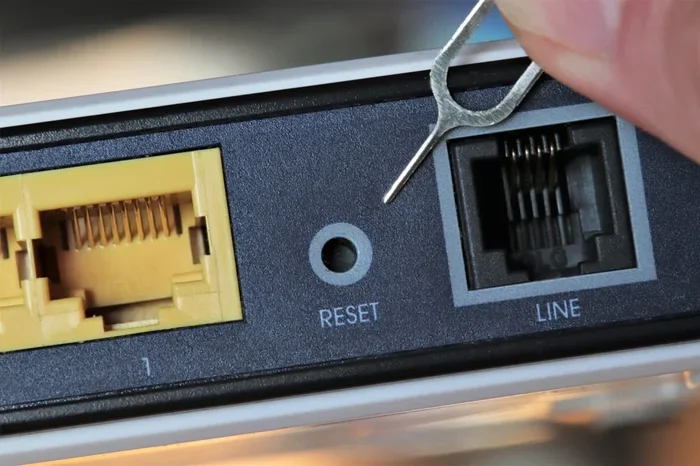
Tip 3: Wipe your personal data. Before returning your Frontier router, reset it to factory settings. This clears any saved Wi-Fi passwords, connected devices, and personal information. It is a simple step that protects your privacy.
Tip 4: Check for firmware updates. If you plan to keep the router after a buyout, make sure it has the latest firmware. This ensures the best performance and security when you use it with a new provider.
Tip 5: Keep the original packaging. If you still have the box and packaging materials, hold onto them. They make returning the router much easier and safer. If you do not have the original box, invest in a good-quality shipping box and bubble wrap.
What If You Already Left the Router Behind
Maybe you moved out of your Frontier-serviced home and left the router behind. Or perhaps you tossed it in a drawer and forgot about it. Whatever the situation, it is not too late to handle it properly.
Contact Frontier customer support and explain the situation. They will guide you through the next steps. In most cases, you will need to arrange a return or pay any outstanding charges. Frontier is usually willing to work with customers who come forward proactively.
The worst thing you can do is ignore the situation. Unpaid equipment charges can end up on your credit report and cause long-term financial problems. Be honest, communicate with Frontier, and find a resolution.
Frequently Asked Questions
Can I keep my Frontier router if I switch to a different internet provider?
If your Frontier router is leased, you must return it when you cancel service. However, you can buy out the lease and keep the router to use with your new provider. Check your specific contract to confirm the terms.
How long do I have to return my Frontier router after canceling?
Frontier typically expects equipment to be returned within 30 days of canceling your service. Check your account or contact customer support for the exact deadline. Returning the router early is always a good idea to avoid extra charges.
What is the cost to buy out a Frontier router?
The buyout cost varies by device model and how long you have been leasing it. Prices typically range from $100 to $250. You can find the exact buyout price by logging into your Frontier account or calling customer service.
Can I use my Frontier router with another internet provider?
Yes, you can use a Frontier router with another provider after buying it out. If the router is still leased, it is tied to your Frontier account and should not be used with a different provider. Check compatibility with your new provider before setting it up.
What happens if I lose the original packaging for my Frontier router?
You can still return the router without the original box. Use a sturdy alternative box and plenty of bubble wrap. Frontier may charge a packaging fee if the device arrives damaged, so packing carefully is essential.
Does Frontier charge a restocking fee for returned routers?
Frontier generally does not charge a restocking fee for returned routers. However, if the equipment is damaged or missing parts, you may be charged a repair or replacement fee. Always return the router in good condition with all accessories included.
Final Thoughts
So, do you need to return your Frontier router? For most people, the answer is yes. Frontier routers are leased equipment, and returning them when you cancel service is the standard requirement. Failing to return a leased router leads to ongoing charges, potential credit damage, and unnecessary stress.
However, you do have options. The buyout program lets you own your Frontier router and keep using it with any provider. Promotional deals may also include router ownership. The key is knowing your contract terms and acting accordingly.
Whether you choose to return the router or buy it out, the most important thing is to take action promptly. Do not let a Frontier router sit unused while charges pile up on your account. Contact Frontier customer support, understand your obligations, and handle the process with confidence.
Your internet experience should be simple and stress-free. By following the steps in this guide, you can navigate the Frontier router return process with ease. Make the choice that works best for your situation, and move forward with your internet plans knowing you made an informed decision.