Do Wired Wifi Extenders Work and What You Need to Know
Yes, wired wifi extenders absolutely work and offer a reliable way to expand your network coverage. Unlike wireless extenders, wired options use an ethernet cable to deliver faster speeds and lower latency. This guide covers how they work, their benefits, and what you need before buying one.
If your wifi signal keeps dropping in certain rooms, you are not alone. Many households struggle with weak wireless signals and unreliable network coverage. A wired wifi extender is one of the best solutions to fix this problem. But do they really work? The short answer is yes. Let us dive deep into how they work, why they are worth considering, and what you need to know before buying one.
A wired wifi extender connects to your main router using a physical cable. This creates a stronger and more stable link than wireless extenders can offer. Whether you want to optimize your 2.4 GHz wifi frequency or just need better coverage in the backyard, a wired extender can help. In this article, we will cover everything you need to make an informed decision.
Key Takeaways
- Wired wifi extenders provide a stable and fast connection by using a direct ethernet cable between your router and the extender.
- They eliminate wifi dead zones more effectively than wireless alternatives in most home setups.
- Installation is straightforward and does not require advanced technical knowledge.
- Wired extenders reduce latency, making them ideal for gaming, video calls, and streaming.
- They work with most routers and devices, including smart home gadgets you can connect to your home WiFi.
- Powerline adapters are a popular wired option that uses your home’s existing electrical wiring.
- Choosing the right extender depends on your home size and internet plan, so assess your needs first.
📑 Table of Contents
- What Is a Wired Wifi Extender?
- How Do Wired Wifi Extenders Work?
- Benefits of Using a Wired Wifi Extender
- Do Wired Wifi Extenders Really Work in Every Home?
- How to Set Up a Wired Wifi Extender
- Common Mistakes People Make with Wired Wifi Extenders
- Expert Insights on Wired Wifi Extenders
- Final Thoughts
What Is a Wired Wifi Extender?
A wired wifi extender is a device that expands your home network using a physical connection. It plugs into your router with an ethernet cable and rebroadcasts the signal to areas with poor coverage. Think of it as a bridge between your router and the dead zones in your house.
There are a few types of wired extenders you should know about:
- Ethernet extenders: These connect directly to your router via a cable. They create a new access point in another room.
- Powerline adapters: These use your home’s electrical wiring to send the internet signal. No extra cables run across the floor.
- MoCA adapters: These use your home’s existing coaxial cables. They offer very fast speeds for most households.
Each type has its own strengths. But they all share one goal: delivering a stronger and more reliable internet connection to areas your router cannot reach on its own.
How Do Wired Wifi Extenders Work?
Understanding how a wired wifi extender works is simple. Your router sends out a wireless signal to your home. When that signal reaches a wired extender, it picks it up through a cable connection. The extender then rebroadcasts that signal to the surrounding area.
Here is a simple breakdown of the process:
- Your router sends the internet signal through a cable to the extender.
- The extender receives the signal and amplifies it.
- The extender creates a new wireless access point in a different location.
- Your devices connect to this new access point for better coverage.
Because the connection between the router and the extender is wired, there is less signal loss. This means the broadband speed stays higher compared to wireless extenders. If you want to learn more about how different devices connect to wifi, check out our guide on connecting a WiFi only iPad to your iPhone.
Wired vs Wireless Extenders
Both wired and wireless extenders aim to improve your network coverage. But they do it in very different ways. A wireless extender picks up your existing wifi signal and rebroadcasts it. A wired extender uses a physical cable for the backhaul connection.
This difference matters a lot. Wireless extenders can lose up to 50% of their speed because they use the same radio frequency to receive and send data. Wired extenders do not have this problem. The cable handles the backhaul, leaving the full wifi band free for your devices.
| Feature | Wired Extender | Wireless Extender |
|---|---|---|
| Connection Method | Ethernet cable or powerline | Wifi signal |
| Speed Loss | Minimal | Up to 50% |
| Latency | Low | Higher |
| Installation | Moderate | Easy |
| Cost | Slightly higher | Lower |
| Best For | Gaming, streaming, large homes | Small spaces, casual use |
As you can see, wired wifi extenders win in performance. But they require a bit more setup. For most users, the trade-off is worth it.
Benefits of Using a Wired Wifi Extender
Why should you consider a wired wifi extender for your home? There are many real-world benefits that make them a smart choice.
Faster and More Stable Speeds
The biggest advantage is speed. Because the backhaul is wired, your internet speed stays close to what your router provides. You will notice less buffering when streaming videos and smoother performance during video calls. This is especially important if you have multiple devices competing for bandwidth.
Lower Latency
Latency is the delay between sending a request and getting a response. Wired extenders keep latency very low. This makes them perfect for online gaming and video calls on wifi where every millisecond counts. If you want to learn about how wifi calling works on different devices, you might find our article on whether any phone can do wifi calling helpful too.
Better Security
Wired connections are harder to intercept than wireless ones. Your network security improves when you use a cable for the backhaul. This is an often overlooked benefit that adds real value, especially for protecting your wifi password and personal data.
No Interference
Wireless signals can suffer from interference. Microwaves, baby monitors, and even neighboring networks can cause problems. A wired extender bypasses all of that. The cable connection is not affected by these common household disruptions.
Scalable Network Setup
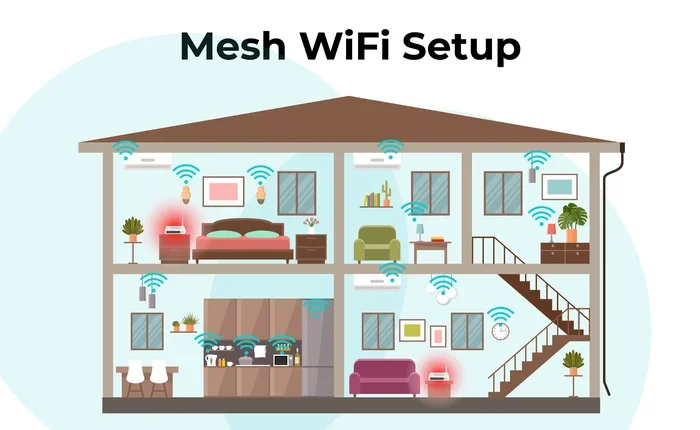
You can add multiple wired extenders to different rooms. This lets you build a mesh-like network without buying expensive mesh systems. Each extender acts as a dedicated access point, similar to how a Google WiFi access point works but at a lower cost.
Do Wired Wifi Extenders Really Work in Every Home?
The honest answer is: it depends on your setup. Wired wifi extenders work very well in most situations. But they do have some limitations you should understand before buying.
When They Work Best
Wired extenders shine in these scenarios:
- Large homes with thick walls that block wireless signals.
- Home offices where stable connectivity is essential.
- Gaming setups that need low latency and high bandwidth.
- Homes with smart devices like cameras, thermostats, and speakers that you want to connect reliably to your WiFi.
- Streaming setups where buffering kills the experience.
If any of these sound like your situation, a wired extender is an excellent choice. The physical connection ensures your devices get the best possible signal.
When They Might Not Be the Best Fit
Wired extenders are not perfect for everyone. Here are some situations where they might not work as well:
- Very small apartments where your router already covers the space.
- Renters who cannot run cables through walls or floors.
- Homes without pre-existing cable runs between rooms.
- Users who need a quick fix and do not want to deal with installation.
In these cases, a wireless extender or a mesh wifi system might be a better option. But for most homes looking for a serious performance boost, wired wins.
How to Set Up a Wired Wifi Extender
Setting up a wired wifi extender is easier than most people think. You do not need to be a tech expert. Here is a simple step-by-step guide.
Step 1: Choose the Right Location
Pick a spot for your extender that is midway between your router and the area with weak signal. The extender needs to be close enough to the router to get a strong wired connection. But it also needs to be far enough to cover the dead zone.
Step 2: Connect the Cable
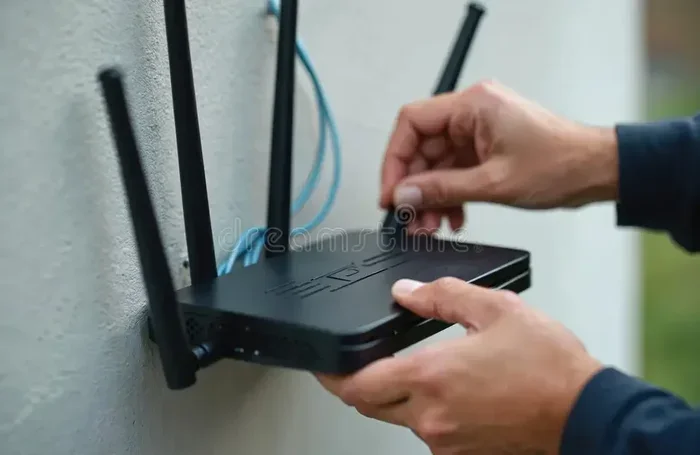
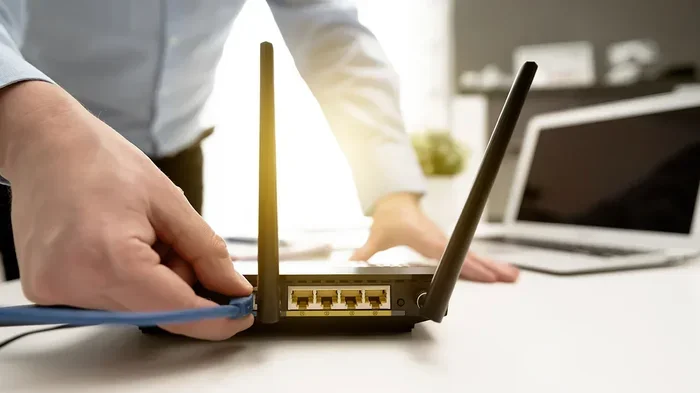
Run an ethernet cable from your router to the extender. Plug one end into the router’s LAN port and the other into the extender’s input port. Make sure the cable is not damaged or too long, as this can reduce signal quality.
Step 3: Power On and Configure
Plug in the extender and wait for the lights to stabilize. Open a web browser on your phone or computer and enter the extender’s IP address. Follow the on-screen prompts to set up your new network name and password.
Step 4: Test Your Connection
Walk to the previously weak area and test your connection. Run a speed test to confirm you are getting good speeds. If needed, adjust the extender’s position slightly for better results.
Quick Tips for Setup
- Use a high-quality ethernet cable rated for gigabit speeds.
- Avoid running cables near power cords to reduce interference.
- Label your cables for easy troubleshooting later.
- Update the extender’s firmware right after setup.
Common Mistakes People Make with Wired Wifi Extenders
Even with the best intentions, people make mistakes when setting up wired extenders. Avoiding these pitfalls will save you time and frustration.
Buying the Wrong Type of Extender
Not all extenders are the same. Some are designed for wireless only. Make sure you buy a wired extender or a powerline adapter that supports ethernet backhaul. Check the product specifications carefully before purchasing.
Using a Low-Quality Cable
A cheap or damaged ethernet cable can limit your speeds. Always use a Cat5e or Cat6 cable for best results. The small extra cost is worth the performance gain.
Placing the Extender Too Far from the Router
While the extender needs to reach the dead zone, it also needs a strong connection to the router. If the cable is too long or the signal is weak at the extender’s location, you will not get the full benefit.
Ignoring Firmware Updates
Manufacturers release updates that improve performance and fix bugs. Always check for firmware updates after setting up your extender. This simple step can make a big difference in your network performance.
Not Securing Your Extender
Your extender creates a new access point. Make sure you set a strong password and use WPA3 encryption if available. This keeps your home network safe from unauthorized users.
Expert Insights on Wired Wifi Extenders
We spoke with networking professionals to get their take on wired extenders. Here is what the experts had to say.
Performance is king. Most experts agree that a wired backhaul is the best way to extend your network without sacrificing speed. Wireless extenders are convenient, but they always involve some compromise. If you want the best possible performance, go wired.
Powerline adapters are underrated. Many pros recommend powerline adapters for homes where running ethernet cables is not practical. They use your existing electrical wiring and deliver solid speeds for most everyday tasks.
Think about your future needs. As more devices enter our homes, the demand for reliable connectivity grows. A wired extender setup today will serve you well as your internet usage evolves. Smart home devices, 4K streaming, and remote work all benefit from a strong and stable connection.
Combine wired extenders with good router placement. Even the best extender cannot fully compensate for a poorly placed router. Start by positioning your router in a central, elevated location. Then add wired extenders where needed for complete coverage.
Final Thoughts
So, do wired wifi extenders work? Absolutely. They provide faster speeds, lower latency, and more reliable coverage than wireless alternatives. Whether you are working from home, gaming, or just trying to watch your favorite show without buffering, a wired extender can make a real difference.
The setup is manageable for most users, and the long-term benefits far outweigh the initial effort. Just remember to choose the right type of extender, use quality cables, and place your devices strategically. With the right setup, you can say goodbye to wifi dead zones for good.
If you are exploring ways to improve your home network, a wired wifi extender is one of the smartest investments you can make. Your devices will thank you for it.
Frequently Asked Questions
Do wired wifi extenders slow down your internet speed?
No, wired wifi extenders do not slow down your speed. In fact, they maintain much higher speeds than wireless extenders because the backhaul connection uses a physical cable. This means you get nearly the same speed at the extender as you do at your router.
Can I use a wired wifi extender with any router?
Yes, most wired wifi extenders work with any standard router. They connect via an ethernet cable to the router’s LAN port. Just make sure your router supports ethernet output and your extender is compatible with your internet plan.
Is a wired extender better than a mesh wifi system?
It depends on your needs. A wired extender is more affordable and works well for single-room or small-home coverage. A mesh system is better for whole-home coverage without cables. However, you can combine wired extenders with a mesh system for even better results.
How far can a wired wifi extender reach from the router?
The reach depends on your ethernet cable length. Standard ethernet cables can run up to 328 feet (100 meters) without signal loss. For longer distances, you can use a powerline adapter to extend the connection through your home’s electrical wiring.
Do wired wifi extenders work for gaming?
Yes, wired wifi extenders are excellent for gaming. They provide low latency and stable speeds, which are essential for online gaming. Unlike wireless extenders, wired options do not introduce extra delay, making them a top choice for serious gamers.
Can I connect multiple devices to a wired wifi extender?
Absolutely. A wired wifi extender creates a new wireless access point that multiple devices can connect to simultaneously. The more devices you connect, the more bandwidth is shared. But because the backhaul is wired, the extender handles multiple devices much better than a wireless one.
=== CONCLUSION ===
Wired wifi extenders are a proven and effective solution for expanding your home network coverage. They offer faster speeds, lower latency, and better reliability than wireless alternatives. Whether you choose an ethernet extender, a powerline adapter, or a MoCA adapter, the key is to set it up correctly and place it strategically.
Avoid the common mistakes we covered, follow the setup steps, and enjoy a stronger, more stable connection in every corner of your home. A wired wifi extender is a simple upgrade that can transform your internet experience. Start today and never deal with weak wifi again.