Do You Need A Router With Tp Link Mesh For Your Home
A TP-Link mesh router system can transform your home Wi-Fi by eliminating dead zones and delivering seamless coverage to every room. Whether you live in a small apartment or a large multi-story home, mesh networking solves common router problems that traditional setups simply can’t handle. This guide breaks down everything you need to know about whether a TP-Link mesh system is worth the investment for your home network.
Do you need a router with TP-Link mesh technology for your home? This is a question more homeowners are asking as smart devices, streaming services, and remote work put constant strain on home networks. The short answer is: it depends on the size of your home, the number of devices you use, and the Wi-Fi problems you’re currently dealing with.
TP-Link mesh routers have become one of the most popular choices for families and professionals who want reliable, whole-home Wi-Fi. Unlike a single traditional router that broadcasts signal from one point, a mesh system uses multiple units that talk to each other. This creates a blanket of strong, consistent coverage throughout your living space. If you’ve ever experienced slow speeds in the bedroom or a dropped connection in the bathroom, mesh technology could be the fix you’ve been looking for.
In this article, we’ll walk through everything you need to know about TP-Link mesh systems. We’ll cover how they work, who really needs one, and how they compare to other Wi-Fi solutions like a Wi-Fi extender. By the end, you’ll have a clear answer on whether a TP-Link mesh router belongs in your home.
Key Takeaways
- Mesh systems eliminate Wi-Fi dead zones: Multiple nodes work together to blanket your entire home with strong signal.
- TP-Link offers affordable mesh options: From budget-friendly to premium tiers, there’s a TP-Link mesh router for every need.
- Seamless roaming is a game-changer: Devices switch between nodes without dropping your connection mid-use.
- Mesh is different from a Wi-Fi extender: A mesh system creates one unified network, unlike traditional extenders that create separate networks.
- Not everyone needs mesh: Small spaces with minimal connected devices may not benefit from a mesh setup.
- Easy setup and management: TP-Link’s Tether app makes configuring and monitoring your mesh network simple.
- Future-proof your home network: Mesh systems handle modern smart home demands better than older router designs.
📑 Table of Contents
- What Is TP-Link Mesh and How Does It Work?
- Who Actually Needs a TP-Link Mesh Router?
- TP-Link Mesh vs. Traditional Routers: What’s the Difference?
- TP-Link Mesh System Features You Should Know About
- Common Mistakes People Make With TP-Link Mesh Setup
- How to Decide if TP-Link Mesh Is Right for You
- Final Thoughts
What Is TP-Link Mesh and How Does It Work?
TP-Link mesh is a networking technology that uses multiple devices, called nodes or units, to spread Wi-Fi coverage across a large area. Each node communicates with the others to form a single, unified network. Instead of relying on one router to reach every corner of your home, the mesh system shares the workload between all connected units.
The main unit, often called the primary router, connects directly to your modem. The satellite nodes then distribute the signal to different rooms or floors. All nodes share the same network name and password, so your devices move freely between them without any manual switching.
Single Network vs. Multiple Networks
One of the biggest advantages of a TP-Link mesh system is that it creates just one network. Traditional routers and older extenders often force you to create separate network names for different areas of your home. With mesh, everything runs under one SSID, which stands for Service Set Identifier. This means your phone, laptop, and smart home devices stay connected to the strongest signal automatically.
If you want to learn more about managing network names, check out our guide on how to change the SSID on your router. Understanding SSID management helps you get the most out of any mesh or traditional setup.
How Nodes Communicate
TP-Link mesh nodes use a dedicated backhaul channel to talk to each other. This is a separate frequency band that handles communication between units, so it doesn’t slow down your internet speed. Most modern TP-Link mesh systems use tri-band technology, which means they have three frequency bands: two for your devices and one for backhaul communication.
Dual-band mesh systems are also available and work well for smaller homes. They use the same bands for both device connections and inter-node communication, which can sometimes reduce speed. But for most everyday uses like browsing, streaming, and video calls, dual-band mesh performs just fine.
Who Actually Needs a TP-Link Mesh Router?
Not everyone needs a mesh system. TP-Link mesh routers shine in certain situations, but they may be overkill for others. Let’s break down the scenarios where mesh makes the most sense.
You Live in a Large or Multi-Story Home
If your home is over 1,500 square feet or has multiple floors, a single router probably won’t reach everywhere. Walls, floors, and furniture all weaken Wi-Fi signals. A TP-Link mesh system places nodes in different areas to ensure every room gets strong coverage. This is especially helpful for homes with thick walls or long hallways.
You Have Many Connected Devices
Modern homes are full of smart devices. Think about smart TVs, phones, tablets, laptops, smart speakers, security cameras, and smart plugs. Each of these devices competes for bandwidth. A TP-Link mesh system handles multiple connections better than a standard router because it distributes the load across several nodes.
You Suffer From Wi-Fi Dead Zones
Dead zones are areas in your home where the Wi-Fi signal is too weak or completely absent. These often show up in basements, garages, bedrooms far from the router, or rooms with thick walls. A mesh system eliminates dead zones by placing satellite nodes strategically to fill in the gaps.
You Work From Home and Need Reliable Connections
Remote workers need stable, fast internet in their workspace. A dropped Zoom call or slow upload speed can be frustrating and unprofessional. TP-Link mesh ensures your work devices always stay connected to the strongest signal, reducing interruptions during important meetings.
TP-Link Mesh vs. Traditional Routers: What’s the Difference?
Understanding the difference between a mesh system and a traditional router helps you make the right choice. Let’s compare them across several key areas.
| Feature | TP-Link Mesh System | Traditional Single Router |
|---|---|---|
| Coverage Area | Large homes (2,000+ sq ft) | Small to medium homes (up to 1,500 sq ft) |
| Number of Units | Multiple nodes | Single unit |
| Network Name | One unified SSID | One SSID |
| Roaming | Seamless automatic switching | Manual or limited switching |
| Dead Zone Handling | Excellent with satellite nodes | Poor without additional hardware |
| Setup Complexity | Simple via app | Simple via browser |
| Price Range | Moderate to high | Low to moderate |
| Scalability | Easy to add more nodes | Requires separate extender |
The table above shows that mesh systems offer clear advantages for larger homes and heavy device usage. Traditional routers work fine for small apartments or homes where the router sits centrally and all rooms are within range.
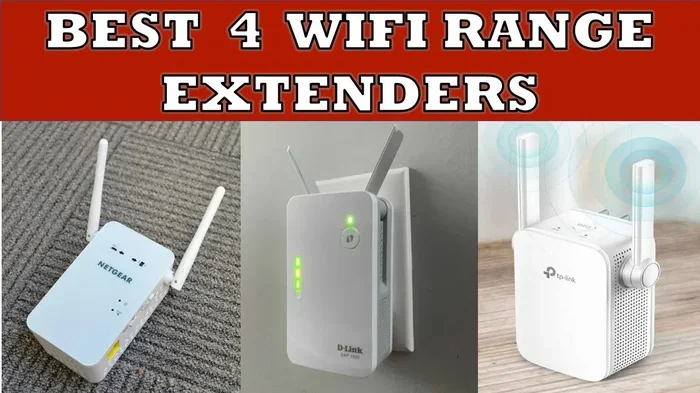
If you’re considering alternatives, you might wonder about using a Wi-Fi booster instead of mesh. Boosters and extenders are cheaper, but they create separate networks and don’t offer the seamless experience that mesh provides. Mesh is the better long-term solution for most households.
TP-Link Mesh System Features You Should Know About
TP-Link mesh routers come packed with features designed to make home networking easier and more reliable. Here are the standout features worth knowing about.
Easy Setup with the Tether App
TP-Link’s Tether app guides you through setup step by step. You don’t need to be a tech expert to get your mesh system running. The app walks you through connecting the primary unit to your modem, adding satellite nodes, and configuring your network settings. The whole process usually takes less than 15 minutes.
Parental Controls and Guest Networks
Most TP-Link mesh systems include built-in parental controls. You can set screen time limits, block inappropriate content, and pause internet access for specific devices. Guest networks let visitors use your Wi-Fi without giving them access to your main network and connected devices.
Quality of Service (QoS)
QoS is a feature that prioritizes certain types of traffic over others. For example, you can set video calls and streaming to take priority over background downloads. This ensures your most important activities get the bandwidth they need, even when multiple devices are using the network at the same time.
OneMesh Compatibility
TP-Link’s OneMesh technology lets you mix TP-Link mesh nodes with compatible TP-Link routers. This means you don’t have to replace your entire existing setup. You can add a mesh node to your current TP-Link router and gradually build out your mesh network over time.
Regular Firmware Updates
TP-Link regularly releases firmware updates that improve performance, fix bugs, and add new features. Keeping your mesh system updated ensures it stays secure and runs at its best. Most TP-Link systems update automatically, so you don’t have to do anything manually.
Common Mistakes People Make With TP-Link Mesh Setup
Even with a great system like TP-Link mesh, some common setup mistakes can reduce performance. Here are a few to watch out for.
Placing Nodes Too Far Apart
Each mesh node needs to be within range of at least one other node. If you place them too far apart, the signal between them weakens, and your whole network suffers. A good rule of thumb is to place nodes within 30 to 50 feet of each other, depending on your home’s construction materials.
Putting the Primary Node in a Bad Spot
The primary node connects directly to your modem and acts as the brain of your mesh network. Don’t hide it in a closet or behind a TV. Place it in a central, open area where it can broadcast the strongest signal to all satellite nodes.
Ignoring Firmware Updates
Skipping firmware updates leaves your network vulnerable to security issues and means you miss out on performance improvements. Make it a habit to check for updates every few months or enable automatic updates if your TP-Link system supports it.
Using Old Cables or Modems
Your mesh system is only as good as the connection feeding into it. Old cables or an outdated modem can bottleneck your speeds. If your internet plan offers speeds above 100 Mbps, make sure your modem and Ethernet cables can handle that bandwidth.
How to Decide if TP-Link Mesh Is Right for You
Still not sure if you need a TP-Link mesh system? Here’s a simple way to think about it.
Ask yourself three questions. First, does your current Wi-Fi reach every room in your home? Second, do you experience slow speeds or disconnections in certain areas? Third, do you have more than 10 connected devices? If you answered yes to two or more of these questions, a TP-Link mesh system would likely improve your home network significantly.
For smaller homes with few devices, a single high-quality router might be all you need. But for larger homes, smart home setups, or households with heavy internet usage, mesh is the way to go. TP-Link offers systems at various price points, so you can find one that fits both your home size and your budget.
You might also want to consider adding an external antenna to your Wi-Fi router if you’re not ready for a full mesh system yet. While it won’t match the performance of a dedicated mesh setup, it can help extend coverage in a pinch.
Final Thoughts
A TP-Link mesh router is a smart investment for anyone dealing with weak Wi-Fi signals, dead zones, or too many connected devices. The seamless roaming, easy setup, and whole-home coverage make mesh systems a standout choice for modern homes. TP-Link offers options for every budget, from affordable entry-level systems to feature-rich premium models.
If your current router struggles to keep up with your household’s internet demands, it’s time to consider a mesh upgrade. With TP-Link, you get reliable performance, intuitive app management, and the flexibility to expand your network as your needs grow. Don’t let poor Wi-Fi hold you back from enjoying everything your home network has to offer.
Start by evaluating your home size, device count, and current Wi-Fi pain points. From there, you can choose the right TP-Link mesh system and enjoy strong, reliable Wi-Fi in every corner of your home.
Frequently Asked Questions
Can I use a TP-Link mesh system with my existing router?
Yes, in many cases. TP-Link’s OneMesh technology allows you to pair mesh nodes with compatible TP-Link routers. This lets you upgrade your network gradually without replacing your entire setup. Check if your current TP-Link router is OneMesh-compatible before purchasing new mesh nodes.
How many mesh nodes do I need for my home?
As a general rule, one node covers about 1,000 to 1,500 square feet. For homes larger than 2,000 square feet, you’ll likely need two or three nodes. Thick walls, multiple floors, and heavy interference from other electronics may require additional nodes for full coverage.
Is TP-Link mesh better than a Wi-Fi extender?
Yes, for most users. Mesh systems create one unified network with seamless roaming, while extenders create separate networks that require manual switching. Mesh also handles multiple devices more efficiently and delivers better overall performance throughout your home.
Do I need a special modem to use TP-Link mesh?
No, you don’t need a special modem. Your TP-Link mesh primary unit connects to your existing modem just like a regular router. However, make sure your modem supports the internet speeds you’re paying for, as an outdated modem can limit your mesh system’s performance.
Can I add more nodes to my TP-Link mesh system later?
Absolutely. One of the best things about mesh systems is scalability. You can start with two nodes and add more as your home or needs grow. TP-Link makes it easy to add compatible nodes through the Tether app in just a few minutes.
Will a TP-Link mesh system improve my internet speed?
A mesh system won’t increase your internet plan speed, but it will deliver that speed more consistently throughout your home. By eliminating dead zones and reducing signal interference, mesh ensures your devices get the best possible connection from your existing internet plan.