Does Cal Poly Have Guest Wi Fi What You Need To Know
Yes, Cal Poly offers guest Wi-Fi access for visitors on campus. The guest wireless network provides internet connectivity for guests, but it comes with certain restrictions and login requirements. This guide covers everything from how to connect, to speed expectations, security tips, and troubleshooting steps for anyone visiting the Cal Poly campus.
Planning a visit to Cal Poly and wondering whether you can get online? Does Cal Poly have guest Wi-Fi is a question a lot of visitors ask before heading to campus. Whether you are a prospective student, a family member, or a business visitor, staying connected matters. You want to check emails, look up directions, or maybe even stream something during downtime.
The good news is that Cal Poly does offer guest wireless internet access. But like most campus networks, it is not as simple as walking in and connecting. There are steps to follow, limitations to know about, and a few tips that can make your experience much better. This guide walks you through everything you need to know about Cal Poly guest Wi-Fi in plain, simple terms.
We will cover how to connect, what speeds to expect, security considerations, and what to do when things do not work. By the end, you will feel confident walking into campus and getting online without any hassle. Let us dive in.
Key Takeaways
- Cal Poly does provide guest Wi-Fi: Visitors can connect to a dedicated guest wireless network on campus with proper login credentials.
- Guest network has limitations: Speeds, access levels, and usage time may differ from the main student and faculty networks.
- Login is required: Guests need to go through a portal or obtain credentials from campus services before connecting.
- Security matters on guest networks: Avoid sensitive transactions and use a VPN when possible on shared networks.
- Coverage varies across campus: Some buildings may have stronger signals than others, and a Wi-Fi range extender may help in weak spots.
- Troubleshooting is straightforward: Most connection issues can be resolved with simple steps like restarting your device or switching frequency bands.
📑 Table of Contents
- Does Cal Poly Have Guest Wi-Fi for Visitors?
- How To Connect to Cal Poly Guest Wi-Fi
- Cal Poly Guest Wi-Fi Speed and Coverage
- Security and Privacy on Cal Poly Guest Wi-Fi
- Tips for Getting the Most Out of Cal Poly Guest Wi-Fi
- What To Do If Cal Poly Guest Wi-Fi Is Not Working
- Frequently Asked Questions
- Final Thoughts
Does Cal Poly Have Guest Wi-Fi for Visitors?
The short answer is yes. Cal Poly provides a guest wireless network for visitors who need internet access while on campus. This network is separate from the main student and faculty networks, which means guests get their own dedicated connection point.
But there is more to it than just saying yes. The guest network at Cal Poly is designed to offer basic internet access while keeping campus resources secure. You will not have the same level of access as a student or staff member. That is intentional and for good reason.
Who Can Use Cal Poly Guest Wi-Fi?
Guest Wi-Fi at Cal Poly is intended for visitors who do not have a campus account. This includes:
- Family members visiting students
- Prospective students on campus tours
- Alumni coming back for events
- Business visitors or contractors
- Conference attendees or guest speakers
If you fall into any of these categories, you are eligible to use the guest network. The network is available across most of the campus, though some buildings may have limited or no coverage.
How Does Cal Poly Guest Wi-Fi Differ from the Student Network?
The guest network is intentionally different from the student and faculty networks. Here is a quick comparison:
- Access level: Guest networks have restricted access to campus resources like library databases or internal systems.
- Bandwidth: Guest connections may be slower during peak hours when students are streaming and studying online.
- Login process: Students use their campus credentials. Guests need to go through a separate portal or get temporary credentials.
- Duration: Guest sessions may time out after a set period, requiring re-authentication.
These differences make sense when you think about it. The campus needs to protect its internal systems while still offering visitors a way to get online. It is a balance between openness and security.
How To Connect to Cal Poly Guest Wi-Fi
Connecting to the guest network at Cal Poly is a straightforward process. Here is what you need to do step by step.
Step 1: Find the Guest Network
On your phone, tablet, or laptop, open your Wi-Fi settings and look for the guest network name. Cal Poly typically names its guest network something like “Cal Poly Guest” or “CP Guest.” If you are unsure, check the campus website or ask at a visitor center for the exact network name.
Step 2: Open the Login Portal
Once you connect, your browser should automatically open a login portal. If it does not, try opening any website and you should be redirected. The portal will ask you to agree to terms of use and may require a simple registration or a temporary access code.
Step 3: Get Your Credentials
In some cases, you may need to get a guest access code from campus services. This could be at the front desk of a building, the visitor center, or through an event organizer. The code is usually valid for a set period, such as 24 hours or the duration of your visit.
Step 4: Connect and Browse
After entering the credentials, you should be connected. The network will typically assign you an IP address and give you access to general internet browsing. Keep in mind that streaming and large downloads may be limited on the guest network.
Quick Tips for a Smooth Connection
- Make sure your device Wi-Fi is turned on and not connected to another network.
- Forget old Cal Poly network connections before trying the guest network.
- Bring your phone as a backup in case your laptop has trouble connecting.
- If the portal does not pop up, try typing a simple website like google.com into your browser.
Cal Poly Guest Wi-Fi Speed and Coverage
Now that you know how to connect, you probably want to know what kind of performance you can expect. Cal Poly guest Wi-Fi speed and coverage are important factors that affect your experience.
What Speed Can You Expect?
Guest networks at most universities, including Cal Poly, are not designed for heavy data use. You can expect speeds that are good enough for:
- Email and web browsing
- Social media scrolling
- Video calls at standard quality
- Light streaming
However, if you need to download large files or stream high-definition video, you may run into issues. The guest network shares bandwidth with many other users, and during busy times like midterms or campus events, it can slow down significantly.
Coverage Across Campus
Cal Poly has Wi-Fi coverage across most of its campus buildings and common areas. The main academic buildings, library, student center, and residence halls generally have solid signal. But there are spots where coverage may be weaker, especially in older buildings or outdoor areas.
If you are having trouble getting a signal in a specific area, it might be worth moving to a different spot or checking if there is a known coverage gap. Some visitors also find that a portable Wi-Fi booster can help improve their connection in weak spots around campus.
5GHz vs. 2.4GHz: Which Band Should You Use?
Many devices connect to both 5GHz and 2.4GHz bands. The 5GHz band is faster but has shorter range. The 2.4GHz band is slower but reaches further. If you are far from a router or in a building with thick walls, try switching to the 2.4GHz band for a more stable connection.
Security and Privacy on Cal Poly Guest Wi-Fi
When you use any public or guest network, security should be on your mind. Guest Wi-Fi networks are shared spaces, which means your data is more exposed than it would be on a private home network.
Why Guest Networks Are Less Secure
Guest networks are open by design. They are meant to be easy to access, which also makes them easier for others to monitor. Here are some risks to be aware of:
- Other users on the same network could potentially see your unencrypted traffic
- Man-in-the-middle attacks are more possible on open networks
- Fake hotspots or rogue access points can trick your device
How To Stay Safe on Cal Poly Guest Wi-Fi
You do not need to panic, but you should take some basic precautions:
- Avoid banking or shopping on the guest network. Wait until you are on a secure connection.
- Use a VPN if you have access to one. A VPN encrypts your traffic and adds a layer of protection.
- Stick to HTTPS websites. Look for the padlock icon in your browser address bar.
- Turn off file sharing on your device before connecting to any public network.
- Keep your software updated so your device has the latest security patches.
These steps are simple but effective. They apply to any guest network you use, not just Cal Poly. Think of guest Wi-Fi like a public conversation. Anyone nearby could potentially overhear, so keep sensitive information private.
Tips for Getting the Most Out of Cal Poly Guest Wi-Fi
A little preparation goes a long way when it comes to using guest wireless internet on a college campus. Here are some practical tips to help you get the best experience.
Download Offline Content Before You Go
If you know you will be on campus for a while, download maps, documents, or entertainment before you arrive. This way, you are not completely dependent on the guest network when you need it most.
Use Your Phone as a Hotspot When Needed
If the guest Wi-Fi is too slow or unavailable in a certain area, your phone can serve as a backup. Tethering to your cellular data can save the day when you need a quick connection. Just watch your data usage if you do not have an unlimited plan.
Check With Your Host or Event Organizer
If you are visiting for a specific event or meeting, check ahead of time whether the host has arranged guest access. Some campus departments provide temporary guest credentials or even dedicated network access for event attendees. This can save you a lot of hassle on the day of your visit.
Be Mindful of Peak Usage Times
Just like home internet, campus Wi-Fi slows down when many people are using it at once. Early mornings and late evenings tend to be less crowded. If you need a solid connection for a video call or large download, try to schedule it during off-peak hours.
Consider a Portable Wi-Fi Solution
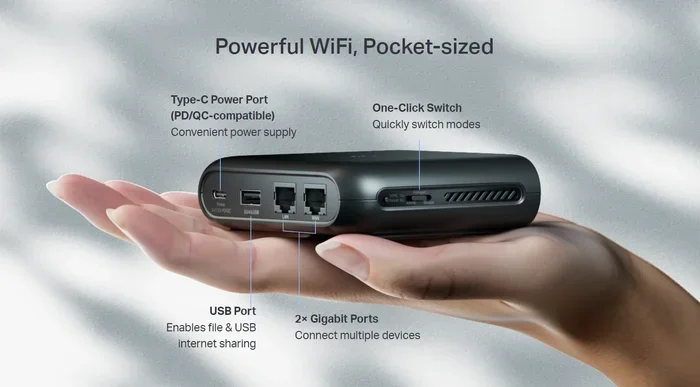
If you are someone who needs reliable internet while visiting campus, you might want to look into a portable hotspot or a personal Wi-Fi range extender. These devices can give you more control over your connection and reduce your reliance on the guest network.
What To Do If Cal Poly Guest Wi-Fi Is Not Working
Even with the best preparation, things can go wrong. Here is what to do when the guest network is not cooperating.
Check the Network Name
It sounds simple, but connecting to the wrong network is a common mistake. Make sure you are selecting the guest network and not a student or faculty network that requires campus credentials.
Restart Your Device
Turning your Wi-Fi off and back on, or restarting your device entirely, can resolve many connection issues. This clears out old network settings and forces your device to search for available networks fresh.
Forget and Reconnect
Go into your Wi-Fi settings, find the Cal Poly guest network, and choose “Forget.” Then reconnect from scratch. This forces your device to re-enter the login process and often fixes stubborn connection problems.
Switch Network Bands
If you are connected but getting very slow speeds, try switching between 5GHz and 2.4GHz. Sometimes one band is congested while the other is clear. This is especially helpful in crowded buildings during busy class times.
Contact Campus IT Support
If none of the above works, reach out to Cal Poly IT services. They can help troubleshoot your connection, provide updated credentials, or point you to areas with better coverage. Most campuses have a help desk or IT support line specifically for visitors.
Frequently Asked Questions
Do I Need a Cal Poly Account to Use Guest Wi-Fi?
No, you do not need a Cal Poly account to use the guest network. The guest Wi-Fi is specifically designed for visitors who do not have campus credentials. You will typically need to go through a guest portal or obtain a temporary access code from campus services.
Can I Use Cal Poly Guest Wi-Fi in the Residence Halls?
In most cases, guest Wi-Fi access in residence halls is limited or not available. Residence halls are typically reserved for current students and their devices. If you are visiting a student in a dorm, you may need to ask them to connect you to their network or use your own cellular data instead.
Is Cal Poly Guest Wi-Fi Free?
Yes, the guest wireless network at Cal Poly is free for visitors. There is no charge to connect. However, the network does have usage limitations and may not offer the same speeds or access as the paid or premium networks on campus.
How Long Can I Stay Connected to Cal Poly Guest Wi-Fi?
Guest sessions typically last for a set period, such as several hours or up to 24 hours, depending on the current network configuration. After that, you may need to re-authenticate through the login portal or get a new access code. Check with campus IT for the most current session duration.
Can I Print from Cal Poly Guest Wi-Fi?
Printing from the guest network is usually restricted. Campus printing systems are often tied to student or faculty accounts, so guests may not be able to send print jobs directly. If you need to print something, check with the building’s front desk or IT support for available options.
Is Cal Poly Guest Wi-Fi Safe for Online Banking?
It is best to avoid online banking or entering sensitive financial information on any guest network, including Cal Poly’s. Guest networks are shared and less secure than private networks. If you must access banking or sensitive accounts, use a VPN or wait until you are on a trusted, private connection.
Final Thoughts
Does Cal Poly have guest Wi-Fi? Yes, and it is a useful resource for anyone visiting campus. The guest wireless network gives you a way to stay connected, check in with people back home, and get basic internet access while you are there.
Just remember that guest networks come with limitations. Speeds may not be blazing fast, coverage can vary by building, and security is not as strong as a private connection. By following the tips in this guide, you can make the most of your time on the Cal Poly guest network and avoid common frustrations.
Whether you are visiting for a campus tour, attending a meeting, or spending the day with a friend, knowing how to get online makes your visit smoother. Prepare ahead, stay safe, and do not hesitate to reach out to campus IT if you need help. Cal Poly guest Wi-Fi is there for you, and now you know exactly how to use it.
Stay connected, stay safe, and enjoy your time on campus. The internet is just a few clicks away when you know what to do.