Does Cox Have 5g Wifi and What You Should Know in 2024
Cox Communications does offer 5G WiFi through its 5G home internet service and mobile hotspot capabilities. Cox provides 5G wireless internet as an alternative to traditional cable, and its Panoramic WiFi gateways support the latest WiFi 6 standards. If you are wondering whether Cox has 5G WiFi for home or on the go, the answer is yes, and here is what you should know before signing up.
Does Cox have 5G WiFi? This is a question more and more people are asking in 2024. With 5G becoming the new standard for wireless connectivity, internet users want to know if their favorite providers are keeping up. Cox Communications, one of the largest internet service providers in the United States, has been expanding its 5G offerings. But what does that mean for the average home user? Let us break it all down.
If you have been shopping for internet plans lately, you have probably noticed that 5G WiFi is everywhere. Providers are promising faster speeds, lower latency, and more reliable connections. Cox is no exception. The company now offers a 5G home internet option that does not require traditional cable lines. This is big news for households in areas where cable or fiber is not available.
But here is the thing. Not all 5G WiFi is created equal. There is a difference between 5G cellular networks and 5G wireless home internet. Cox uses its own 5G network to deliver internet to your home through a gateway device. This is different from the 5G you get on your phone through a mobile carrier. Understanding this distinction is important when you are comparing internet options.
In this article, we will cover everything you need to know about Cox 5G WiFi. We will look at coverage, speeds, equipment, pricing, and how it compares to other options. By the end, you will know whether Cox 5G WiFi is the right choice for your home.
Key Takeaways
- Cox offers 5G home internet: Cox provides a 5G wireless internet option that works without traditional cable lines in select areas.
- 5G WiFi speeds are competitive: Cox 5G plans deliver download speeds that rival traditional cable and fiber connections.
- Panoramic WiFi gateways support 5G: Cox WiFi equipment is designed to handle 5G speeds and multiple devices at once.
- Coverage depends on your location: Not all areas have access to Cox 5G WiFi, so you should check availability first.
- You can use your own router: If you prefer, you can buy your own modem and router, but you need to confirm compatibility with Cox 5G service.
- 5G WiFi vs. 5G cellular is different: Cox 5G WiFi refers to the wireless home internet service, not the same as mobile 5G cell networks.
📑 Table of Contents
What Is Cox 5G WiFi?
Cox 5G WiFi refers to the wireless home internet service that Cox Communications offers in certain markets. Instead of running a coaxial cable or fiber line to your home, Cox uses a 5G radio signal to deliver internet. A gateway device installed at your home receives this signal and converts it into WiFi for your devices.
This is part of Cox’s broader strategy to compete with other wireless home internet providers like T-Mobile Home Internet and Verizon 5G Home. The goal is to offer a reliable, high-speed internet option without the need for physical infrastructure. For many households, this is a game changer.
How Does Cox 5G WiFi Work?
Cox installs a small 5G receiver on the exterior of your home. This receiver connects to Cox’s 5G network. Inside your home, a gateway device broadcasts WiFi throughout your house. The whole setup is similar to how satellite internet works, but much faster and with lower latency.
The gateway device that Cox provides supports WiFi 6 technology. This means it can handle multiple devices at once without slowing down. If you have a smart home with many connected devices, this is a big advantage. The gateway also acts as a modem and router combined, so you do not need extra equipment.
5G WiFi vs. Traditional Cox Cable Internet
Cox has been offering cable internet for years. Traditional Cox internet uses coaxial cables to deliver speeds up to 1 Gbps in many areas. The new 5G WiFi option is different because it uses wireless signals instead of cables. Here is a quick comparison:
- Traditional Cox Cable: Uses coaxial lines, very stable, widely available in Cox service areas.
- Cox 5G WiFi: Uses wireless signals, no cables needed, available in select markets only.
Both options offer fast speeds, but the 5G option gives you flexibility if you do not have cable infrastructure at your address. This is especially helpful for rural or semi-rural areas where cable internet is not an option.
Does Cox Offer 5G WiFi Plans?
Yes, Cox does offer 5G WiFi plans. These plans are designed to compete with other 5G home internet providers in the market. Cox bundles its 5G internet with WiFi service through its gateway device. You get both the 5G connection and WiFi coverage in one package.
Available Cox 5G WiFi Plans
Cox offers different tiers of 5G internet service. The exact plans and speeds vary by location. Here is what you can generally expect:
- Essential 5G Plan: Lower speeds ideal for browsing, streaming, and light use. Great for single users or small households.
- Preferred 5G Plan: Mid-range speeds that handle HD streaming, video calls, and multiple devices with ease.
- Ultra 5G Plan: Top-tier speeds for heavy users, gamers, and large families with many connected devices.
Pricing for these plans is competitive with traditional cable options. Cox often runs promotions for new customers, so you may be able to save on your first few months. It is always a good idea to check the current Cox internet plans on their website or by calling customer service.
Are There Data Caps?
One thing to watch for is data caps. Some Cox 5G plans may have monthly data limits. If you exceed the limit, your speeds could be reduced. However, Cox also offers unlimited data options on certain plans. Before you sign up, read the fine print and understand the data policy. This is especially important if you stream a lot of content or work from home.
Cox 5G WiFi Coverage and Availability
Coverage is the biggest factor when it comes to 5G WiFi. Cox 5G WiFi is not available everywhere. The service is currently rolling out in select markets across the United States. Cox has been expanding its 5G network steadily, but availability still depends on your location.
How to Check if Cox 5G WiFi Is Available at Your Address
The easiest way to find out is to visit the Cox website and enter your address. Cox has a coverage checker tool that shows you which services are available at your specific location. You can also call Cox customer service and ask directly. They can tell you whether 5G WiFi is an option for your home.
If 5G WiFi is not available in your area, you can still get traditional Cox cable internet. Cox offers a range of cable internet plans with fast speeds. You may also want to explore other wireless home internet providers that serve your area.
Factors That Affect 5G WiFi Signal Strength
Even if Cox 5G WiFi is available in your area, signal strength can vary. Several factors play a role:
- Distance from the nearest 5G tower: The farther you are, the weaker the signal may be.
- Obstructions: Buildings, trees, and hills can block or weaken the 5G signal.
- Weather conditions: Heavy rain or storms can temporarily affect 5G signal quality.
- Installation placement: Where the 5G receiver is installed on your home matters a lot.
Cox technicians handle the installation process. They will place the receiver in the best possible location to get a strong signal. If you are having issues after installation, you can always contact Cox support for help.
Cox WiFi Equipment and Routers
One of the most common questions people ask is whether they need special equipment for Cox 5G WiFi. The answer is yes and no. Cox provides a gateway device that works with its 5G service. This device handles both the 5G reception and WiFi broadcasting.
Panoramic WiFi Gateway
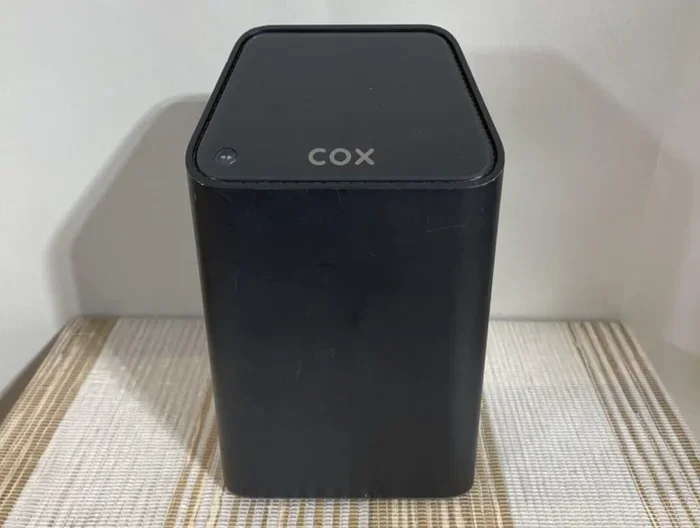
Cox’s Panoramic WiFi gateway is the standard equipment for both cable and 5G internet customers. It is a modem-router combo that supports WiFi 6. This means it delivers fast, reliable WiFi throughout your home. The gateway also includes advanced features like parental controls, guest networks, and security scanning.
If you have been using Cox internet for a while, you probably already have a Panoramic WiFi gateway. The good news is that Cox 5G WiFi uses compatible equipment, so the transition is smooth.
Can You Use Your Own Router with Cox 5G WiFi?
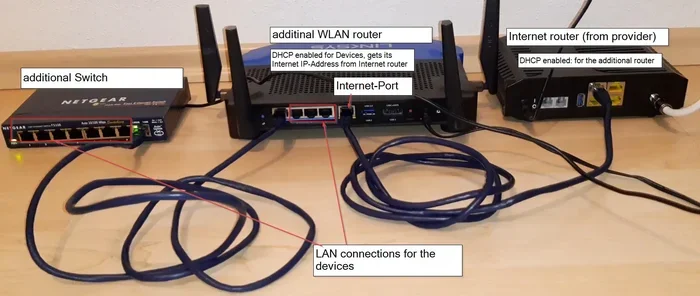
Some customers prefer to use their own router instead of the Cox gateway. This is possible in some cases, but there are caveats. You need to make sure your router is compatible with Cox 5G service. Not all routers support the specific frequency bands and protocols that Cox 5G uses.
If you want to use your own equipment, you should contact Cox first. They can confirm whether your router will work. You may also need to put your gateway into bridge mode. This allows your personal router to handle the WiFi while the gateway handles the 5G connection.
For more information on using your own equipment, you can check out our guide on Can I Buy A Modem And Have Internet. It covers the basics of bringing your own modem and router to any internet service.
Adding an Antenna to Boost Your WiFi Signal
If you are experiencing weak WiFi signals in certain parts of your home, you might consider adding an antenna to your WiFi router. This can help extend coverage and improve signal strength. Cox gateway devices may support external antennas depending on the model.
Before you buy any antenna, check whether your specific Cox gateway model supports external antenna connections. You can also read more about this in our article on Can I Add An Antenna To My Wifi Router. It explains what to look for and how to get the best results.
Cox 5G WiFi Speed and Performance
Speed is what most people care about when they choose an internet provider. So how does Cox 5G WiFi perform? The answer depends on several factors, but overall, Cox 5G WiFi delivers solid performance for most households.
Expected Speeds for Cox 5G WiFi
Cox 5G WiFi speeds vary based on your plan and location. In general, you can expect the following:
- Basic plans: Download speeds of 50 Mbps to 100 Mbps. This is enough for browsing, email, and standard definition streaming.
- Mid-tier plans: Download speeds of 100 Mbps to 300 Mbps. Great for HD streaming, video calls, and online gaming.
- Premium plans: Download speeds of 300 Mbps to 1 Gbps. Ideal for large households with many users and devices.
These speeds are competitive with traditional Cox cable internet. In some areas, 5G WiFi may even offer faster speeds than cable, especially during peak usage times when cable networks get congested.
How Does Cox 5G WiFi Compare to Cable and Fiber?
Here is a quick comparison of Cox 5G WiFi versus other internet types:
- Cable Internet: Very reliable, widely available, consistent speeds. Cox cable can reach up to 1 Gbps.
- Fiber Internet: The fastest option, but not available everywhere. Fiber offers symmetrical upload and download speeds.
- Cox 5G WiFi: Fast wireless option, no cables needed, speeds comparable to cable in most cases.
Fiber is still the gold standard for speed and reliability. But Cox 5G WiFi is a strong alternative, especially if fiber is not available in your area. For most everyday activities like streaming, browsing, and working from home, Cox 5G WiFi performs very well.
WiFi Calling and Mobile Hotspot with Cox 5G
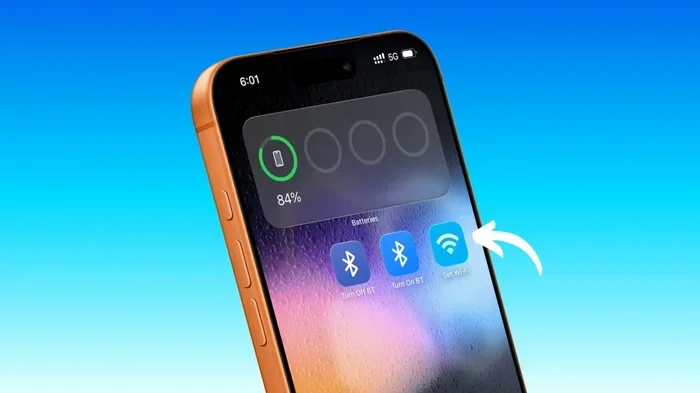
One of the benefits of having a strong 5G connection is the ability to use your phone as a mobile hotspot. With Cox 5G WiFi, you can share your connection with other devices when you are on the go. This is especially useful for travel or when you need a backup connection.
You might also wonder about WiFi calling. If you have a phone that supports WiFi calling, you can make calls over your Cox WiFi network. This works well when your cellular signal is weak but your WiFi is strong. Not all phones support WiFi calling, so check your device specifications before relying on this feature.
For a deeper dive into WiFi calling capabilities across different devices, you can read our article on Can Any Phone Do Wifi Calling. It covers which phones support this feature and how to set it up.
Pricing and Value of Cox 5G WiFi
Price is always a factor when choosing an internet provider. Cox 5G WiFi pricing is competitive, but it is important to understand what you are getting for your money.
What Does Cox 5G WiFi Cost?
Cox 5G WiFi plans are generally priced similarly to traditional Cox cable plans. You can expect to pay between $50 and $80 per month depending on the speed tier and any promotional offers. Cox often includes the gateway device in the monthly price, which saves you from buying your own equipment.
Here are some things to keep in mind when evaluating the cost:
- Promotional pricing: New customers often get discounted rates for the first 12 months.
- Equipment fees: Some plans include the gateway at no extra cost. Others may charge a monthly equipment fee.
- Installation fees: Professional installation may be included or available for a small fee.
- Contract terms: Check whether there is a contract commitment or if the plan is month-to-month.
Is Cox 5G WiFi Worth It?
Whether Cox 5G WiFi is worth it depends on your needs and location. If you live in an area where cable internet is slow or unavailable, 5G WiFi can be a great alternative. It offers fast speeds, reliable connectivity, and no need for physical cable lines.
However, if you already have access to Cox cable internet with fast speeds, you may not see a big difference by switching to 5G. The main advantage of 5G WiFi is its availability and convenience. If you want a wireless internet option without the hassle of installation, Cox 5G WiFi is worth considering.
Tips for Getting the Best Out of Cox 5G WiFi
Once you have Cox 5G WiFi set up, there are a few things you can do to get the best performance. These simple tips can make a big difference in your daily internet experience.
1. Place the Gateway in a Central Location
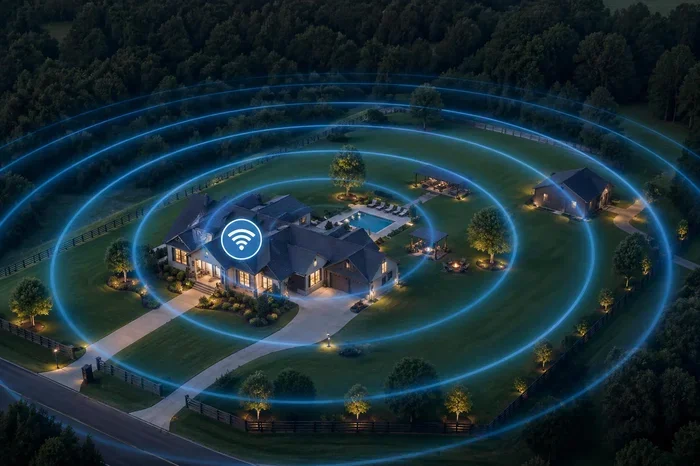
The position of your gateway device matters. Place it in a central area of your home, away from walls and metal objects. This helps distribute the WiFi signal evenly throughout your space. Avoid putting it in a closet or behind furniture, as this can weaken the signal.
2. Use the 5GHz WiFi Band When Possible
Cox WiFi gateways broadcast on both 2.4 GHz and 5 GHz frequency bands. The 5 GHz band offers faster speeds but shorter range. If you are close to the gateway, connect your devices to the 5 GHz band for the best performance. If you need coverage in a distant room, the 2.4 GHz band may be better.
For more details on how to switch between these bands, check out our article on Can I Force My Phone To Use 2 4 Ghz Wifi. It has step-by-step instructions for optimizing your WiFi band settings.
3. Keep Your Gateway Firmware Updated
Cox automatically updates gateway firmware in most cases. But it is a good idea to check for updates occasionally. Updated firmware improves security, fixes bugs, and can boost performance. You can check for updates through the Cox Panoramic WiFi app or by logging into your gateway settings.
4. Limit Interference from Other Devices
Other electronic devices can interfere with your WiFi signal. Microwaves, baby monitors, and cordless phones can all cause disruptions. If you notice slow speeds or dropped connections, try moving these devices away from your gateway.
5. Consider a Mesh WiFi System for Large Homes
If you live in a large home or have dead zones, a mesh WiFi system can help. Mesh systems use multiple nodes to extend WiFi coverage throughout your entire home. While Cox gateways work well for most homes, a mesh system is a great upgrade for larger spaces.
Final Thoughts on Cox 5G WiFi
So, does Cox have 5G WiFi? The answer is a clear yes. Cox Communications offers 5G wireless home internet as a viable alternative to traditional cable internet. With competitive speeds, reliable equipment, and expanding coverage, Cox 5G WiFi is a solid choice for many households.
Whether you are switching from cable or looking for your first high-speed internet option, Cox 5G WiFi deserves your attention. It is especially appealing for those in areas where traditional internet infrastructure is limited. The convenience of wireless home internet without sacrificing speed is a big win.
Before you make a decision, check Cox’s availability in your area. Compare plans, read the terms carefully, and consider your household’s internet needs. With the right plan and setup, Cox 5G WiFi can deliver a fast, reliable internet experience for years to come.
Remember, technology keeps evolving, and providers like Cox are constantly improving their networks. Staying informed about your options ensures you always get the best service for your home and your budget.
Frequently Asked Questions
Does Cox offer 5G WiFi in all areas?
No, Cox 5G WiFi is not available in all areas. The service is currently rolling out in select markets. You should check Cox’s website or contact customer service to see if 5G WiFi is available at your specific address. Availability depends on local network infrastructure and coverage.
How fast is Cox 5G WiFi compared to cable internet?
Cox 5G WiFi speeds are generally comparable to traditional Cox cable internet. Depending on your plan and location, you can expect speeds ranging from 50 Mbps to 1 Gbps. In some cases, 5G WiFi may even outperform cable during peak hours when network congestion affects traditional connections.
Can I use my own WiFi router with Cox 5G WiFi?
Yes, in some cases you can use your own router with Cox 5G WiFi. However, you need to ensure your router is compatible with Cox’s 5G network and frequency bands. It is best to contact Cox support before purchasing any third-party equipment to avoid compatibility issues.
Is there a data cap on Cox 5G WiFi plans?
Some Cox 5G WiFi plans may have data caps, while others offer unlimited data. The specific data policy depends on the plan you choose. Always review the terms and conditions before signing up so you understand any potential overage charges or speed reductions.
Do I need a special device for Cox 5G WiFi?
Cox provides a gateway device that is specifically designed for its 5G WiFi service. This device acts as both a modem and a WiFi router. You do not need to purchase any additional equipment unless you want to upgrade or extend your coverage with a mesh system.
Can I use Cox 5G WiFi as a mobile hotspot?
Yes, you can use Cox 5G WiFi as a mobile hotspot to share your internet connection with other devices. The 5G connection provides fast speeds that work well for hotspot use. However, be mindful of your data plan limits if you use your connection as a hotspot frequently.