How Can I Connect My Laptop To Wi Fi For Free Today
You can connect your laptop to Wi-Fi for free using public hotspots, mobile hotspot sharing, free ISP programs, and signal-boosting tricks. This guide covers every practical method so you can get wireless internet without spending a dime. Whether you are at home, on the road, or in a pinch, these steps work for any laptop.
Staying connected is no longer a luxury. It is a daily need. Whether you are working from home, streaming a movie, or just browsing the web, you need a solid wireless internet connection. But what happens when you do not have Wi-Fi? Or when your bill is too high? The good news is that you can connect your laptop to Wi-Fi for free in several ways. This guide walks you through every practical method. You will learn how to find free networks, share your phone’s connection, and even get low-cost or no-cost internet at home.
Many people think they must pay a monthly fee to get online. That is simply not true. There are plenty of free Wi-Fi options available right now. Libraries, coffee shops, and public parks all offer free internet. Your phone can double as a hotspot. And some programs actually give you free home internet. Let us dive into all of these options so you can pick the one that works best for you.
Key Takeaways
- Public Wi-Fi spots at libraries, cafes, and malls offer free internet access for your laptop.
- Mobile hotspot sharing from your phone is one of the easiest ways to get a free wireless connection.
- Free ISP programs and government initiatives provide low-cost or no-cost internet to eligible households.
- Wi-Fi extenders and boosters can help you capture and strengthen weak signals from farther away.
- Securing your connection is essential whenever you use free or public networks.
- Community networks and mesh systems offer creative alternatives for getting online.
📑 Table of Contents
- Why You Should Know How to Get Free Wi-Fi on Your Laptop
- Method 1: Use Public Wi-Fi Hotspots
- Method 2: Share Your Phone’s Mobile Hotspot
- Method 3: Sign Up for Free ISP Programs
- Method 4: Boost Your Existing Wi-Fi Signal for Free
- Method 5: Use Community and Mesh Networks
- How to Choose the Best Free Wi-Fi Method for You
- Common Mistakes People Make When Using Free Wi-Fi
- Expert Tips for Staying Connected Without Paying
- Final Thoughts
Why You Should Know How to Get Free Wi-Fi on Your Laptop
Internet costs keep going up. The average household pays over $60 a month for broadband. That adds up fast. But you do not need to break the bank to stay online. Knowing how to connect your laptop to Wi-Fi for free saves you money and keeps you productive. It also gives you backup options when your main internet goes down.
Here are some real reasons why free Wi-Fi matters:
- Save money on monthly internet bills.
- Stay productive while traveling or away from home.
- Access the internet during emergencies when your service is out.
- Try before you commit to an internet service provider.
- Help others who cannot afford paid internet plans.
Free wireless networking is not just a hack. It is a smart way to manage your budget and stay connected. Let us look at the best methods available right now.
Method 1: Use Public Wi-Fi Hotspots
Where to Find Free Public Wi-Fi
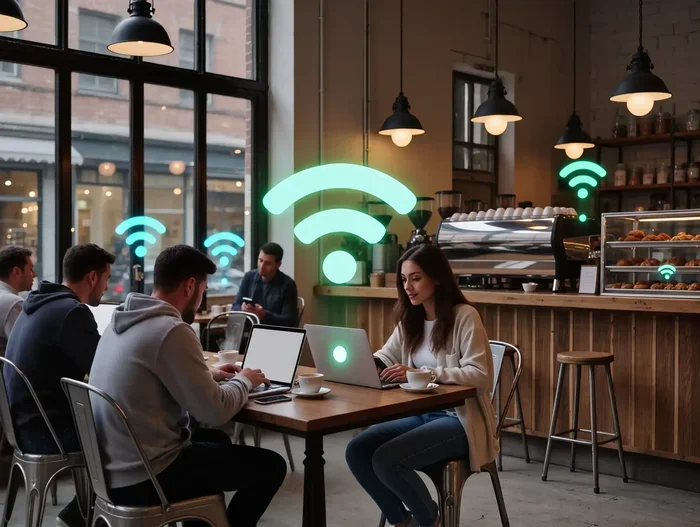
Public Wi-Fi hotspots are everywhere. You just need to know where to look. Most cafes, fast food restaurants, and bookstores offer free internet to customers. Libraries are another goldmine for free Wi-Fi access. Many malls, airports, and hotels also provide guest networks.
Here are some of the best places to find a free wireless connection:
- Public libraries — almost all of them offer free internet.
- Coffee shops like Starbucks, Dunkin, and local cafés.
- Fast food chains such as McDonald’s and Burger King.
- Airports and train stations often have free guest networks.
- Shopping malls and retail stores.
- Hotels — even if you are not a guest, some offer free lobby Wi-Fi.
How to Connect to Public Wi-Fi Safely
Free public networks are convenient, but they come with risks. Hackers can sometimes intercept data on open networks. That is why you need to be smart about how you use them. Here are some quick safety tips:
- Avoid logging into bank accounts or entering sensitive passwords on public Wi-Fi.
- Use a VPN if you can. A VPN encrypts your data and keeps you safe.
- Turn off file sharing on your laptop before connecting.
- Stick to HTTPS websites — look for the padlock icon in your browser.
- Forget the network after you are done so your laptop does not auto-connect.
Following these simple steps lets you enjoy free internet on your laptop without putting your privacy at risk.
Method 2: Share Your Phone’s Mobile Hotspot
How Mobile Hotspot Sharing Works
Your smartphone already has the ability to share its internet connection. This is called a mobile hotspot. You can use your phone’s data plan to give your laptop wireless internet access. It is one of the easiest and most reliable ways to get online for free — especially if you already have a data plan.
Both iPhone and Android phones support hotspot sharing. The process is simple and takes less than a minute. Here is how it works:
- Open your phone’s Settings app.
- Find the Hotspot or Personal Hotspot option.
- Turn it on and set a password.
- On your laptop, open the Wi-Fi settings.
- Find your phone’s network name and connect.
- Enter the password and you are online.
Tips to Get the Best Hotspot Performance
Mobile hotspots work well, but they can be slow if you are not careful. Here are some tips to improve your laptop Wi-Fi setup when using a phone hotspot:
- Stay close to your phone — distance weakens the signal.
- Turn off hotspot when not in use to save battery and data.
- Use Wi-Fi 5GHz if your phone supports it for faster speeds.
- Monitor your data usage so you do not hit your cap.
- Keep your phone plugged in — hotspots drain battery fast.
If you want to learn more about extending your Wi-Fi range, check out our guide on Can I Get A Extension On My Wi Fi. It has great tips that also apply to hotspot setups.
Method 3: Sign Up for Free ISP Programs
Government and ISP Free Internet Programs
Did you know there are programs that offer free or very cheap internet to eligible households? The FCC’s Affordable Connectivity Program (ACP) and other initiatives provide discounts or free service to qualifying families. Many internet service providers also have their own low-cost plans.
Here are some programs worth looking into:
- Affordable Connectivity Program (ACP) — offers up to $30/month off internet bills.
- ISP low-cost plans — companies like Comcast, AT&T, and Spectrum offer budget options.
- Library programs — some libraries lend mobile hotspots for free.
- Nonprofit initiatives — organizations like EveryoneOn help connect underserved communities.
You may qualify based on income, participation in government assistance programs, or other factors. It is always worth checking. Even if you do not qualify for a fully free plan, you might find an option that costs just $10 to $15 a month.
To learn more about getting internet where you live, you can also read our article on Can I Get Wi Fi Without A Router. It covers creative alternatives for getting online without traditional equipment.
Method 4: Boost Your Existing Wi-Fi Signal for Free
Free Ways to Improve Your Wi-Fi Range
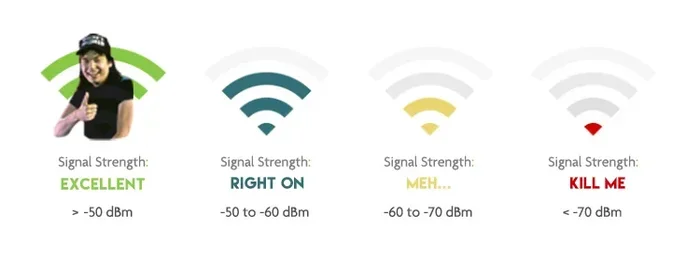
Sometimes the problem is not that you lack internet. It is that your signal is too weak. If you already have a router but your laptop struggles to connect, there are free ways to fix this. You do not need to buy expensive equipment.
Here are some free Wi-Fi boosting tips you can try right now:
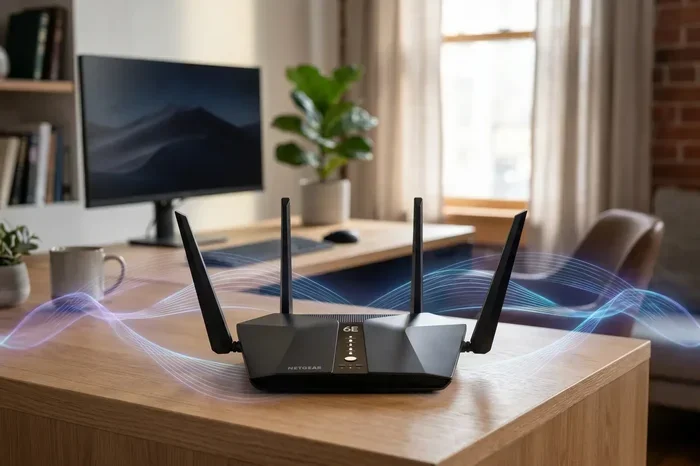
- Move your router to a central location in your home.
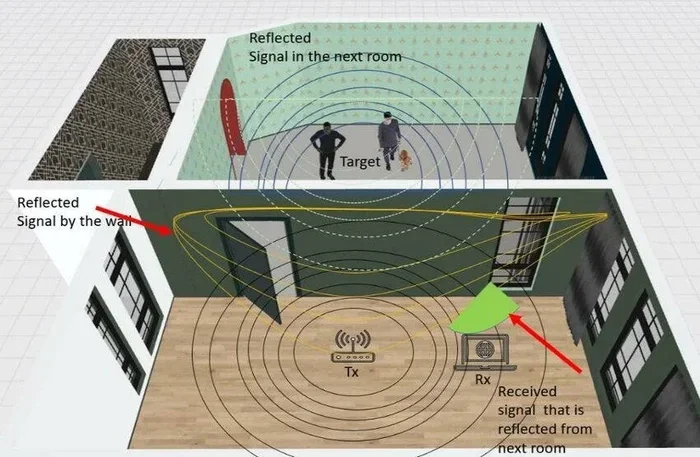
- Remove obstacles like thick walls and metal objects near the router.
- Change the Wi-Fi channel to reduce interference from neighbors.
- Update your router’s firmware for better performance.
- Switch between 2.4GHz and 5GHz to find the strongest signal.
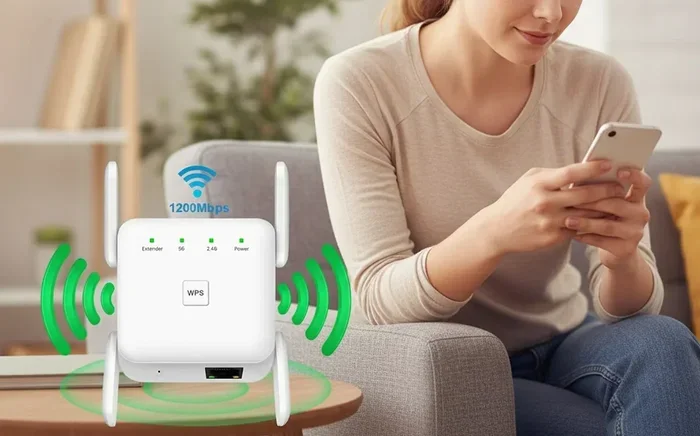
If these steps do not work, you might want to consider a Wi-Fi booster. You can find affordable options that extend your range significantly. For more information, check out our guide on Can I Buy A Wi Fi Booster. It reviews the best budget-friendly options available.
Can Humidity Affect Your Wi-Fi Signal?
Yes, it can. High humidity can weaken your wireless signal and slow down your connection. If you live in a humid area, this might be why your laptop struggles to stay connected. Keeping your router in a dry, well-ventilated space helps maintain a strong signal.
Method 5: Use Community and Mesh Networks
What Are Community Networks?
Community networks are shared wireless networks built by groups of people in a neighborhood. They use multiple routers and nodes to create a wide-reaching internet connection. Everyone in the community can access the network, often for free or at very low cost.
Mesh networks work similarly but are usually set up within a single home or office. They use multiple devices (called nodes) to spread Wi-Fi coverage evenly throughout a space. Some mesh systems are affordable and can replace expensive traditional routers.
Here are some ways to access community or mesh networks:
- Check local community centers — many offer free mesh networks.
- Join a neighborhood mesh project — these are growing in popularity.
- Use a mesh router system at home for better coverage.
- Explore free ISP apps — some providers offer free access to partner hotspots.
These options are especially useful if you live in an area with limited traditional internet access. They represent the future of affordable wireless networking.
How to Choose the Best Free Wi-Fi Method for You
Not every method works for everyone. Your choice depends on your situation, location, and needs. Here is a quick comparison to help you decide:
| Method | Cost | Speed | Best For |
|---|---|---|---|
| Public Wi-Fi Hotspots | Free | Medium | Travelers, quick tasks |
| Mobile Hotspot | Uses phone data | Medium to Fast | On-the-go connectivity |
| Free ISP Programs | Free or low-cost | Fast | Home internet access |
| Signal Boosting | Free | Depends on existing signal | Weak signal areas |
| Community/Mesh Networks | Free or low-cost | Varies | Neighborhoods, rural areas |
Each method has its strengths. You can even combine them. For example, use a public hotspot when you are out, and a mobile hotspot when you are traveling. At home, a free ISP program or signal boost can keep you connected all month long.
If you are interested in learning more about portable internet options, our article on Can I Buy My Own Portable Wifi covers everything you need to know about portable Wi-Fi devices.
Common Mistakes People Make When Using Free Wi-Fi
Even though free Wi-Fi is convenient, many people make mistakes that cause problems. Here are some common errors to avoid:
- Connecting to fake networks — always verify the network name with the business.
- Ignoring security warnings — if your browser warns you, pay attention.
- Leaving your hotspot on all day — this drains your phone battery and uses data fast.
- Not using a VPN — this leaves your data exposed on public networks.
- Forgetting to forget the network — your laptop may auto-connect to unsafe networks later.
Avoiding these mistakes keeps your laptop internet connection safe and reliable.
Expert Tips for Staying Connected Without Paying
After helping thousands of readers solve their wireless connection problems, here are the top expert tips we recommend:
- Always have a backup plan. Keep your phone hotspot ready in case your main internet fails.
- Use Wi-Fi analyzer apps to find the strongest signal in your area.
- Keep your laptop’s Wi-Fi adapter updated for the best performance.
- Explore every option before paying for a new internet plan.
- Share the knowledge. Tell friends and family about free internet options in your area.
These small habits make a big difference over time. They help you stay connected while keeping costs low.
Final Thoughts
You do not need to pay a fortune to get your laptop online. There are many ways to connect your laptop to Wi-Fi for free right now. Public hotspots, mobile sharing, free ISP programs, signal boosting, and community networks all offer real solutions. The key is knowing which option fits your lifestyle best.
Start with the methods that match your current situation. Try a public hotspot the next time you are at a café. Set up your phone hotspot when you are on the go. Look into free ISP programs if you need home internet. And always prioritize your security on any network you use.
Free Wi-Fi is not a dream. It is a practical reality. With the right approach, you can stay connected every day without spending a single dollar. Pick the method that works for you, follow the safety tips, and enjoy the freedom of being online anytime, anywhere.
Frequently Asked Questions
Can I really get Wi-Fi for free at home?
Yes, you can. Programs like the Affordable Connectivity Program offer discounts or free internet to eligible households. Some ISPs also have low-cost plans that cost under $15 a month. Check with local providers and government programs to see what you qualify for.
Is it safe to use public Wi-Fi on my laptop?
It can be safe if you take the right precautions. Always use HTTPS websites, avoid entering sensitive information, and consider using a VPN. Turn off file sharing and forget the network after you are done. Following these steps greatly reduces your risk.
How do I turn my phone into a Wi-Fi hotspot for my laptop?
Go to your phone’s Settings, find the Hotspot or Personal Hotspot option, and turn it on. Set a password, then search for the network on your laptop. Enter the password to connect. Both iPhone and Android support this feature natively.
Why is my free Wi-Fi so slow?
Free Wi-Fi is often slow because many people share the same network. Distance from the router also matters. Using a mobile hotspot on 5GHz can be faster than public Wi-Fi. You can also try connecting during off-peak hours for better speeds.
Can I use free Wi-Fi for work or school?
Yes, but with caution. Public Wi-Fi works for basic tasks like email and browsing. For video calls or sensitive work, use a VPN or switch to a mobile hotspot. Always check with your employer or school about their internet security policies.
What is the best free Wi-Fi app for finding hotspots?
Apps like Wi-Fi Map, Instabridge, and Wiman help you find free hotspots nearby. They show user-submitted network locations and passwords. These apps are great tools for travelers and anyone looking for free wireless internet access on the go.