Are Bluetooth And Wifi Antennas The Same Or Are They
Bluetooth and WiFi antennas are not the same, even though both use wireless technology to send and receive data. They operate on different frequencies, serve different purposes, and have unique designs. Understanding these differences helps you choose the right antenna for your needs.
Key Takeaways
- Different Frequencies: Bluetooth uses 2.4 GHz, while WiFi can use 2.4 GHz or 5 GHz bands for connectivity.
- Different Purposes: Bluetooth connects nearby devices like headphones and speakers, while WiFi provides internet access over longer distances.
- Different Range: Bluetooth typically works within 30 feet, whereas WiFi can reach up to 150 feet or more indoors.
- Different Power Use: Bluetooth consumes much less power than WiFi, making it ideal for small portable devices.
- Different Antenna Designs: Each antenna type is optimized for its specific wireless protocol and data needs.
- You Cannot Swap Them Easily: Using a Bluetooth antenna for WiFi or vice versa will not work properly.
- Both Are Essential: Modern devices often need both types of antennas to function fully.
📑 Table of Contents
- Are Bluetooth And Wifi Antennas The Same? Let Us Break It Down
- What Exactly Is A Bluetooth Antenna?
- What Exactly Is A WiFi Antenna?
- Key Differences Between Bluetooth And WiFi Antennas
- Can You Use A Bluetooth Antenna For WiFi Or Vice Versa?
- How Are Bluetooth And WiFi Antennas Used In Real Life?
- How To Choose The Right Antenna For Your Needs
- Common Mistakes People Make With Wireless Antennas
- Conclusion
Are Bluetooth And Wifi Antennas The Same? Let Us Break It Down
If you have ever looked at your phone, laptop, or smart speaker and wondered about the tiny antennas inside, you are not alone. Many people assume that Bluetooth and WiFi antennas are the same thing. After all, both let your devices connect wirelessly, right?
Here is the truth. They are not the same. While both Bluetooth and WiFi use wireless technology to send and receive data, they do so in very different ways. The antenna design, frequency range, power consumption, and purpose are all distinct.
In this article, we will explore everything you need to know about Bluetooth and WiFi antennas. We will look at how each one works, where they differ, and why your devices need both. By the end, you will have a clear understanding of wireless communication and how these two technologies fit into your daily life.
Wireless technology has come a long way. From simple radio signals to complex electromagnetic waves, the way we connect devices has evolved fast. Let us dive into the details and clear up the confusion once and for all.
Why Does This Question Even Matter?
You might be thinking, “Does it really matter if they are different?” The answer is yes. If you are buying an external antenna, building a custom device, or troubleshooting a wireless signal issue, knowing the difference matters a lot. Using the wrong antenna can lead to poor signal strength, dropped connections, and frustration.
For example, imagine trying to use a Bluetooth antenna to get internet on your laptop. It simply will not work. Similarly, using a WiFi antenna to connect your wireless headphones will leave you with no audio. Each antenna type is built for a specific job.
What Exactly Is A Bluetooth Antenna?
A Bluetooth antenna is a small radio antenna designed specifically for Bluetooth technology. It sends and receives data using radio frequency waves in the 2.4 GHz band. This is the same frequency range used by microwaves and some other wireless devices.
Bluetooth antennas are found in almost every modern gadget. Your smartphone, wireless earbuds, fitness tracker, and even your car’s hands-free system all use them. These antennas are tiny because Bluetooth does not need to send large amounts of data over long distances.
How Does A Bluetooth Antenna Work?
A Bluetooth antenna works by converting electrical signals into electromagnetic waves. These waves travel through the air and reach another Bluetooth-enabled device. The receiving device then converts those waves back into electrical signals it can understand.
Here is a simple breakdown of how the process works:
- Step 1: Your device creates an electrical signal with the data you want to send.
- Step 2: The Bluetooth antenna turns that signal into a radio wave.
- Step 3: The radio wave travels through the air at 2.4 GHz frequency.
- Step 4: The receiving device picks up the wave with its own antenna.
- Step 5: The wave is converted back into an electrical signal the device can read.
This entire process happens in milliseconds. That is why you can tap your phone to a speaker and start streaming music almost instantly. The Bluetooth protocol makes sure the data is sent quickly and accurately.
What Is The Range Of A Bluetooth Antenna?
Bluetooth range depends on the class of the antenna and the device. Most consumer devices use Class 2 Bluetooth, which has a range of about 30 feet (10 meters). Some devices use Class 1, which can reach up to 300 feet (100 meters).
However, real-world signal strength can be affected by walls, furniture, and other obstacles. In a crowded room with many wireless signals competing for space, your Bluetooth range might shrink significantly.
Quick Tip: If you notice your Bluetooth connection dropping, try moving closer to the other device. Physical barriers like walls and metal objects weaken the wireless signal and reduce range.
What Exactly Is A WiFi Antenna?
A WiFi antenna is designed specifically for WiFi technology. It allows your devices to connect to the internet through a wireless router or access point. Unlike Bluetooth, which is meant for short-range device-to-device connections, WiFi is built for internet access over longer distances.
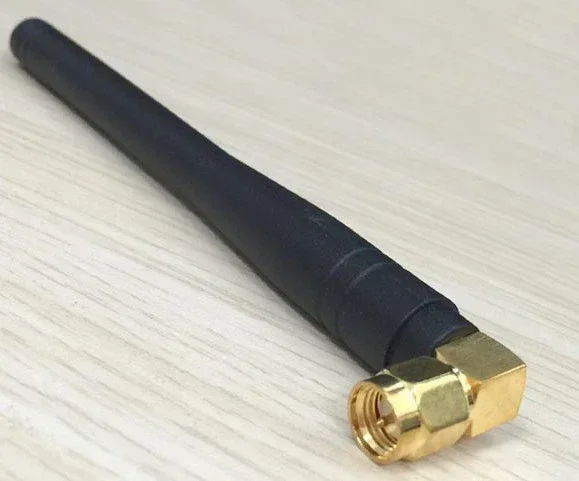
WiFi antennas come in many shapes and sizes. Some are tiny internal antennas inside your phone. Others are large external antennas on routers that can cover an entire house or office. The antenna design varies based on the intended range and signal strength.
How Does A WiFi Antenna Work?
A WiFi antenna works in a similar way to a Bluetooth antenna, but with some key differences. It also converts electrical signals into electromagnetic waves. However, WiFi antennas operate on different frequency bands, typically 2.4 GHz or 5 GHz.
Here is how the process works:
- Step 1: Your router sends data from the internet to its WiFi antenna.
- Step 2: The antenna converts the data into radio frequency waves.
- Step 3: The waves travel through the air at 2.4 GHz or 5 GHz.
- Step 4: Your device picks up the waves with its WiFi antenna.
- Step 5: The device decodes the waves and connects you to the internet.
The WiFi protocol handles the data transfer, making sure your connection stays stable and fast. Modern WiFi standards like WiFi 6 and WiFi 6E have dramatically improved wireless communication speeds and efficiency.
What Is The Range Of A WiFi Antenna?
WiFi range is much greater than Bluetooth range. A typical home router can cover 150 feet (45 meters) indoors and up to 300 feet (90 meters) outdoors. High-end routers with external antennas and antenna gain technology can reach even further.
The signal strength of a WiFi antenna depends on several factors:
- The router’s transmit power
- The number and type of antennas
- Your home’s construction materials
- Interference from other wireless devices
- The distance between the router and your device
Quick Tip: If your WiFi signal is weak in certain rooms, consider upgrading to a router with high-gain antennas. These antennas focus the wireless signal in specific directions, improving coverage.
Key Differences Between Bluetooth And WiFi Antennas
Now that we understand what each antenna type does, let us look at the main differences. These differences are what make Bluetooth and WiFi antennas distinct from each other.
Frequency And Bandwidth
Bluetooth operates exclusively on the 2.4 GHz band. It uses a narrow frequency range and low bandwidth. This is perfect for sending small bursts of data, like audio streams or sensor readings.
WiFi, on the other hand, can use both 2.4 GHz and 5 GHz bands. It has a much wider frequency range and higher bandwidth. This allows WiFi antennas to handle large data transfers, like streaming video or downloading files.
Range And Coverage
Bluetooth range is short, typically 30 feet for most devices. WiFi range is much longer, often reaching 150 feet or more indoors. This is because WiFi antennas are designed with higher antenna gain and more transmit power.
If you compare the two side by side, the difference is clear:
- Bluetooth: Best for close-range, low-data connections.
- WiFi: Best for longer-range, high-data internet access.
Power Consumption
One of the biggest advantages of Bluetooth technology is its low power use. Bluetooth antennas consume very little energy, which is why your wireless earbuds can last for hours on a single charge. WiFi antennas use significantly more power because they need to maintain a constant connection to the internet.
This difference in power consumption is why your phone’s battery drains faster when you are using WiFi compared to Bluetooth. The wireless signals from WiFi require more energy to transmit and receive.
Data Transfer Speed
WiFi is much faster than Bluetooth when it comes to data transfer. Modern WiFi standards can deliver speeds of several gigabits per second. Bluetooth maxes out at much lower speeds, typically around 3 Mbps for older versions and up to 2 Mbps for the latest Bluetooth 5.0 in some modes.
This is why you would never use Bluetooth to download a movie. You would use WiFi for that. Bluetooth is perfect for small, quick data transfers like sending a contact to a friend’s phone or streaming audio to your headphones.
Connection Type
Bluetooth creates a direct, point-to-point connection between two devices. Your phone connects directly to your speaker, and no router is needed. WiFi connects your device to a network through a router, which then connects to the internet.
This is a fundamental difference in how the two wireless technologies operate. Bluetooth is for device-to-device communication, while WiFi is for network and internet access.
Can You Use A Bluetooth Antenna For WiFi Or Vice Versa?
The short answer is no. You cannot swap a Bluetooth antenna with a WiFi antenna and expect it to work. Each antenna is designed for a specific frequency band and protocol.
A Bluetooth antenna is tuned to operate at 2.4 GHz with a narrow bandwidth. A WiFi antenna needs to handle both 2.4 GHz and 5 GHz bands with much wider bandwidth. If you try to use a Bluetooth antenna for WiFi, the signal will be too weak and the connection will fail.
Similarly, using a WiFi antenna for Bluetooth will not work properly. The WiFi antenna is not optimized for the low-power, short-range communication that Bluetooth requires. It may work in some cases, but performance will be poor.
Expert Insight: Some devices have combo antennas that support both Bluetooth and WiFi. These are carefully designed to handle both frequencies without interference. However, they are still two separate antenna systems working together inside one unit.
What Happens If You Try To Swap Them?
If you attempt to replace a WiFi antenna with a Bluetooth antenna in your router, you will lose your internet connection. The router will not be able to communicate properly because the antenna cannot handle the required frequency bands and signal strength.
On the other hand, if you try to add a WiFi antenna to a Bluetooth speaker, you will not get any benefit. The speaker’s Bluetooth chip is designed to work with Bluetooth antennas only. A WiFi antenna would be completely useless in that setup.
The bottom line is that each antenna design is purpose-built. Always use the right antenna for the right technology.
How Are Bluetooth And WiFi Antennas Used In Real Life?
Understanding the theory is great, but seeing how Bluetooth and WiFi antennas are used in real life makes the differences even clearer. Let us look at some practical examples.
Bluetooth Antenna Use Cases
Bluetooth antennas are everywhere in our daily lives. Here are some common examples:
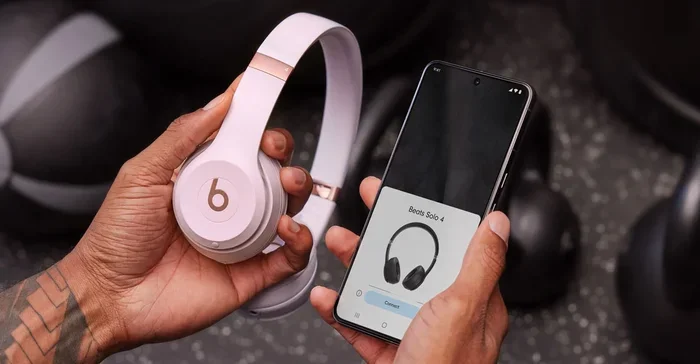
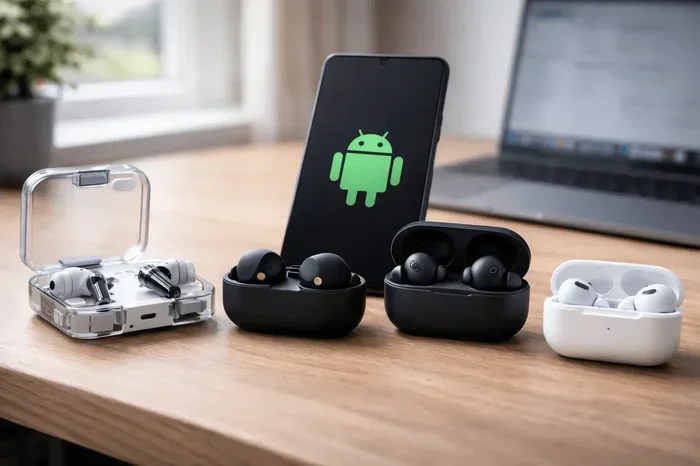
- Wireless headphones and earbuds: They connect directly to your phone using a Bluetooth antenna.
- Smartwatches and fitness trackers: These devices use Bluetooth to sync data with your phone.
- Wireless keyboards and mice: They connect to your computer without any cables.
- Car hands-free systems: Your phone connects to your car’s audio system via Bluetooth.
- Smart home devices: Things like smart bulbs and locks often use Bluetooth for local control.
In all these cases, the Bluetooth antenna provides a quick, low-power, short-range connection. It does not need to access the internet, just connect two devices directly.
WiFi Antenna Use Cases
WiFi antennas power our internet-connected world. Here are some everyday examples:
- Home internet: Your router’s WiFi antenna delivers internet to all your devices.
- Streaming services: Netflix, Spotify, and YouTube all rely on WiFi for smooth streaming.
- Video calls: Zoom and FaceTime need a stable WiFi connection for clear video.
- Online gaming: Fast WiFi reduces lag and improves your gaming experience.
- Smart home hubs: Devices like smart speakers use WiFi to access cloud services.
In each case, the WiFi antenna provides the high-speed, longer-range connection needed to access the internet and communicate with remote servers.
Fun Fact: Did you know that wireless technology also plays a role in healthcare? Computers and wireless devices are used extensively in medicine for patient monitoring, diagnostics, and data sharing. To learn more about how computers are used in healthcare settings, check out our article on 10 Ways Computers Are Used In Medicine. It is fascinating to see how wireless communication supports critical medical applications.
How To Choose The Right Antenna For Your Needs
Choosing between a Bluetooth antenna and a WiFi antenna depends on what you need your device to do. Here are some guidelines to help you decide.
Choose Bluetooth When…
- You need to connect two devices directly over a short distance.
- You want low power consumption for battery-powered devices.
- You are streaming audio or transferring small files.
- You do not need internet access, just device-to-device communication.
- You want a simple, quick pairing experience.
Choose WiFi When…
- You need internet access for your device.
- You are streaming video or downloading large files.
- You need a longer range connection throughout your home or office.
- You are connecting multiple devices to a single network.
- You need high-speed data transfer for demanding applications.
Quick Tip: Many modern devices need both types of antennas. Your smartphone, for example, has a Bluetooth antenna for connecting to your earbuds and a WiFi antenna for getting online. Both work together to give you a complete wireless experience.
Understanding Antenna Gain And Design
Antenna gain is a measure of how well an antenna focuses its wireless signal. A higher gain means a stronger, more focused signal in a specific direction. This is important for both Bluetooth and WiFi antennas.
Internal antennas, which are built inside your devices, have lower gain. They send signals in all directions, which is great for close-range use. External antennas, which you can attach to routers or devices, have higher gain and can focus the signal where you need it most.
If you are setting up a home network, consider investing in a router with external WiFi antennas. They provide better coverage and stronger signal strength throughout your home. For Bluetooth devices, internal antennas are usually sufficient since the range is so short.
Common Mistakes People Make With Wireless Antennas
Even tech-savvy people sometimes make mistakes when it comes to wireless antennas. Here are some common errors to avoid.
Assuming All Wireless Antennas Are Interchangeable
This is the biggest mistake. Not all wireless antennas are the same. A Bluetooth antenna cannot replace a WiFi antenna, and vice versa. Always check your device’s specifications before buying a replacement.
Ignoring Interference
Many wireless devices operate on the same 2.4 GHz frequency. This includes microwaves, baby monitors, and even some cordless phones. All of these can cause interference and weaken your wireless signal.
If you are experiencing poor connectivity, try switching your WiFi router to the 5 GHz band. This frequency is less crowded and provides a cleaner wireless connection.
Placing Antennas Poorly
Where you place your router or device matters. Putting your router in a closet or behind a wall will block the WiFi signal and reduce your range. Keep your router in an open, central location for the best wireless coverage.
For Bluetooth devices, keep them close to each other. Physical barriers like walls and metal objects weaken the Bluetooth signal quickly.
Skipping Firmware Updates
Your router and devices need regular firmware updates to perform at their best. These updates often include improvements to wireless communication and signal strength. Skipping updates can leave you with a weaker, less reliable connection.
Conclusion
Bluetooth and WiFi antennas are not the same. They serve different purposes, operate on different frequencies, and are designed differently. Bluetooth antennas are perfect for short-range, low-power device connections, while WiFi antennas handle longer-range internet access with higher data speeds.
Understanding the differences between these two wireless technologies helps you make better decisions about your devices and connectivity. Whether you are troubleshooting a weak signal, buying a new antenna, or just curious about how your gadgets work, this knowledge is invaluable.
Both Bluetooth and WiFi are essential parts of our wireless world. They work together to keep us connected, entertained, and productive. The next time you connect your headphones or get online, you will know exactly which antenna is making it all possible.
Take what you have learned and apply it. Check your devices, understand your wireless setup, and enjoy the benefits of strong, reliable wireless communication. Your connected life depends on it.
Frequently Asked Questions
Can a Bluetooth antenna be used for WiFi connectivity?
No, a Bluetooth antenna cannot be used for WiFi. They operate on different frequency bands and use different protocols. A Bluetooth antenna is tuned for 2.4 GHz with low bandwidth, while WiFi needs both 2.4 GHz and 5 GHz support with higher bandwidth. Using the wrong antenna will result in poor performance or no connection at all.
Why do Bluetooth and WiFi both use the 2.4 GHz frequency?
The 2.4 GHz band is an unlicensed frequency range that is available for free public use. Both Bluetooth and WiFi use it because it offers a good balance between range and data capacity. However, WiFi also uses the 5 GHz band for faster speeds and less interference.
Which uses more battery, Bluetooth or WiFi?
WiFi uses significantly more battery than Bluetooth. WiFi antennas require more power to maintain a connection to a router and handle high-speed data transfers. Bluetooth antennas use very little power, which is why Bluetooth devices like earbuds and fitness trackers can run for hours on a small battery.
How far can a Bluetooth antenna reach compared to WiFi?
A typical Bluetooth antenna reaches about 30 feet (10 meters), while a WiFi antenna can reach 150 feet (45 meters) or more indoors. WiFi range is much greater because WiFi antennas are designed with higher antenna gain and more transmit power for longer-distance communication.
Do modern smartphones have both Bluetooth and WiFi antennas?
Yes, virtually all modern smartphones have both a Bluetooth antenna and a WiFi antenna. These are separate components inside the phone, each designed for its specific wireless technology. They work independently but together to provide full connectivity.
Can interference between Bluetooth and WiFi affect performance?
Yes, both Bluetooth and WiFi operate on the 2.4 GHz band, which can cause interference. When many wireless devices are active nearby, they can compete for the same frequency space. This can weaken your signal strength and slow down your connection. Switching your WiFi to the 5 GHz band can help reduce this interference.