Are HDMI 14 and 20 Ports The Same Here Is The Answer
HDMI 1.4 and HDMI 2.0 ports are not the same. While they share the same physical shape, they differ greatly in bandwidth, resolution support, and features. HDMI 2.0 offers significantly better performance for 4K content, higher refresh rates, and richer color depth compared to HDMI 1.4.
Have you ever looked at the back of your TV or computer and wondered whether your HDMI 1.4 and HDMI 2.0 ports are the same? They look identical. They fit the same cable. But here is the thing. They are not the same at all.
The truth is that HDMI 1.4 and HDMI 2.0 are two completely different standards. They support different resolutions. They handle different amounts of data. And they deliver very different viewing experiences. If you have ever bought a 4K TV or a new graphics card and felt confused by all the HDMI labels, you are not alone. This guide breaks it all down in simple terms.
By the end of this article, you will know exactly what each version offers. You will understand why the difference matters. And you will know which one you need for your setup. Let us dive right in.
Key Takeaways
- Different Standards: HDMI 1.4 and HDMI 2.0 are two distinct versions with different capabilities and performance levels.
- Bandwidth Gap: HDMI 2.0 provides 18 Gbps bandwidth compared to HDMI 1.4’s 10.2 Gbps, making a huge difference in video quality.
- 4K Support: HDMI 2.0 fully supports 4K at 60Hz, while HDMI 1.4 only supports 4K at 30Hz.
- Color and Audio: HDMI 2.0 supports deeper color depths and advanced audio formats that HDMI 1.4 cannot match.
- Physical Compatibility: Both ports look identical, so you can plug an HDMI 2.0 cable into an HDMI 1.4 port, but you will only get HDMI 1.4 performance.
- Gaming and Media: For gaming and high-quality media, HDMI 2.0 is the clear winner and the better choice for modern setups.
- Check Your Devices: Always verify which HDMI version your devices support before purchasing cables or new hardware.
📑 Table of Contents
- What Is HDMI and Why Does the Version Matter?
- HDMI 1.4: What It Offers and When It Was Released
- HDMI 2.0: What It Offers and Why It Is Better
- HDMI 1.4 vs HDMI 2.0: The Key Differences
- Does the Physical Port Look Different?
- Why the Difference Matters for Your Setup
- Quick Tips for Getting the Most Out of Your HDMI Connection
- Common Mistakes People Make with HDMI Ports
- Expert Insights: What Should You Buy in 2024 and Beyond?
- Final Thoughts
What Is HDMI and Why Does the Version Matter?
HDMI stands for High-Definition Multimedia Interface. It is the most common cable standard used to connect devices like TVs, monitors, laptops, and gaming consoles. A single HDMI cable carries both video and audio signals. That is a huge convenience compared to older cables that needed separate connections for each.
But not all HDMI cables and ports are created equal. The version number tells you what the port can do. Think of it like a highway. A higher version number means a wider road. More data can travel through it at the same time. A higher HDMI version means better picture quality, faster refresh rates, and more features.
When manufacturers build devices, they choose which HDMI version to include. This decision affects what you can do with the device. It determines whether you can watch 4K content smoothly. It decides if you can hook up multiple audio devices. It even affects how your gaming display output performs.
So when someone asks whether HDMI 1.4 and 2.0 ports are the same, the short answer is no. They share the same physical connector. But everything else is different. Let us look at what makes them different.
HDMI 1.4: What It Offers and When It Was Released
Key Features of HDMI 1.4
HDMI 1.4 came out in 2009. It was a big step forward at the time. It introduced several features that people had never seen before in a single cable connection.
- Maximum Bandwidth: 10.2 Gbps (gigabits per second).
- 4K Support: Only at 30Hz, which is not smooth for fast content.
- 3D Video Support: Yes, HDMI 1.4 was one of the first to support 3D over HDMI.
- HDMI ARC: Audio Return Channel lets your TV send audio back to a soundbar or receiver through the same cable.
- Ethernet Channel: HDMI 1.4 added a built-in internet connection through the cable.
- Micro HDMI: A smaller connector was introduced for mobile devices.
For its time, HDMI 1.4 was impressive. Most people used it for 1080p content, and it handled that perfectly. But as technology moved forward, 1080p became the standard, not the ceiling. People started wanting 4K. And that is where HDMI 1.4 hit its limit.
Where You Will Find HDMI 1.4 Ports
You can still find HDMI 1.4 ports on many older devices. Budget TVs, older monitors, and legacy computers often use this standard. If you have a device from around 2009 to 2014, there is a good chance it has an HDMI 1.4 port. Many desktop computers have HDMI 1.4 ports built into the motherboard, which is the main circuit board inside your PC. If you want to learn more about what other components live on your motherboard, check out our guide on the 5 components that are found on the motherboard.
HDMI 2.0: What It Offers and Why It Is Better
Key Features of HDMI 2.0
HDMI 2.0 arrived in 2013. It was designed to keep up with the jump to 4K content. And it did so in a big way. The improvements over HDMI 1.4 are significant.
- Maximum Bandwidth: 18 Gbps, nearly double that of HDMI 1.4.
- 4K Support: Full 4K at 60Hz, which is smooth and fluid.
- Color Depth: Supports 12-bit color per channel, compared to HDMI 1.4’s 8-bit.
- Dual Audio Streams: You can send two audio tracks at the same time.
- Wide Color Gamut: Better support for HDR (High Dynamic Range) content.
- Dynamic Metadata: Allows HDR content to adjust scene by scene for the best picture.
The jump from 10.2 Gbps to 18 Gbps might sound like just a number. But it makes a massive difference in real-world use. You can stream 4K movies without any stuttering. You can game at high frame rates. You get richer colors and better contrast. HDMI 2.0 changed the game for home entertainment and professional displays alike.
Where You Will Find HDMI 2.0 Ports
Most modern TVs, monitors, and gaming consoles use HDMI 2.0 or newer. If you bought a 4K TV in the last few years, it almost certainly has at least one HDMI 2.0 port. Graphics cards from the mid-2010s onward also started including HDMI 2.0 support. Even some laptops and tablets now come with HDMI 2.0 ports for external display connections.
It is worth noting that HDMI 2.0 is not the latest standard either. HDMI 2.1 has arrived with even more impressive specs, including support for 8K and 10K resolutions. But HDMI 2.0 remains the most common modern standard, and it is still more than enough for most users.
HDMI 1.4 vs HDMI 2.0: The Key Differences
Let us get down to the details. Here is a side-by-side comparison of what each version brings to the table.
| Feature | HDMI 1.4 | HDMI 2.0 |
|---|---|---|
| Release Year | 2009 | 2013 |
| Maximum Bandwidth | 10.2 Gbps | 18 Gbps |
| 4K at 60Hz | No | Yes |
| 4K at 30Hz | Yes | Yes |
| Color Depth | 8-bit per channel | 12-bit per channel |
| HDR Support | No | Yes (partial) |
| 3D Support | Yes | Yes |
| ARC Support | Yes | Yes |
| Dual Audio Streams | No | Yes |
| Ethernet Channel | Yes | Yes |
As you can see, the differences are clear. HDMI 2.0 wins in almost every category that matters for modern use. The bandwidth difference alone is a game changer. 18 Gbps vs 10.2 Gbps means HDMI 2.0 can carry much more data per second.
One thing to keep in mind is that HDMI cables also have versions. An HDMI 1.4 cable will not magically give you HDMI 2.0 performance. You need both an HDMI 2.0 port on your device and an HDMI 2.0 cable to get the full benefits. But here is the good news. HDMI cables are backward compatible. You can plug an HDMI 2.0 cable into an HDMI 1.4 port. It will work. You just will not get the extra features.
Does the Physical Port Look Different?
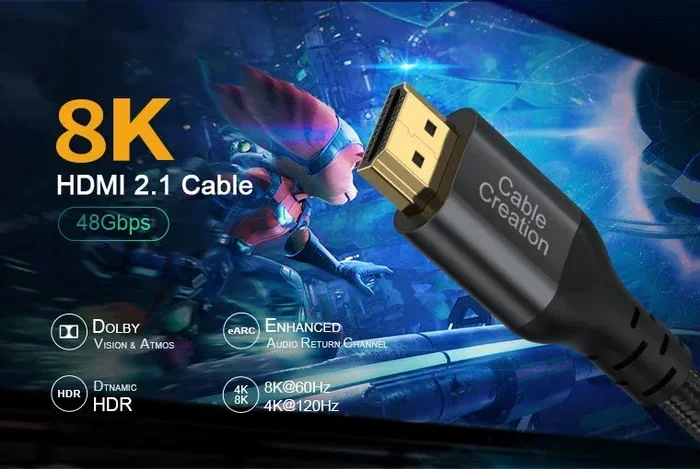
No. This is one of the most confusing things about HDMI versions. The physical port looks exactly the same whether it is HDMI 1.4 or HDMI 2.0. They use the same Type A connector, which is the standard rectangular shape you see on almost every device.
This means you cannot tell the version just by looking at the port. You need to check the device specifications. The manufacturer will list the HDMI version in the manual or on the product page. If you cannot find it there, a quick search online with the model number usually does the trick.
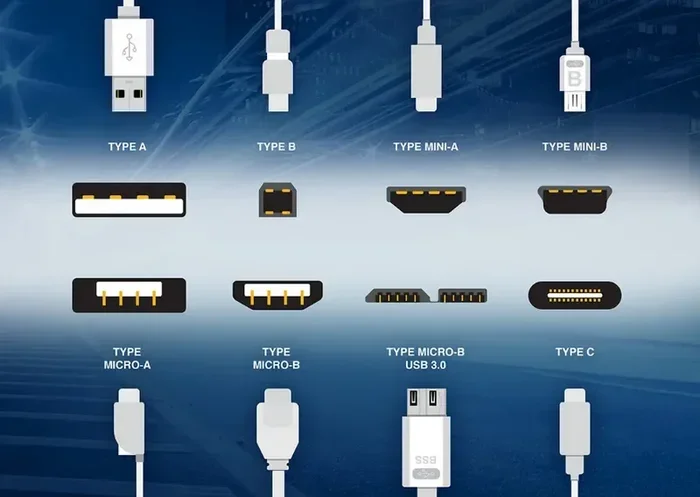
There are also smaller HDMI connectors like Mini HDMI and Micro HDMI. These come in different versions too. But the standard Type A port is the one most people encounter on TVs, monitors, and computers.
Why the Difference Matters for Your Setup
The version of HDMI your device supports directly affects your viewing experience. Here are some real-world scenarios where the difference becomes obvious.
Watching 4K Movies
If you want to watch 4K movies on Netflix or Blu-ray, HDMI 2.0 is essential. HDMI 1.4 can technically output 4K, but only at 30Hz. That means the picture might feel a bit choppy during fast scenes. With HDMI 2.0, you get smooth 4K at 60Hz. The difference is especially noticeable during action sequences, sports, and fast-moving games.
Gaming on a PC or Console
Gamers need high refresh rates and low latency. HDMI 1.4 limits you to 30Hz at 4K, which is not playable for most modern games. HDMI 2.0 gives you 4K at 60Hz or 1080p at 144Hz, depending on the display. This makes a huge difference in gameplay smoothness. If you are into competitive gaming, you know that every frame counts.
Many people do not realize that the HDMI port on their computer or graphics card directly affects how their games look. Upgrading from HDMI 1.4 to HDMI 2.0 can breathe new life into an older setup without needing to buy a new monitor.
Professional and Medical Displays
High-quality display connectivity matters in many professional fields. In settings like medical imaging, where clarity and accuracy are critical, the ability to display high-resolution content smoothly is essential. Computers are used in medicine for everything from viewing X-rays to monitoring patients in real time, and reliable display connections like HDMI 2.0 ensure that medical professionals see the sharpest and most accurate images possible. For more on how computers are used in the medical field, you can explore our article on 10 ways computers are used in medicine.
Quick Tips for Getting the Most Out of Your HDMI Connection
Want to make sure you are getting the best picture and sound from your HDMI setup? Here are some practical tips.
- Check your device specs before buying a cable. Know what HDMI version your TV, monitor, or source device supports.
- Buy certified High Speed HDMI cables for HDMI 2.0. These cables are tested to handle 18 Gbps bandwidth.
- Do not assume the cable version matches the port version. A cheap cable can limit your performance even if your port is HDMI 2.0.
- Use HDMI ARC for simpler audio setups. This lets you connect your TV to a sound system with just one cable.
- Keep cables as short as possible for best signal quality. Longer cables can degrade the signal, especially at higher resolutions.
- Update your device firmware. Sometimes a firmware update unlocks better HDMI performance or fixes compatibility issues.
Common Mistakes People Make with HDMI Ports
Avoid these common pitfalls to get the best experience from your HDMI connections.
- Assuming all HDMI ports on a TV are the same. Some TVs have a mix of HDMI 1.4 and HDMI 2.0 ports. Check which port is which on the back of your TV.
- Using an old cable with a new device. An HDMI 1.4 cable on an HDMI 2.0 port will limit your resolution and refresh rate.
- Ignoring the difference between 30Hz and 60Hz at 4K. 30Hz 4K looks fine for movies but feels laggy for gaming or desktop use.
- Not checking for HDMI 2.1 if you need it. If you have a 4K 120Hz display or an Xbox Series X, HDMI 2.1 might be what you actually need.
- Buying expensive cables you do not need. For most setups under 10 feet, a standard High Speed HDMI cable works perfectly. You do not need a $100 premium cable.
Expert Insights: What Should You Buy in 2024 and Beyond?
If you are shopping for new equipment, here is what the experts recommend.
For most home entertainment setups, HDMI 2.0 is the sweet spot right now. It handles 4K at 60Hz with ease. It supports HDR for richer colors. And it is widely available on modern devices at reasonable prices.
If you are a serious gamer or a content creator who works with high-resolution media, consider looking for HDMI 2.1 support. HDMI 2.1 can handle 4K at 120Hz and even 8K at 60Hz. But for the average user, HDMI 2.0 provides more than enough performance.
If your device only has HDMI 1.4 ports, do not panic. You can still enjoy 1080p content with excellent quality. And for 4K at 30Hz, you can watch movies and browse content without major issues. Just know that you will miss out on the smooth 60Hz experience that HDMI 2.0 provides.
The bottom line is simple. Check your ports. Match your cables to your ports. And enjoy the best picture your setup can deliver.
Final Thoughts
So, are HDMI 1.4 and 2.0 ports the same? They look the same, but they are far from it. HDMI 1.4 served us well for many years. It brought us 3D support, ARC, and Ethernet over HDMI. But the world moved on to 4K, HDR, and higher refresh rates. HDMI 2.0 stepped up to meet those demands with double the bandwidth and a host of new features.
Understanding the difference between these two standards helps you make smarter buying decisions. It helps you get the most out of your existing equipment. And it prevents the frustration of buying a 4K TV only to find out your ports cannot deliver the full experience.
Whether you are setting up a home theater, building a gaming PC, or connecting a workstation, knowing your HDMI version matters. Take a moment to check your devices. Upgrade your cables if needed. And enjoy the clear, smooth picture that your setup was meant to deliver.
The world of display connectivity keeps evolving. But with the right knowledge, you can stay ahead of the curve and get the best experience from every connection.
Frequently Asked Questions
Can I use an HDMI 2.0 cable in an HDMI 1.4 port?
Yes, you can. HDMI cables are backward compatible. The cable will work fine, but you will only get HDMI 1.4 performance. The port limits the capabilities, not the cable. So if your port is HDMI 1.4, you will get 10.2 Gbps bandwidth even with an HDMI 2.0 cable.
Can HDMI 1.4 support 4K resolution?
Yes, but only at 30Hz. HDMI 1.4 can output a 4K signal, but the refresh rate is limited to 30 frames per second. This is fine for watching movies but not ideal for gaming or desktop use where smooth motion matters.
Do all HDMI ports on my TV have the same version?
No, they often do not. Many TVs have a mix of HDMI 1.4 and HDMI 2.0 ports. The HDMI 2.0 ports are usually labeled as “HDMI 2” or “HDMI (ARC)” on the TV. Always check the manual or the labels on the back of your TV to know which port is which.
What is the main advantage of HDMI 2.0 over HDMI 1.4?
The main advantage is bandwidth. HDMI 2.0 offers 18 Gbps compared to HDMI 1.4’s 10.2 Gbps. This allows HDMI 2.0 to support 4K at 60Hz, deeper color depths, HDR, and dual audio streams. For modern content, these features make a noticeable difference.
Do I need a special cable for HDMI 2.0?
You need an HDMI cable rated for High Speed or Premium High Speed. Standard HDMI cables may not handle the 18 Gbps bandwidth of HDMI 2.0. Look for cables labeled “High Speed HDMI” or “Premium High Speed HDMI” to ensure full compatibility.
Is HDMI 2.1 worth it over HDMI 2.0?
It depends on your needs. HDMI 2.1 supports 4K at 120Hz, 8K at 60Hz, and features like VRR and ALLM. If you have a 4K 120Hz TV or a next-gen gaming console, HDMI 2.1 is worth it. For most everyday use, HDMI 2.0 is still more than sufficient and much more common.
=== CONCLUSION ===
HDMI 1.4 and HDMI 2.0 ports are not the same, even though they look identical. HDMI 2.0 brings double the bandwidth, full 4K at 60Hz support, better color depth, and HDR compatibility. HDMI 1.4 is still functional for basic 1080p use and older devices, but it cannot keep up with modern demands.
The key takeaway is to know your devices. Check which HDMI version your TV, monitor, or computer supports. Match your cables accordingly. And upgrade when necessary to get the best picture and sound quality from your setup.
With the right information, you can avoid common pitfalls and enjoy a seamless viewing experience every time you turn on your screen. Take a few minutes today to check your HDMI ports. Your eyes will thank you tomorrow.