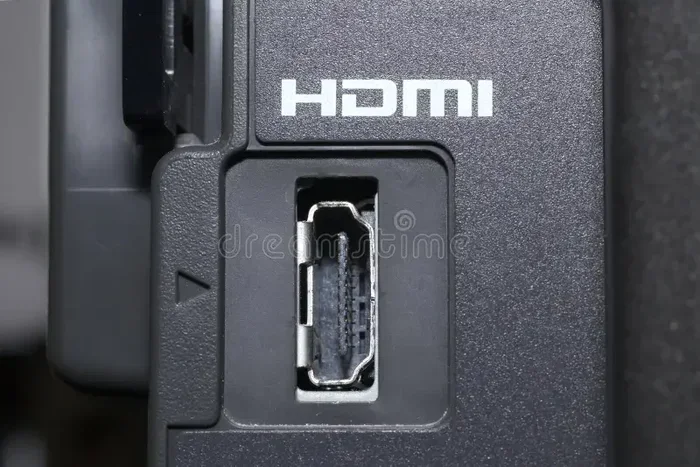
Are Hdmi Cables All The Same Here Is What You Need To Know
Are HDMI cables all the same? The short answer is no. Not all HDMI cables are created equal, and choosing the wrong one can ruin your viewing experience. Different HDMI versions support different resolutions, speeds, and features. In this guide, we break down everything you need to know so you can buy with confidence and get the best performance from your devices.
This is a comprehensive guide about Are Hdmi Cables All The Same.
Key Takeaways
- Not all HDMI cables are the same: Different versions and categories support different resolutions and features.
- HDMI cable categories matter: Standard, High Speed, Premium High Speed, and Ultra High Speed each serve different needs.
- HDMI 2.1 is the latest standard: It supports 4K at 120Hz, 8K, and Variable Refresh Rate for gaming.
- Price does not always mean better quality: A certified cable from a reputable brand works just as well as an expensive one.
- Cable length affects signal quality: Longer cables may lose signal strength, especially at higher resolutions.
- Gold-plated connectors help prevent corrosion: They ensure a stable connection over time.
[FEATURED_IMAGE_PLACEHOLDER]
Are HDMI Cables All The Same? Here Is What You Need to Know
If you have ever walked down the electronics aisle or browsed an online store, you have probably noticed that HDMI cables come in many shapes, sizes, and price ranges. Some cost just a few dollars. Others cost over fifty bucks. So, are HDMI cables all the same? The honest answer is no. They are not all the same, and understanding why can save you time, money, and frustration.
Every HDMI cable has a specific job. Some are built for basic setups. Others are designed to handle ultra-high-definition video and fast refresh rates. The cable you choose directly affects the picture and sound quality you get from your devices. Whether you are connecting a gaming console, a Blu-ray player, or a home theater system, picking the right cable makes a real difference.
In this article, we will walk you through everything you need to know about HDMI cables. We will cover the different types, versions, and categories. We will also help you figure out which cable is the best fit for your setup. By the end, you will feel confident making the right choice every time.
Let us start with the basics and break it all down in simple terms.
What Makes HDMI Cables Different From Each Other
HDMI stands for High-Definition Multimedia Interface. It is the standard connector used to carry both video and audio through a single cable. But not every HDMI cable delivers the same performance. Several factors determine what a cable can do.
The main differences come down to three things. The first is the HDMI version. The second is the cable category. The third is the build quality of the cable itself. Let us look at each one closely.
HDMI Version Differences
HDMI versions are updated over time to support new technology. Each version brings better bandwidth, higher resolutions, and new features. Here is a quick look at the major versions.
- HDMI 1.4: Supports 4K at 30Hz. It also introduced the ARC (Audio Return Channel) feature.
- HDMI 2.0: Supports 4K at 60Hz. This version is great for most home entertainment setups.
- HDMI 2.0a and 2.0b: Added features like HDR (High Dynamic Range) support.
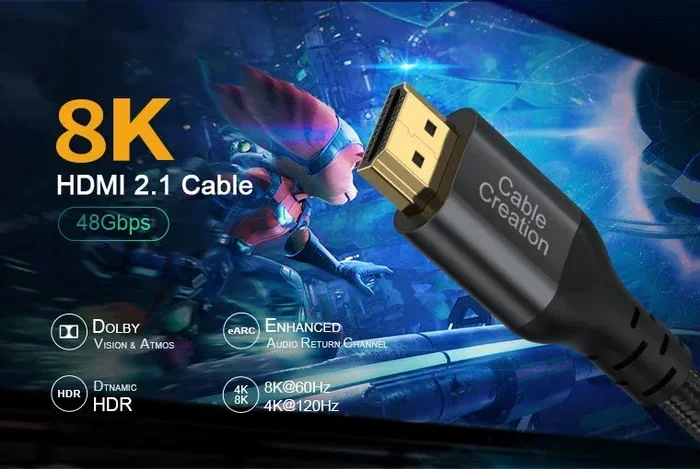
- HDMI 2.1: The newest version. It supports 4K at 120Hz, 8K at 60Hz, and features like VRR and ALLM.
Each new version increases the HDMI bandwidth, which is the amount of data the cable can carry per second. Higher bandwidth means better picture quality and smoother motion. So when you ask, are HDMI cables all the same, the version is one of the first things that sets them apart.
Cable Categories Explained
The HDMI Forum and the HDMI Licensing Authority created official cable categories. These categories help consumers know what a cable can handle. Here are the main ones you will come across.
- Standard HDMI Cable: Supports resolutions up to 1080p. Good for basic setups like older TVs and DVD players.
- High Speed HDMI Cable: Supports 1080p and 4K at 30Hz. This is the most common type sold today.
- Premium High Speed HDMI Cable: Supports 4K at 60Hz and HDR. This is the go-to cable for most modern home theaters.
- Ultra High Speed HDMI Cable: Supports 4K at 120Hz, 8K at 60Hz, and HDR with dynamic metadata. This is the cable for cutting-edge devices.
When shopping, look for the official HDMI certification label on the packaging. This label guarantees that the cable has been tested and meets the advertised specifications. A cable without this label might still work, but you cannot be sure of its true capabilities.
Understanding HDMI Cable Versions and Standards
HDMI versions and cable standards go hand in hand. The version refers to the specification the cable follows. The standard refers to what the cable is officially rated to handle. Let us dig deeper into how these work together.
Every new HDMI version brings improvements. More bandwidth. Better color support. New features for gamers and movie lovers alike. But your device must also support the same version for you to get the full benefit. For example, if you have an HDMI 2.1 cable but your TV only supports HDMI 2.0, the cable will still work. It just will not deliver the extra features that HDMI 2.1 offers.
This is why it is important to match your cable to your devices. Check the specs on your TV, your gaming console, and your source devices. Then choose a cable that meets or exceeds those requirements.
How HDMI Bandwidth Affects Your Experience
Bandwidth is the lifeblood of any HDMI cable. It determines how much data can flow through the cable every second. More bandwidth means the cable can handle higher resolutions and faster frame rates.
Here is a simple way to think about it. Imagine a highway. A Standard HDMI cable is like a two-lane road. It can handle a certain amount of traffic. A Premium High Speed cable is like a four-lane highway. It can handle much more. And an Ultra High Speed cable is like an eight-lane superhighway. It can move the most data of all.
If you try to push too much traffic through a small road, you get a traffic jam. In HDMI terms, that means pixelation, flickering, or no signal at all. This is why choosing the right bandwidth for your setup matters so much.
Do Expensive HDMI Cables Really Make a Difference
This is one of the most common questions people ask. And the answer might surprise you. In most cases, a more expensive HDMI cable does not give you a better picture than a cheaper one. As long as both cables meet the same standard, they perform the same.
Marketing teams love to make cables sound fancy. Terms like “ultra-premium” and “gold-plated performance” sound impressive. But the truth is, the materials inside the cable matter far more than the price tag.
That said, there are some small differences that can justify a higher price. Better shielding reduces interference. Thicker gauge wires carry signal more efficiently. And quality connectors last longer without loosening or corroding. So while you do not need to spend a fortune, buying a cheap no-name cable from a gas station might not be the best idea either.
What to Look for in a Quality HDMI Cable
When comparing HDMI cables, look for these key features.
- Official HDMI certification: This ensures the cable has been tested and meets its claimed specifications.
- Gold-plated connectors: Gold prevents oxidation and ensures a reliable connection over time.
- Proper shielding: Braided shielding or foil wrapping protects the signal from electromagnetic interference.
- Appropriate cable length: Shorter cables generally deliver a stronger signal. If you need a long run, consider an active or fiber optic HDMI cable.
- Reputable brand: Brands like Belkin, Cable Matters, and Monoprice are known for consistent quality.
Also, keep in mind that the internal components of a cable matter. The copper conductors, the insulation, and the shielding all play a role in performance. A well-built cable from a trusted brand will almost always outperform a cheap, unbranded cable, even if they are both labeled the same.
And here is a quick tip. If you are building a PC and want to understand how all the parts connect, check out our guide on 5 components that are found on the motherboard. It will help you understand how your motherboard and its ports fit into the bigger picture.
How to Choose the Right HDMI Cable for Your Setup
Now that you know the differences, let us talk about how to pick the right cable. The best HDMI cable for you depends on what devices you are using and what you want to get out of them.
Think about your setup. What is your TV or monitor capable of? What is your source device? What resolution and refresh rate do you want? Answering these questions will point you in the right direction.
Matching Your Cable to Your Devices
Start by checking the specs on your TV or monitor. Look for the maximum resolution and refresh rate it supports. Then check your source devices, like a game console or streaming box. Choose a cable that matches or exceeds both.
Here is a simple guide to help you decide.
| Your Setup | Recommended Cable |
|---|---|
| Basic HD TV (1080p) | Standard or High Speed HDMI |
| 4K TV at 30Hz or 60Hz | High Speed or Premium High Speed HDMI |
| 4K TV at 120Hz or 8K | Ultra High Speed HDMI |
| Gaming Console (PS5, Xbox Series X) | Ultra High Speed HDMI |
| Home Theater with ARC | Premium High Speed or Ultra High Speed HDMI |
This table should help you make a quick decision. But remember, always double-check the specifications of your specific devices. The table is a general guide, not a one-size-fits-all answer.
Common Mistakes People Make When Buying HDMI Cables
Even smart shoppers sometimes make mistakes when buying HDMI cables. Here are a few to watch out for.
- Buying based on price alone: A expensive cable is not always better. Focus on the certification and specs.
- Ignoring cable length: Longer cables can weaken the signal. Keep your cable as short as possible for your setup.
- Not checking device compatibility: Make sure both your source and display support the same HDMI version.
- Falling for marketing hype: Words like “super speed” and “ultra premium” on non-certified cables mean little.
- Using the wrong cable for 4K: A Standard or older cable will not deliver a true 4K experience.
Avoiding these mistakes will help you get the best performance without wasting money.
The Role of HDMI in Modern Technology
HDMI cables are everywhere. They connect our TVs, monitors, game consoles, laptops, and projectors. They even play a role in professional settings like medical imaging and digital signage. The versatility of HDMI is one of the reasons it has become the go-to standard for audio and video connections.
In fact, HDMI technology is so widespread that it touches many industries. For example, hospitals use computers with HDMI outputs to display medical imaging and patient data. If you are curious about how computers are used across different fields, you might enjoy reading about 10 ways computers are used in medicine. It gives a great look at how technology impacts healthcare.
As devices continue to evolve, HDMI standards keep pace. New versions bring higher resolutions, better color, and smarter features. The HDMI 2.1 standard, for instance, was designed with gamers in mind. It supports features like Variable Refresh Rate (VRR) and Auto Low Latency Mode (ALLM). These features reduce input lag and make gaming smoother and more responsive.
So when you ask, are HDMI cables all the same, remember that the answer goes far beyond just the physical connector. The cable you choose affects everything from picture clarity to motion smoothness to audio quality.
Quick Tips for Getting the Most Out of Your HDMI Cable
Here are some simple tips to help you get the best performance from any HDMI cable.
- Keep cables away from power cords: This reduces electromagnetic interference and keeps your signal clean.
- Check for firmware updates: Sometimes, device firmware updates improve HDMI compatibility.
- Use cable management: Avoid sharp bends or tight coils. This protects the internal wires from damage.
- Test your setup: After connecting, check that your TV or monitor displays the correct resolution and refresh rate.
- Replace old cables if needed: Cables can wear out over time. If you notice signal issues, it might be time for a new one.
These small steps can make a big difference in the quality of your audio and video experience.
Conclusion
So, are HDMI cables all the same? No, they are not. Different versions, categories, and build qualities mean that not every cable delivers the same performance. The key is to understand your needs and choose a cable that matches them.
Start by checking what your devices support. Then pick a cable with the right HDMI version and category. Look for certification and quality build. And do not fall for marketing hype or overpriced cables that do not deliver anything extra.
With the right HDMI cable, you will enjoy sharper pictures, smoother motion, and better sound. You will also avoid the frustration of signal problems and compatibility issues. A little knowledge goes a long way when it comes to choosing the right cable.
Take the time to understand your options. Your eyes and ears will thank you every time you turn on your TV, fire up your console, or sit down for a movie night. The right cable makes all the difference.
Frequently Asked Questions
Can I use any HDMI cable for 4K?
Not all HDMI cables support 4K properly. You need at least a High Speed or Premium High Speed HDMI cable for 4K at 30Hz or 60Hz. For 4K at 120Hz or higher, you will need an Ultra High Speed HDMI cable. Always check the cable’s certification before buying.
Does HDMI cable length affect quality?
Yes, cable length can affect signal quality. Shorter cables generally deliver a stronger, more reliable signal. If you need a longer cable, look for one with good shielding or consider an active HDMI cable that boosts the signal along the way.
Are gold-plated HDMI cables better?
Gold-plated connectors are more resistant to corrosion and provide a more reliable connection over time. The gold plating itself does not dramatically improve signal quality, but it does help the cable last longer and maintain a stable connection.
What is the difference between HDMI 2.0 and HDMI 2.1?
HDMI 2.0 supports 4K at 60Hz and basic HDR. HDMI 2.1 supports 4K at 120Hz, 8K at 60Hz, and advanced features like Variable Refresh Rate and Auto Low Latency Mode. HDMI 2.1 is designed for next-gen gaming and high-end home theater setups.
Do I need an expensive HDMI cable for gaming?
You do not need an expensive cable, but you do need the right one. For modern gaming consoles like the PS5 or Xbox Series X, an Ultra High Speed HDMI cable is recommended. This ensures you get the full 4K at 120Hz experience with features like VRR.
Can an HDMI cable cause signal problems?
Yes, a damaged or low-quality HDMI cable can cause signal problems. Symptoms include flickering, no signal, poor picture quality, or audio dropouts. If you experience these issues, try a different cable or check for physical damage to the connector and the cable itself.