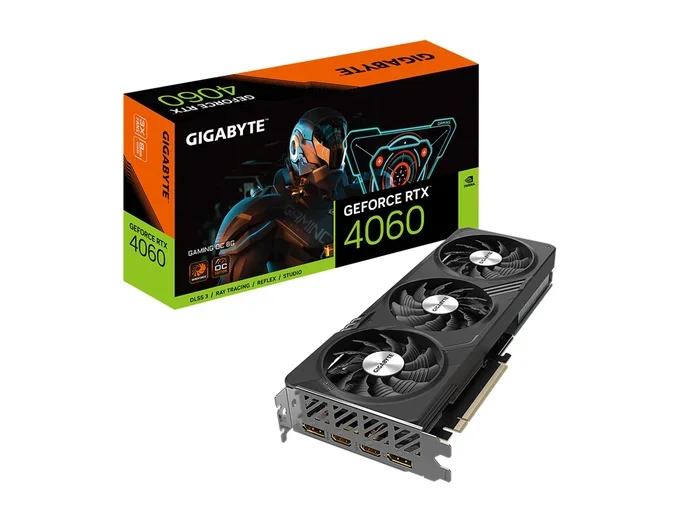
Can A 4060 Do Ray Tracing And What You Need To Know
Yes, a 4060 can do ray tracing, but it works best with the right settings and features like DLSS 3. The RTX 4060 uses NVIDIA’s Ada Lovelace architecture to bring real-time lighting effects to your games without completely killing your frame rate. If you want to enjoy ray tracing effects while keeping smooth performance, this card gives you a solid option at an affordable price.
Let’s talk about something that matters to every PC gamer right now. You hear the term ray tracing everywhere. Game trailers show off stunning lighting. Reviews rave about realistic reflections. And then you look at your setup and wonder, can your card actually handle it? If you are here, you probably own or are considering an RTX 4060. So the big question is simple: can a 4060 do ray tracing?
The short answer is yes. The longer answer is much more interesting, and it is exactly what we are going to explore today. Ray tracing has changed the way we think about graphics in games. It simulates how light behaves in the real world. Rays bounce off surfaces. Shadows fall naturally. Reflections look like actual mirrors instead of blurry approximations. This technology makes games feel alive in a way that traditional rendering simply cannot match.
But here is the catch. Ray tracing is incredibly demanding on your GPU. It requires your graphics card to calculate millions of light paths every single frame. That takes serious horsepower. The RTX 4060 is a mid-range card. It sits in a sweet spot for budget-conscious gamers who still want modern features. So does it deliver a good ray tracing experience? Absolutely. But there are some things you need to know before you dive in.
In this guide, we will break down everything. We will look at real performance numbers. We will explore the best settings to use. We will talk about DLSS 3 and why it matters so much for ray tracing on the 4060. By the end, you will know exactly what to expect and how to get the most out of your card.
Key Takeaways
- The RTX 4060 supports ray tracing: It can run ray tracing in modern games, though you may need to adjust settings for the best balance of visuals and performance.
- DLSS 3 frame generation is a game-changer: This feature boosts your frame rate significantly when ray tracing is enabled, making the experience much smoother.
- Medium ray tracing settings offer the sweet spot: You get great visual quality without sacrificing too much performance on the 4060.
- Not all games benefit equally: Some titles handle ray tracing better than others, and your GPU needs to work harder depending on the game engine.
- Cooling and power matter: Keeping your 4060 cool and ensuring your power supply can handle the load helps maintain stable ray tracing performance.
- Ray tracing is still evolving: Game developers are constantly improving how they use ray tracing, meaning future games will run better on cards like the 4060.
📑 Table of Contents
What Is Ray Tracing And Why Does It Matter?
Before we get into the 4060 specifics, let us make sure we are on the same page about what ray tracing actually is. Think of it like this. In traditional rendering, game developers fake lighting. They use pre-baked shadows. They fake reflections with screen-space techniques. It works, but it has limits. Light does not behave like a real physical light source in those scenarios.
Ray tracing changes the game entirely. Instead of faking light, the GPU actually calculates how light rays travel. A ray shoots out from a light source. It bounces off surfaces. It gets absorbed or reflected based on the material it hits. This happens for millions of rays per frame. The result is lighting that looks incredibly realistic. Shadows have soft edges. Water reflects the sky accurately. Glass shows what is behind it properly.
How Ray Tracing Works In Games
When you turn on ray tracing in a game, your GPU starts doing a massive amount of extra work. It is not just rendering the scene anymore. It is also tracing light paths for every light source in the environment. This affects several visual elements:
- Reflections: Mirrors, puddles, and shiny surfaces show accurate reflections of the surroundings.
- Shadows: Shadows become softer and more realistic. They respond correctly to the shape and position of light sources.
- Global Illumination: Light bounces off surfaces and colors nearby objects. A red wall can cast a reddish glow on the floor.
- Ambient Occlusion: Corners and crevices get darker where light cannot reach easily. This adds depth and realism.
All of these effects combined create visuals that look dramatically better than what traditional rendering can achieve. But they also demand a lot from your hardware. This is exactly why people ask whether a 4060 can handle it.
Ray tracing is not just a visual upgrade. It is a fundamental shift in how games are rendered. Developers are increasingly building their engines around it. As hardware improves, ray tracing will become standard rather than a premium feature. The 4060 gives you access to this future right now.
Can A 4060 Do Ray Tracing? Real Performance Breakdown
Now let us get to the heart of the matter. Can a 4060 do ray tracing in actual games, and what kind of performance can you expect? The answer depends on several factors. The game you are playing matters. The resolution matters. The settings you choose matter a lot.
The RTX 4060 is built on NVIDIA’s Ada Lovelace architecture. It features dedicated RT cores designed specifically for ray tracing. These cores handle the complex math of tracing light rays much more efficiently than previous generations. The 4060 also has tensor cores that power AI-based upscaling technologies like DLSS. Together, these features make ray tracing on a mid-range card actually viable.
Performance At 1080p With Ray Tracing
At 1080p, the 4060 handles ray tracing surprisingly well for a card in its price range. Here is what you can generally expect across popular titles:
- Cyberpunk 2077: Around 45-55 FPS with ray tracing set to medium and DLSS enabled.
- Alan Wake 2: Roughly 50-60 FPS at medium ray tracing settings.
- Horizon Forbidden West: About 55-65 FPS with ray tracing on medium.
- Marvel’s Spider-Man 2: Around 50-60 FPS with ray tracing at medium settings.
- Fortnite: Smooth 60+ FPS with ray tracing on low to medium.
These numbers assume you are using DLSS quality or balanced mode. Without DLSS, you can expect a significant drop, sometimes 30 to 40 percent lower frame rates. This is where the magic of AI upscaling becomes essential for ray tracing on the 4060.
Performance At 1440p With Ray Tracing
If you want to push to 1440p, the 4060 can still do ray tracing, but you will need to be more selective with settings. At 1440p, the GPU has to render four times as many pixels as 1080p. This means:
- You should keep ray tracing at low or medium settings.
- DLSS quality mode becomes almost mandatory for maintaining smooth frame rates.
- Expect frame rates in the 35-50 FPS range for demanding titles with ray tracing enabled.
The 4060 is primarily a 1080p card. If you want the best ray tracing experience, 1080p is where it shines. You can still play at 1440p, but you will need to compromise on some visual effects to keep things smooth.
Comparison Table: Ray Tracing Performance Across Settings
Here is a quick comparison of what you can expect from the RTX 4060 at different ray tracing levels in a typical modern game at 1080p:
- Ray Tracing Off: 80-100+ FPS. This is your baseline performance without any ray tracing effects.
- Ray Tracing Low: 60-75 FPS. A small performance hit with noticeable lighting improvements.
- Ray Tracing Medium: 45-60 FPS. The sweet spot for most players. Good visual quality with playable frame rates.
- Ray Tracing High: 35-50 FPS. Beautiful lighting but frame rates start to dip noticeably.
- Ray Tracing Ultra: 25-35 FPS. Stunning visuals but often unplayable without DLSS frame generation.
As you can see, medium ray tracing settings give you the best balance. You get the visual improvements without sacrificing too much smoothness. This is the recommended starting point for most 4060 owners.
DLSS 3 And Frame Generation: The Game Changer
If there is one feature that makes ray tracing on the 4060 truly enjoyable, it is DLSS 3 with frame generation. This is NVIDIA’s AI-powered technology that creates entirely new frames between the ones your GPU renders. It effectively doubles your frame rate without requiring you to lower your graphics settings.
Here is how it works. Your GPU renders every other frame. The DLSS frame generation engine analyzes the rendered frames and uses AI to predict what the frames in between should look like. It then generates those frames. The result is a much smoother experience that feels like your GPU is rendering at twice the frame rate.
For ray tracing on the 4060, this is transformative. Without DLSS 3 frame generation, many ray tracing titles would feel choppy. With it enabled, you can enjoy ray tracing effects at playable frame rates even in demanding games. The technology is not perfect, and it can occasionally introduce slight artifacts. But for most players, the improvement is dramatic and well worth it.
DLSS Modes Compared
When you are using DLSS with ray tracing on the 4060, you have several modes to choose from:
- DLSS Quality: Minimal image loss. Best for 1080p and 1440p where you want maximum visual fidelity.
- DLSS Balanced: A good middle ground. Slight quality reduction for better performance.
- DLSS Performance: More noticeable quality loss but a bigger frame rate boost. Useful if you are struggling at higher resolutions.
- DLSS Ultra Performance: Maximum frame rate gain. Best for 4K or very demanding scenes where you need every bit of performance.
For ray tracing on the 4060, we recommend starting with DLSS Quality or Balanced. You can always switch to performance modes if you need more frames. The key is finding the balance that works for your eyes and your monitor’s refresh rate.
Frame Generation Versus DLSS Upscaling
It is important to understand the difference between DLSS upscaling and frame generation. DLSS upscaling renders your game at a lower resolution and then uses AI to upscale it to your target resolution. This alone boosts performance significantly. Frame generation goes a step further by creating entirely new frames.
For the best ray tracing experience on the 4060, use both together. DLSS upscaling reduces the rendering workload, and frame generation smooths out the remaining frame rate gaps. This combination is what makes ray tracing truly playable on a mid-range card like the 4060.
Best Games For Ray Tracing On The 4060
Not all games handle ray tracing the same way. Some are optimized brilliantly and run smoothly on the 4060. Others are incredibly demanding and will struggle even with DLSS. Here are some of the best ray tracing experiences you can have on this card.
Games That Run Great With Ray Tracing
These titles are well-optimized and deliver excellent ray tracing visuals on the 4060:
- Cyberpunk 2077: After major updates, this game runs much better than at launch. Medium ray tracing with DLSS gives you a fantastic experience.
- Horizon Forbidden West: Beautiful ray-traced reflections on water and metal. The 4060 handles this very well at medium settings.
- Alan Wake 2: Stunning lighting effects that showcase what ray tracing can do. Medium settings keep things smooth.
- Fortnite: The game is very well optimized for ray tracing. Even on the 4060, you can enjoy it at high frame rates.
- Minecraft (with RTX): A lighter game that benefits enormously from ray tracing. The 4060 can run it beautifully.
Games That Are More Demanding
These titles will challenge the 4060 more when ray tracing is enabled:
- Alan Wake 2 (at high settings): Beautiful but demanding. You will need to keep ray tracing at medium or low.
- Shadow of the Tomb Raider: Great ray tracing implementation but can be heavy on the GPU at higher settings.
- Control: Excellent ray tracing effects but requires careful setting adjustments on the 4060.
The key takeaway is that the 4060 can run ray tracing in most modern games. You just need to find the right balance of settings. Medium ray tracing combined with DLSS gives you the best experience across the widest range of titles.
Ray Tracing Settings And How To Optimize Them
Getting the most out of ray tracing on your 4060 is all about finding the right settings. You do not want to turn everything up and watch your frame rate plummet. But you also do not want to turn everything off and miss out on the visual improvements. Here is how to optimize your setup.
Recommended Settings For The 4060
Follow these guidelines for the best ray tracing experience on the RTX 4060:
- Resolution: Stick with 1080p for the smoothest ray tracing experience. The 4060 is built for this resolution.
- Ray Tracing Level: Set to medium. This gives you all the key ray tracing effects without overwhelming the GPU.
- DLSS: Always enable it. Use Quality or Balanced mode depending on your frame rate needs.
- Frame Generation: Turn this on if your game supports DLSS 3. It makes a huge difference in smoothness.
- Ray Reconstruction: Enable this if available. It uses AI to improve ray tracing quality while reducing performance cost.
- Shadow Quality: Set to medium or high. Shadows are one of the most noticeable ray tracing effects.
- Reflection Quality: Medium is usually enough. High reflections look great but cost significant performance.
Quick Tips For Better Ray Tracing Performance
Here are some practical tips to squeeze more performance out of your 4060 when ray tracing is enabled:
- Keep your GPU drivers updated. NVIDIA regularly releases game-ready drivers that optimize ray tracing performance.
- Monitor your GPU temperature. Ray tracing generates more heat. Make sure your card stays cool.
- Close background applications. Free up system resources for your game.
- Use the NVIDIA Control Panel to adjust global settings. You can set ray tracing preferences that apply across all games.
- Experiment with individual settings rather than using preset modes. Sometimes turning one setting up and another down gives you better results than a blanket preset.
Common Mistakes To Avoid With Ray Tracing
Many people make mistakes when enabling ray tracing that hurt their experience. Here are some to watch out for:
- Turning ray tracing to ultra right away: This will tank your frame rate. Start with medium and work your way up only if performance allows.
- Forgetting to enable DLSS: Running ray tracing without DLSS on the 4060 is like driving a car with the parking brake on. You are leaving a lot of performance on the table.
- Ignoring your monitor’s refresh rate: If you have a 144Hz monitor, you need 144 FPS to take full advantage. Ray tracing on the 4060 at 1080p may not always hit that target, so adjust settings accordingly.
- Not updating drivers: New game releases often come with driver optimizations. Always check for the latest NVIDIA drivers before playing a new title.
- Overlooking in-game optimization settings: Some games have specific ray tracing optimization options that can significantly improve performance without visible quality loss.
Expert Insights On Ray Tracing Hardware
Ray tracing technology has come a long way in just a few years. The first generation of RTX cards made ray tracing possible, but it came with a heavy performance cost. The 4060 represents a significant leap forward in making ray tracing accessible to mainstream gamers.
NVIDIA has invested heavily in making ray tracing more efficient. The Ada Lovelace architecture in the 4060 uses improved RT cores that can trace rays faster and with less power consumption. This means the 4060 can deliver ray tracing performance that was impossible on previous generation cards at the same price point.
Looking ahead, ray tracing will only become more important in games. Developers are finding new and creative ways to use it. From realistic caustics to accurate subsurface scattering in skin, the applications continue to grow. The 4060 positions you well for this evolving landscape. It may not be the most powerful ray tracing card on the market, but it offers excellent value for what it can do.
If you are building a new system or upgrading, the 4060 is a strong choice for anyone who wants to experience ray tracing without breaking the bank. Pair it with a good monitor, keep your drivers updated, and use DLSS to its fullest potential. You will be impressed with what this card can deliver.
Conclusion
So, can a 4060 do ray tracing? The answer is a resounding yes. The RTX 4060 brings hardware-accelerated ray tracing to the mid-range market. It delivers beautiful lighting effects, realistic reflections, and immersive shadows that transform your gaming experience. You just need to use the right settings and take advantage of features like DLSS 3 to get the most out of it.
The key is balance. Medium ray tracing settings combined with DLSS upscaling and frame generation give you the best experience on the 4060. You get stunning visuals without sacrificing playability. As game developers continue to refine their ray tracing implementations, the 4060 will only become more capable of handling these effects.
If you are on the fence about whether to enable ray tracing on your 4060, we say go for it. Start with medium settings, enable DLSS, and see how it feels. You might be surprised at how good it looks and how smooth the experience can be. Ray tracing is not just a gimmick. It is the future of gaming graphics. And the 4060 gives you a front-row seat to enjoy it.
Take what you have learned here, adjust your settings, and dive into the world of ray tracing. Your 4060 is more than capable of handling it. The visuals are worth the effort, and with the right setup, your frame rates will stay smooth too.
Frequently Asked Questions
Is the RTX 4060 good for ray tracing?
Yes, the RTX 4060 is a solid choice for ray tracing at 1080p. It features dedicated RT cores and supports DLSS 3, which makes ray tracing much more playable. You will get the best experience with medium ray tracing settings and DLSS enabled.
Can the 4060 run ray tracing at 1440p?
It can, but you will need to lower ray tracing settings to low or medium. At 1440p, the GPU has to render significantly more pixels, which reduces the headroom for ray tracing effects. For the smoothest experience, 1080p is the recommended resolution for ray tracing on the 4060.
What is DLSS and why does it matter for ray tracing?
DLSS stands for Deep Learning Super Sampling. It uses AI to render your game at a lower resolution and then upscale it to your target resolution. This frees up GPU resources, allowing you to enable ray tracing without a massive drop in frame rate. DLSS 3 also adds frame generation for even smoother gameplay.
Does ray tracing reduce FPS on the 4060?
Yes, ray tracing does reduce frame rates because it adds significant computational workload. However, with DLSS enabled and medium ray tracing settings, the FPS drop is manageable on the 4060. You can still enjoy smooth gameplay in most titles.
Which games have the best ray tracing on the 4060?
Cyberpunk 2077, Horizon Forbidden West, Alan Wake 2, and Fortnite are among the best ray tracing experiences on the 4060. These games are well-optimized and deliver stunning visuals without demanding extreme hardware. They all run well with medium ray tracing and DLSS enabled.
Should I turn on ray tracing on the 4060?
If you care about visual quality and realistic lighting, yes. Start with medium ray tracing settings and enable DLSS. You will notice a dramatic improvement in lighting, reflections, and shadows. Adjust settings based on the frame rate you are comfortable with for each game.