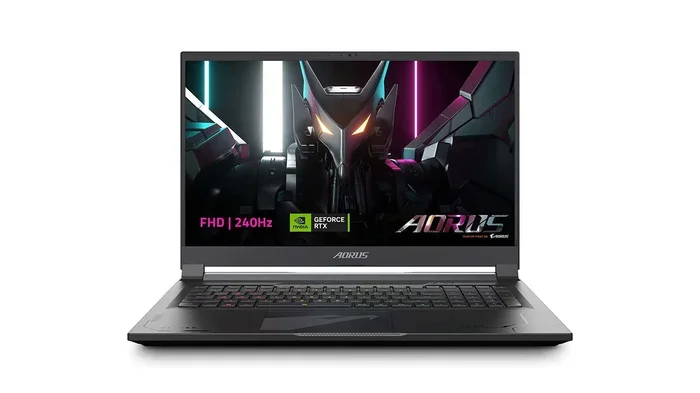
Can A 4090 Fit In A Laptop And What You Need To Know
Can a 4090 fit in a laptop? The short answer is no for standard upgrades, but yes for specific high-end models. This guide breaks down the RTX 4090 laptop specs, thermal design, and power consumption you must consider. You will learn if mobile graphics can match desktop power.
Many gamers want the best graphics. They ask can a 4090 fit in a laptop. The answer is not simple. You need to know the facts first.
A desktop RTX 4090 is a huge chip. It will not fit in a normal laptop bag. The card is too big and too heavy. But Nvidia makes a mobile version. This mobile version works in big gaming machines. You must understand the differences. This post will guide you through it all.
We will look at size and power. We will also check the cooling needs. You will learn what to watch for. This helps you make a smart choice. Read on to find out more. The right laptop can change your gaming life. You will enjoy every moment. You will see smooth frames. The experience is truly amazing. You just need the right gear.
Key Takeaways
- Desktop vs. Laptop: A standard desktop 4090 will not fit in a regular laptop.
- Mobile Versions Exist: Nvidia makes a specific RTX 4090 for laptops, but it has lower power limits.
- Size Matters: The laptop chassis must be large enough to house the graphics card.
- Cooling is Key: High-end GPUs need serious cooling to avoid overheating.
- Power Draw: Mobile 4090s still require big batteries and strong power adapters.
- External Options: You can use an eGPU if you want desktop power on the go.
📑 Table of Contents
What Is the RTX 4090?
The RTX 4090 is a top graphics card. It belongs to Nvidia. People use it for high-end gaming. It also helps with video editing. The card has lots of cores. These cores make images fast. It sets the standard for mobile graphics too. But the desktop and mobile versions differ a lot.
Desktop cards use more power. They also run hotter. Mobile cards must save energy. They must fit inside a small space. This is why the RTX 4090 laptop version is different. It trades some speed for size. The mobile GPU is a custom chip. Nvidia designs them for thin machines. They balance speed with heat. You get a powerful graphics processing unit. Yet it is not the same as the desktop card.
The desktop card has more CUDA cores. It also has more memory bandwidth. This makes the desktop version faster. The mobile version still plays great games. It can run them at high settings too. You will get smooth frame rates. But you must manage your expectations. The mobile version has a lower TDP. TDP means thermal design power. It tells you how much heat the card makes. Less heat means less cooling needed. It also means less power used. This is good for battery life. But it limits the top speed. The desktop card is still faster. The mobile card is just a smaller version. Both cards use the same architecture. They both support Ray Tracing. This is a fancy lighting trick. It makes games look very real. You get this on both cards. But the desktop card does it better. It has more raw power. It is the king of graphics. The mobile card is the prince. It is still very strong. It can handle any game today. You just might lower some settings. This is true for many portable gaming setups. You still have a great time. The prices are very high. You need a big budget. But the speed is worth it. Many players love this card. It is a true beast. It delivers incredible frame rates. You will never drop a frame. The visuals are stunning. The colors are very bright. The details are sharp. You can see every leaf. Every brick is clear. This is what high-end gaming is all about. You will be amazed by the speed. The game world feels alive. Every shadow looks real. Every light beam shines bright. You will love the detail.
Can a 4090 Fit In A Laptop: Desktop vs Mobile
The short answer is no. A standard desktop 4090 will not fit. The size is just too big. Desktop cards are long and wide. They do not match laptop slots. The GPU specs are built for desktops. You cannot swap them easily. You would need to break the laptop to try. It is just not possible. The design is too different.
Physical Size Limits
Laptop chassis have tight spaces. A desktop card is three to four times bigger. It will not slide into the laptop board. The graphics card size is a big problem. You cannot force a big card into a small space. It just will not work. The pins will not line up. The card will not sit flat. This is a hard rule for any laptop upgrade. You cannot just swap parts like a desktop PC. Laptops are not built that way. The parts are custom fit. You must respect the size limits. Always check the size first. A desktop card is a long board. It has many ports on the back. A laptop needs a small board. It has no ports on the card itself. The laptop screen connects to the board. This makes the design very different.
Power and Slot Differences
Desktop cards need big power cables. Laptops use different connectors. The power consumption of a desktop 4090 is over 400 watts. A laptop cannot supply that much juice. It would trip the system or break the parts. The power draw is too high. A laptop battery will not last long. You need a very strong power brick. Even then, the laptop will struggle. The connectors will not match. Desktop cards use 12VHPWR cables. Laptops use different plugs. You cannot just adapt them. It is not safe. It can cause a fire. Always stick to the right parts. Safety comes first in any hardware setup. You do not want to burn your house down. You also do not want to fry your new card. The cost of a desktop 4090 is very high. You do not want to waste it. Use the right card for the right machine.
The Mobile RTX 4090: What You Get
Nvidia makes a special mobile RTX 4090. It fits inside a laptop. But it is not the same as the desktop card. It has lower wattage. It also has fewer CUDA cores. This saves space and power. Yet, it still gives great performance benchmark scores.
Mobile GPUs are custom chips. Nvidia designs them for thin machines. They balance speed with heat. You get a portable gaming machine. But you give up some raw power. It is still one of the best graphics processing unit options for laptops. The mobile GPU can run modern games. It can run them at high settings too. You will get smooth frame rates. But you must manage your expectations.
The mobile version has a lower TDP. TDP means thermal design power. It tells you how much heat the card makes. Less heat means less cooling needed. It also means less power used. This is good for battery life. But it limits the top speed. The desktop card is still faster. The mobile card is just a smaller version. Both cards use the same architecture. They both support Ray Tracing. This is a fancy lighting trick. It makes games look very real. You get this on both cards. But the desktop card does it better. It has more raw power. It is the king of graphics. The mobile card is the prince. It is still very strong. It can handle any game today. You just might lower some settings. This is true for many portable gaming setups. You still have a great time.
The mobile 4090 is still very fast. It beats all other mobile GPUs. It is the fastest mobile card from Nvidia. You can play 4K games on it. The frame rates are very smooth. You might need to lower some settings. But the game will still look great. The visuals are beautiful. The colors pop out. The motion is very smooth. You will love playing on this card. It is a true beast. It brings the desktop experience to a laptop. You can game anywhere you go. Just make sure you have a plug nearby. You will need the power.
Mobile graphics have come a long way. They are almost as good as desktop cards. The gap is getting smaller every year. Nvidia keeps making better mobile GPUs. They use the newest tech. They put big memory on small chips. This helps the mobile 4090 a lot. You get more speed in a small space. It is a miracle of modern tech. You can take this power with you. You can game at your friend’s house. You can game in your dorm room. You can game anywhere. Just plug in the power. The portable gaming experience is great. You do not need a desktop anymore. You can have it all in one machine.
Size and Chassis Requirements
Not every laptop can hold a 4090. You need a very large machine. The laptop chassis must be big enough. Most thin laptops cannot fit it. You need a thick gaming notebook. These machines have room for big parts. The hardware compatibility depends on the board design. Some laptops use full-size cards. Others use smaller modules. Always check the laptop specs before buying.
Look for 17-inch screens. They often have space inside. The chassis must be wide and deep. The card needs room to breathe. A cramped case will cause problems. Heat will build up fast. The card will slow down. You want a spacious laptop design. This ensures the card works well.
Finding the Right Laptop
You want a machine with a big fan. The fans must cool the hot GPU. Look for laptops with vapor chambers. These keep the cooling system working well. A good chassis stops the card from slowing down. You also want a solid build. The laptop should not flex. It needs strong hinges. It needs a sturdy base. This is key for a desktop replacement machine. You want it to last. You do not want a flimsy shell. The frame must be strong. Metal chassis are better than plastic. They help with heat too. They spread the warmth out. This keeps the parts safe. A heavy laptop is often a good sign. It means it has thick metal. It means it has big fans. It means it can handle the heat. Do not buy a light laptop for a 4090. It will overheat. It will fail fast. You want a sturdy machine. You want a reliable machine. You want a machine that can take a beating. The hardware compatibility is very important. You must check the specs. You must read the reviews. You must trust the brand. A good gaming laptop is an investment. It will last you for years.
Cooling and Power Consumption
Heat is the enemy of fast chips. The RTX 4090 makes a lot of it. You need a strong cooling system in the laptop. Big fans and heat pipes are a must. Without them, the card will get too hot. The thermal design of the laptop matters a lot. A bad design ruins the gaming experience. You want the card to stay cool.
How Heat Affects Speed
When a GPU gets too hot, it slows down. This is called thermal throttling. You lose frames per second. A bad thermal design hurts your game. You want the card to stay cool. You need good airflow inside the laptop. The fans must pull hot air out. They must push cool air in. This keeps the mobile GPU happy. Dust can block the airflow. You must clean the fans often. A clean laptop runs cooler. It also runs quieter. You do not want a loud fan. It distracts from your game. Good cooling makes a big difference. You will hear the fans spin up. This is normal. It means the card is working hard. It is doing its job. You should not fear the noise. It is a good sign. It means the card is not melting. It means the card is safe.
Battery Life and Power Draw
Power draw is another big issue. The mobile 4090 still needs a lot of energy. It drains the battery fast. You need a big power adapter too. Many laptops need a 230-watt or higher brick. This makes the machine heavy. It also means you need a desktop replacement setup for long sessions. Your battery life will be short when gaming. You should plug in the laptop. Do not rely on battery power. The power consumption is just too high. You will also hear the fans spin up. They work hard to keep cool. This is normal for a gaming laptop. You just need to accept it. The power draw is part of the package. You get speed. You give up some battery. It is a fair trade for many users. You can still use the battery. But you should plug it in. The battery is there for backup. It is there for short trips. You cannot game for hours on battery. The power draw is just too high. You need to be near an outlet. This limits where you can play. But you can still enjoy the game.
Conclusion
So, can a 4090 fit in a laptop? Yes, but only the mobile version. You cannot put a desktop card inside. You need a big laptop with a strong chassis. The mobile RTX 4090 gives you great speed. But it comes with trade-offs. It uses more power and needs good cooling. If you want the best graphics card size in a laptop, the mobile 4090 is the way to go. Choose wisely and enjoy your games.
Think about what you need. Do you want to play on the go? Or do you want the best speed? A mobile 4090 is great for gaming. It is a true desktop replacement. You can play the latest titles. You can ray trace with ease. Just be ready for the weight and the power needs. A gaming laptop is not a thin ultrabook. It is a heavy machine. But it delivers amazing performance. You will love the fast speeds. Just remember to keep it cool. Have fun with your new machine. The world of high-end gaming is waiting for you. You just need the right tools. The RTX 4090 is one of those tools. It is a fantastic choice. You will not regret buying it. You will love every second. Now go and game!
Frequently Asked Questions
Can you upgrade the GPU in a laptop?
Most laptops do not allow GPU upgrades. The graphics card is soldered to the motherboard. You cannot remove it easily. You must buy a new laptop to get a better GPU.
How big is the RTX 4090 mobile version?
The mobile RTX 4090 is smaller than the desktop card. It still takes up a lot of space inside a laptop. You need a large chassis to fit it. The size is designed for thick gaming notebooks.
Does a laptop 4090 have the same speed as a desktop?
No, the laptop 4090 is slower than the desktop version. It has fewer CUDA cores and lower wattage. It still delivers excellent performance for a mobile GPU. You can play most games at high settings.
Can you use an eGPU with a 4090?
Yes, you can use an external GPU with a 4090. You connect a desktop 4090 to your laptop via a cable. This gives you full desktop power. It is great for high-end gaming at home.
What laptop size do you need for a 4090?
You need a very large laptop for a 4090. A 17-inch screen is usually required. The chassis must be thick and wide. Small laptops cannot fit the card or the cooling system.
Is a 4090 laptop worth the price?
It depends on your needs. If you want the best portable gaming, it is worth it. The performance is incredible. But the price is very high. You also need a strong power supply and cooling setup.